Blog
Insights, tutorials, and updates from the Powercademy team.
101 articles
Architecture & ALM Howdang Rashid·22 Aug 2026
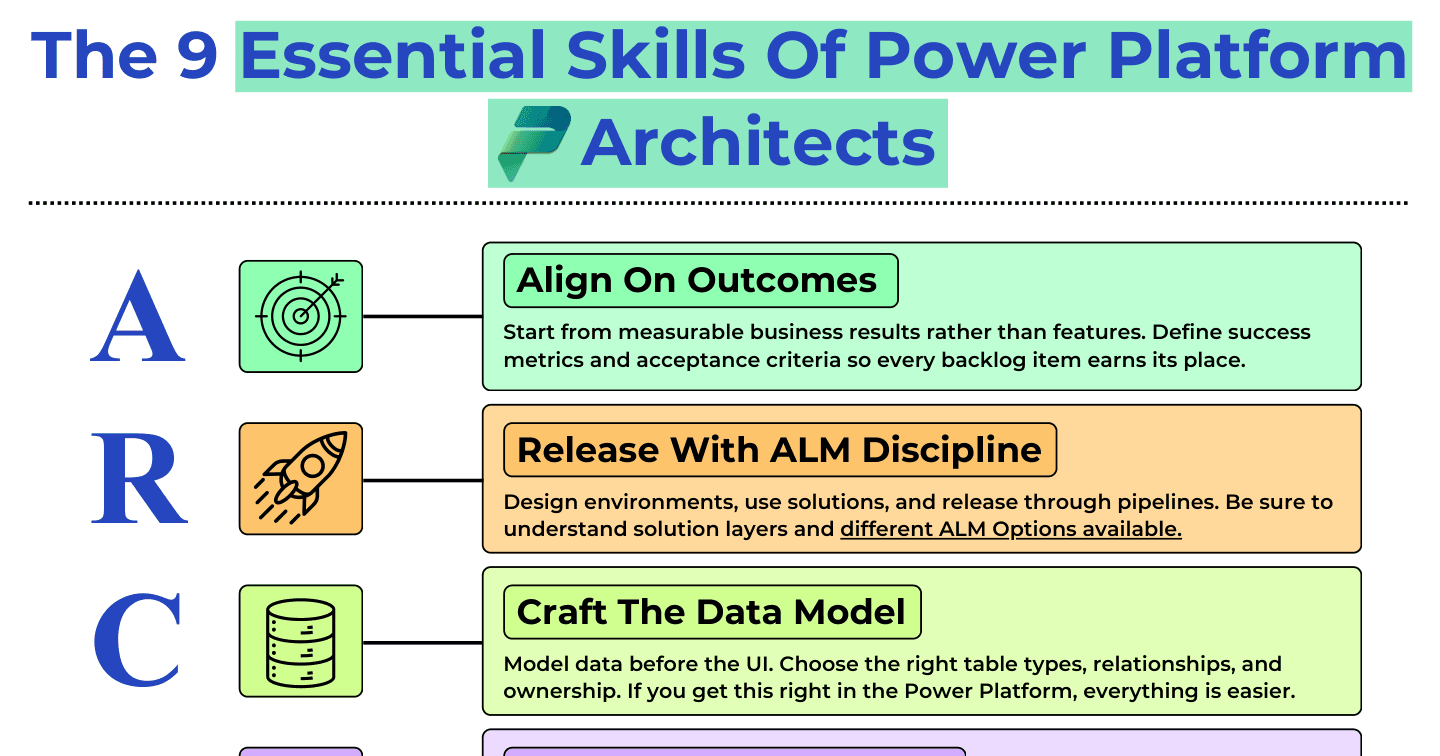
The 9 Essential Skills of Power Platform Architects
A-R-C-H-I-T-E-C-T: align on outcomes, release with ALM discipline, craft the data model, human-centred design, integrate the enterprise, threat model, extensibility, cost control, testing.
Howdang Rashid·22 Aug 2026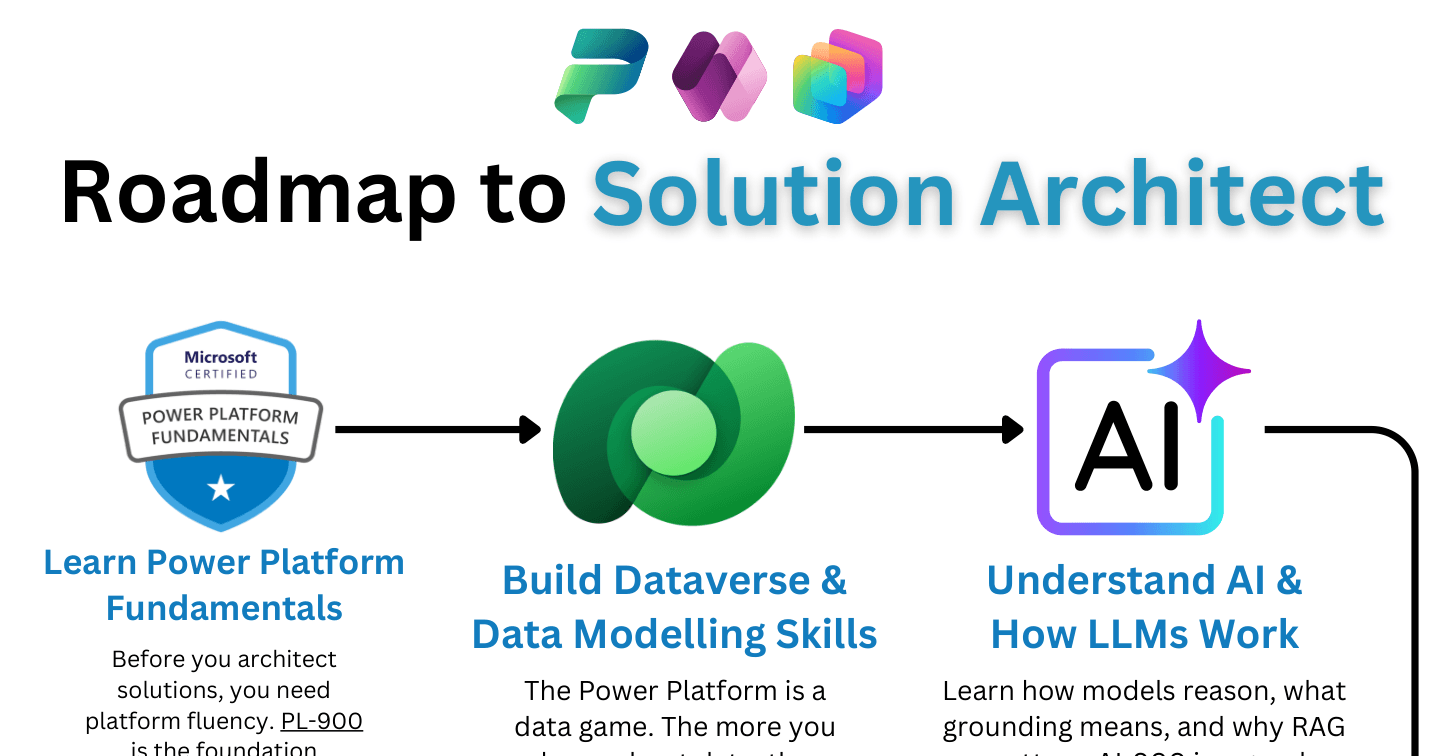
Microsoft AIHowdang Rashid·22 Aug 2026
The AI-Era Solution Architect Roadmap
PL-900 to AB-100: the roadmap to solution architect in the AI era - platform fluency, Dataverse, ALM, Copilot Studio, how LLMs work, Azure and Foundry, extensibility, and responsible AI.
Howdang Rashid·22 Aug 2026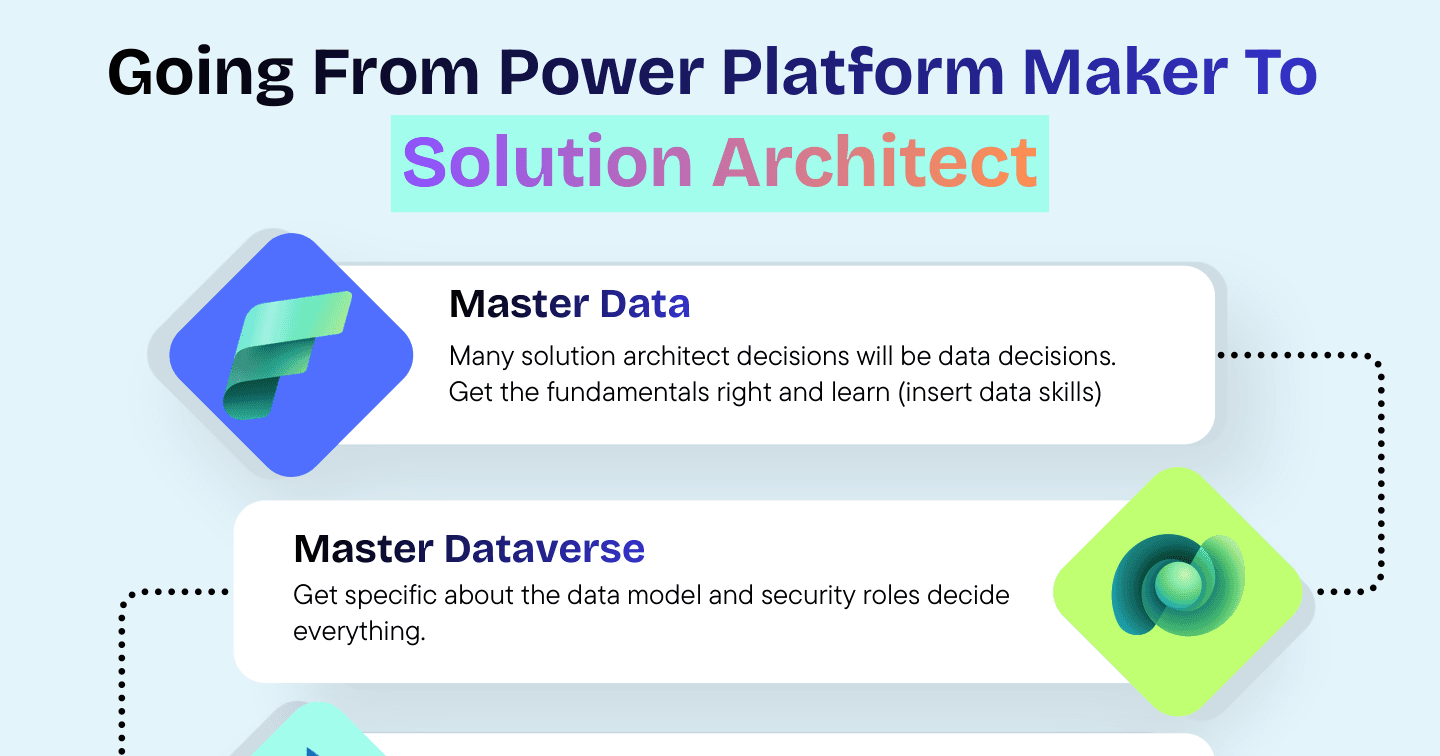
Architecture & ALMHowdang Rashid·22 Aug 2026
Going From Power Platform Maker to Solution Architect: The Roadmap
Master data, own the ALM, design agents, lead the room - the seven-step roadmap for turning Power Platform building skills into solution architect judgement.
Howdang Rashid·22 Aug 2026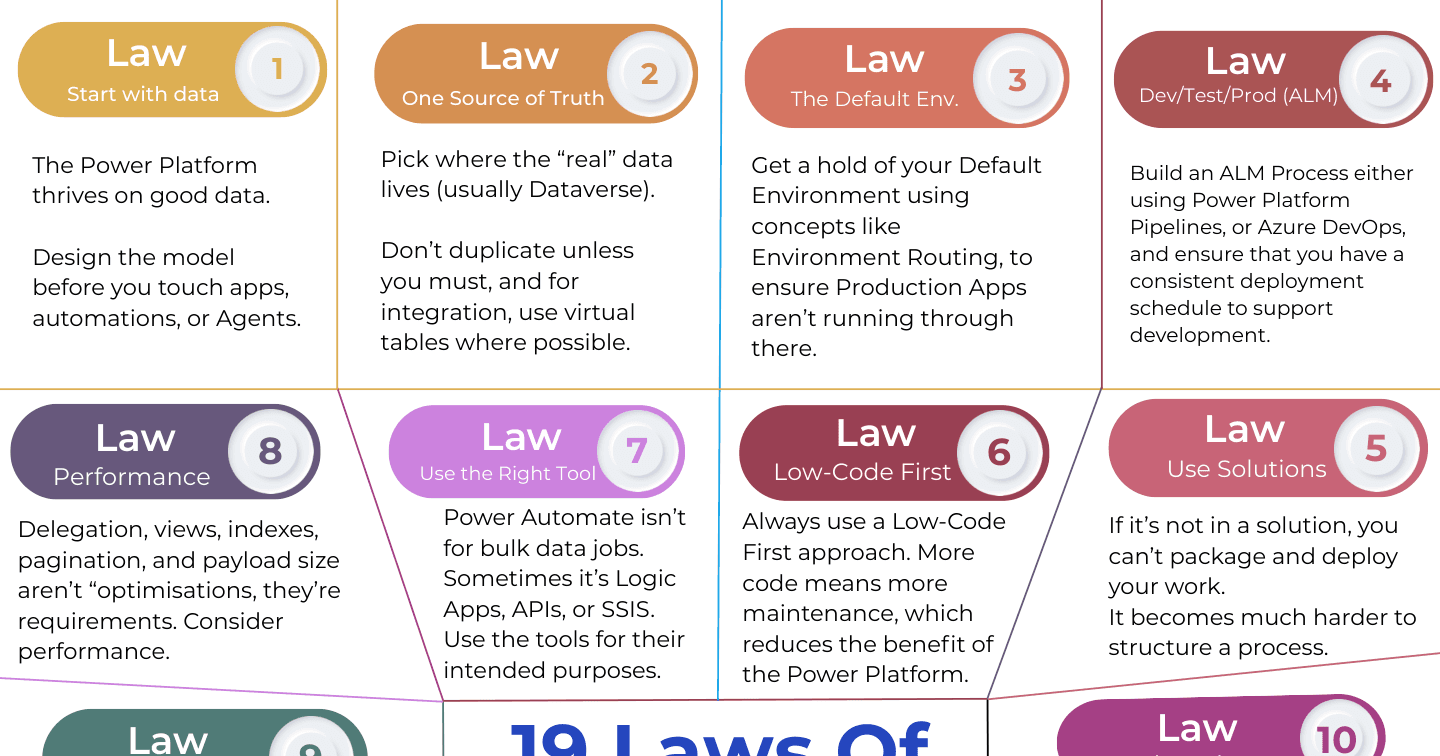
Architecture & ALMHowdang Rashid·22 Aug 2026
The 19 Laws of Power Platform Architecture
Start with data, one source of truth, tame the default environment, solutions always - the 19 laws that keep Power Platform architectures standing at scale.
Howdang Rashid·22 Aug 2026
Architecture & ALMHowdang Rashid·22 Aug 2026
Power Platform Solution Layering 101: How Layers Actually Work
Solution layers decide what your users actually see. How managed and unmanaged layers stack, a worked example of a label changing hands, and the do's and don'ts of removing customisations.
Howdang Rashid·22 Aug 2026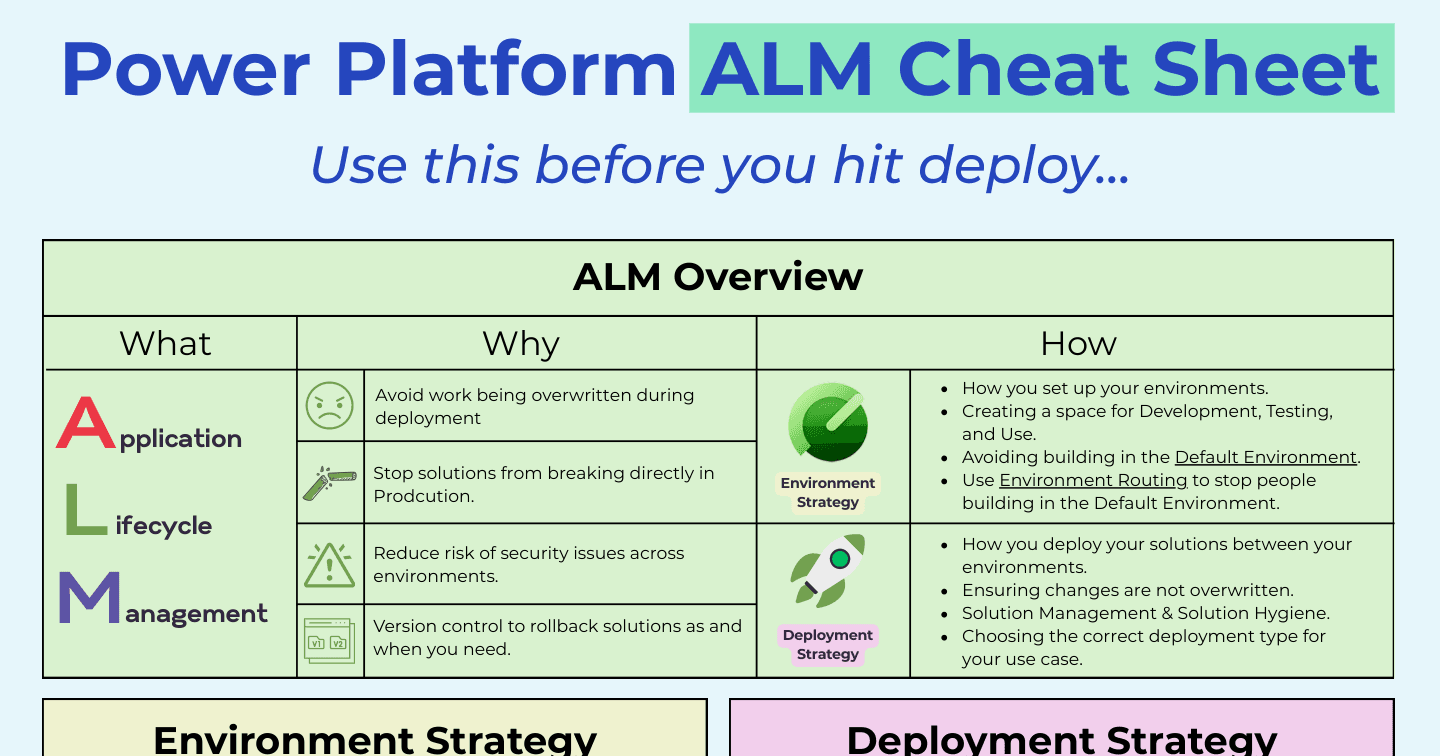
Architecture & ALMHowdang Rashid·22 Aug 2026
The Power Platform ALM Cheat Sheet
Environment types, managed vs unmanaged solutions, deployment options, and the factors that shape environment strategy - Power Platform ALM on one page.
Howdang Rashid·22 Aug 2026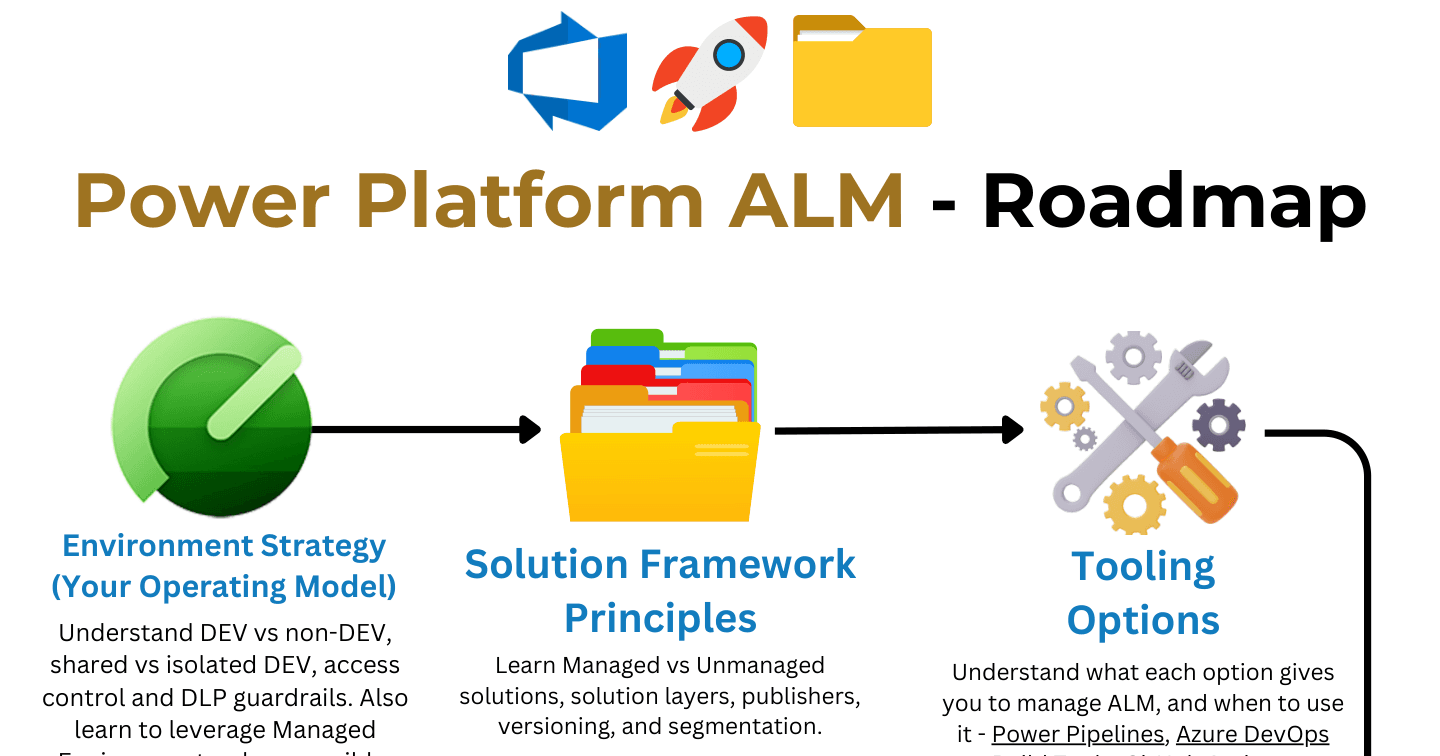
Architecture & ALMHowdang Rashid·22 Aug 2026
The Power Platform ALM Learning Roadmap
From solution framework principles to full CI/CD - the eight-stage roadmap for learning Power Platform ALM, in the order that actually builds on itself.
Howdang Rashid·22 Aug 2026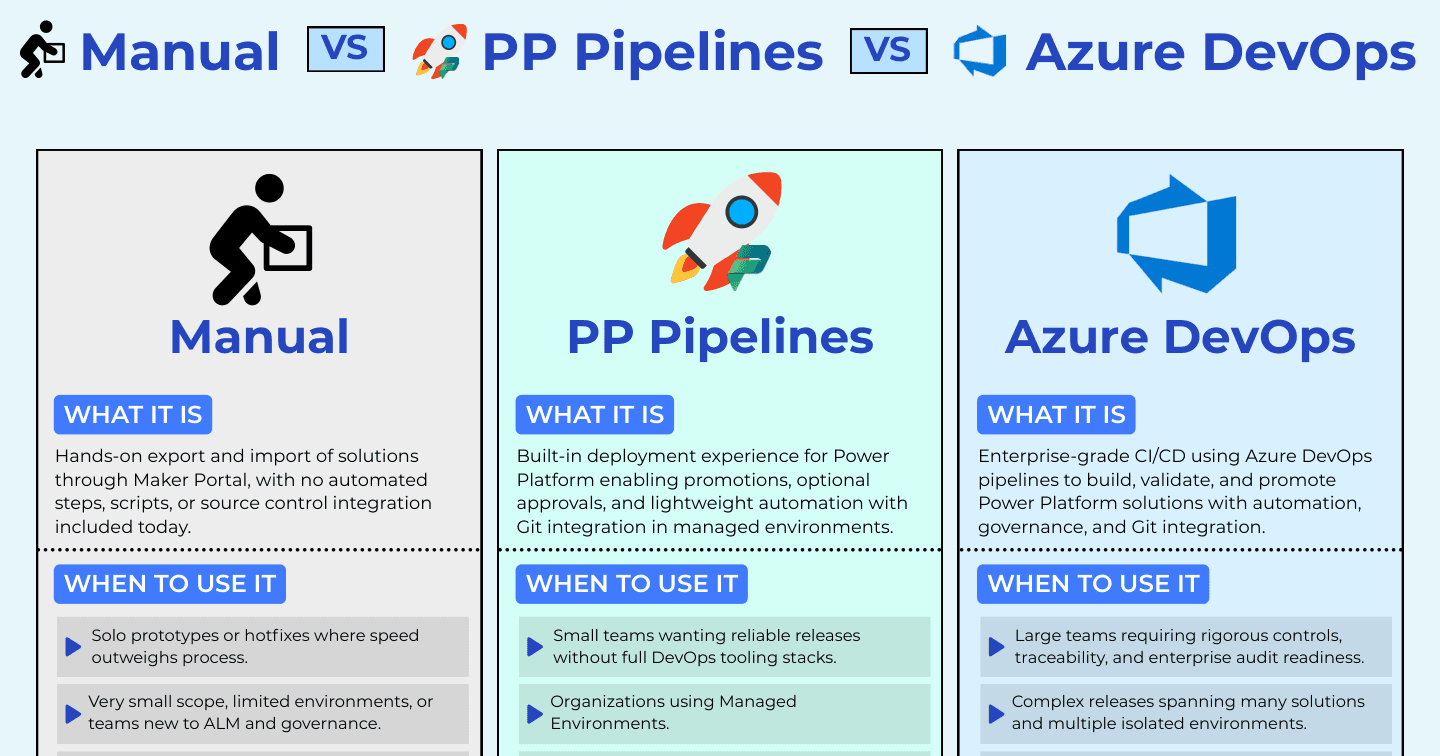
Architecture & ALMHowdang Rashid·22 Aug 2026
Manual Deployments vs Power Pipelines vs Azure DevOps: Which Should You Use?
Three ways to move Power Platform solutions between environments - hands-on manual imports, built-in Power Pipelines, and full Azure DevOps CI/CD. When each one is the right call.
Howdang Rashid·22 Aug 2026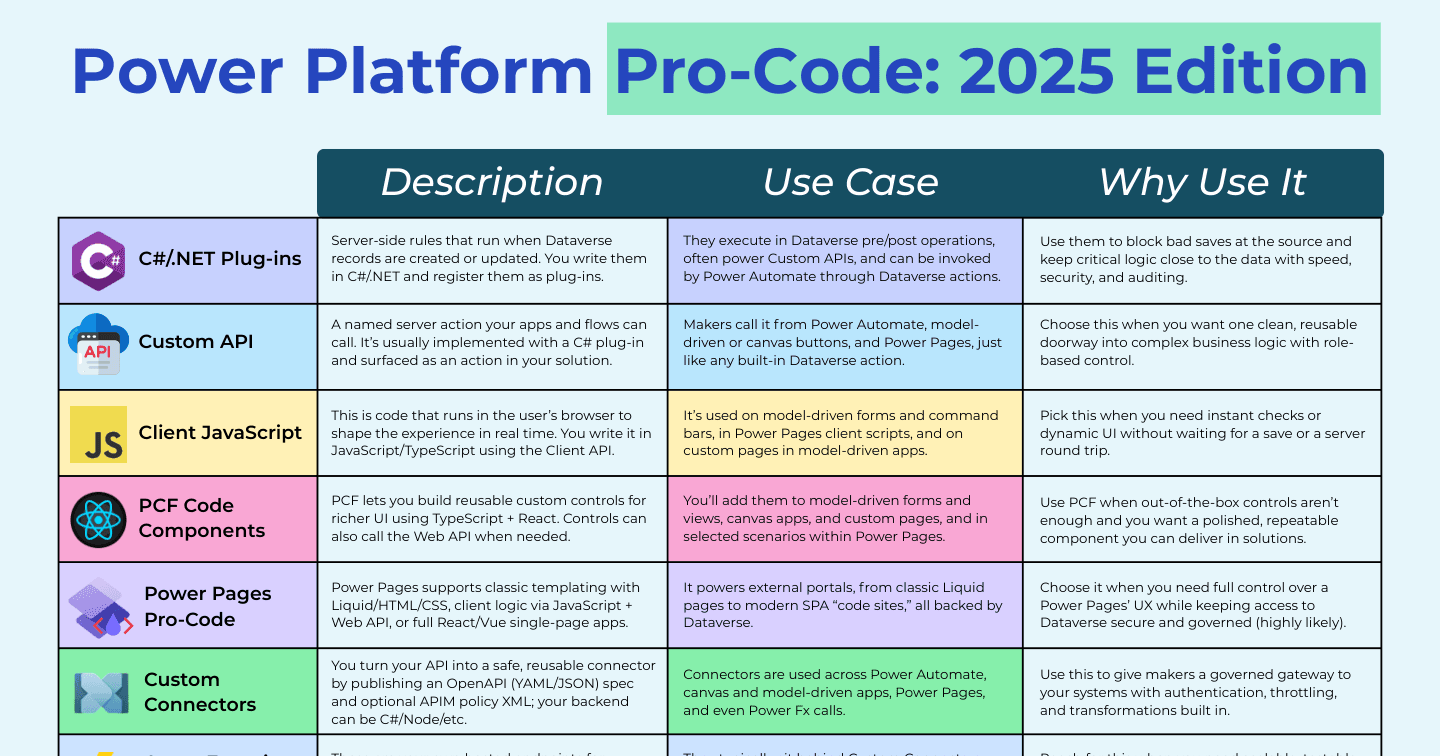
Architecture & ALMHowdang Rashid·22 Aug 2026
Power Platform Pro-Code: Every Extension Point Explained
C# plug-ins, Custom APIs, client JavaScript, PCF components, custom connectors, virtual tables, the PAC CLI - every pro-code extension point in the Power Platform and when to reach for each.
Howdang Rashid·22 Aug 2026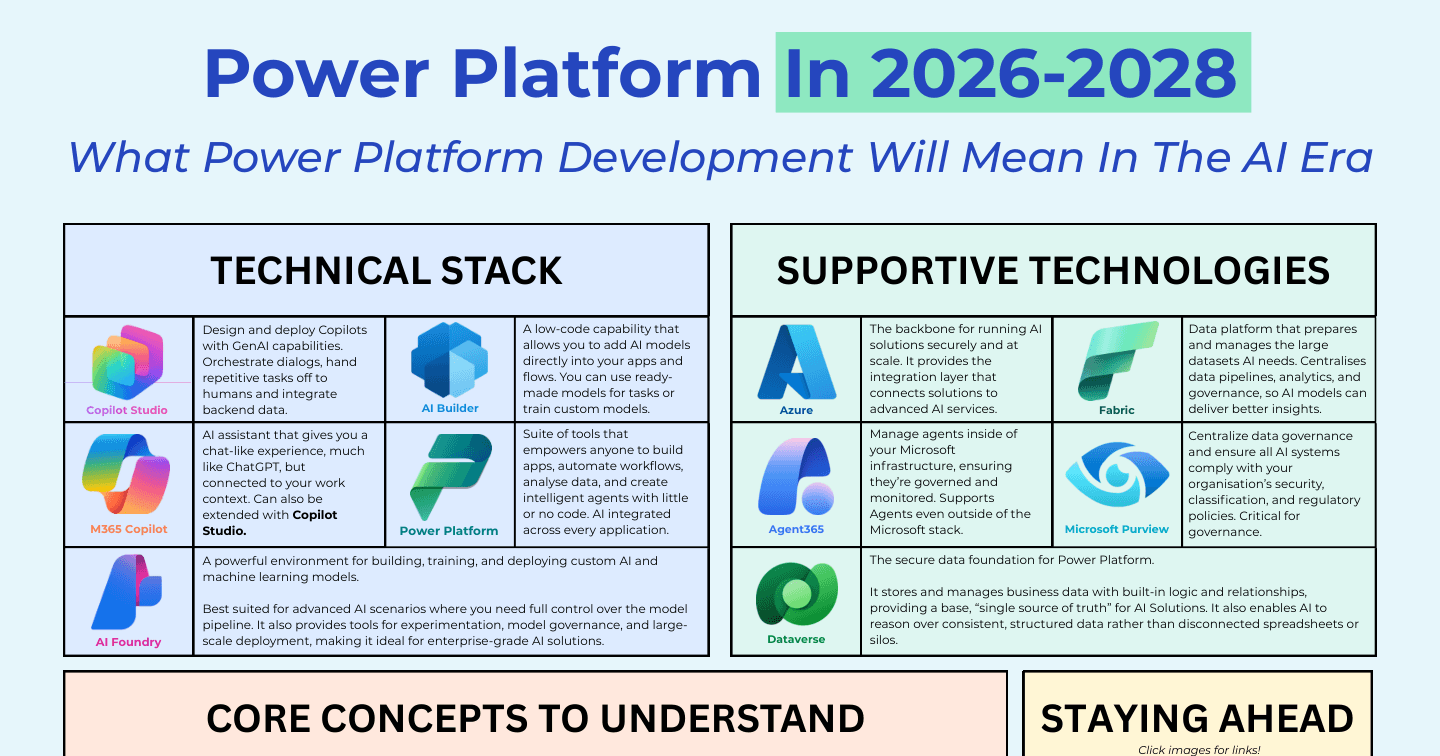
Microsoft AIHowdang Rashid·22 Aug 2026
Power Platform in 2026-2028: What Development Will Mean in the AI Era
Copilot Studio, AI Builder, Foundry, Agent 365, Fabric, Purview - the stack that will define Power Platform development in the AI era, and how to stay ahead of it.
Howdang Rashid·22 Aug 2026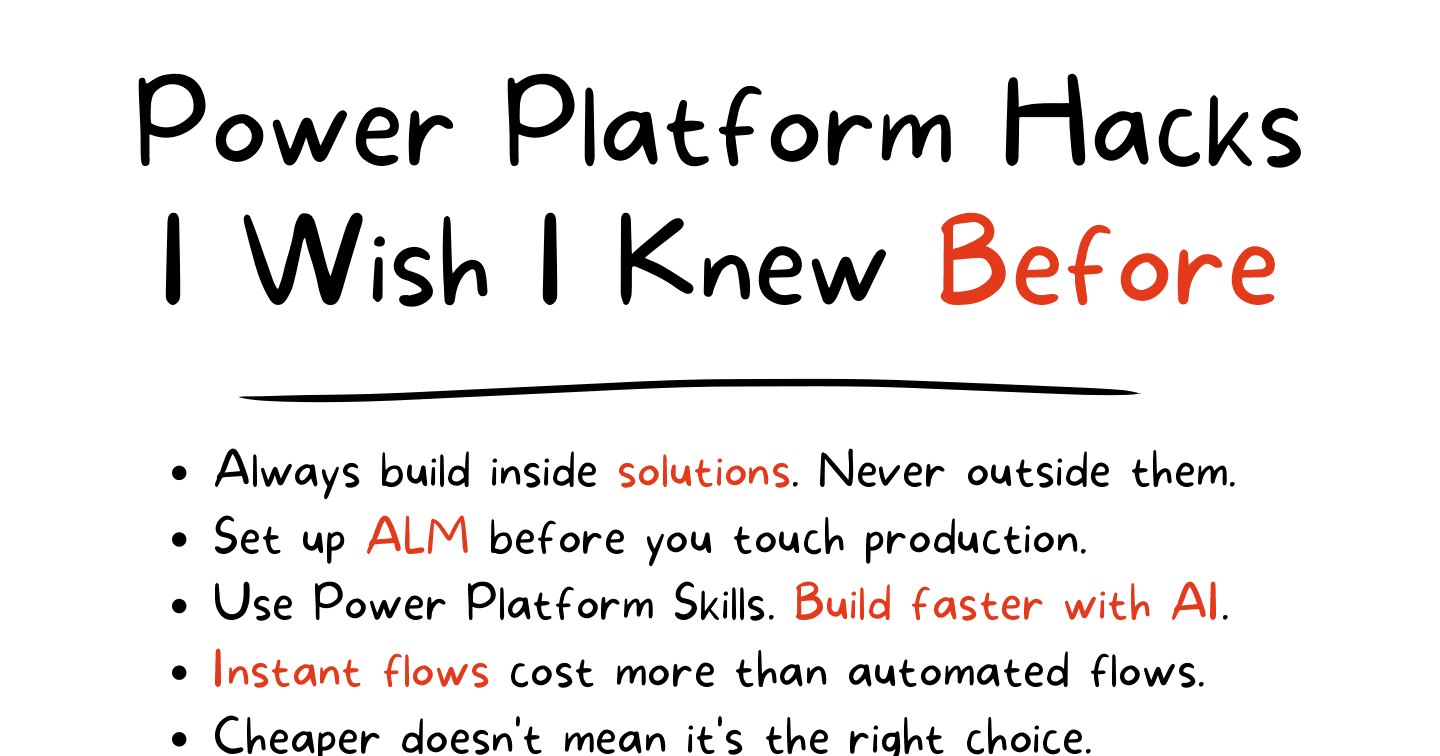
Power PlatformHowdang Rashid·22 Aug 2026
Power Platform Hacks I Wish I Knew Before
Always build in solutions, set up ALM before touching production, choose Dataverse when it fits, and value your champions - the hard-won Power Platform lessons that save years.
Howdang Rashid·22 Aug 2026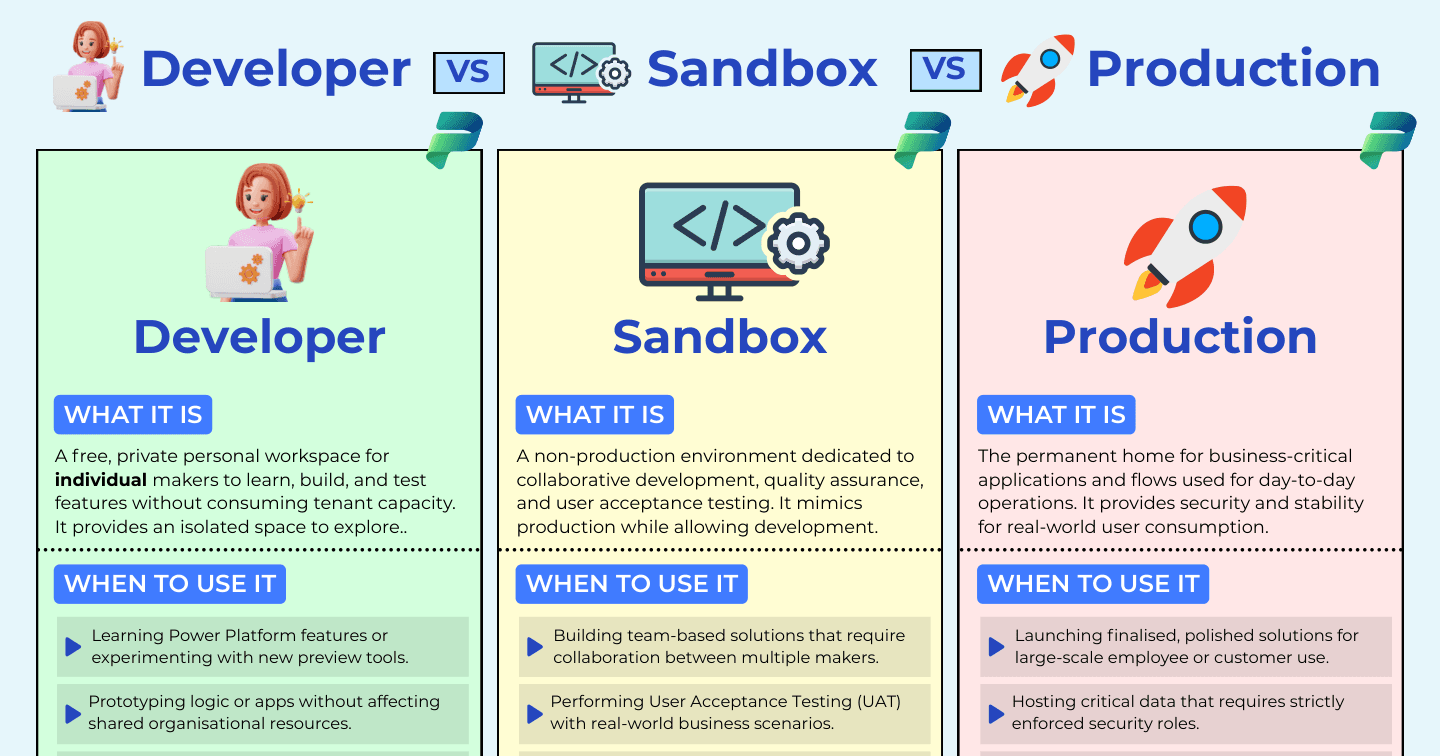
Architecture & ALMHowdang Rashid·22 Aug 2026
Power Platform Environments Explained: Developer vs Sandbox vs Production
Developer, sandbox, and production environments each have a distinct job in your ALM story. What each one is for, the pros and cons, and the rules that keep production safe.
Howdang Rashid·22 Aug 2026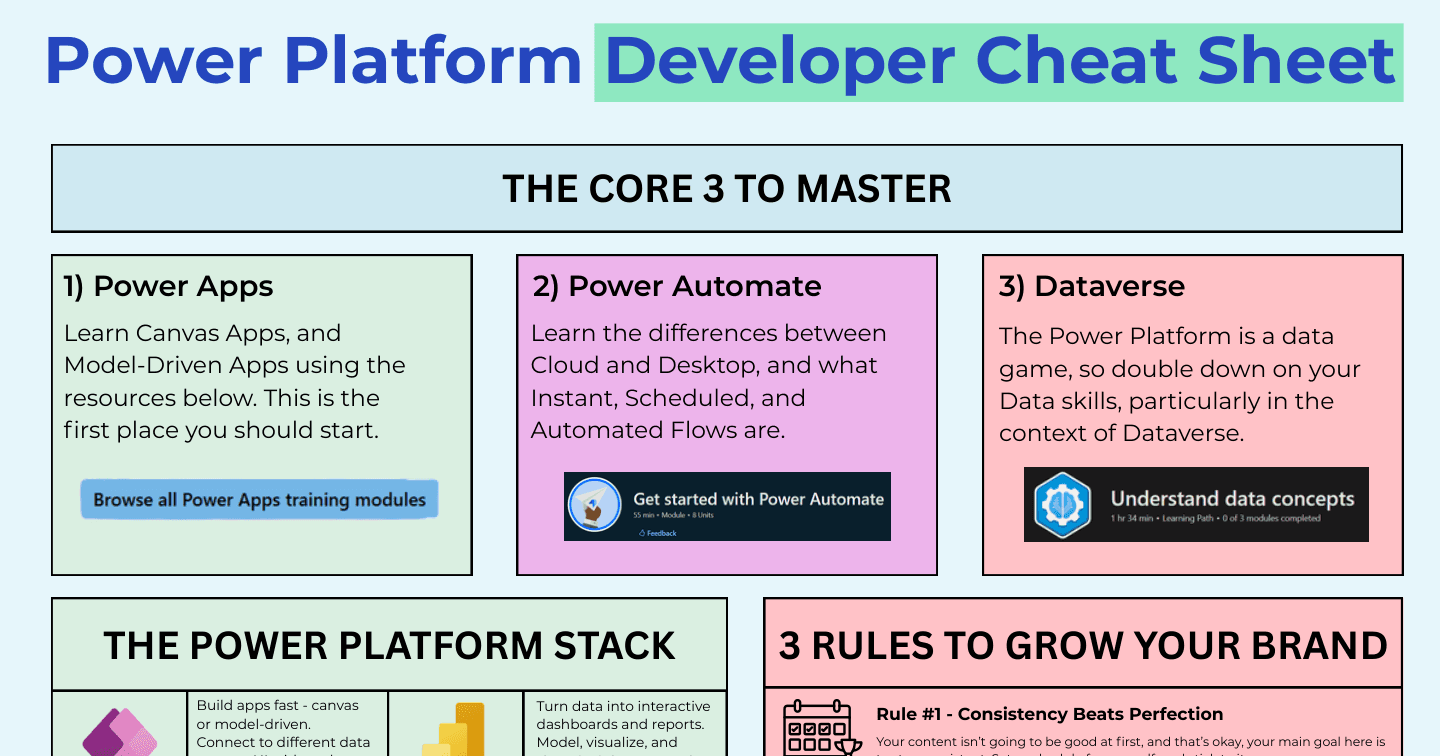
CareersHowdang Rashid·22 Aug 2026
The Power Platform Developer Cheat Sheet
The Core 3 to master, the full stack at a glance, and three rules for growing your professional brand - the one-page cheat sheet for new Power Platform developers.
Howdang Rashid·22 Aug 2026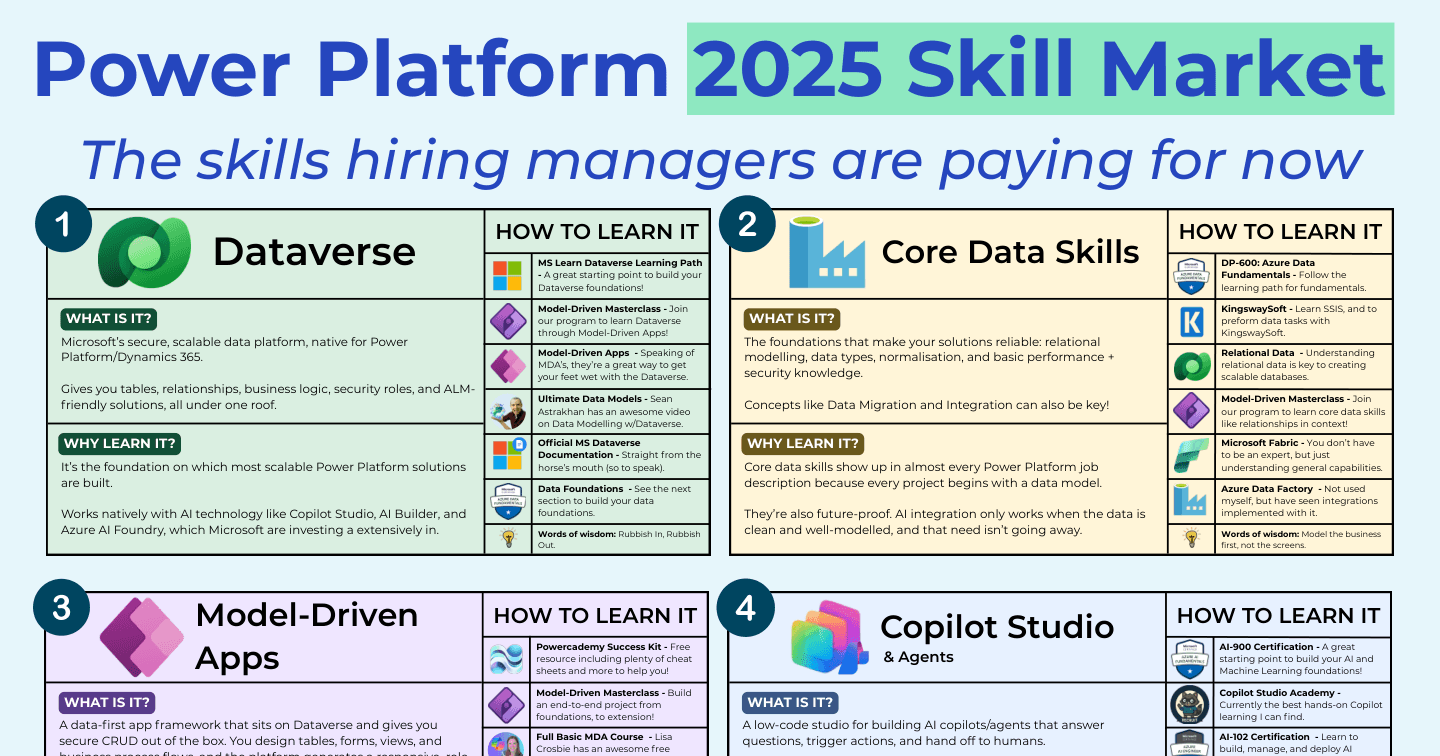
CareersHowdang Rashid·22 Aug 2026
The Power Platform Skills Hiring Managers Are Paying For
Dataverse, core data skills, model-driven apps, Copilot Studio, process automation, and ALM - the six Power Platform skills that show up in job descriptions and command the salaries.
Howdang Rashid·22 Aug 2026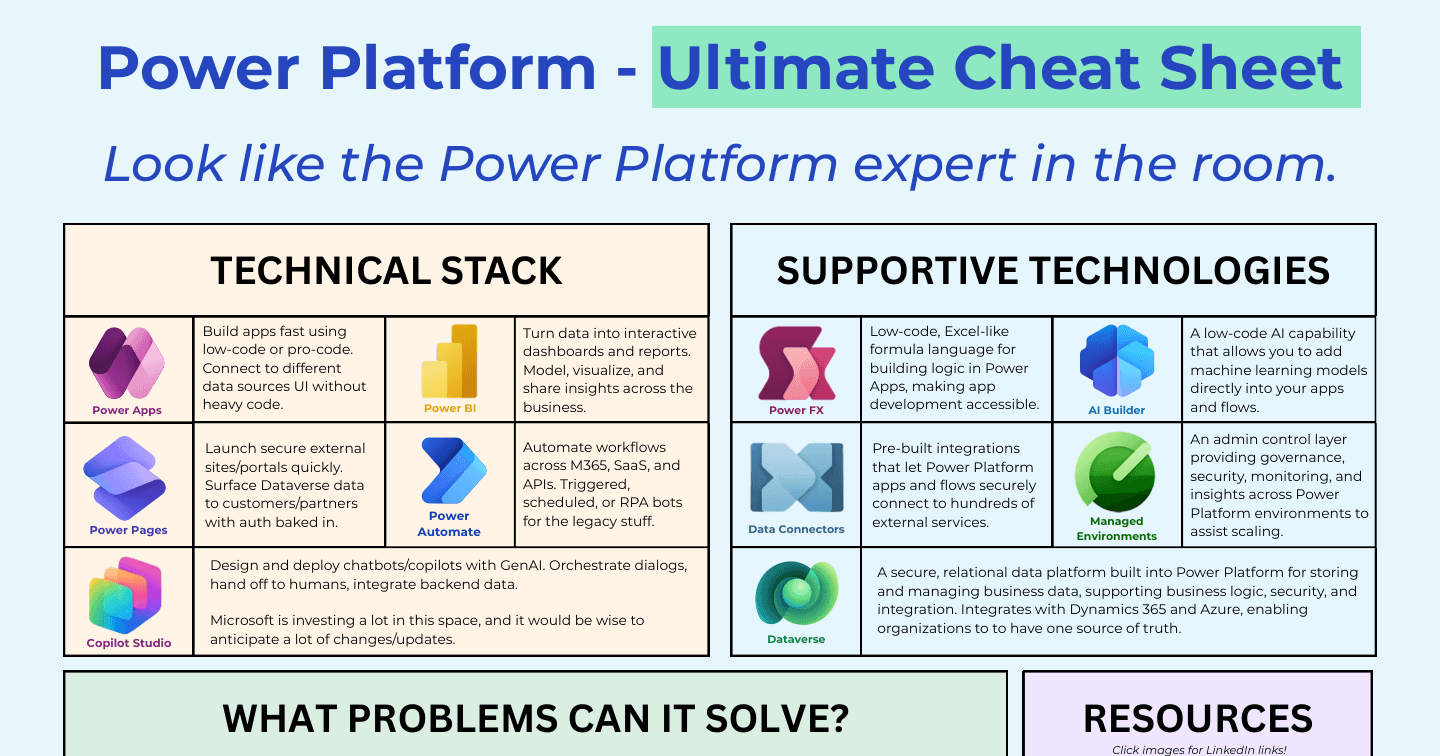
Power PlatformHowdang Rashid·22 Aug 2026
The Ultimate Power Platform Cheat Sheet (2026)
The five products, the supporting technologies, the problems they solve, and the governance tips - the whole Power Platform on one page, explained.
Howdang Rashid·22 Aug 2026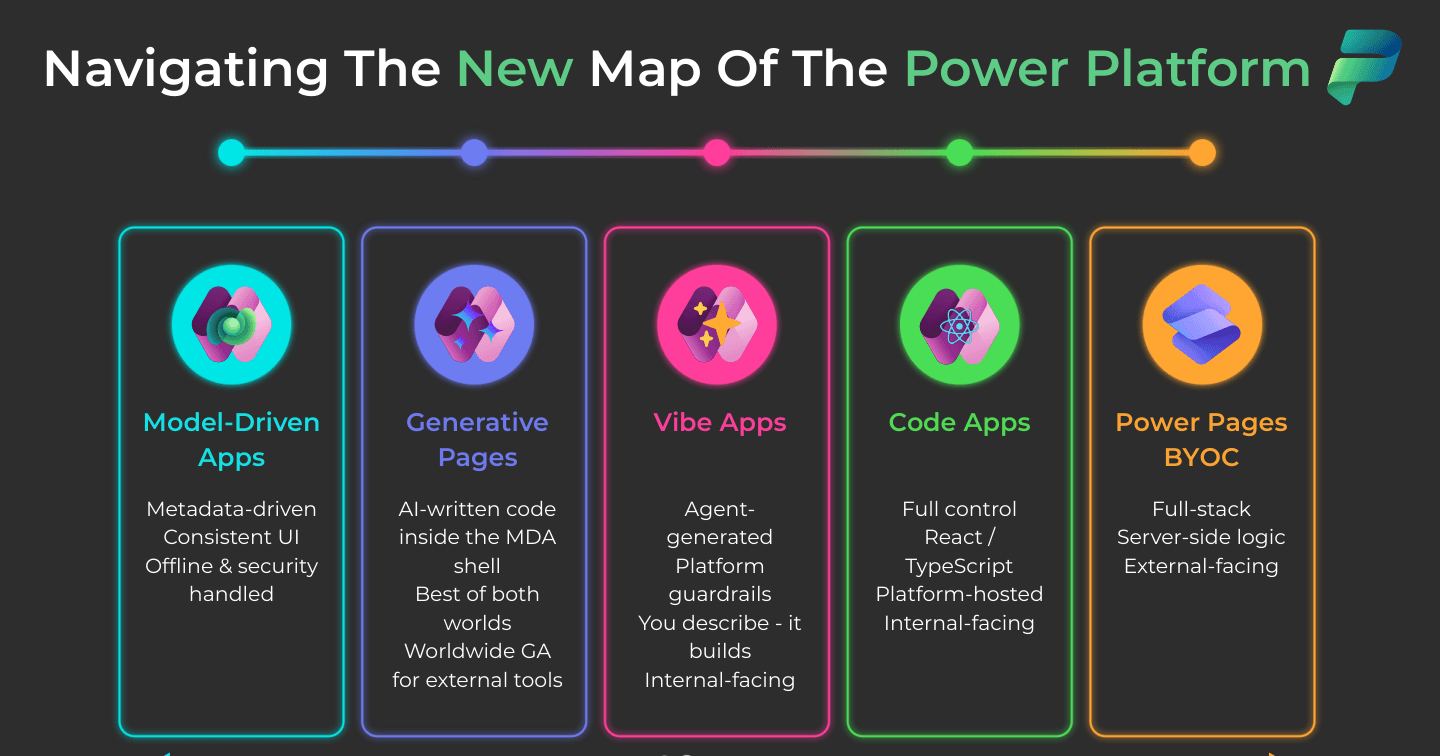
Power AppsHowdang Rashid·22 Aug 2026
Navigating the New Map of the Power Platform: Six Ways to Build in 2026
Model-driven apps, generative pages, vibe apps, code apps, Power Pages, BYOC - the Power Platform now spans six ways to build, from most managed to most flexible. Here is the map.
Howdang Rashid·22 Aug 2026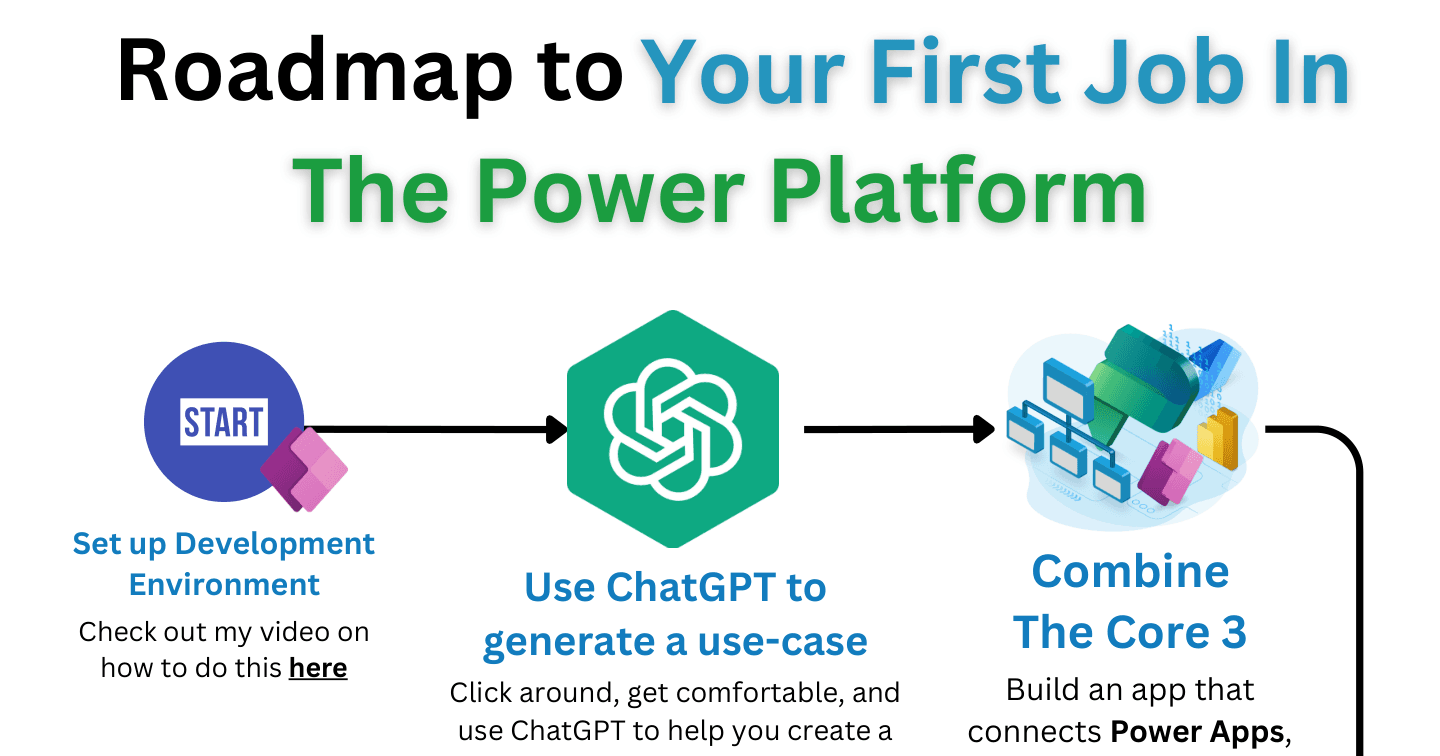
CareersHowdang Rashid·22 Aug 2026
How to Land Your First Power Platform Job: A Step-by-Step Roadmap
No experience? No problem. The step-by-step roadmap to your first Power Platform job: a free dev environment, the Core 3 project, PL-900, learning in public, and consistent daily applications.
Howdang Rashid·22 Aug 2026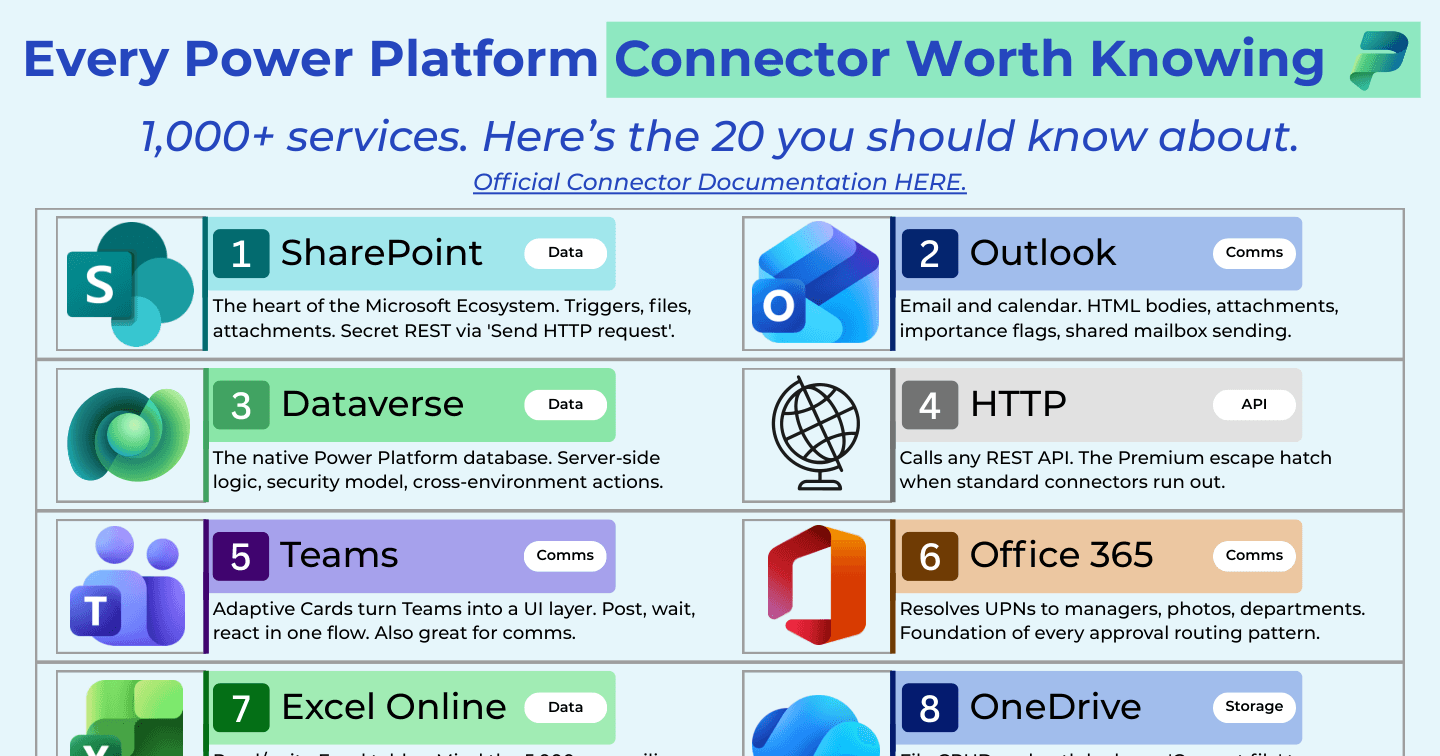
Power AutomateHowdang Rashid·22 Aug 2026
Every Power Platform Connector Worth Knowing in 2026
The Power Platform has 1,000+ connectors, but 20 do the heavy lifting. SharePoint, Dataverse, HTTP, Approvals, AI Builder and more - what each one is for and which are Premium.
Howdang Rashid·22 Aug 2026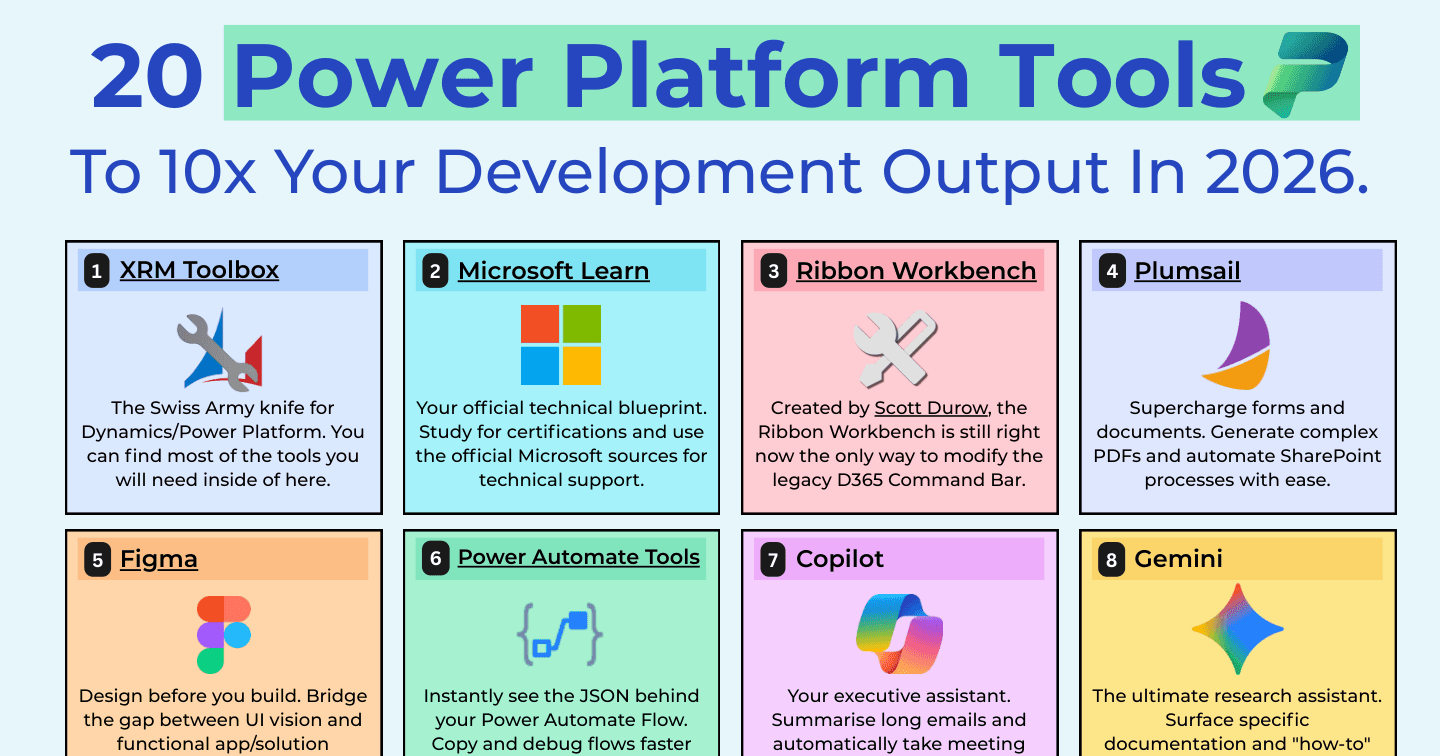
Power PlatformHowdang Rashid·22 Aug 2026
20 Tools to 10x Your Power Platform Development Output in 2026
XrmToolBox, Power CAT Tools, Level Up, Claude - the 20 tools Power Platform professionals use to 10x their development output in 2026, and which ones to install first.
Howdang Rashid·22 Aug 2026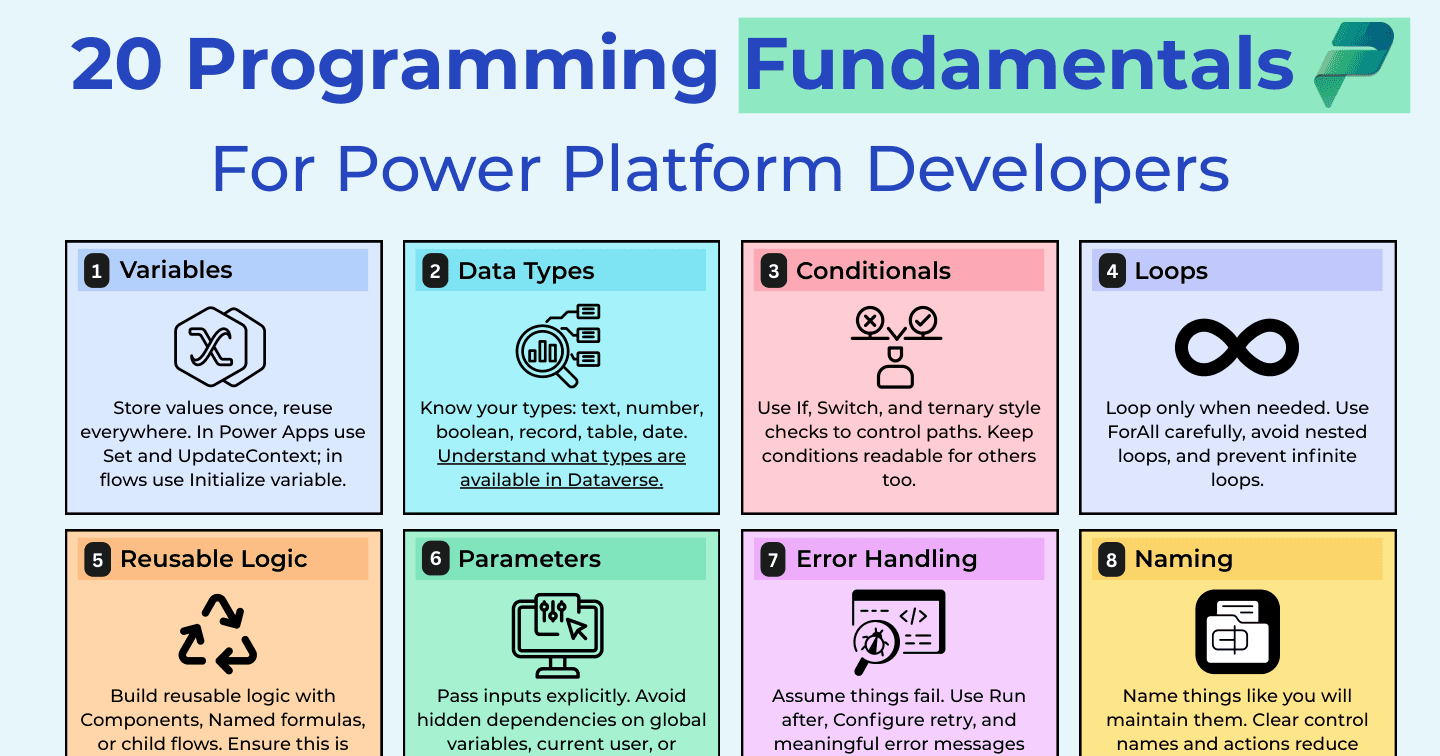
Power AppsHowdang Rashid·22 Aug 2026
20 Programming Fundamentals Every Power Platform Developer Should Know
Low-code does not mean no engineering. Variables, delegation, null handling, DRY - the 20 software fundamentals that separate working demos from maintainable Power Platform solutions.
Howdang Rashid·22 Aug 2026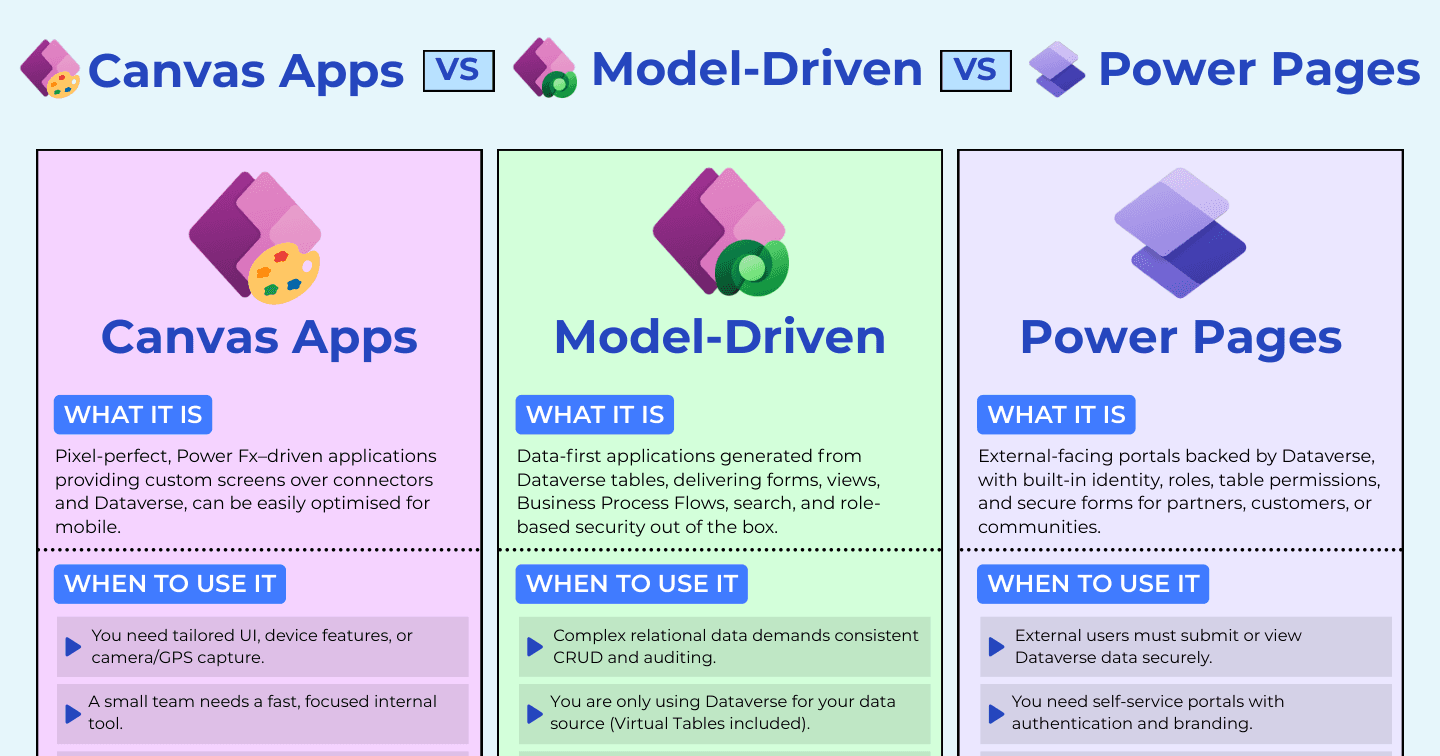
Power AppsHowdang Rashid·22 Aug 2026
Canvas Apps vs Model-Driven Apps vs Power Pages: Who Is the App For?
Internal tailored experiences, internal data-heavy processes, or external self-service - the audience decides which Power Platform app type you need. The full comparison.
Howdang Rashid·22 Aug 2026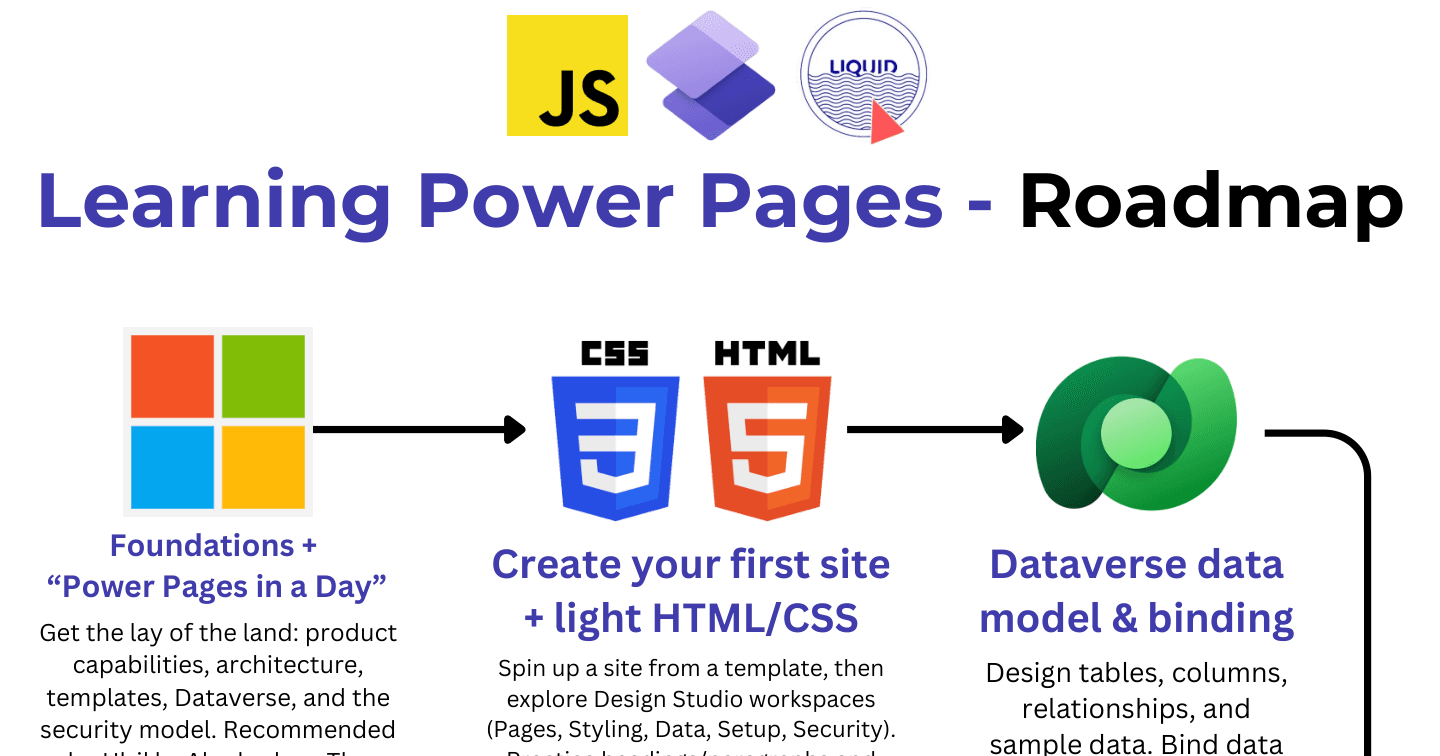
Power PagesHowdang Rashid·22 Aug 2026
The Power Pages Learning Roadmap: 9 Steps to Go-Live
From Power Pages in a Day through forms, web roles, Liquid, JavaScript, and the Web API to ALM and the go-live checklist - the learning path for Power Pages.
Howdang Rashid·22 Aug 2026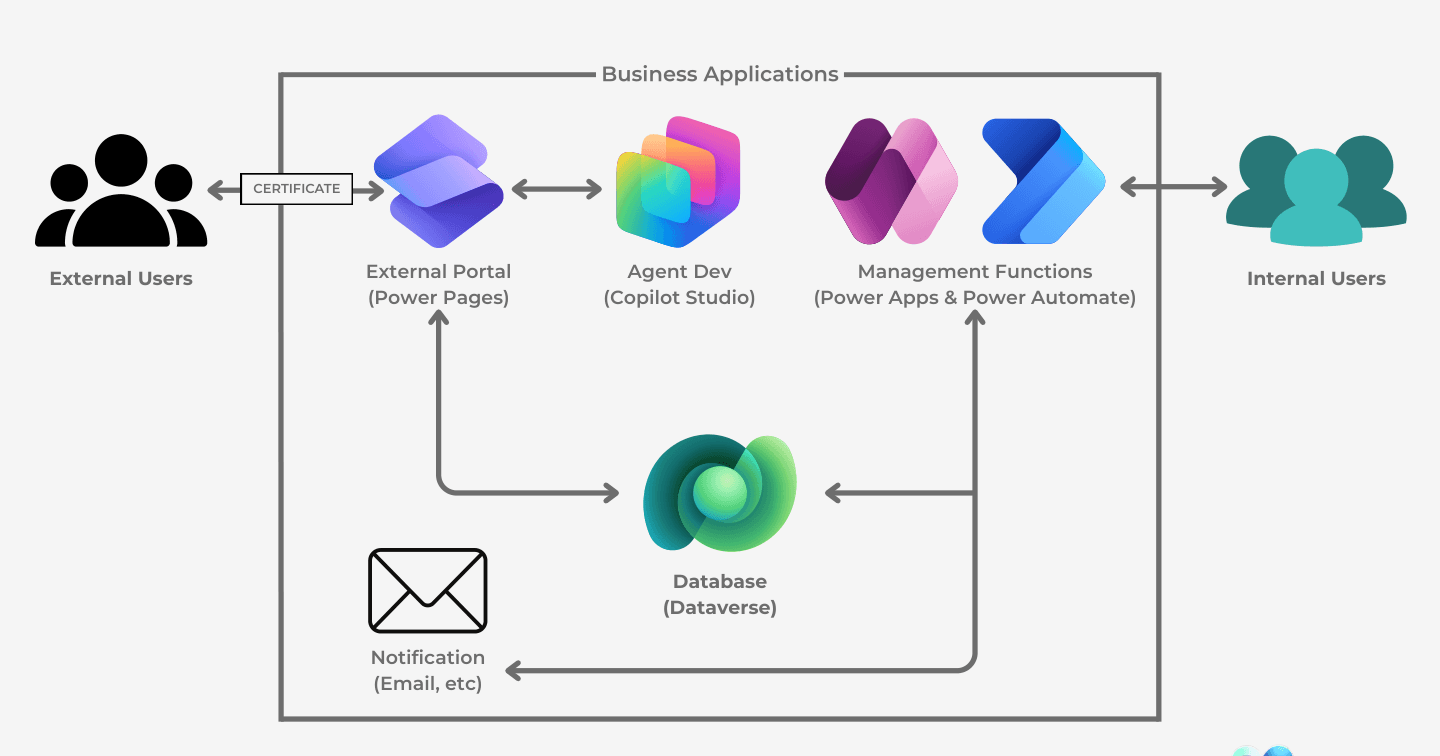
Power PagesHowdang Rashid·22 Aug 2026
Microsoft Power Pages, Visualized: Where the Portal Fits
One diagram of the Power Pages architecture: external users through the portal, internal users through Power Apps, Dataverse in the middle, and Power Automate and Copilot Studio around it.
Howdang Rashid·22 Aug 2026
Microsoft AIHowdang Rashid·22 Aug 2026
Claude Code with Power Pages: The Pro-Code Wall Comes Down
Microsoft's Power Pages plugin for Claude Code takes sites from scaffolding to deployment - nine skills, specialised AI agents for data models and permissions, and what it means for consultants.
Howdang Rashid·22 Aug 2026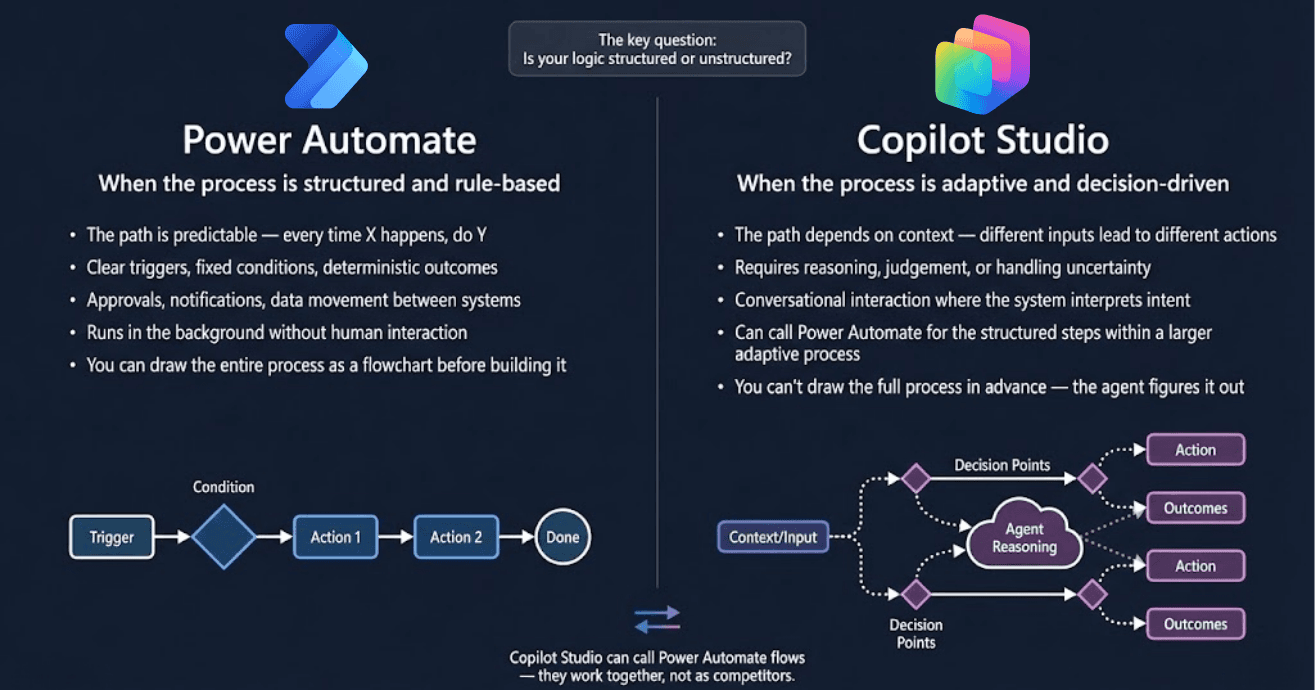
Copilot StudioHowdang Rashid·22 Aug 2026
Power Automate vs Copilot Studio: Structured or Unstructured Logic?
One key question decides it: is your logic structured or unstructured? Rule-based, predictable processes belong in Power Automate; adaptive, decision-driven ones belong in Copilot Studio.
Howdang Rashid·22 Aug 2026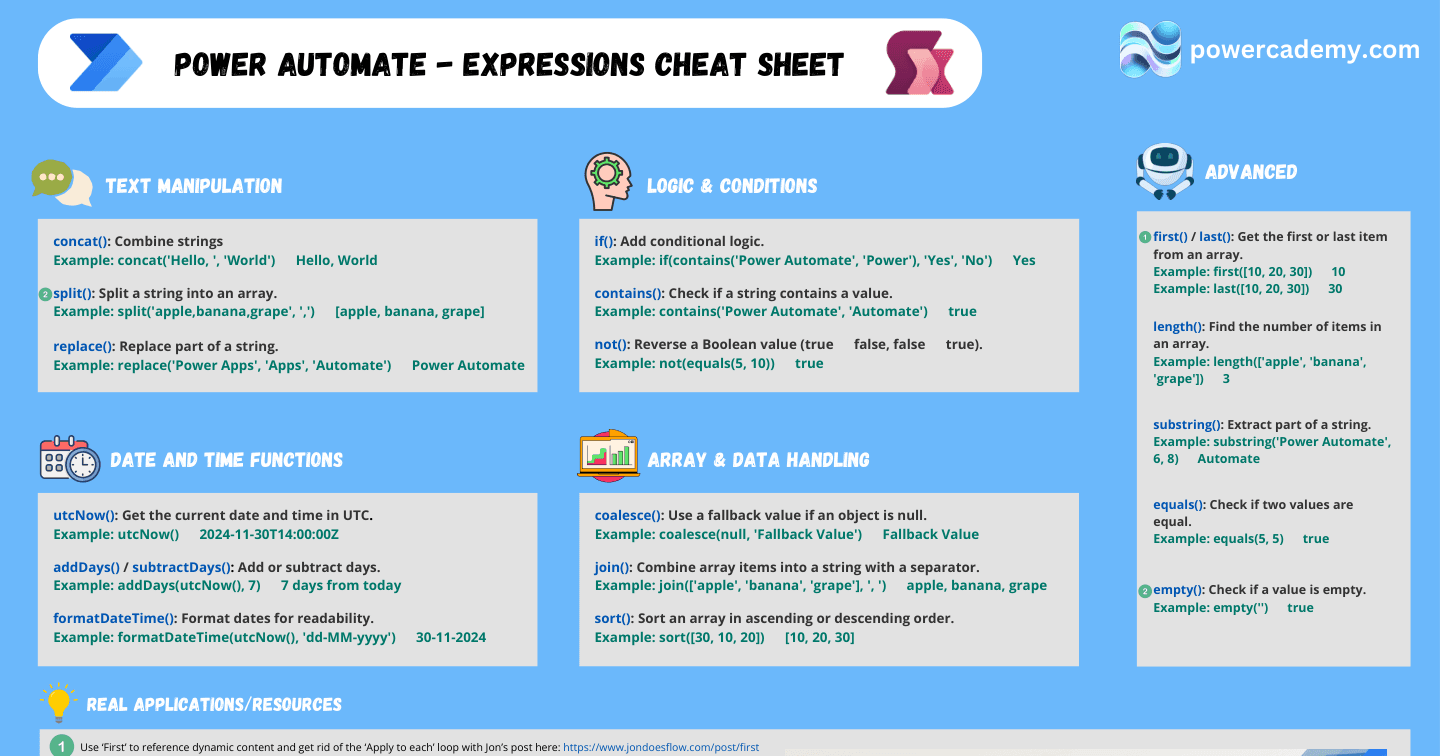
Power AutomateHowdang Rashid·22 Aug 2026
The Power Automate Expressions Reference: Text, Dates, Logic, and Arrays
concat, split, utcNow, formatDateTime, if, contains, coalesce, join, first, last, substring - the Power Automate expression functions you reach for daily, each with a worked example.
Howdang Rashid·22 Aug 2026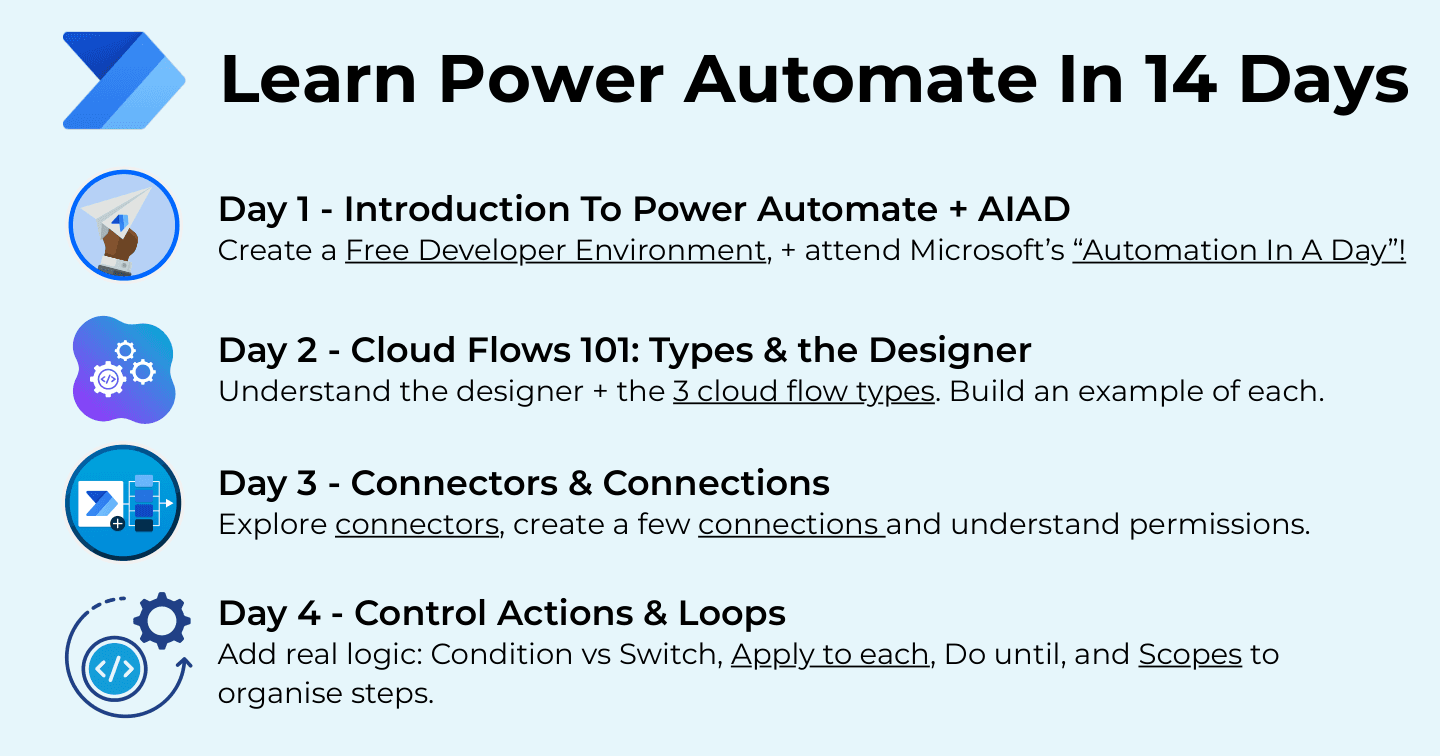
Power AutomateHowdang Rashid·22 Aug 2026
Learn Power Automate in 14 Days: A Free Day-by-Day Roadmap
From Automation In A Day through connectors, expressions, approvals, Dataverse triggers, child flows, solutions, and error handling to governance - Power Automate in fourteen focused days.
Howdang Rashid·22 Aug 2026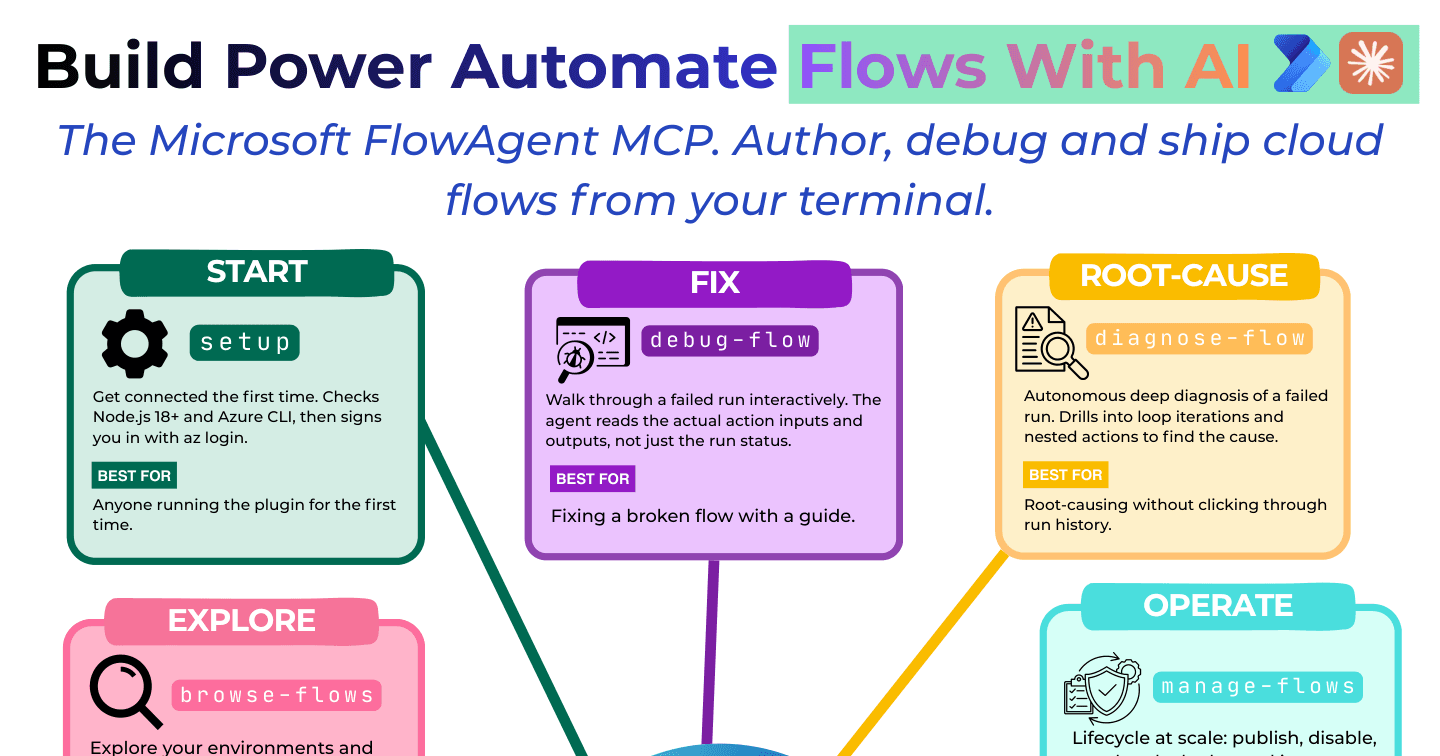
Microsoft AIHowdang Rashid·22 Aug 2026
How to Build Power Automate Flows with AI: The FlowAgent MCP
Author, debug, and ship cloud flows from your terminal with Microsoft's FlowAgent MCP - guided fixes, autonomous root-cause analysis, RPA control, and cross-environment promotion.
Howdang Rashid·22 Aug 2026
Power AutomateHowdang Rashid·22 Aug 2026
How to Build Dynamic Dataverse Record Links in Power Automate
Power Automate has no native action for direct Dataverse record links. Here's the manual pattern: full metadata, uriHost() on @odata.id, and a concat() that builds a clickable URL to any record.
Howdang Rashid·22 Aug 2026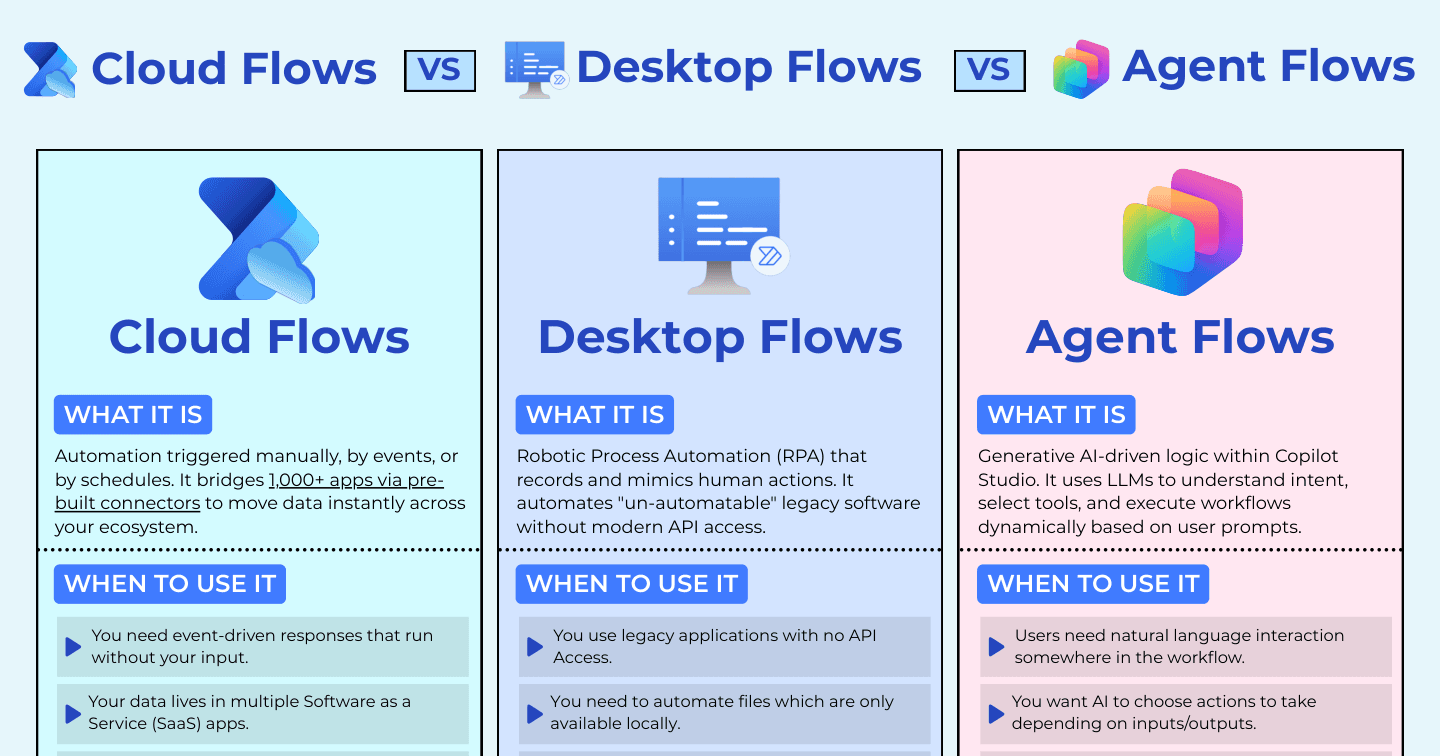
Microsoft AIHowdang Rashid·22 Aug 2026
Cloud Flows vs Desktop Flows vs Agent Flows: Which Automation Do You Need?
Event-driven cloud flows, UI-mimicking desktop RPA, or AI-driven agent flows - the three Power Automate flow types, when each wins, and the trade-offs to know before you build.
Howdang Rashid·22 Aug 2026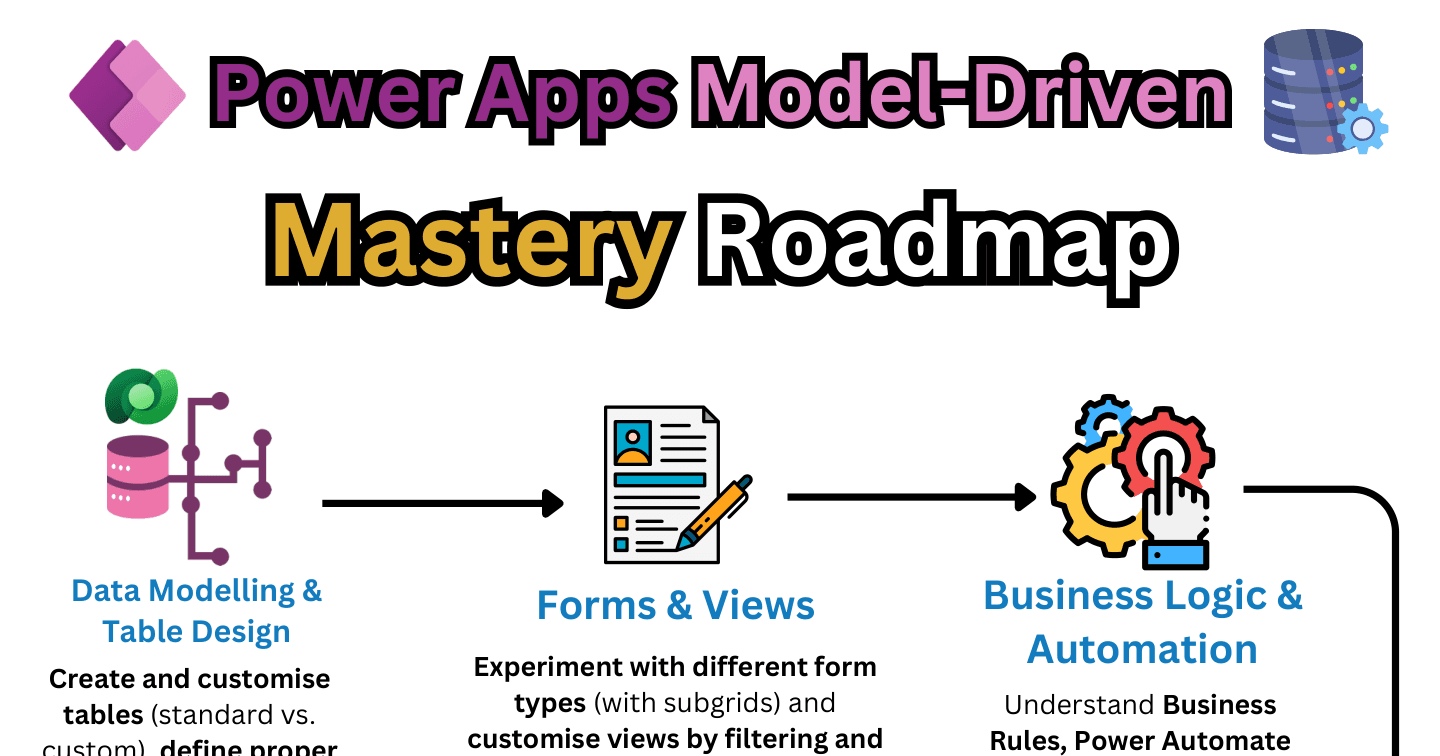
Power AppsHowdang Rashid·22 Aug 2026
The Model-Driven Apps Mastery Roadmap: 9 Stages
Data modelling, forms and views, business logic, security roles, UX and navigation, JavaScript, custom pages and PCF, data import/export, and ALM - the complete model-driven mastery path.
Howdang Rashid·22 Aug 2026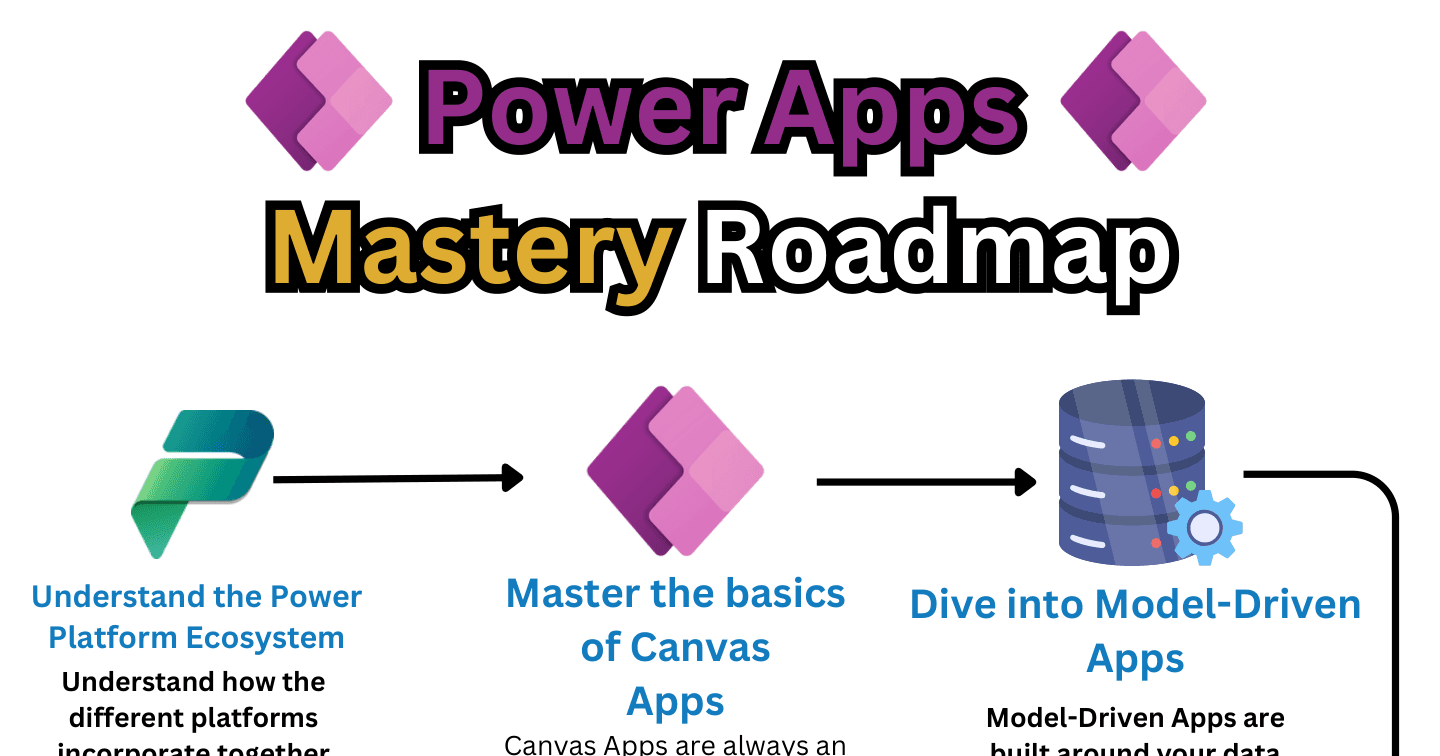
Power AppsHowdang Rashid·22 Aug 2026
The Power Apps Mastery Roadmap: 9 Steps to Full-Stack Maker
Ecosystem, canvas basics, Dataverse, model-driven apps, Power Automate, UX, governance, a personal project, and certifications - the complete path from beginner to Power Apps professional.
Howdang Rashid·22 Aug 2026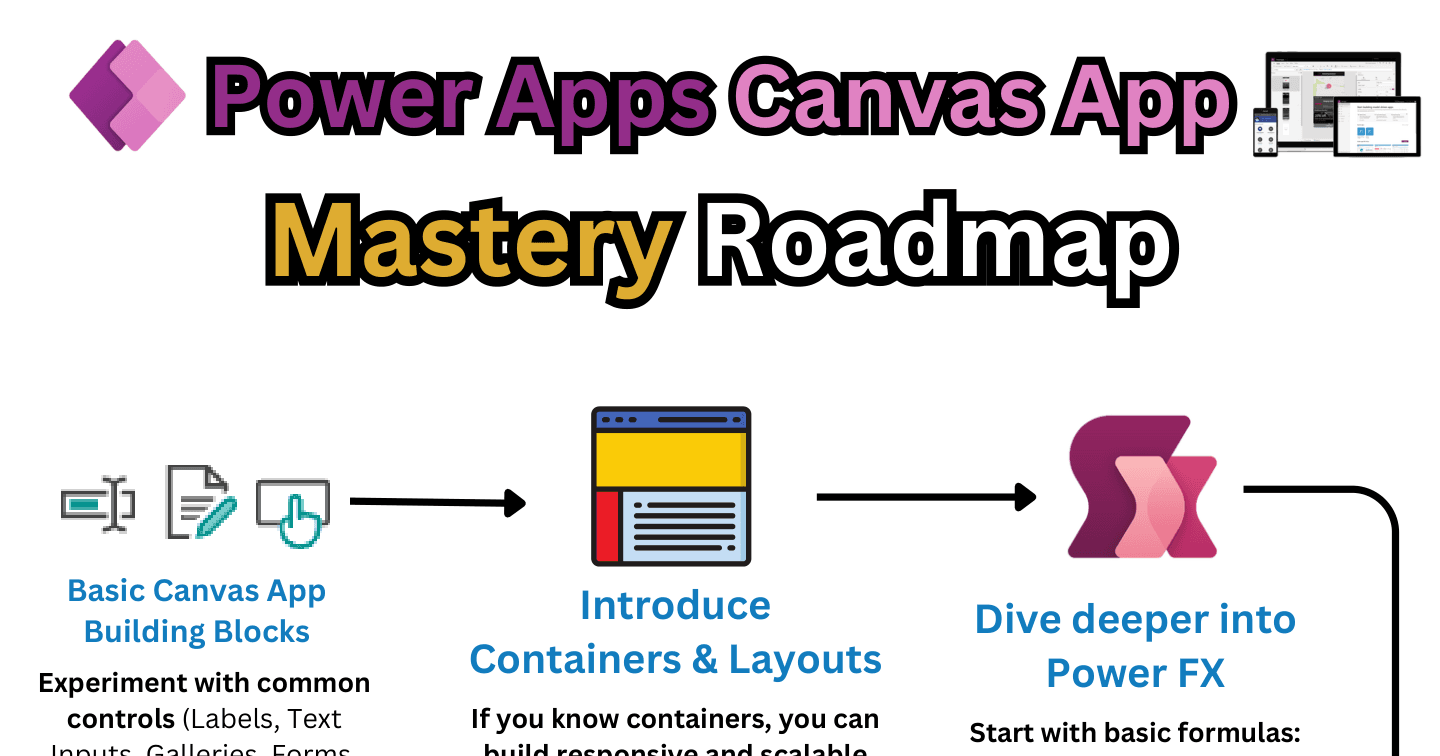
Power AppsHowdang Rashid·22 Aug 2026
The Canvas Apps Mastery Roadmap: 9 Stages from Controls to PCF
From basic controls and data integration through Power Fx, collections, containers, and delegation to PCF controls and licensing - the nine-stage path to canvas app mastery.
Howdang Rashid·22 Aug 2026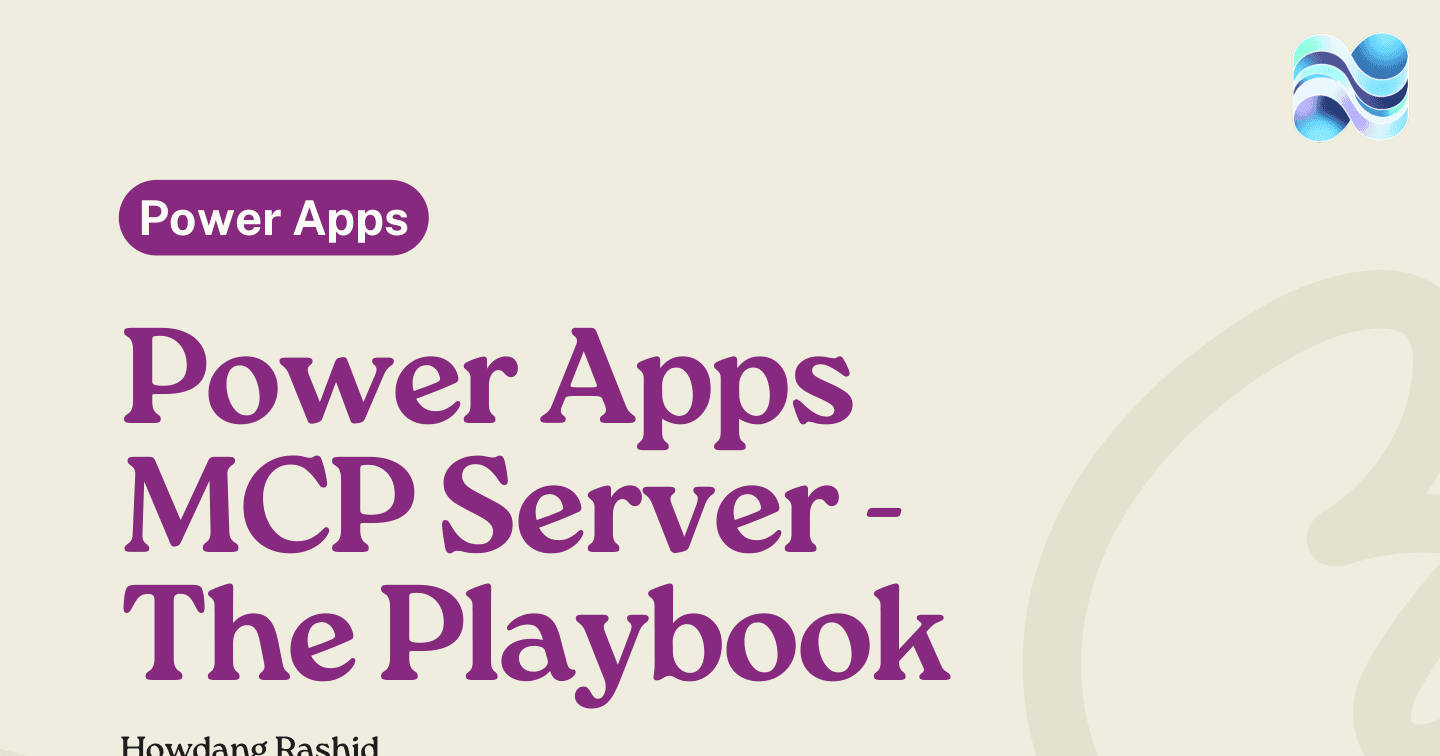
Microsoft AIHowdang Rashid·22 Aug 2026
The Power Apps MCP Server Playbook: AI Agents Inside Model-Driven Apps
The Power Apps MCP server connects Copilot Studio agents to your model-driven apps - invoke_data_entry, request_assistance, and log_for_review, with humans approving via the Agent Feed.
Howdang Rashid·22 Aug 2026
Power AppsHowdang Rashid·22 Aug 2026
Power BI vs Model-Driven App Dashboards: Which Do You Need?
Power BI for multi-entity data models, DAX, and advanced visuals; MDA dashboards for simple, licence-free, security-role-aware views over Dataverse - and the ALM middle both share.
Howdang Rashid·22 Aug 2026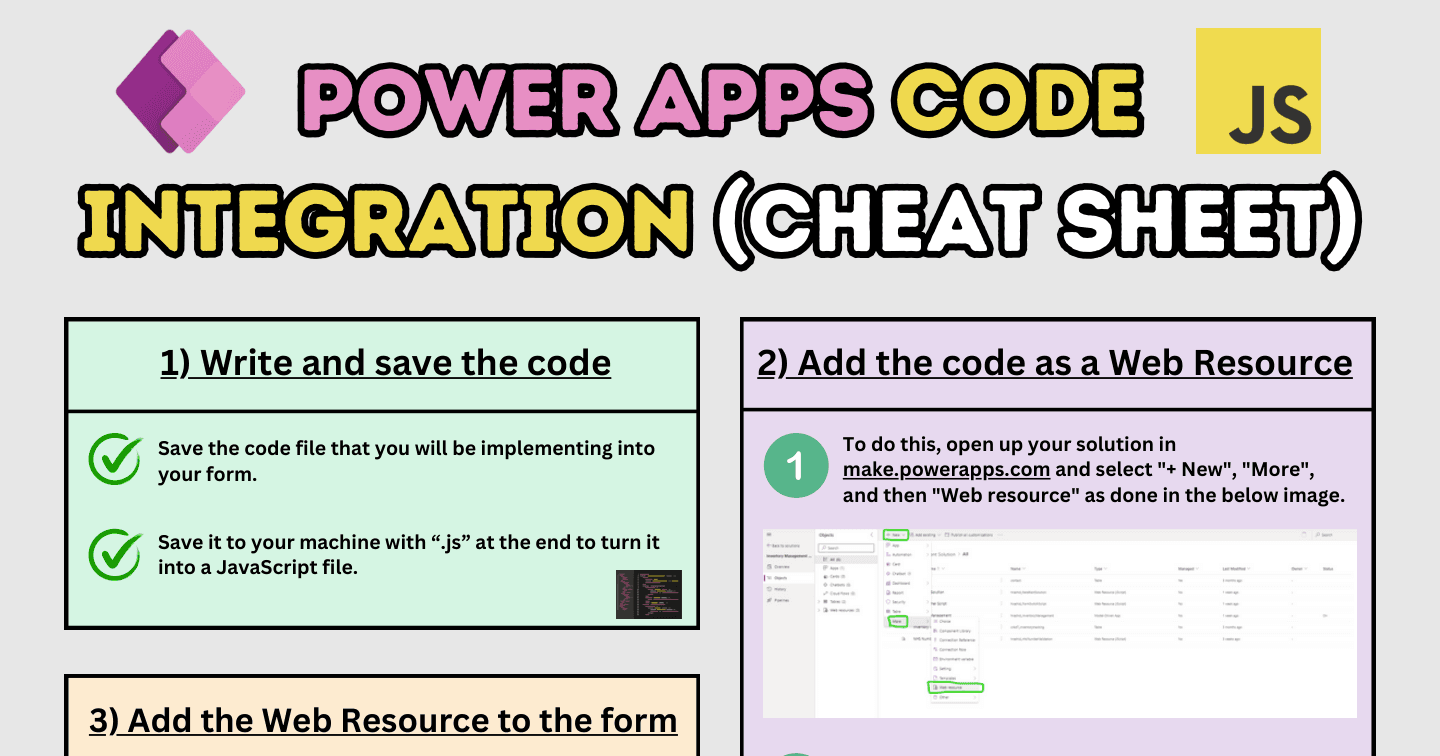
Power AppsHowdang Rashid·22 Aug 2026
How to Add JavaScript to Model-Driven App Forms (Step by Step)
The four-step pattern for code on model-driven forms: write the .js file, add it as a web resource, attach the library to your form, and wire it to an event with execution context.
Howdang Rashid·22 Aug 2026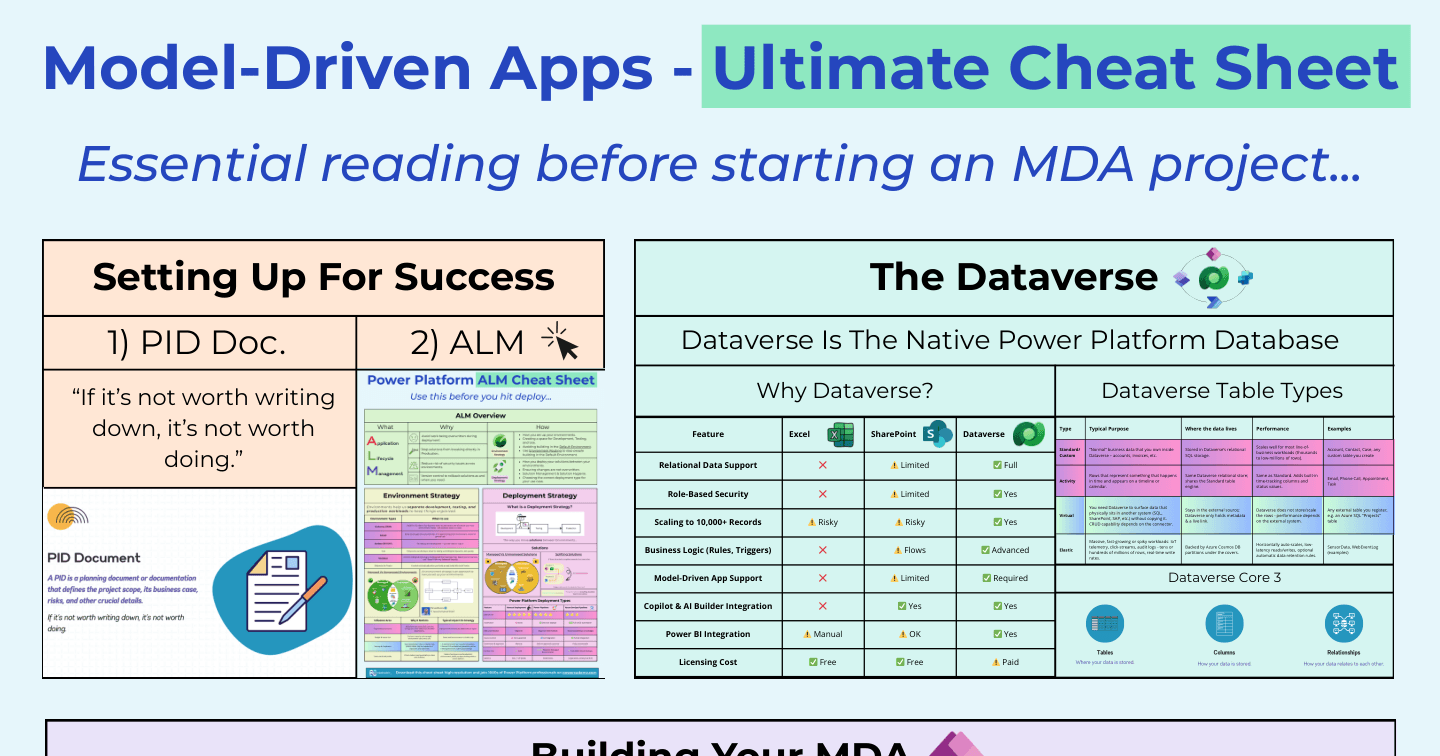
Power AppsHowdang Rashid·22 Aug 2026
Model-Driven Apps: The Ultimate Cheat Sheet
Why Dataverse is required, the four table types (standard, activity, virtual, elastic), and the building and extending toolkit - model-driven apps on one reference sheet.
Howdang Rashid·22 Aug 2026
Power AppsHowdang Rashid·22 Aug 2026
7 Model-Driven App Design Secrets
Child subgrids, navigation icons, emojis, modern theming, custom pages, PCF controls, and generative pages - seven design secrets that make model-driven apps feel premium.
Howdang Rashid·22 Aug 2026
Power AppsHowdang Rashid·22 Aug 2026
What Are Power Apps Code Apps? The Low-Code Wall Comes Down
Code apps run professional React, Vue, or Angular apps natively on the Power Platform - roughly thirty hours of auth, middleware, and DevOps plumbing replaced by pac code push. The full guide.
Howdang Rashid·22 Aug 2026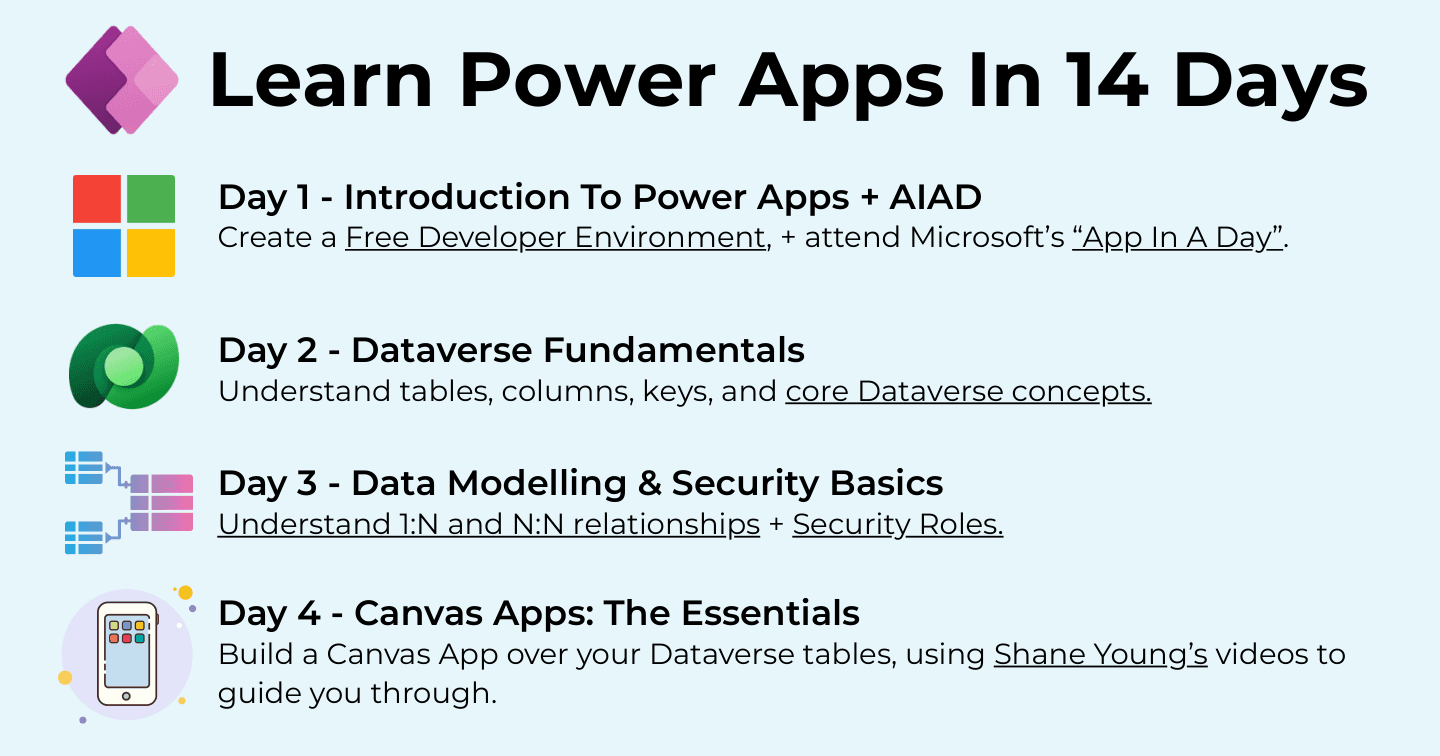
Power AppsHowdang Rashid·22 Aug 2026
Learn Power Apps in 14 Days: A Free Day-by-Day Roadmap
From a free developer environment and App In A Day through Dataverse, canvas apps, model-driven apps, custom pages, flows, ALM, and governance - Power Apps in fourteen focused days.
Howdang Rashid·22 Aug 2026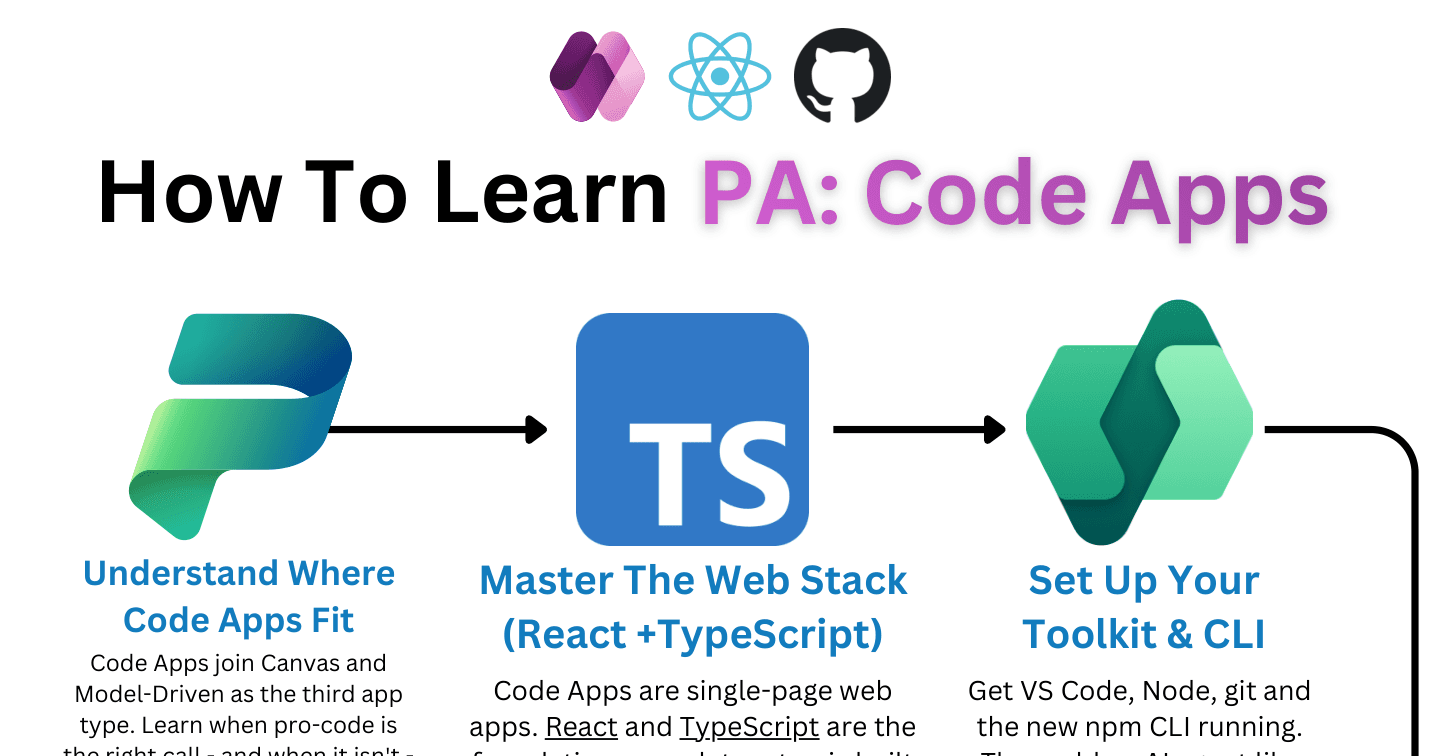
Power AppsHowdang Rashid·22 Aug 2026
The Power Apps Code Apps Learning Roadmap: 9 Steps
From understanding where code apps fit, through React and TypeScript, the SDK architecture, typed data services, and governance, to releasing safely to production.
Howdang Rashid·22 Aug 2026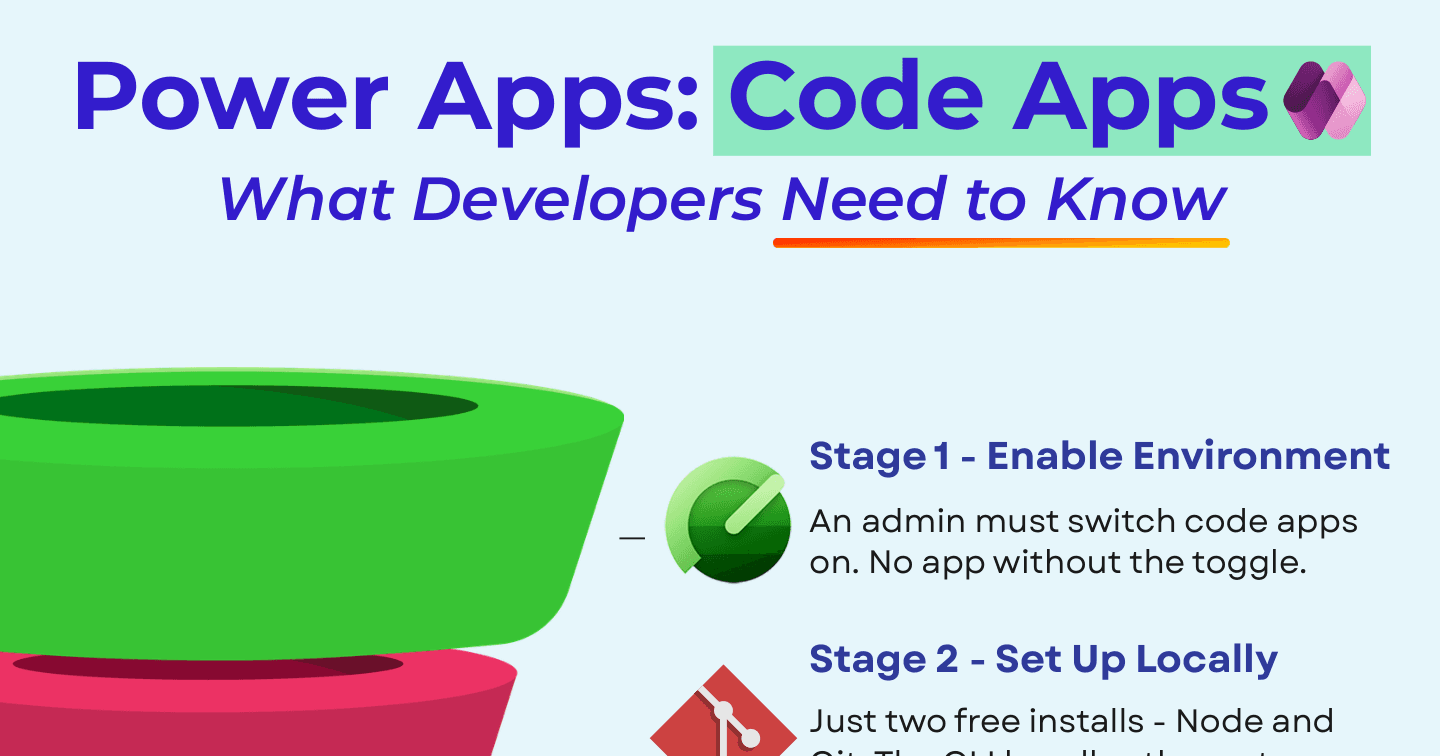
Power AppsHowdang Rashid·22 Aug 2026
Power Apps Code Apps: What Developers Need to Know
React or Vue on the Power Platform: how code apps compare to canvas apps and Azure web apps on data, auth, shipping, and licensing - plus the four stages from zero to deployed.
Howdang Rashid·22 Aug 2026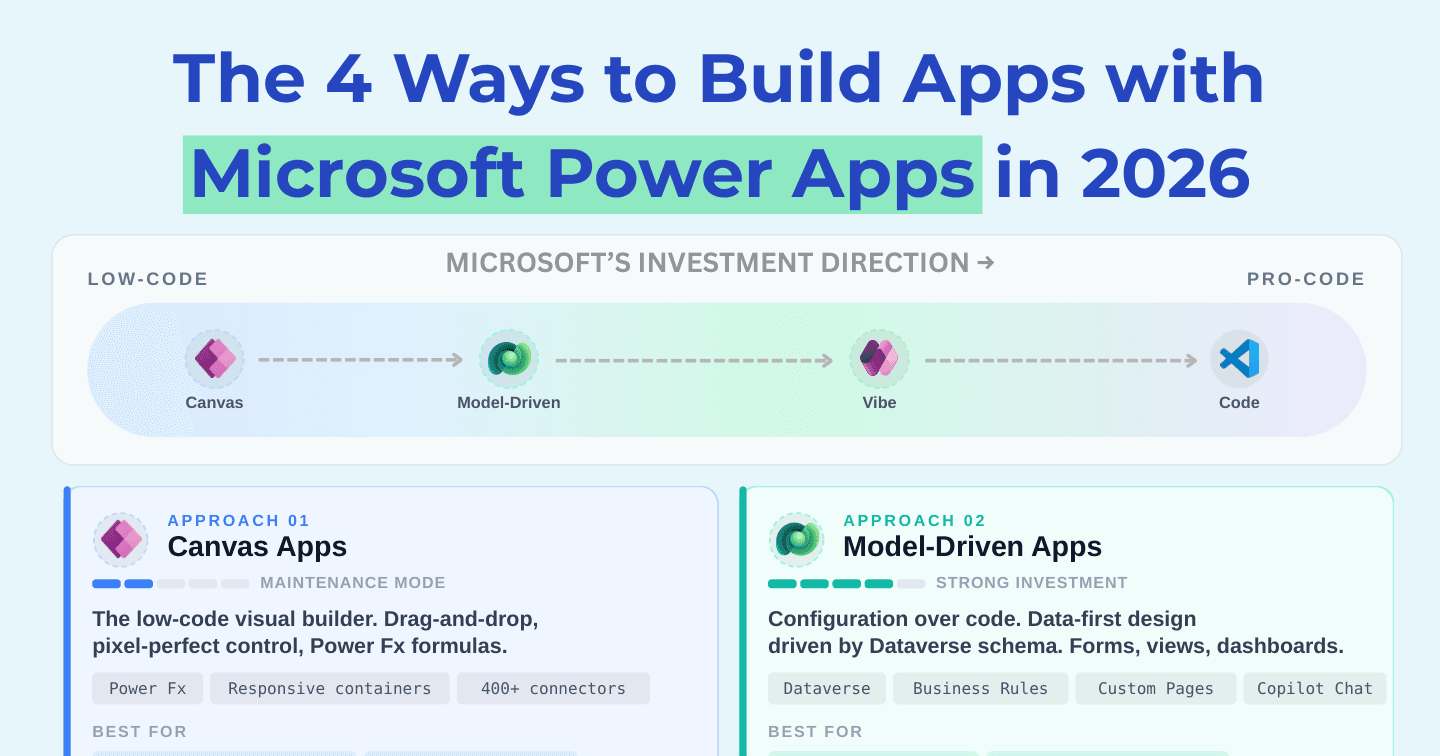
Power AppsHowdang Rashid·22 Aug 2026
The 4 Ways to Build Apps with Power Apps in 2026
Canvas (maintenance mode), model-driven (strong investment), code apps (GA and Microsoft's biggest bet), and Vibe Apps (fast-moving preview) - the honest reality check on each approach.
Howdang Rashid·22 Aug 2026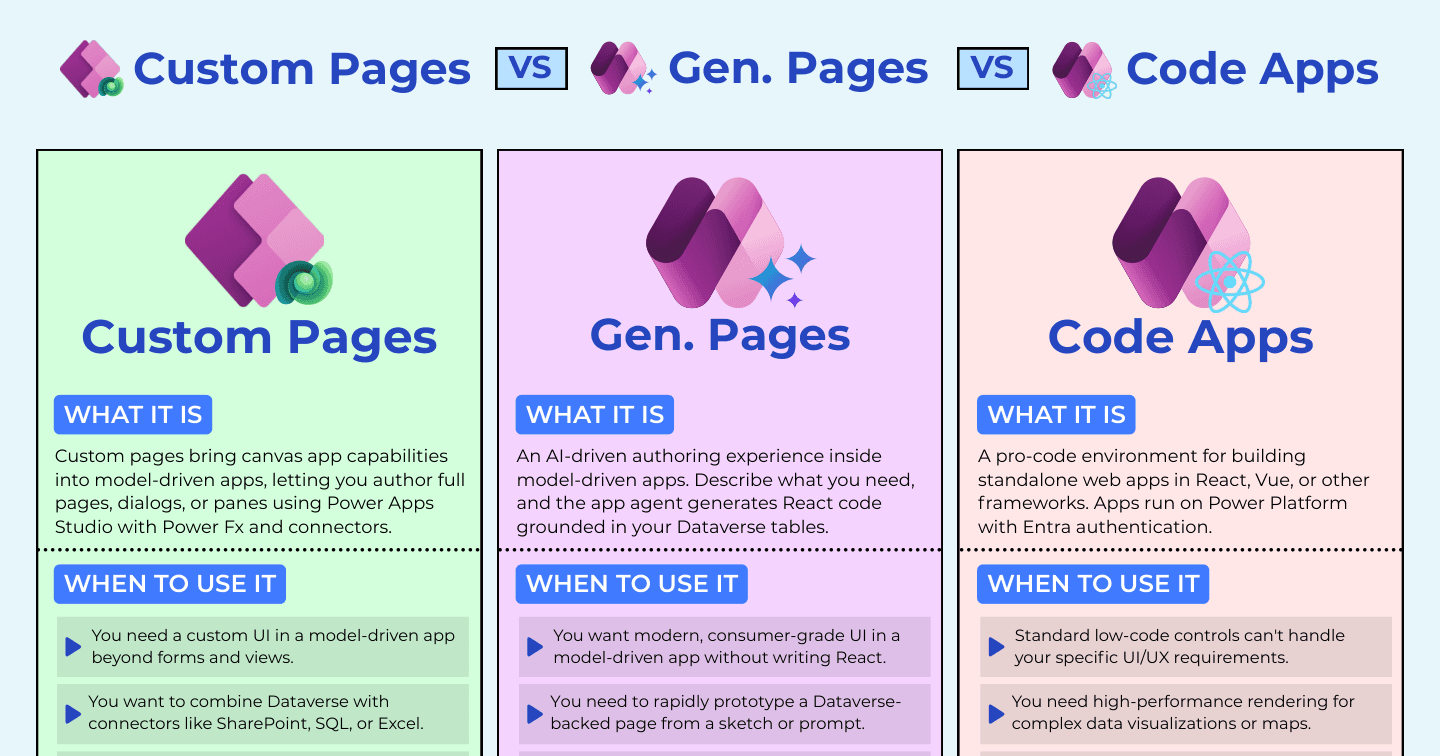
Microsoft AIHowdang Rashid·22 Aug 2026
Custom Pages vs Generative Pages vs Code Apps: Extending Model-Driven Apps
Power Fx pages, AI-generated React pages, or full pro-code apps - three ways to extend model-driven apps beyond forms and views, and how to choose between them.
Howdang Rashid·22 Aug 2026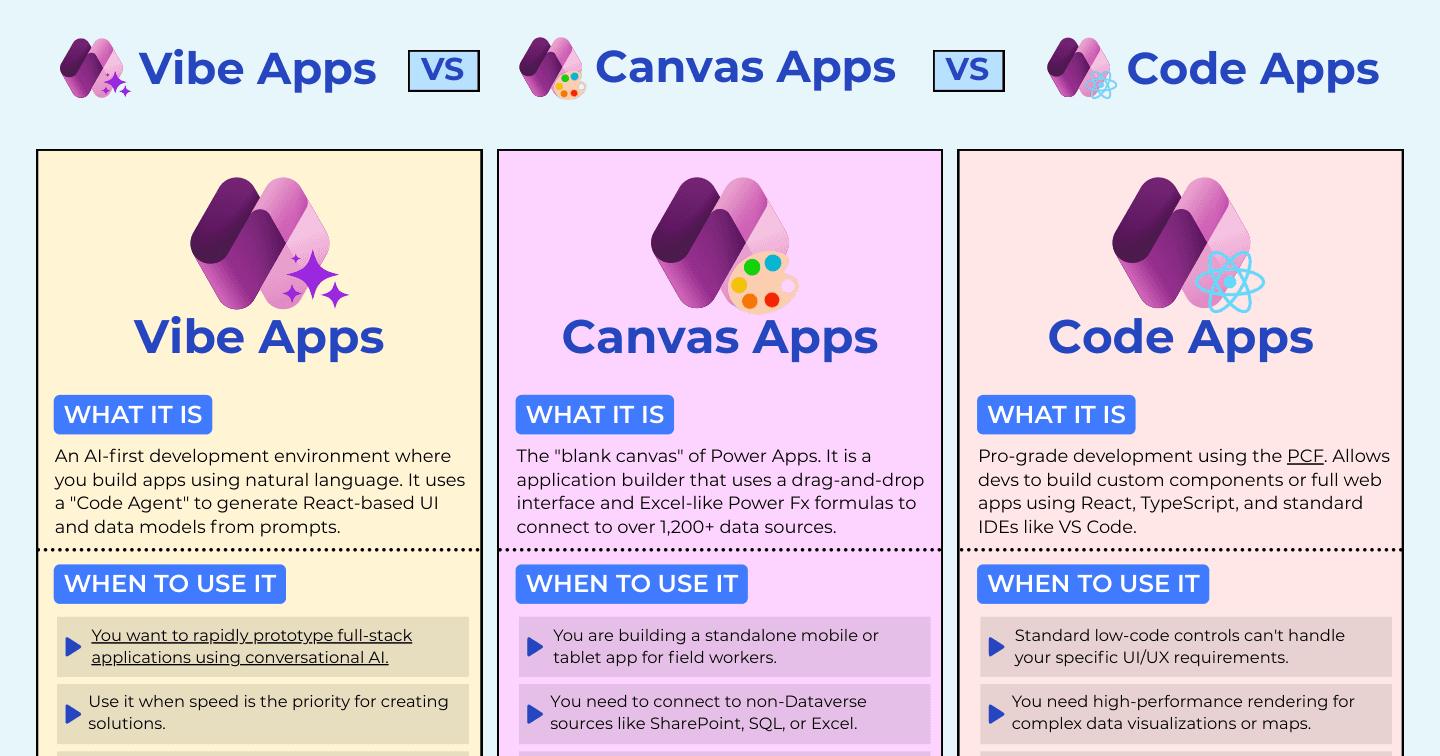
Microsoft AIHowdang Rashid·22 Aug 2026
Vibe Apps vs Canvas Apps vs Code Apps: Three Ways to Build in 2026
Vibe Apps generate full-stack apps from conversation, canvas apps give makers the blank canvas, code apps give developers the DOM. When each one wins, with use cases, pros, and cons.
Howdang Rashid·22 Aug 2026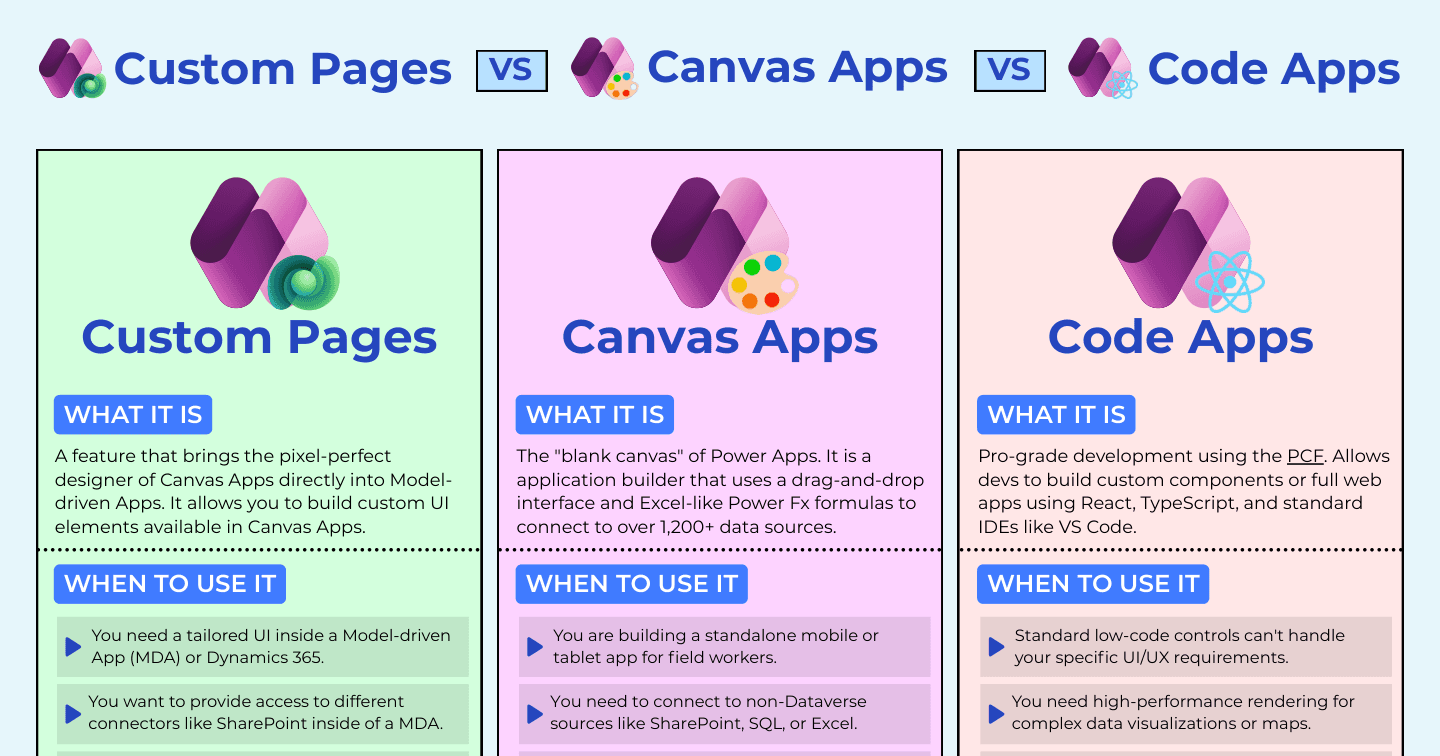
Power AppsHowdang Rashid·22 Aug 2026
Custom Pages vs Canvas Apps vs Code Apps: Which Power Apps UI Do You Need?
Custom pages for tailored UI inside model-driven apps, canvas apps for standalone experiences, code apps for pro-code performance - when to use each, with use cases, pros, and cons.
Howdang Rashid·22 Aug 2026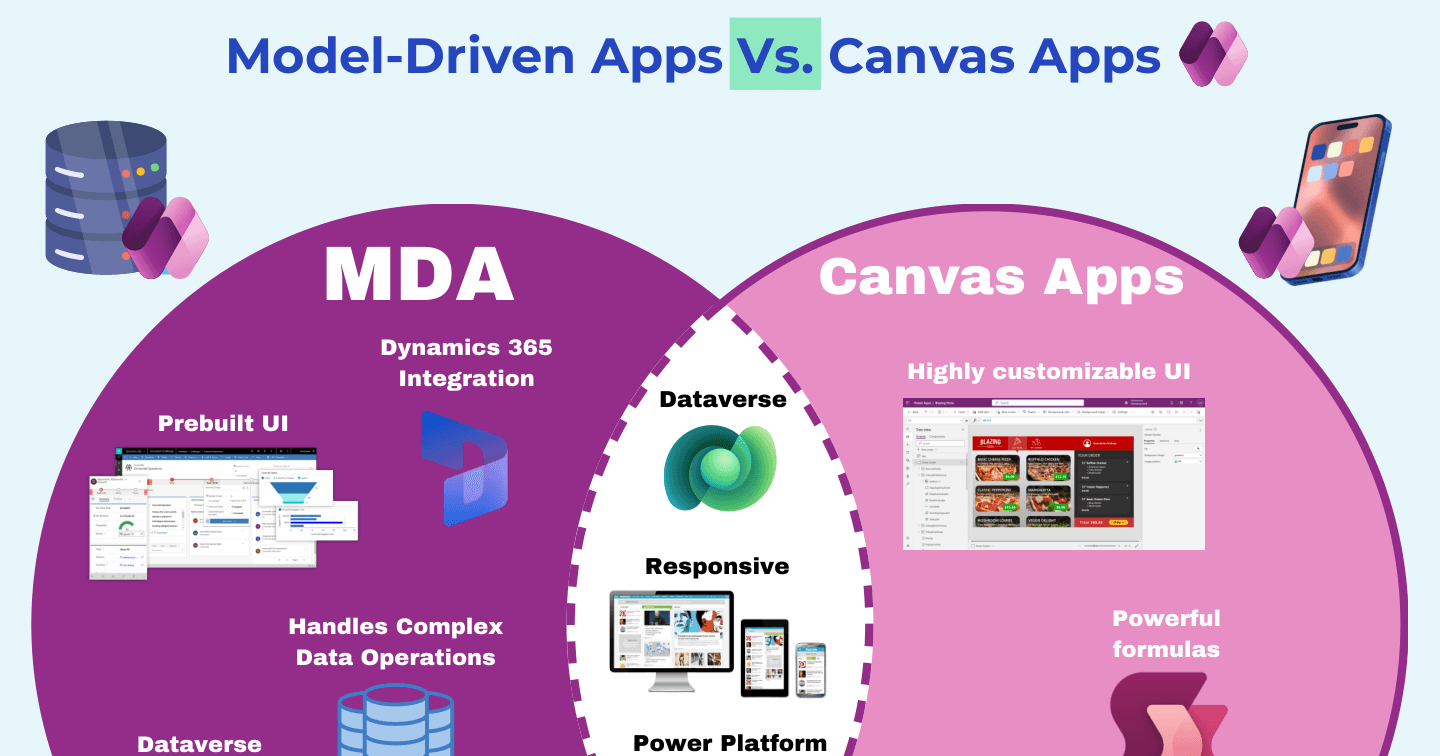
Power AppsHowdang Rashid·22 Aug 2026
Canvas Apps vs Model-Driven Apps: The Venn Diagram That Settles It
Custom UI, flexible data, and formulas on one side; prebuilt UI, role security, and Dynamics integration on the other - and the shared middle both app types get for free.
Howdang Rashid·22 Aug 2026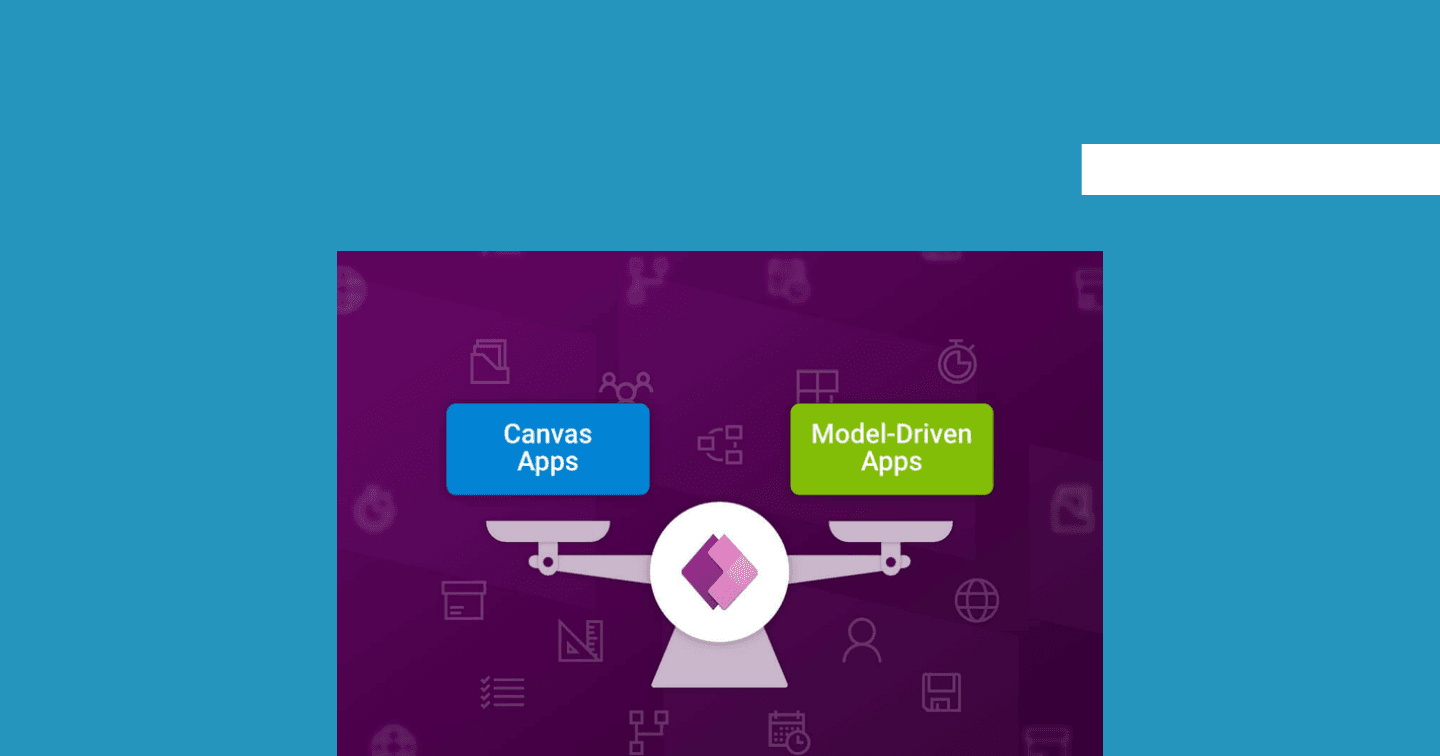
Power AppsHowdang Rashid·22 Aug 2026
5 Signs to Use Model-Driven Apps Over Canvas Apps
Minimal design effort, no mobile requirement, a structured data model, Dataverse-only data, and heavy data processing - the five signs your app should be model-driven, not canvas.
Howdang Rashid·22 Aug 2026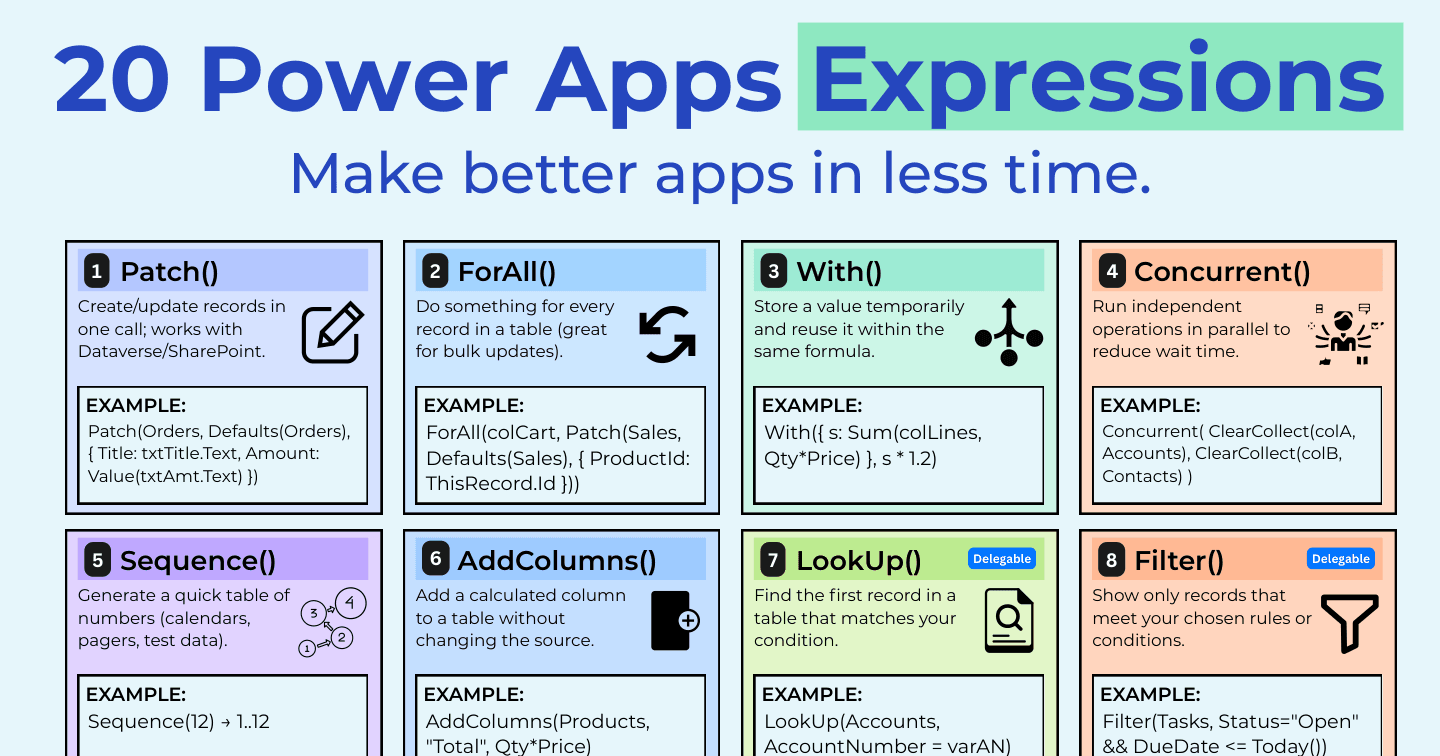
Power AppsHowdang Rashid·22 Aug 2026
20 Power Apps Expressions That Make Better Apps in Less Time
Patch, ForAll, With, Concurrent, delegation-friendly filters, and error handling - the twenty Power Fx expressions that separate fast, reliable canvas apps from slow ones.
Howdang Rashid·22 Aug 2026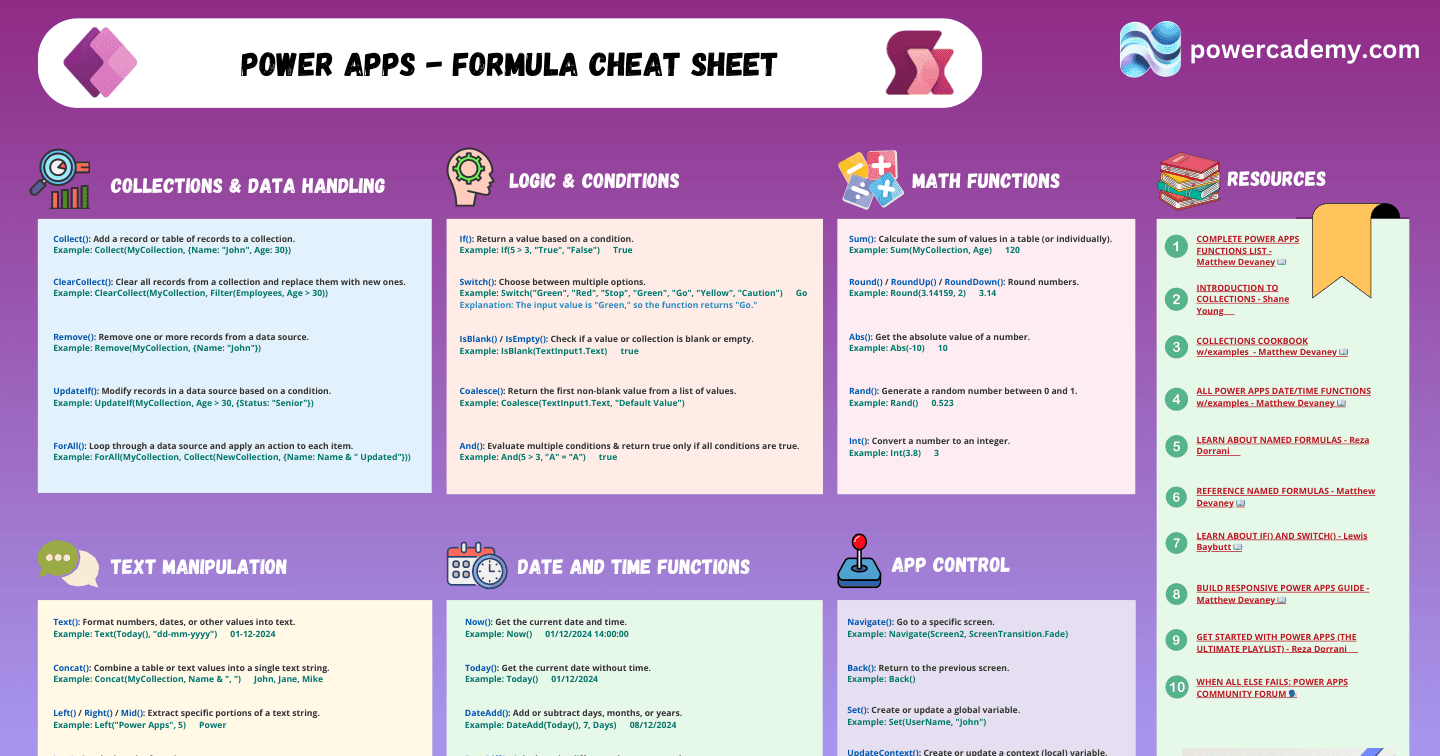
Power AppsHowdang Rashid·22 Aug 2026
The Power Apps Formula Cheat Sheet: The Functions You Actually Use
Logic, collections, text, maths, navigation, and variables - the Power Fx functions that cover ninety percent of canvas app building, each with a working example.
Howdang Rashid·22 Aug 2026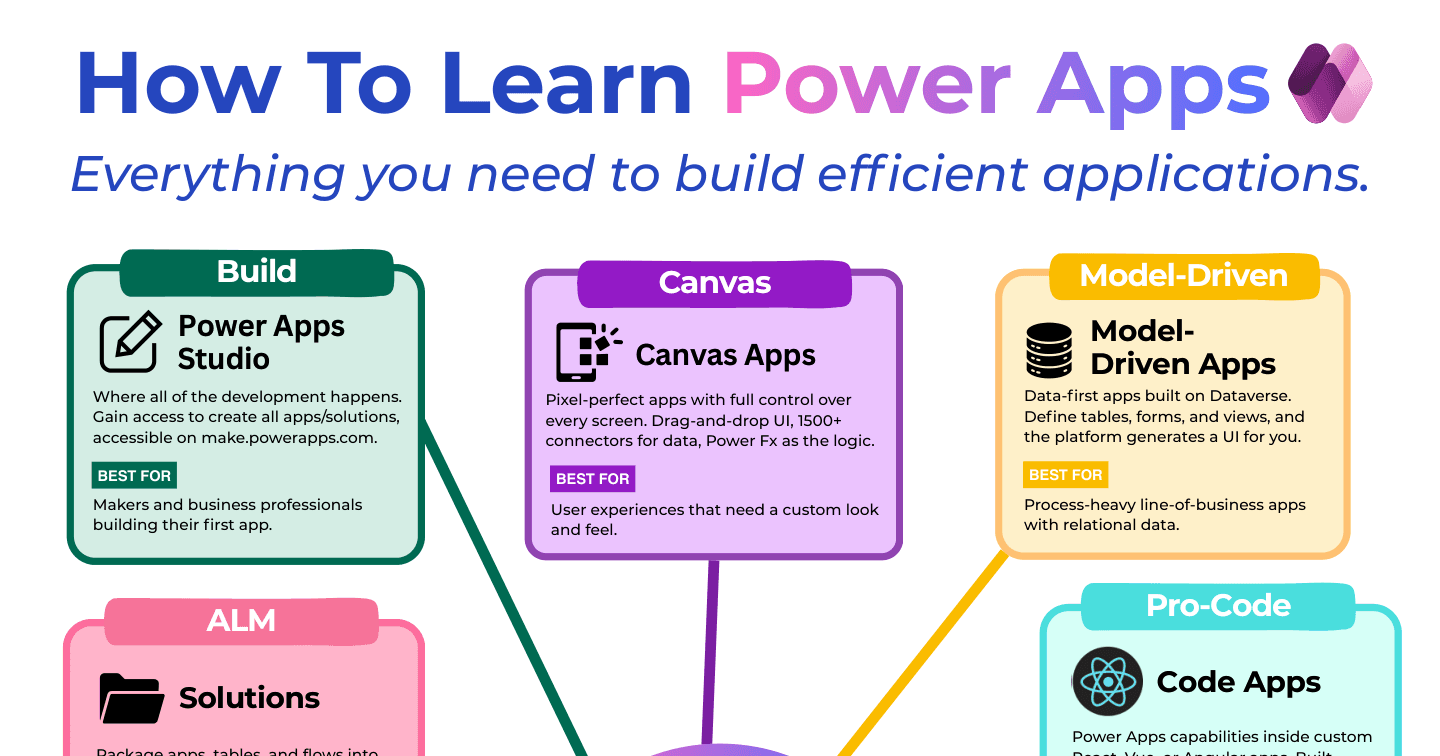
Power AppsHowdang Rashid·22 Aug 2026
How to Learn Power Apps: The 10 Building Blocks
Studio, canvas apps, model-driven apps, code apps, Power Fx, Dataverse, connectors, AI integration, PCF components, and solutions - the map of everything Power Apps, and who each block is for.
Howdang Rashid·22 Aug 2026
Power AppsHowdang Rashid·22 Aug 2026
What Is Microsoft Power Apps? Your Full Guide
Power Apps lets you build custom business apps that connect to your data - low-code, inside the Microsoft ecosystem. The business value, the three frameworks (canvas, model-driven, code apps), and where Dataverse fits.
Howdang Rashid·22 Aug 2026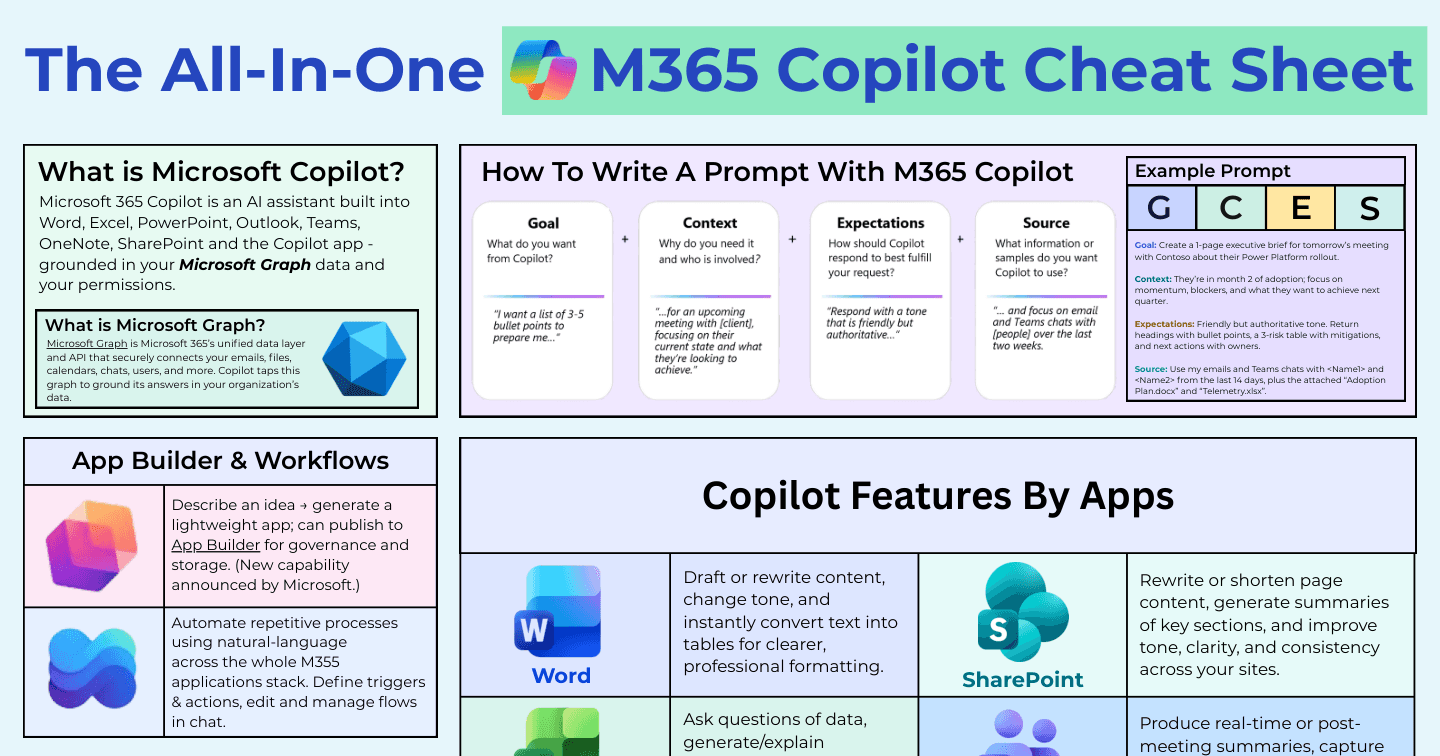
Microsoft AIHowdang Rashid·22 Aug 2026
The All-In-One M365 Copilot Cheat Sheet
What Copilot does in every app - Word, Excel, PowerPoint, Outlook, Teams, SharePoint, Copilot Studio - plus how to write prompts that work, pricing models, and the cautions that matter.
Howdang Rashid·22 Aug 2026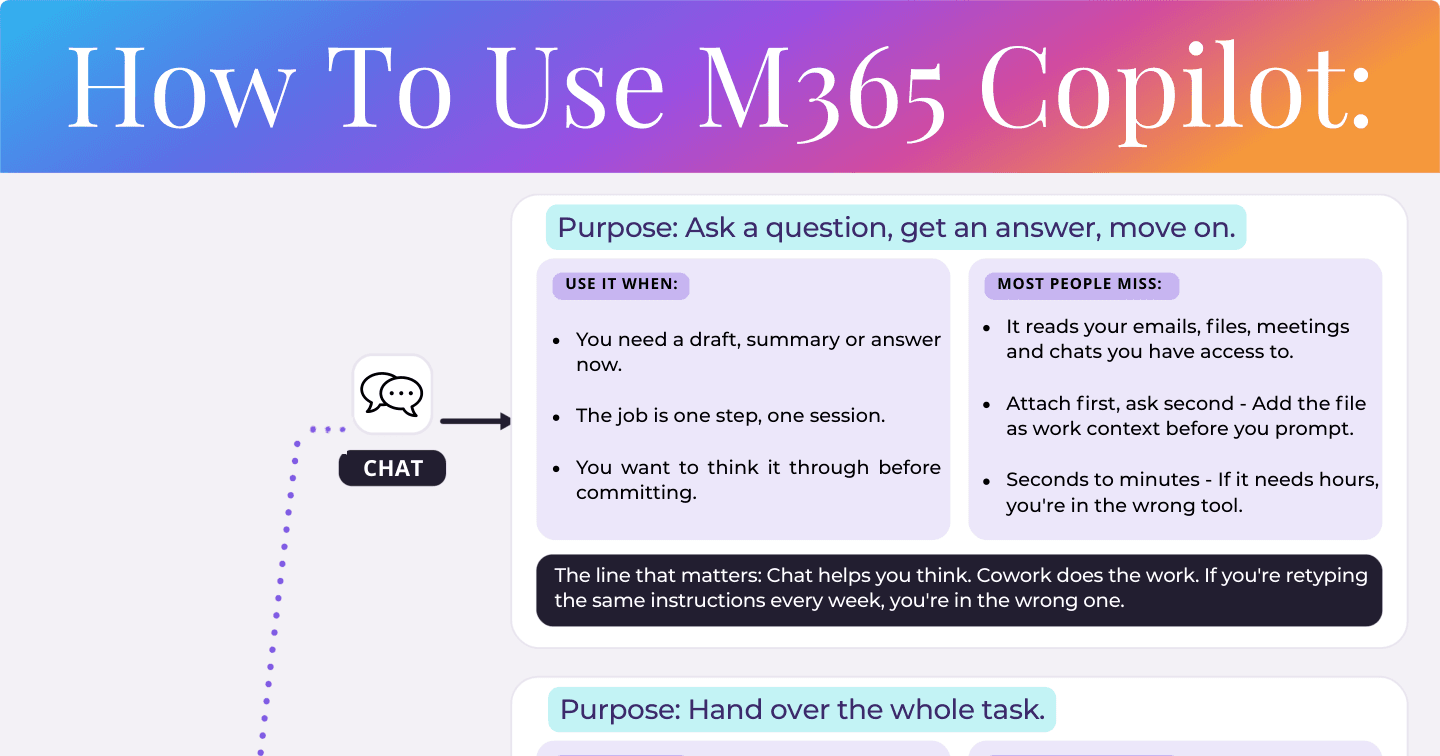
M365 CopilotHowdang Rashid·22 Aug 2026
How to Use M365 Copilot: Chat vs Cowork vs Agents vs Skills
Chat helps you think. Cowork does the work. Agents serve teams. Skills teach your way of working. The four modes of M365 Copilot and the line that decides which one you're in.
Howdang Rashid·22 Aug 2026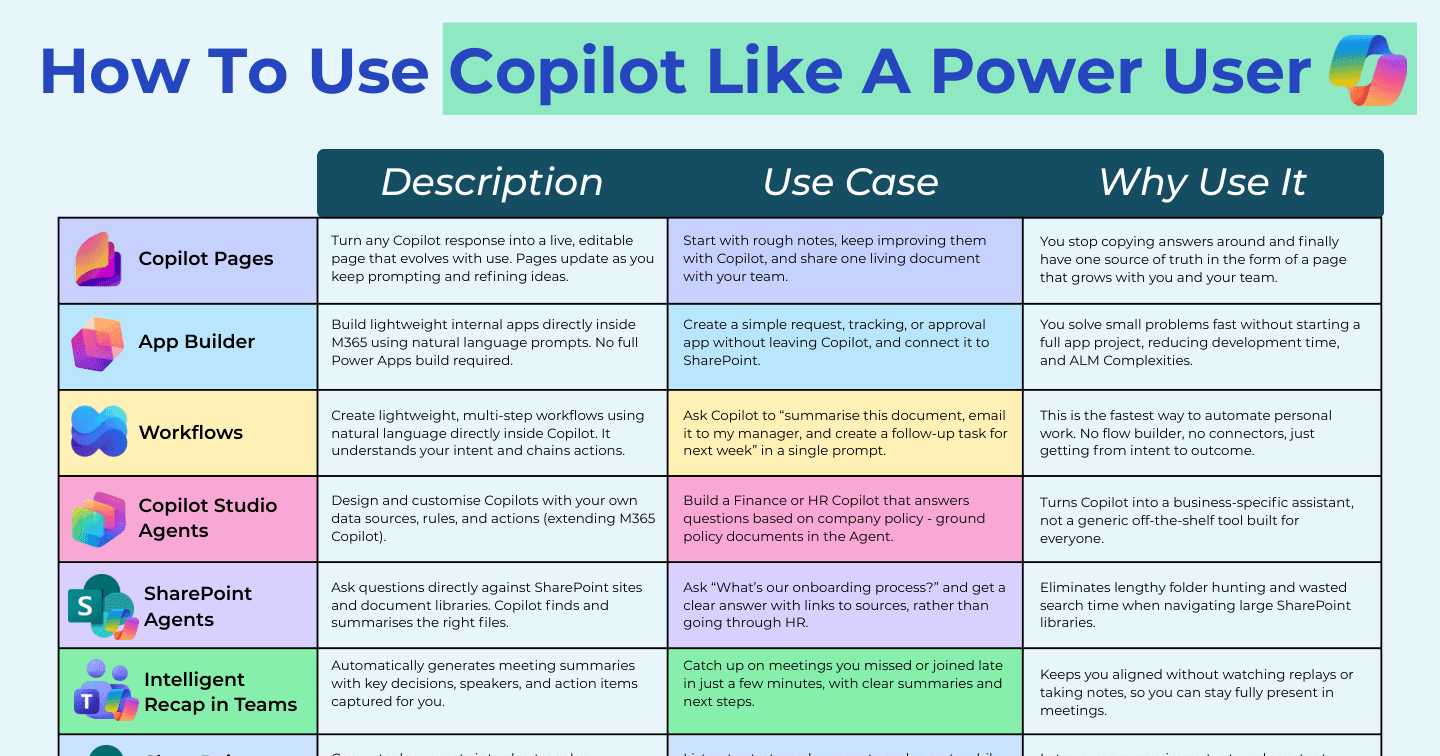
Microsoft AIHowdang Rashid·22 Aug 2026
How to Use Copilot Like a Power User: 13 Features Most People Miss
Copilot Pages, App Builder, Workflows, SharePoint agents, audio overviews, Notebooks, the Agent Store, Researcher and Analyst - the M365 Copilot features that separate power users from everyone else.
Howdang Rashid·22 Aug 2026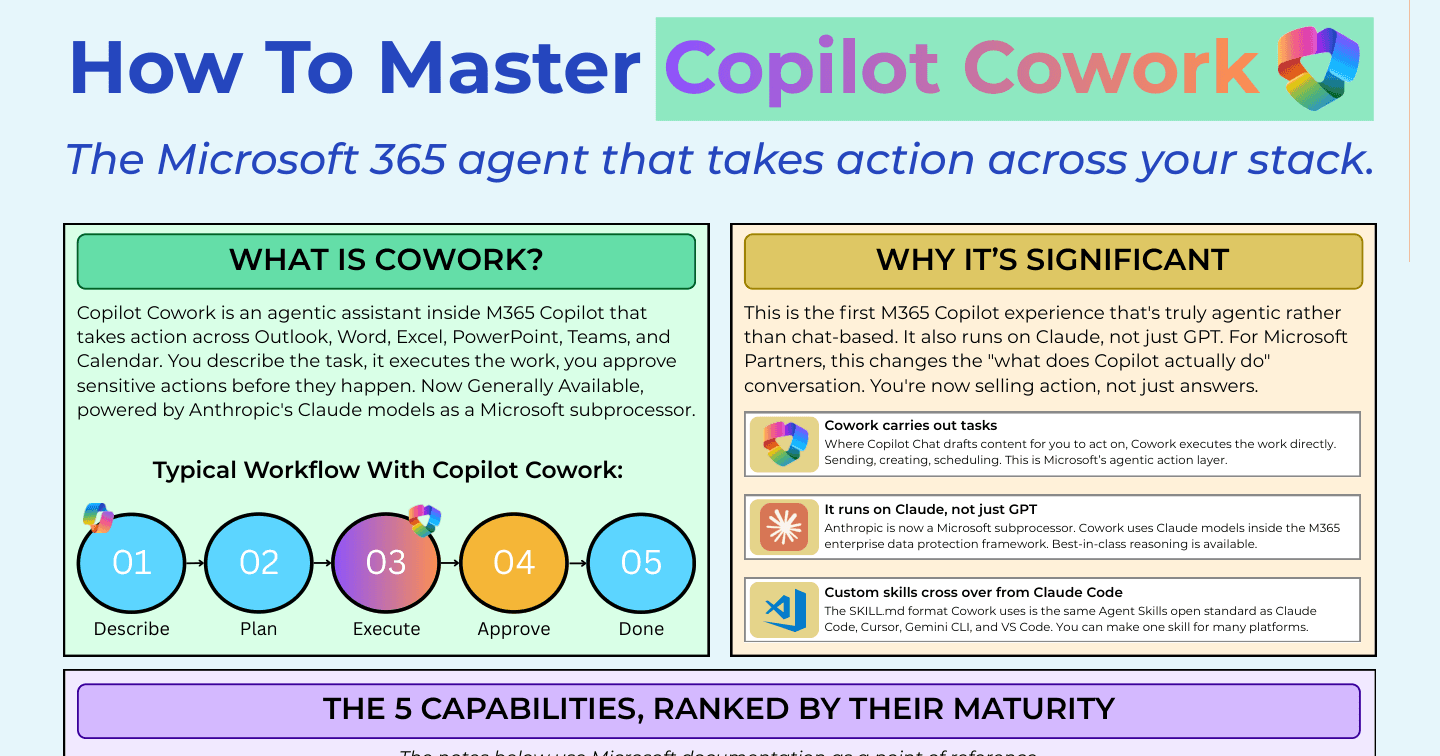
M365 CopilotHowdang Rashid·22 Aug 2026
How to Master Copilot Cowork: Setup, Skills, and the 5 Capabilities
Cowork is GA and Claude-powered. Its five capabilities ranked by maturity, the four-step tenant setup (billing, Anthropic subprocessor, availability, DLP), and the adoption sequence that works.
Howdang Rashid·22 Aug 2026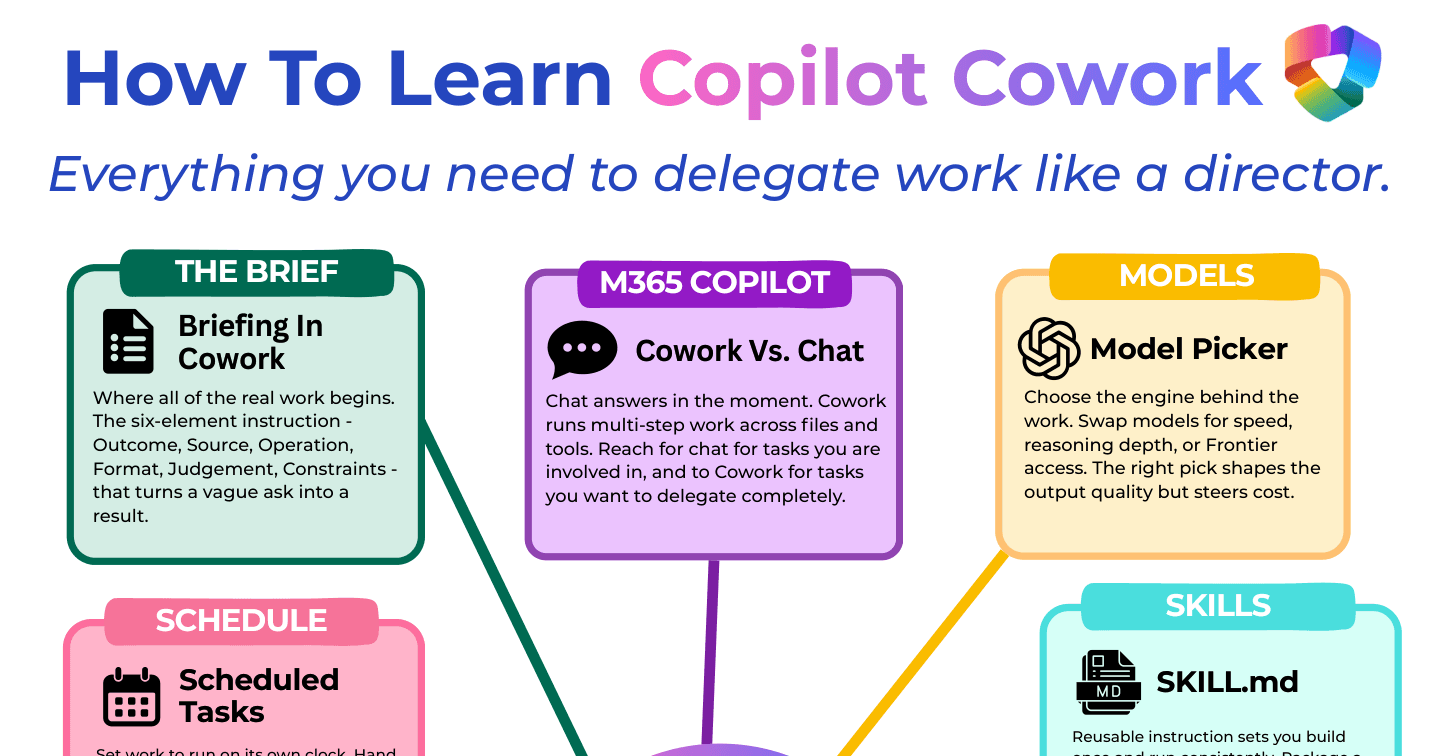
M365 CopilotHowdang Rashid·22 Aug 2026
How to Learn Copilot Cowork: Delegate Work Like a Director
The six-element brief, Cowork vs Chat, the model picker, custom skills, plugins, Work IQ, approvals, artifacts, credits, and scheduled tasks - the ten concepts that make delegation work.
Howdang Rashid·22 Aug 2026
Microsoft AIHowdang Rashid·22 Aug 2026
Copilot Cowork: What It Does and Why It Matters
Cowork is the execution layer inside M365 Copilot - 13 built-in skills, custom SKILL.md skills, approval-gated actions, Work IQ context, and Anthropic's Claude under the hood. The full picture.
Howdang Rashid·22 Aug 2026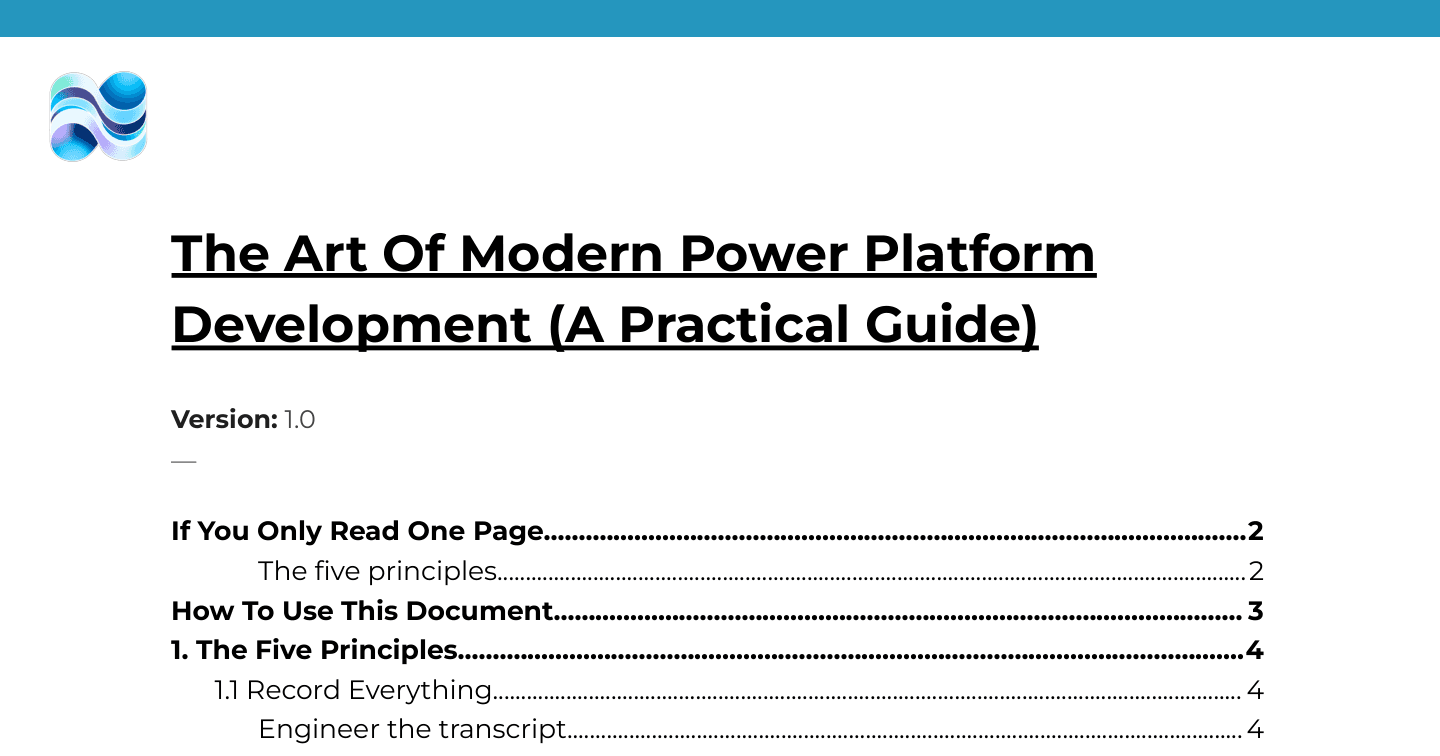
Microsoft AIHowdang Rashid·22 Aug 2026
The Art of Modern Power Platform Development: A Practical Guide
Power Platform development changed in 2026: the maker portal is no longer where you start. Five principles for AI-first delivery - record everything, work in projects, own the architecture, delegate the construction, and build in reviewable units.
Howdang Rashid·22 Aug 2026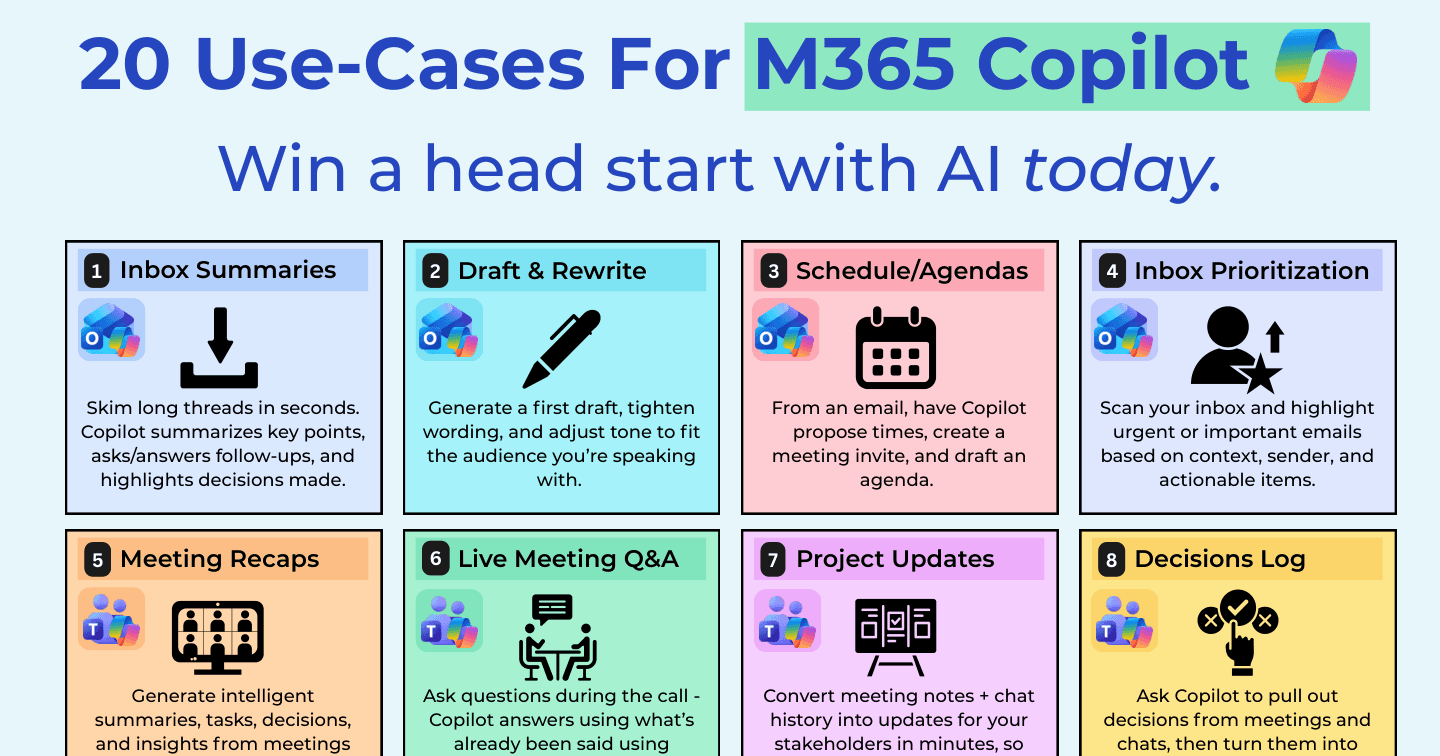
Microsoft AIHowdang Rashid·22 Aug 2026
20 M365 Copilot Use Cases to Win Back Your Week
From inbox summaries and meeting recaps to scenario modelling, audio overviews, App Builder, and Workflows - twenty concrete M365 Copilot use cases you can start using today.
Howdang Rashid·22 Aug 2026
Microsoft AIHowdang Rashid·22 Aug 2026
The Copilot Studio Agent Builder Playbook: Every Building Block Explained
The 3 agent types, classic vs generative orchestration, 6 knowledge sources, triggers, tools from connectors to Computer Use, the caveats, and the decision matrix - the agent builder's full map.
Howdang Rashid·22 Aug 2026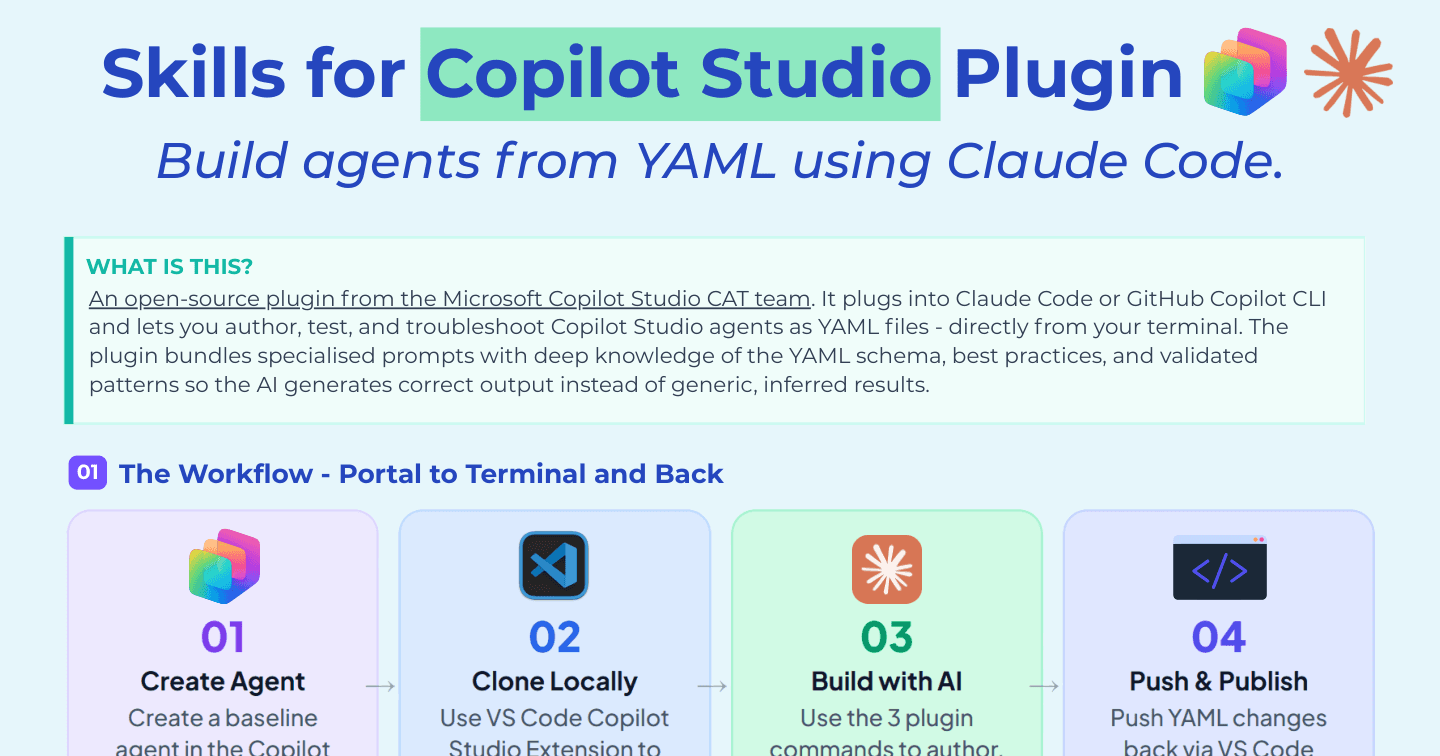
Microsoft AIHowdang Rashid·22 Aug 2026
Skills for Copilot Studio: Build Agents from YAML with Claude Code
The CAT team's open-source plugin in one page: the author, test, and troubleshoot commands, the portal-to-terminal workflow, prerequisites, and the gotchas to know before you rely on it.
Howdang Rashid·22 Aug 2026
Microsoft AIHowdang Rashid·22 Aug 2026
Claude Code with Copilot Studio: The Playbook
Microsoft's CAT team shipped a plugin that lets Claude Code author, test, and troubleshoot Copilot Studio agents from your terminal - up to 20x faster than UI building. The full playbook.
Howdang Rashid·22 Aug 2026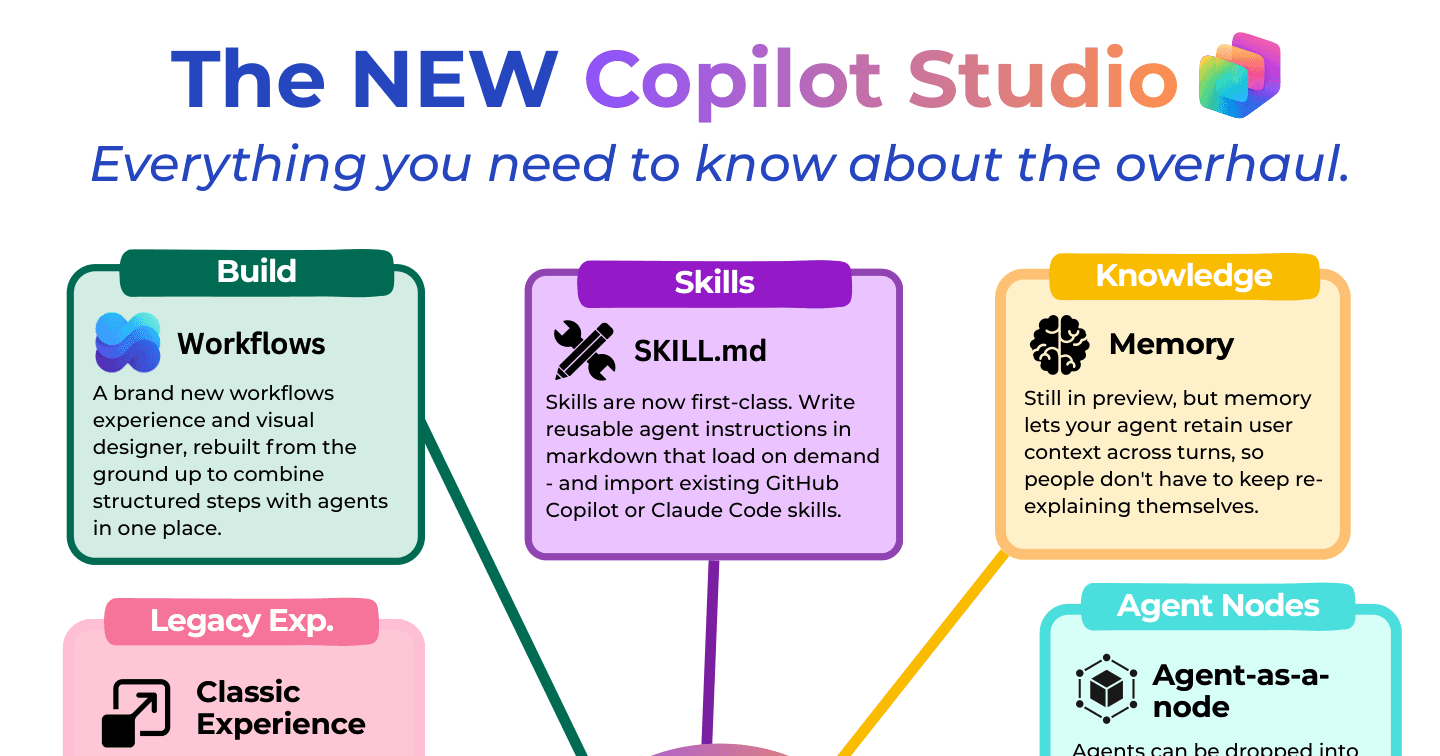
Microsoft AIHowdang Rashid·22 Aug 2026
The NEW Copilot Studio: Everything That Changed in the 2026 Overhaul
Nine tabs down to four, Skills as first-class citizens, a rebuilt Workflows designer, agent nodes, memory, and human oversight - everything that changed in the Copilot Studio overhaul.
Howdang Rashid·22 Aug 2026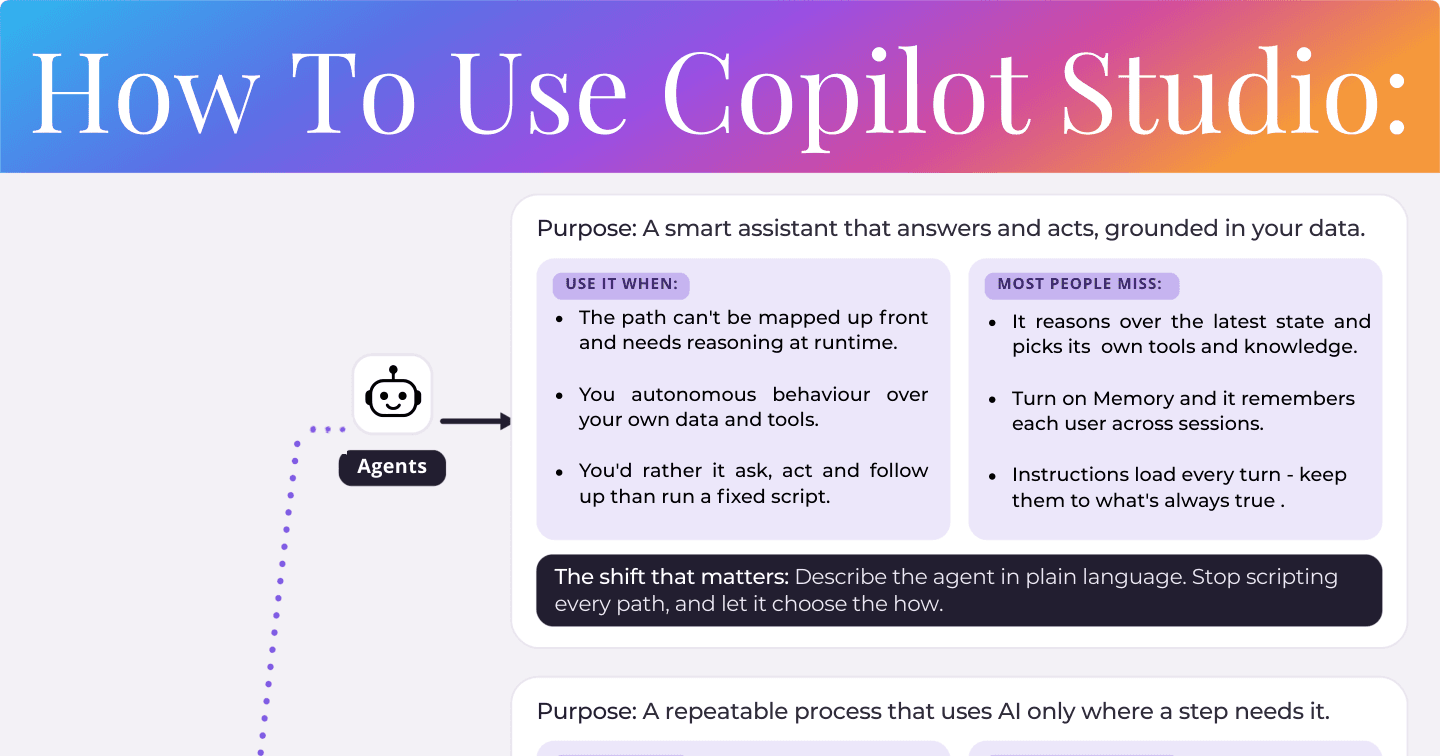
Microsoft AIHowdang Rashid·22 Aug 2026
How to Use Copilot Studio: Agents, Workflows, Knowledge, and Skills
The rule: choose the least intelligence per step that still does the job. When to use agents vs workflows, how knowledge differs from tools, and the instruction-or-Skill split most people miss.
Howdang Rashid·22 Aug 2026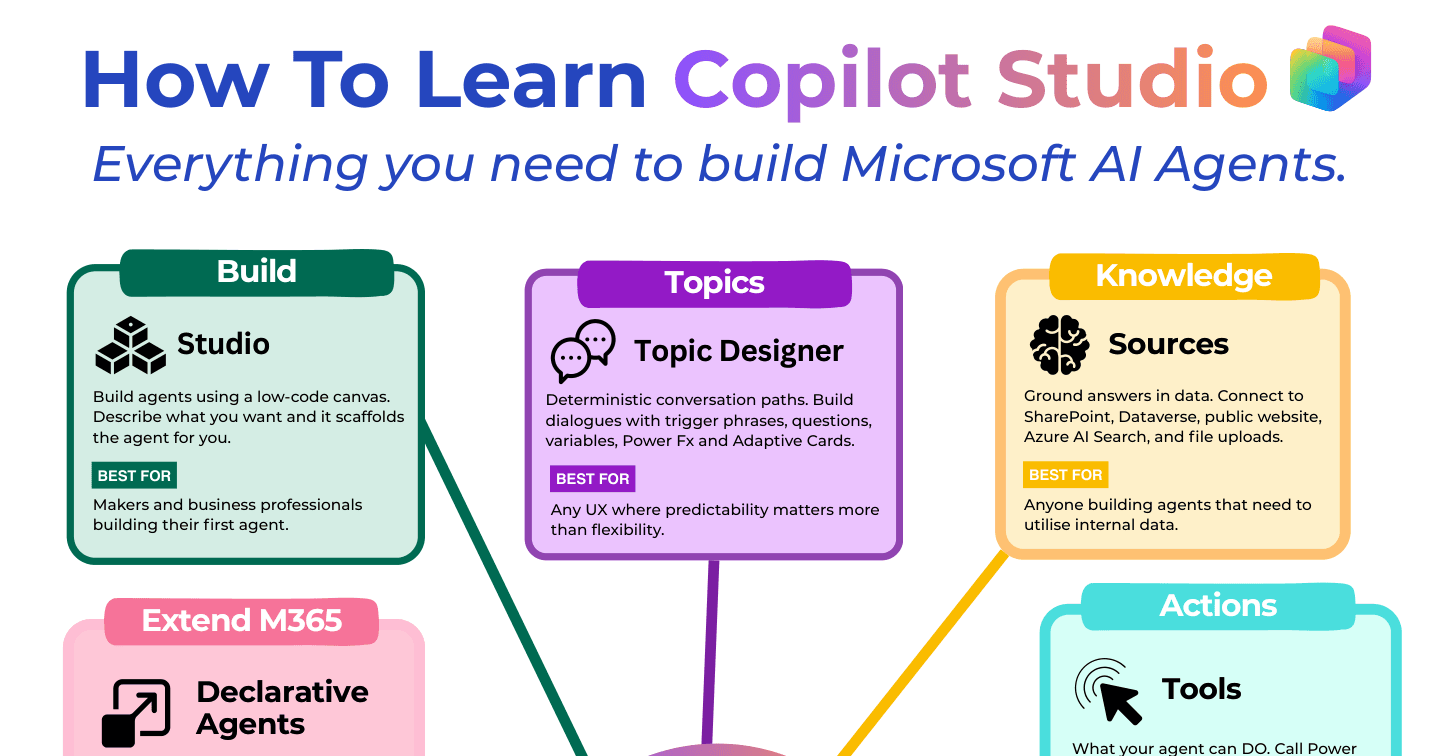
Microsoft AIHowdang Rashid·22 Aug 2026
How to Learn Copilot Studio: The 10 Building Blocks
Studio, topics, knowledge, tools, orchestration, triggers, channels, analytics, declarative agents, and pro-code - the ten building blocks of Copilot Studio and who each one is for.
Howdang Rashid·22 Aug 2026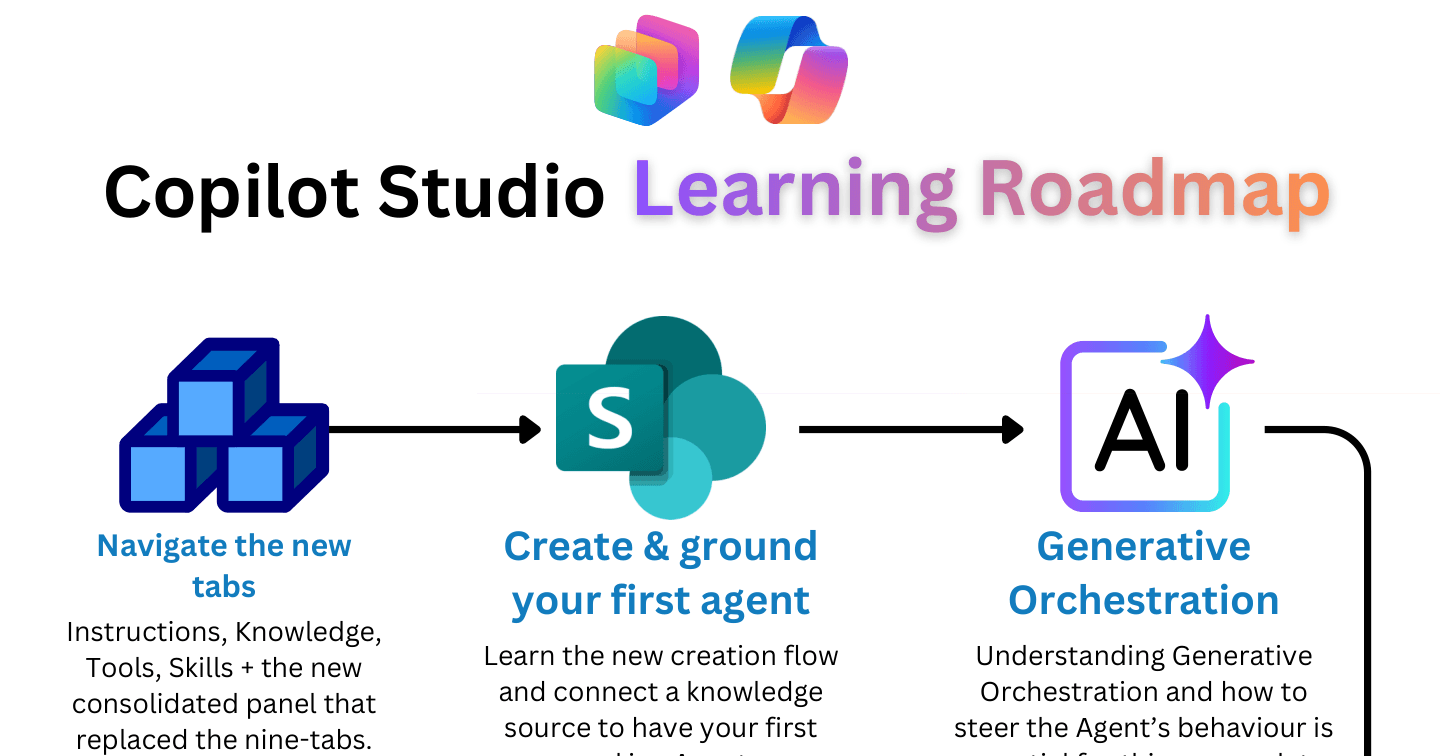
Microsoft AIHowdang Rashid·22 Aug 2026
The Copilot Studio Learning Roadmap: 9 Steps for the New Experience
From creating and grounding your first agent through generative orchestration, workflows, MCP servers, and SKILL.md files to connected-agent orchestration - the learning path for the new Copilot Studio.
Howdang Rashid·22 Aug 2026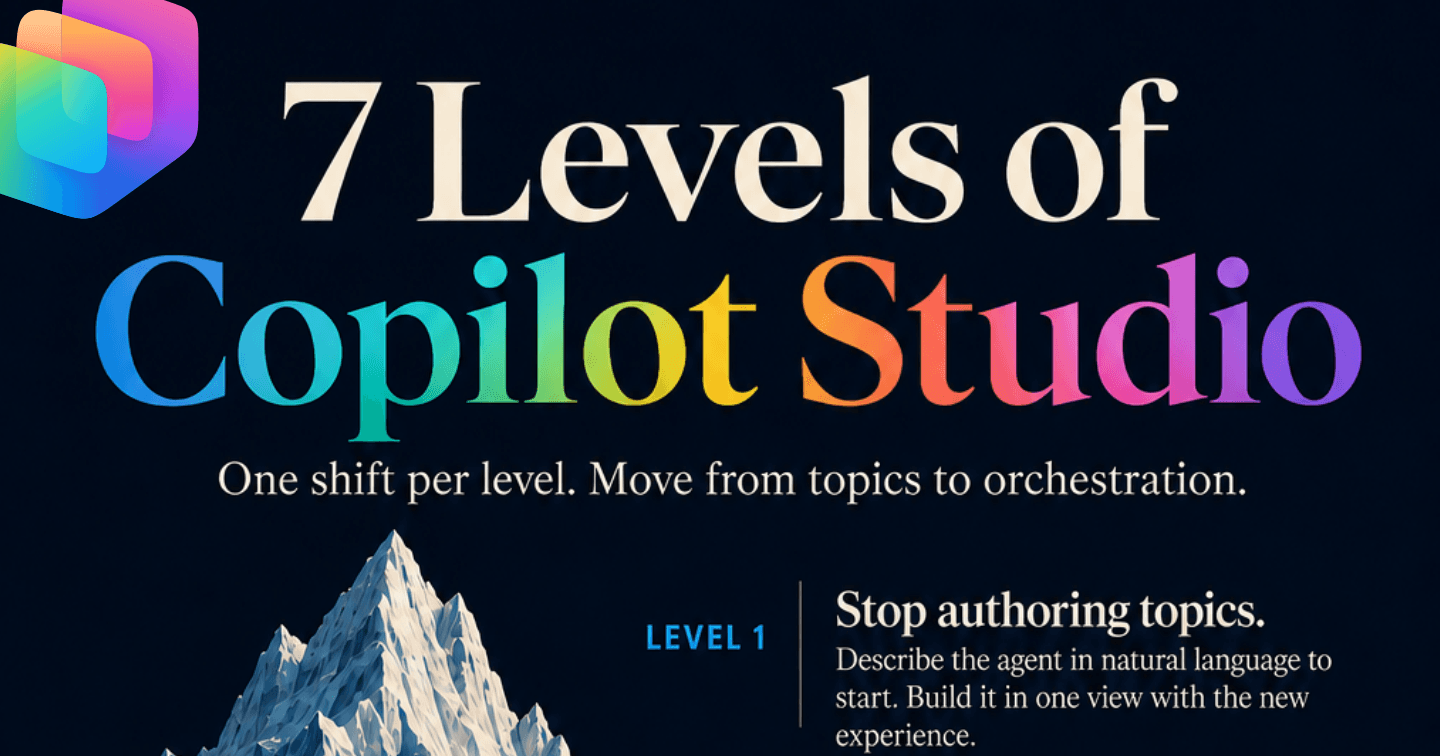
Microsoft AIHowdang Rashid·22 Aug 2026
The 7 Levels of Copilot Studio: From Topics to Orchestration
One shift per level: stop authoring topics, let generative orchestration drive, split instructions from Skills, reuse your Claude skills, and graduate to agents orchestrating workflows.
Howdang Rashid·22 Aug 2026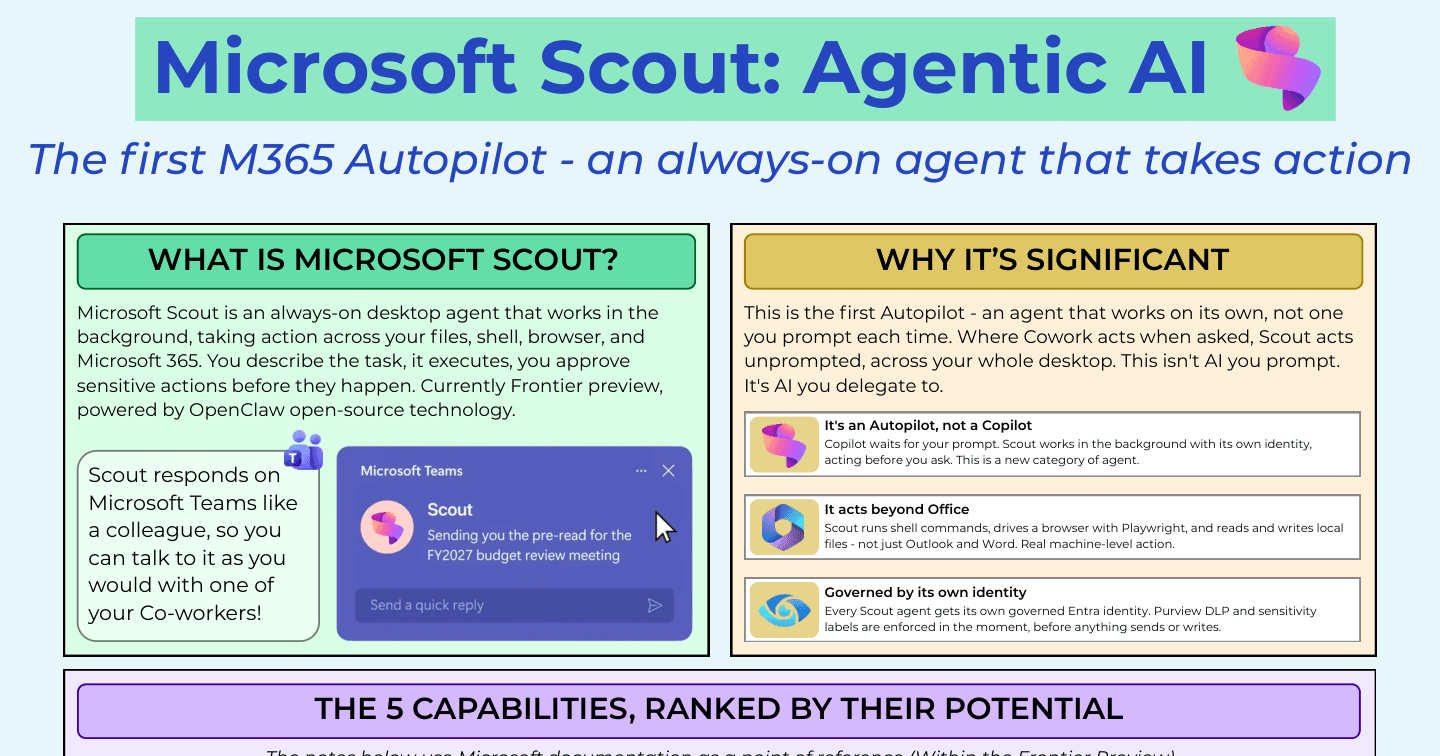
Microsoft AIHowdang Rashid·22 Aug 2026
Microsoft Scout: The Ultimate Cheat Sheet for M365's First Autopilot
Scout is AI you delegate to, not AI you prompt: an always-on desktop agent across files, shell, browser, and M365. Its five capabilities ranked, setup gates, and the dos and don'ts.
Howdang Rashid·22 Aug 2026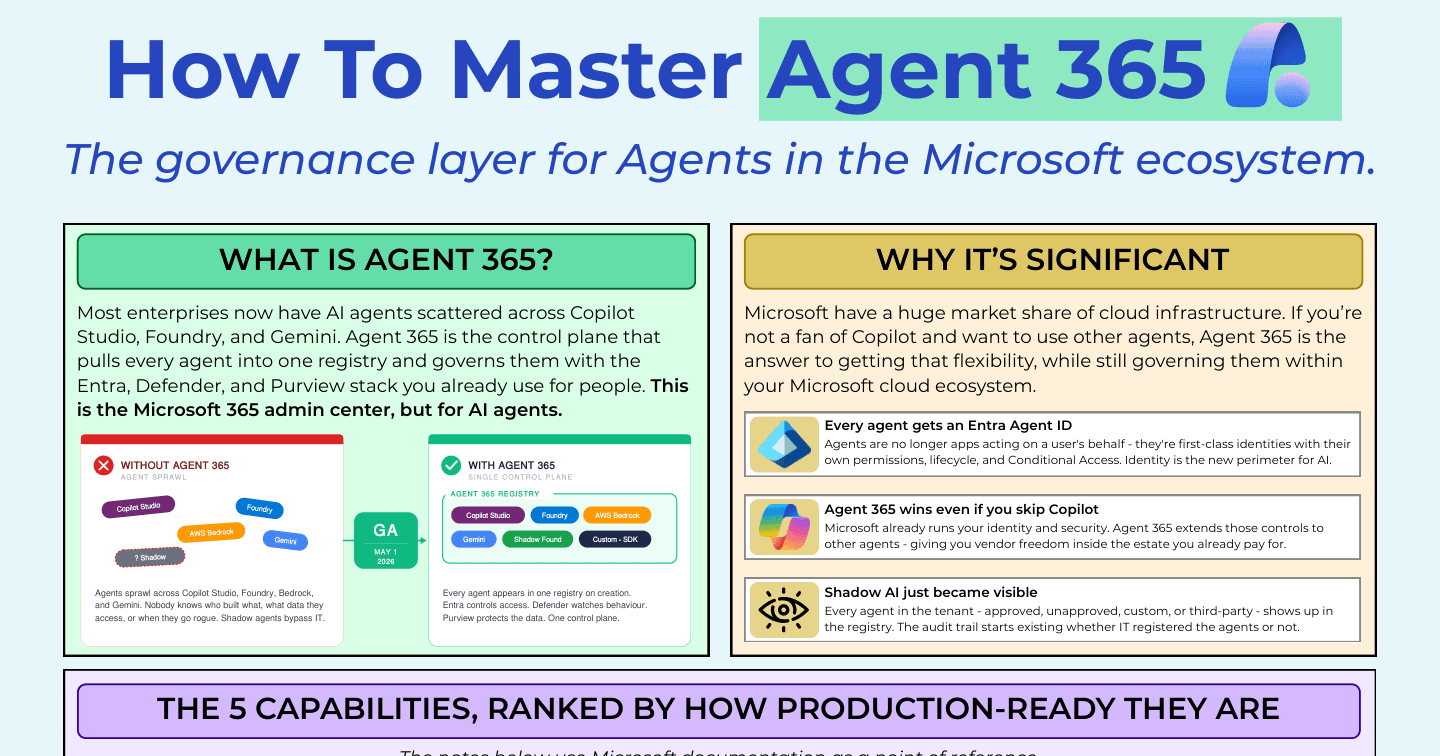
Microsoft AIHowdang Rashid·22 Aug 2026
How to Master Agent 365: The Governance Layer for AI Agents
From agent sprawl across Copilot Studio, Foundry, Bedrock, and Gemini to one control plane. Agent 365's capabilities ranked by production-readiness, plus the setup and rollout sequence that works.
Howdang Rashid·22 Aug 2026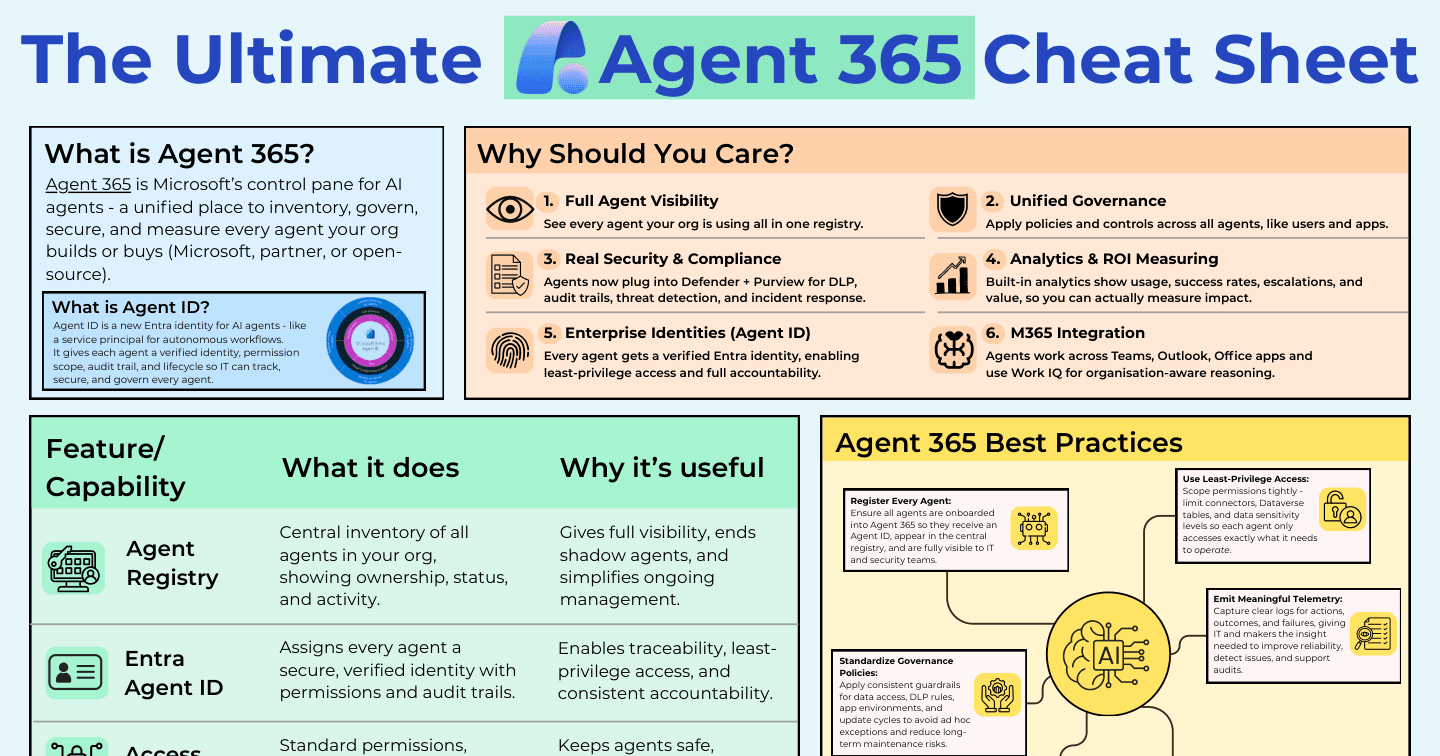
Microsoft AIHowdang Rashid·22 Aug 2026
Agent 365: The Ultimate Cheat Sheet
What Agent 365 and Agent ID are, the six reasons they matter, the capability breakdown, and a 5-step quick-start for governing every AI agent in your organisation.
Howdang Rashid·22 Aug 2026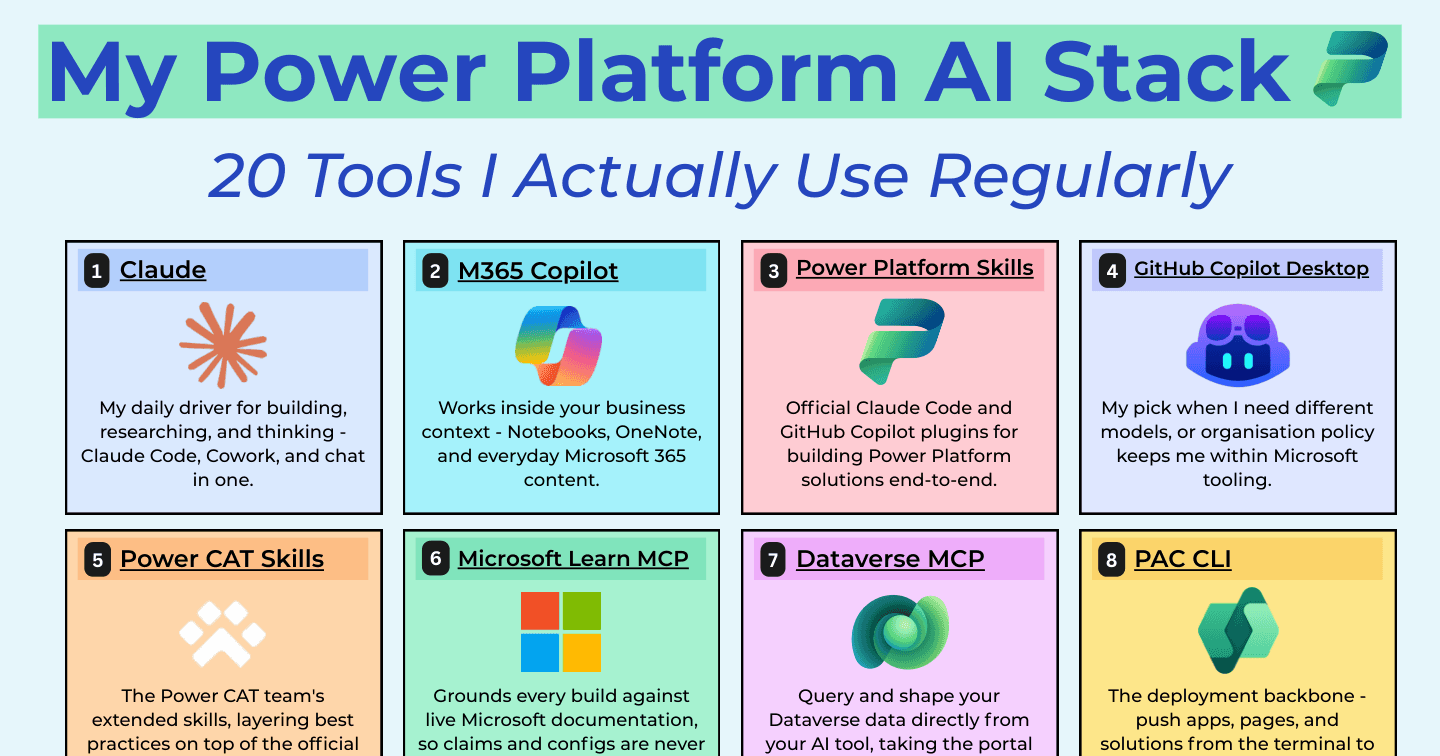
Microsoft AIHowdang Rashid·22 Aug 2026
My Power Platform AI Stack: 20 Tools I Actually Use
Claude, Copilot Studio, Dataverse MCP, PAC CLI, Playwright, Fireflies - the 20 AI and dev tools I actually use to build Power Platform solutions, and what each one is for.
Howdang Rashid·22 Aug 2026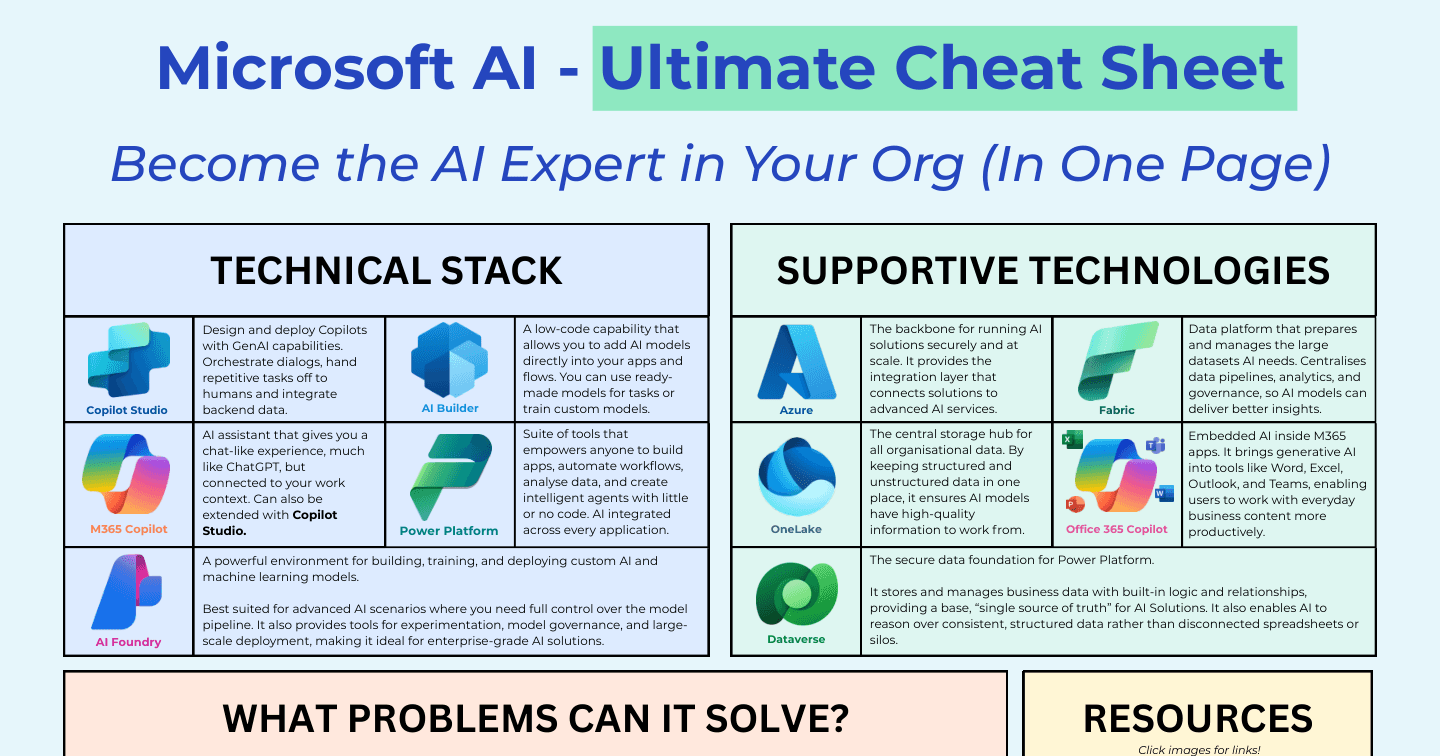
Microsoft AIHowdang Rashid·22 Aug 2026
The Ultimate Microsoft AI Cheat Sheet: Strategy, Stack, and Services
Microsoft's AI strategy in four pillars - Open, Agentic, Flexible, Responsible - plus the tool decision matrix and the Azure AI services, all on one reference sheet.
Howdang Rashid·22 Aug 2026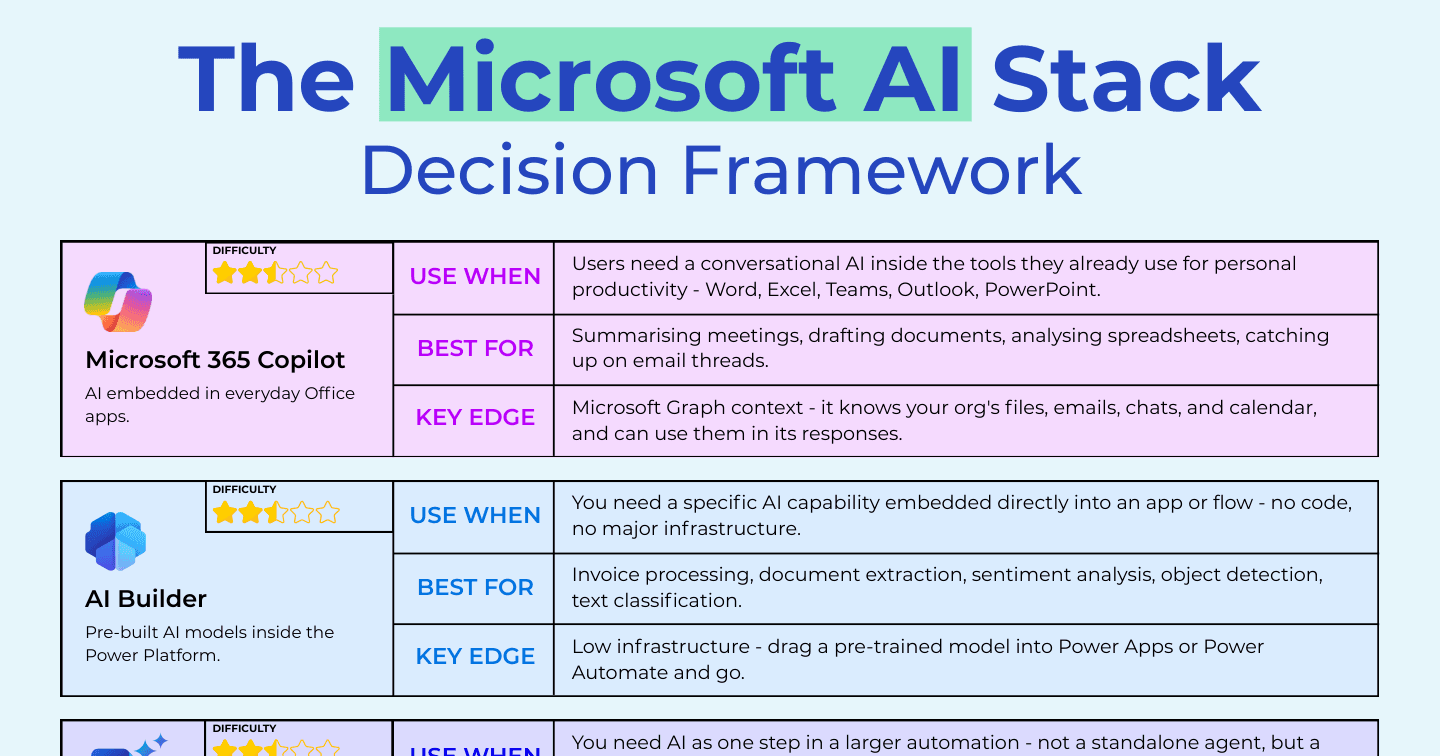
Microsoft AIHowdang Rashid·22 Aug 2026
The Microsoft AI Stack Decision Framework: 5 Tools, One Question Each
M365 Copilot, AI Builder, Power Automate generative actions, Copilot Studio, and Microsoft Foundry - a use-when framework plus a quick-fire decision guide for the whole Microsoft AI stack.
Howdang Rashid·22 Aug 2026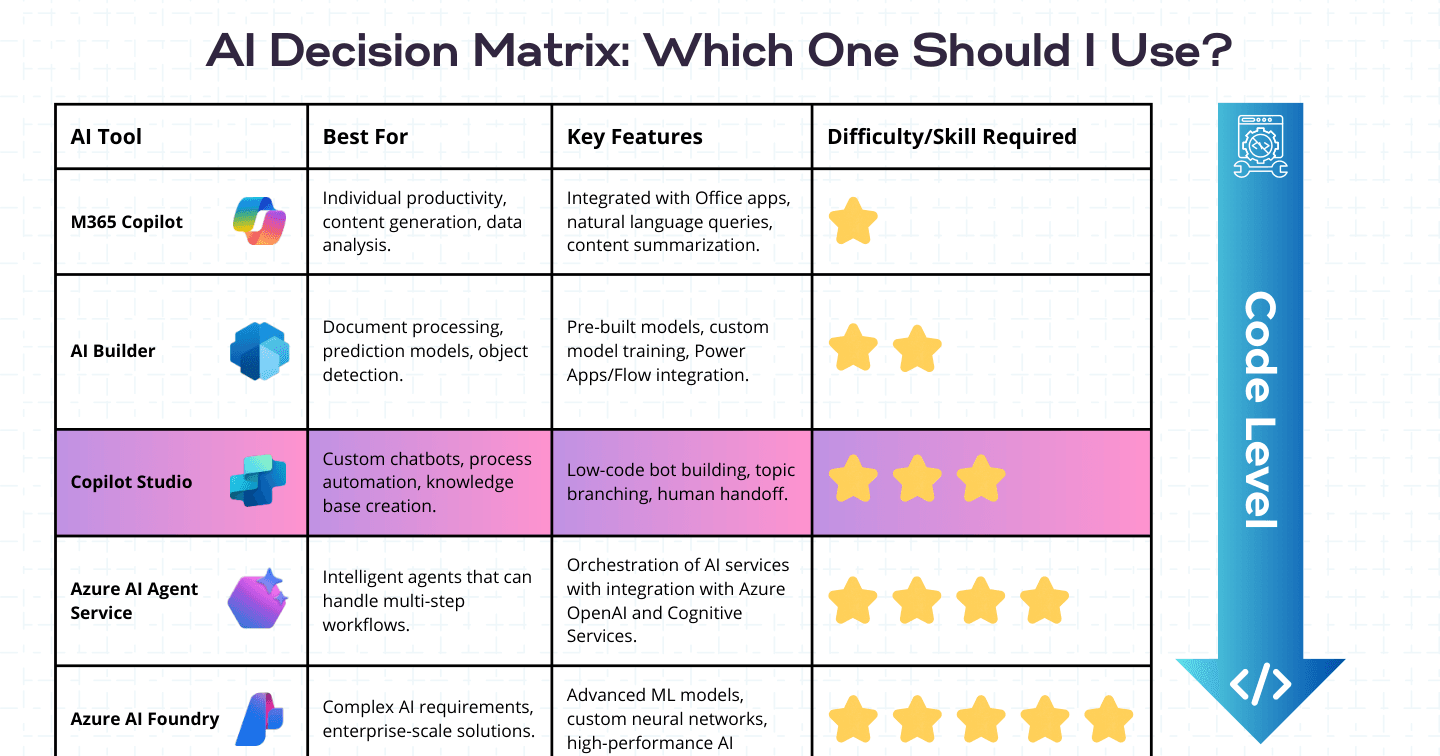
Microsoft AIHowdang Rashid·22 Aug 2026
The Power Platform AI Decision Matrix: Which Tool Should You Use?
M365 Copilot, AI Builder, Copilot Studio, Azure AI Agent Service, or Microsoft Foundry? A capability-and-difficulty matrix for picking the right Microsoft AI tool for the job.
Howdang Rashid·22 Aug 2026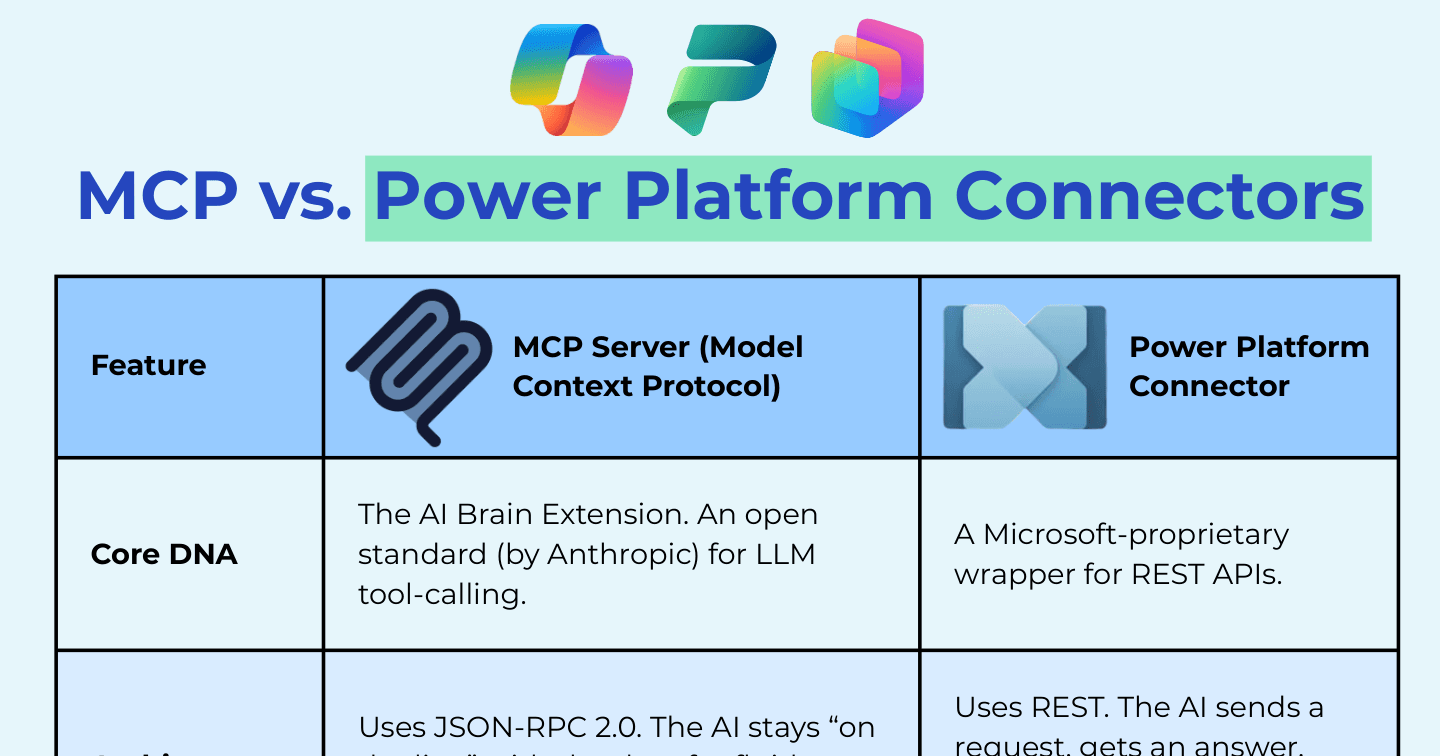
Microsoft AIHowdang Rashid·22 Aug 2026
MCP Servers vs Power Platform Connectors: What's the Difference?
MCP is the open standard for AI tool-calling; connectors are Microsoft's governed API wrappers. Architecture, security, discovery, and deployment differences - and when to use each.
Howdang Rashid·22 Aug 2026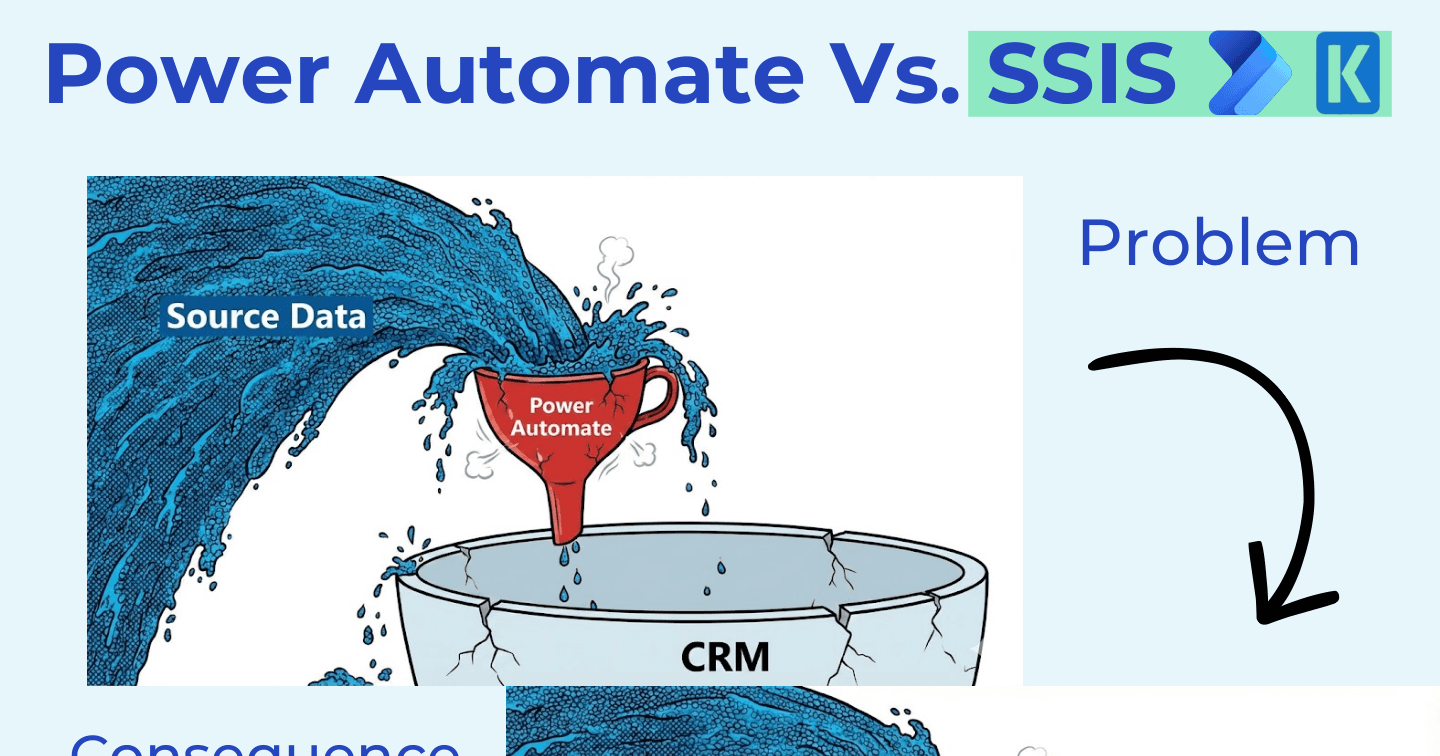
Power AutomateHowdang Rashid·22 Aug 2026
Power Automate vs SSIS: Why Big Migrations Break Flows
Pour migration-scale data through Power Automate and you hit API limits, no retry, no rollback, and lost data. Why volume workloads belong in ETL (SSIS + KingswaySoft), and where flows still win.
Howdang Rashid·22 Aug 2026
DataverseHowdang Rashid·22 Aug 2026
KingswaySoft for Power Platform Pros: When Flows Aren't Enough
Migrations, millions of rows, deduping, and complex joins don't belong in Power Automate. What KingswaySoft is, where it fits, its core Dataverse use cases, and when not to use it.
Howdang Rashid·22 Aug 2026
DataverseHowdang Rashid·22 Aug 2026
Why Use Dataverse? The Playbook for "But SharePoint Is Free"
A battle-tested playbook for the SharePoint-is-free conversation: the core pitch, the AI and governance arguments that land, an objection-to-answer table, and the hybrid pattern mature teams use.
Howdang Rashid·22 Aug 2026
DataverseHowdang Rashid·22 Aug 2026
5 Forgotten Dataverse Features That Still Save Time and Money
The Outlook client, Exchange integration, the hidden speed test page, field mappings, and multi-table lookups - five Dataverse features from its 20-year history that still beat building flows.
Howdang Rashid·22 Aug 2026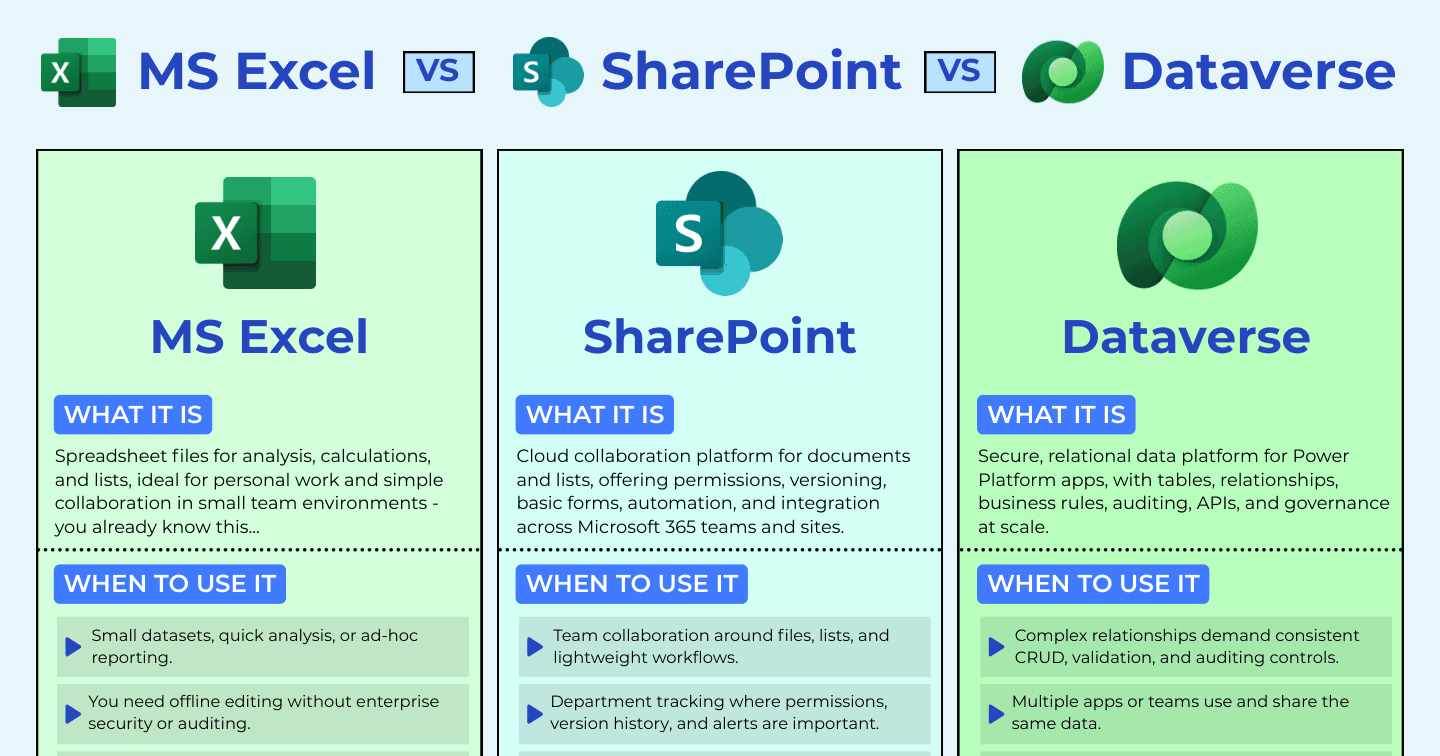
DataverseHowdang Rashid·22 Aug 2026
Excel vs SharePoint vs Dataverse: Where Should Your Data Live?
Excel for analysis, SharePoint for collaboration, Dataverse for business-critical apps. How to pick the right Microsoft data store before it picks you, with a comparison cheat sheet.
Howdang Rashid·22 Aug 2026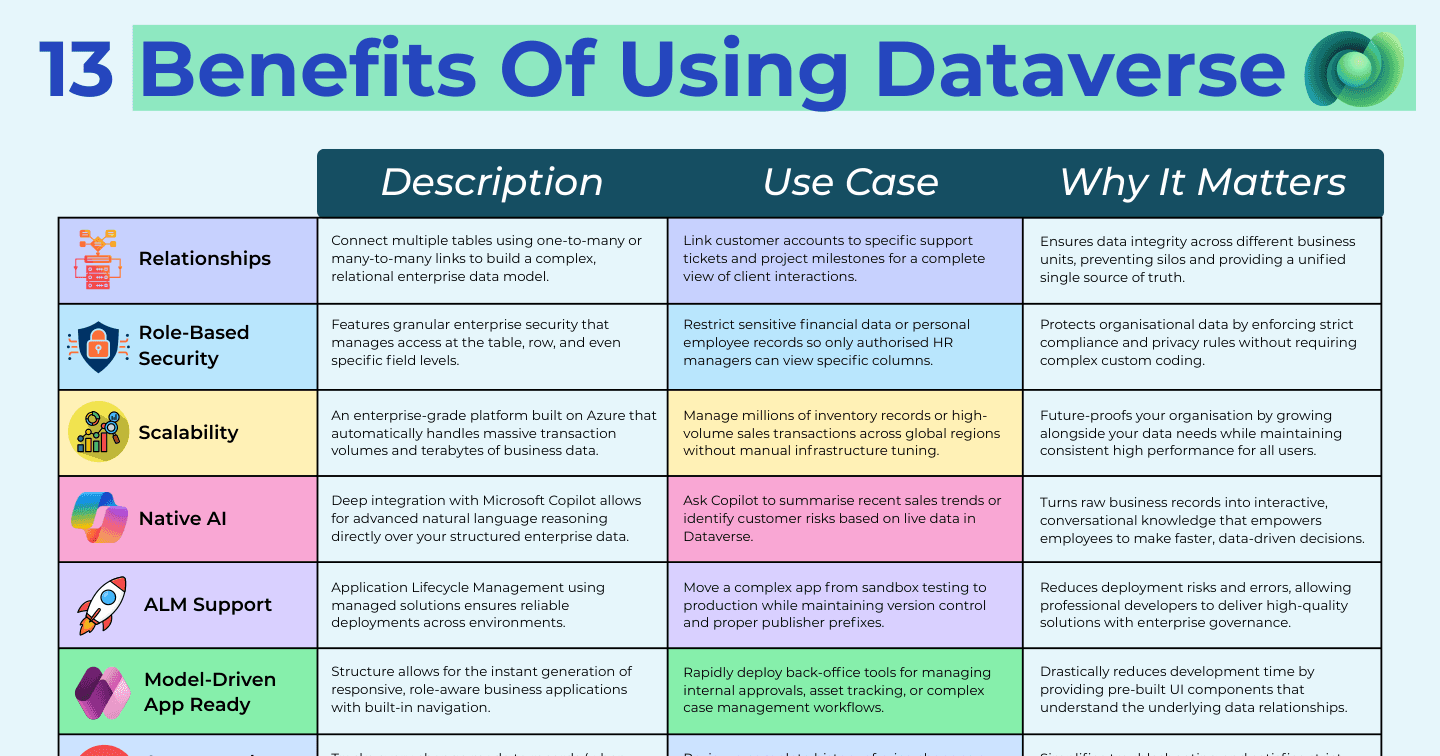
DataverseHowdang Rashid·22 Aug 2026
13 Benefits of Using Dataverse (And When Each One Matters)
Relationships, role-based security, native AI, ALM, virtual tables, Dataverse MCP - the 13 benefits that justify Dataverse over simpler data stores, and the situations where each earns its keep.
Howdang Rashid·22 Aug 2026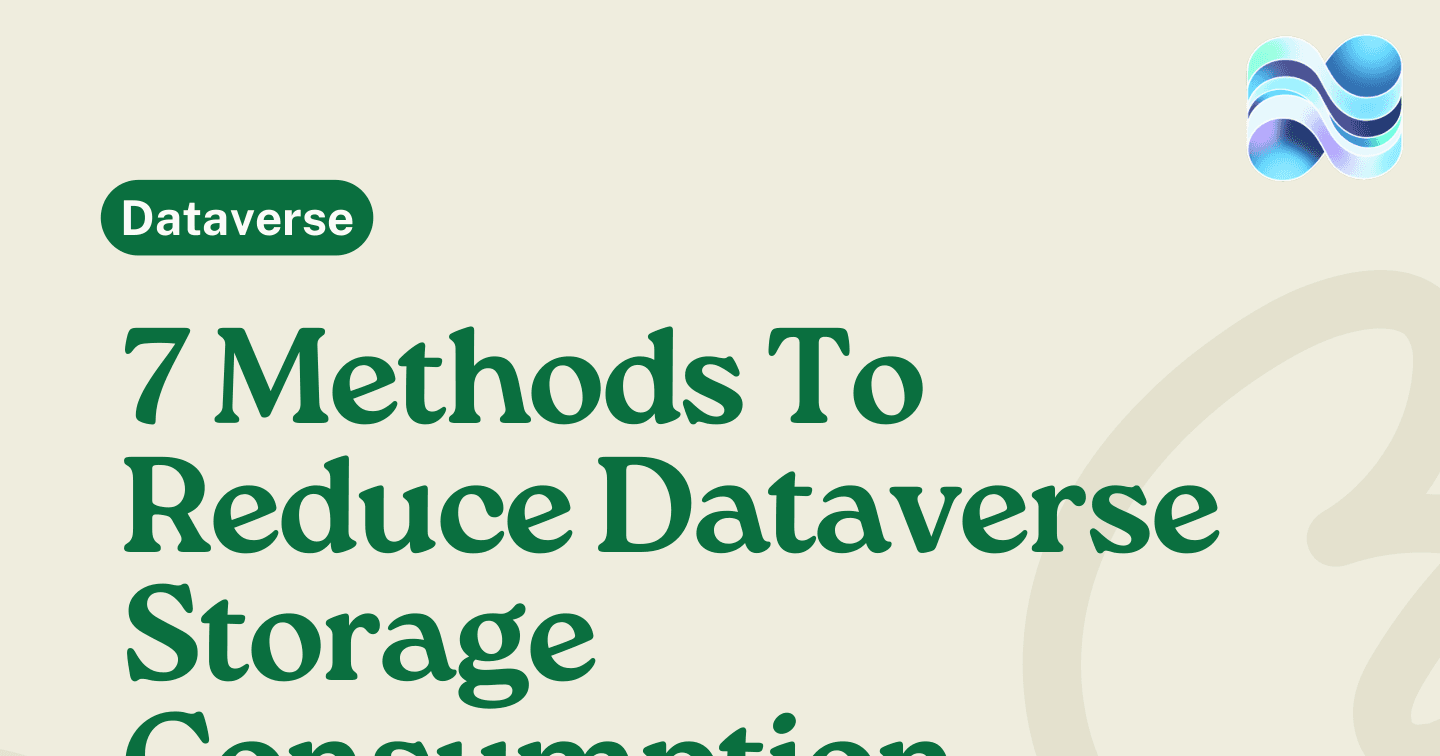
DataverseHowdang Rashid·22 Aug 2026
7 Ways to Reduce Dataverse Storage Consumption
Dataverse storage bills creep up through system jobs, audit logs, emails, and import history. Seven cleanup methods by storage type - database, file, and log - with the tables to target.
Howdang Rashid·22 Aug 2026
Microsoft AIHowdang Rashid·22 Aug 2026
The Microsoft AI Engineer Roadmap: From Fundamentals to AI-103
Nine steps to becoming a Microsoft AI engineer in 2026: AI fundamentals, Python, prompt engineering, Microsoft Foundry, RAG pipelines, the Agent Framework, responsible AI, and the AI-103 certification.
Howdang Rashid·22 Aug 2026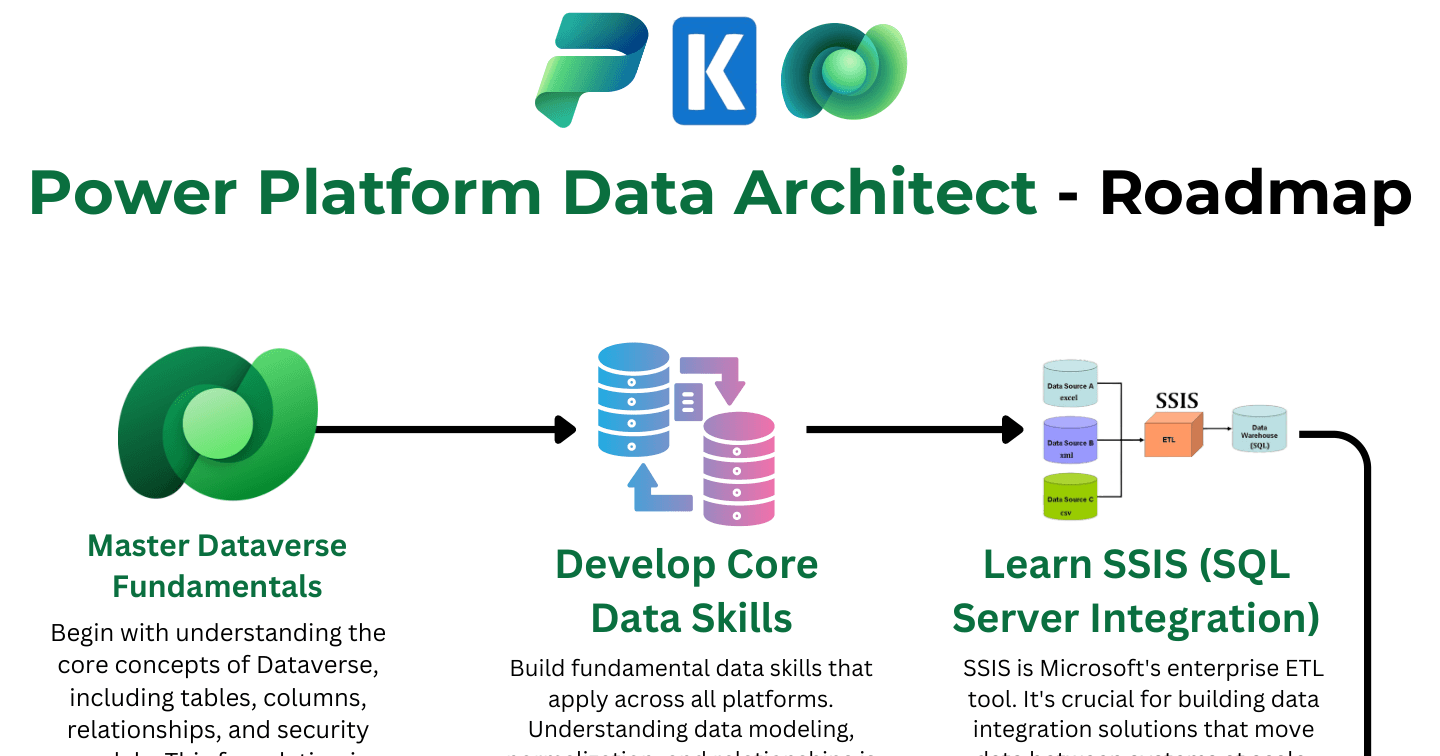
DataverseHowdang Rashid·22 Aug 2026
The Power Platform Data Architect Roadmap: 9 Skills in Order
From Dataverse fundamentals through SSIS and KingswaySoft to enterprise data architecture patterns - the 9-step roadmap to becoming a Power Platform data architect.
Howdang Rashid·22 Aug 2026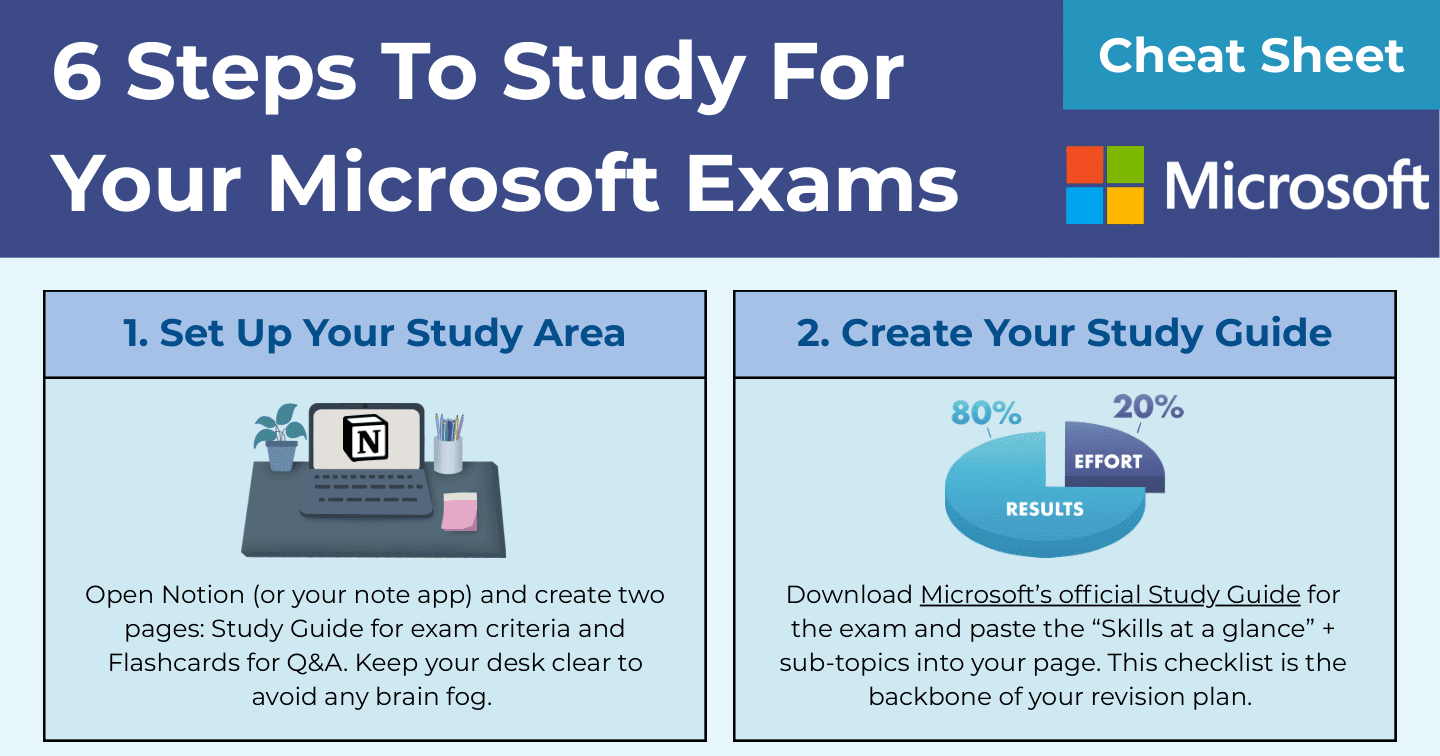
CareersHowdang Rashid·22 Aug 2026
How to Study for Microsoft Exams: The 6-Step System That Works
A repeatable 6-step system for passing Microsoft certification exams: study guide, Microsoft Learn, Anki spaced repetition, exam-cram videos, and free practice assessments.
Howdang Rashid·22 Aug 2026
CareersHowdang Rashid·22 Aug 2026
8 Job-Winning Questions to Ask in Your Power Platform Interview
The questions you ask in a Power Platform interview matter as much as the ones you answer. Eight questions that show governance awareness, ALM maturity, and cost-consciousness - and what each one signals.
Howdang Rashid·22 Aug 2026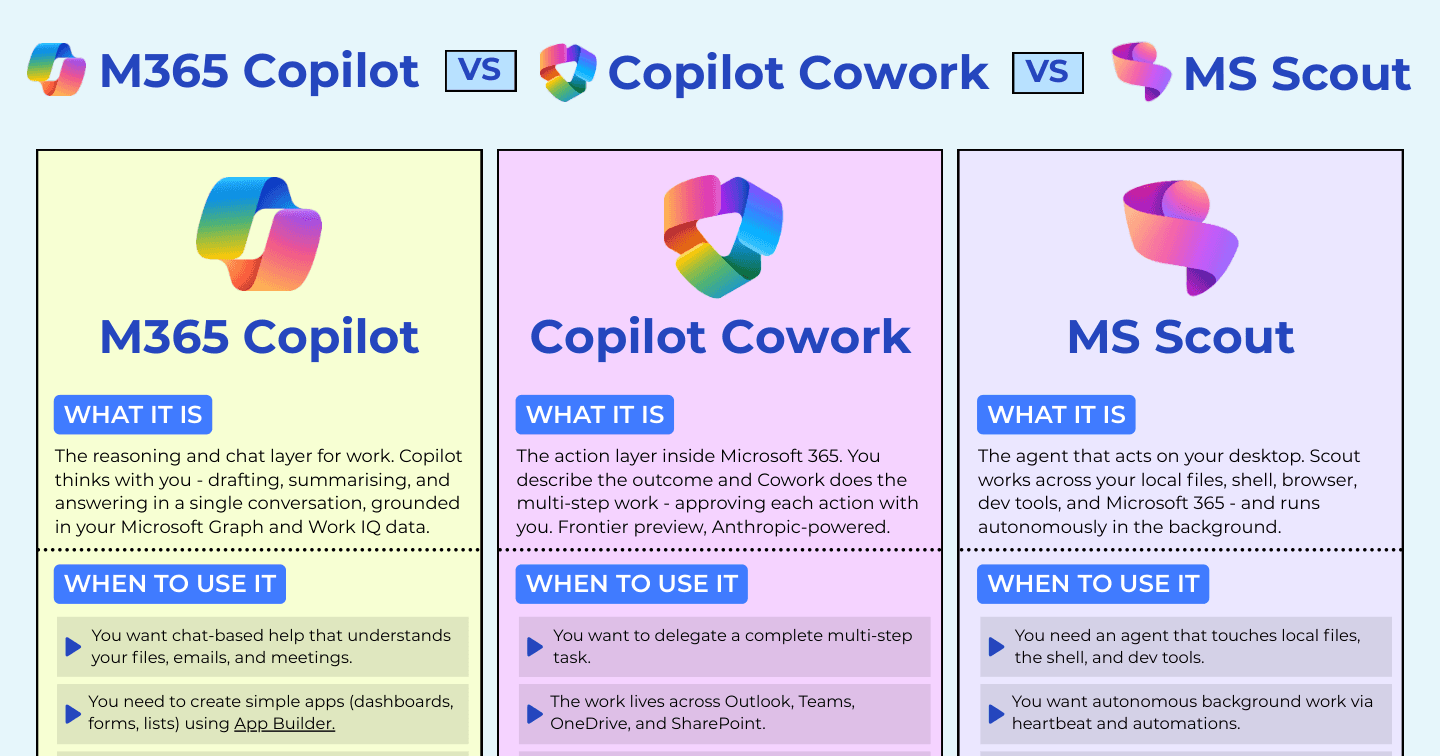
Microsoft AIHowdang Rashid·22 Aug 2026
M365 Copilot vs Copilot Cowork vs Microsoft Scout: Microsoft's Three AI Layers Explained
M365 Copilot thinks with you, Copilot Cowork acts for you in the cloud, and Microsoft Scout acts on your desktop. How Microsoft's three AI layers differ and when to use each, with a cheat sheet.
Howdang Rashid·22 Aug 2026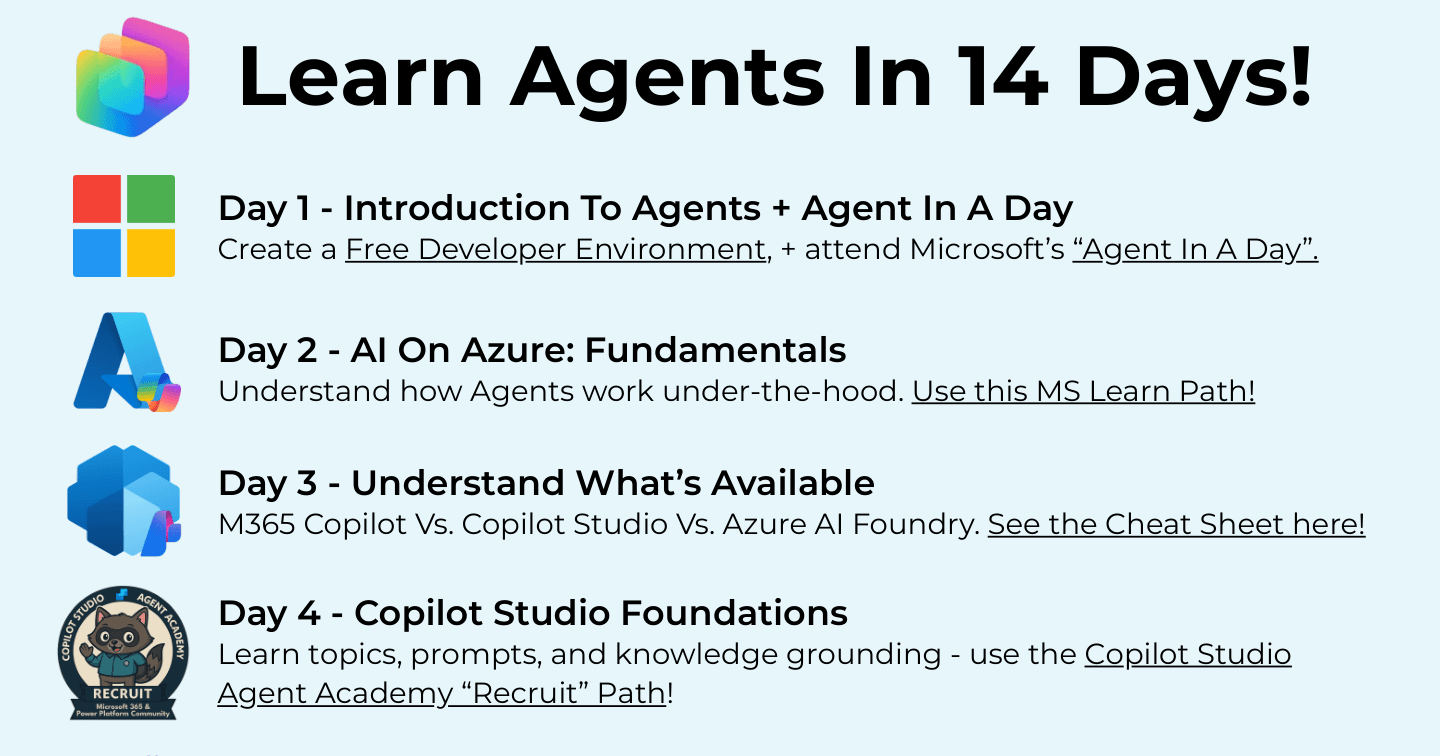
Microsoft AIHowdang Rashid·22 Aug 2026
Learn Microsoft AI Agents in 14 Days: A Free Day-by-Day Roadmap
A free 14-day roadmap to go from zero to building real Microsoft AI agents - Copilot Studio foundations, tools and actions, security, and Microsoft Foundry, with a linked resource for every day.
Howdang Rashid·22 Aug 2026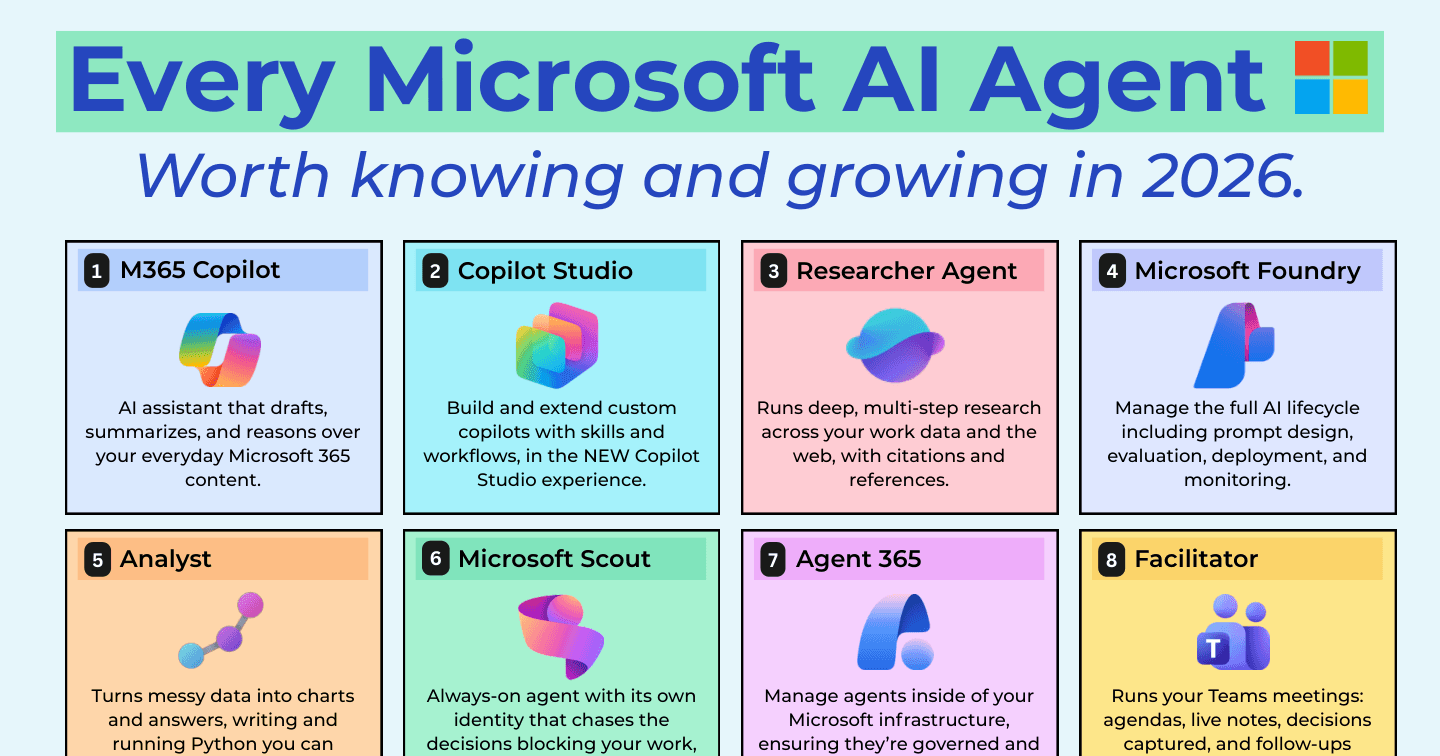
Microsoft AIHowdang Rashid·22 Aug 2026
Every Microsoft AI Agent Worth Knowing in 2026 (All 20, Explained)
From Researcher and Analyst to Scout, Cowork, and Agent 365 - all 20 Microsoft AI agents worth knowing in 2026, what each one does, and where to start. Cheat sheet included.
Howdang Rashid·22 Aug 2026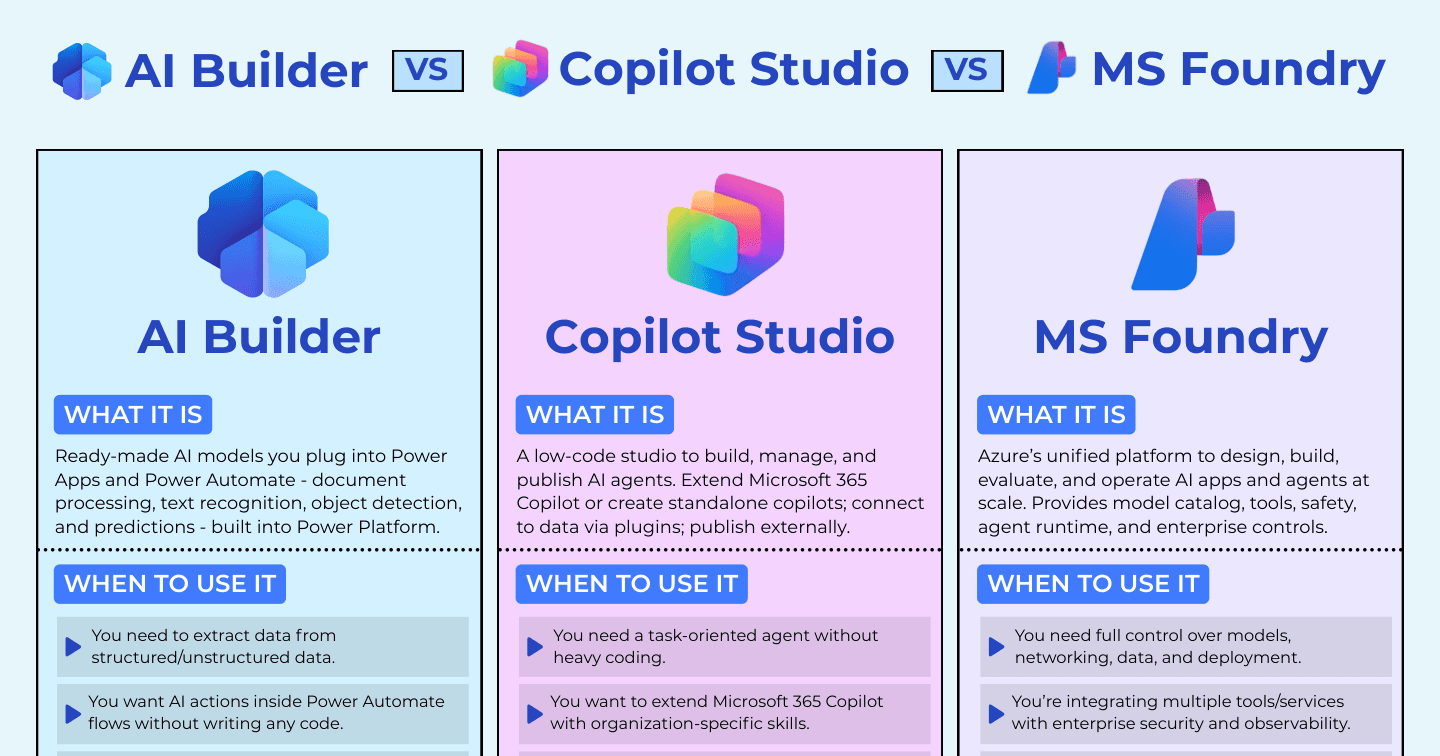
Microsoft AIHowdang Rashid·22 Aug 2026
AI Builder vs Copilot Studio vs Microsoft Foundry: Which Microsoft AI Tool Fits Your Project?
AI Builder for AI inside your apps and flows, Copilot Studio for building agents, Microsoft Foundry for enterprise-scale AI. How to pick the right Microsoft AI tool, with a comparison cheat sheet.
Howdang Rashid·22 Aug 2026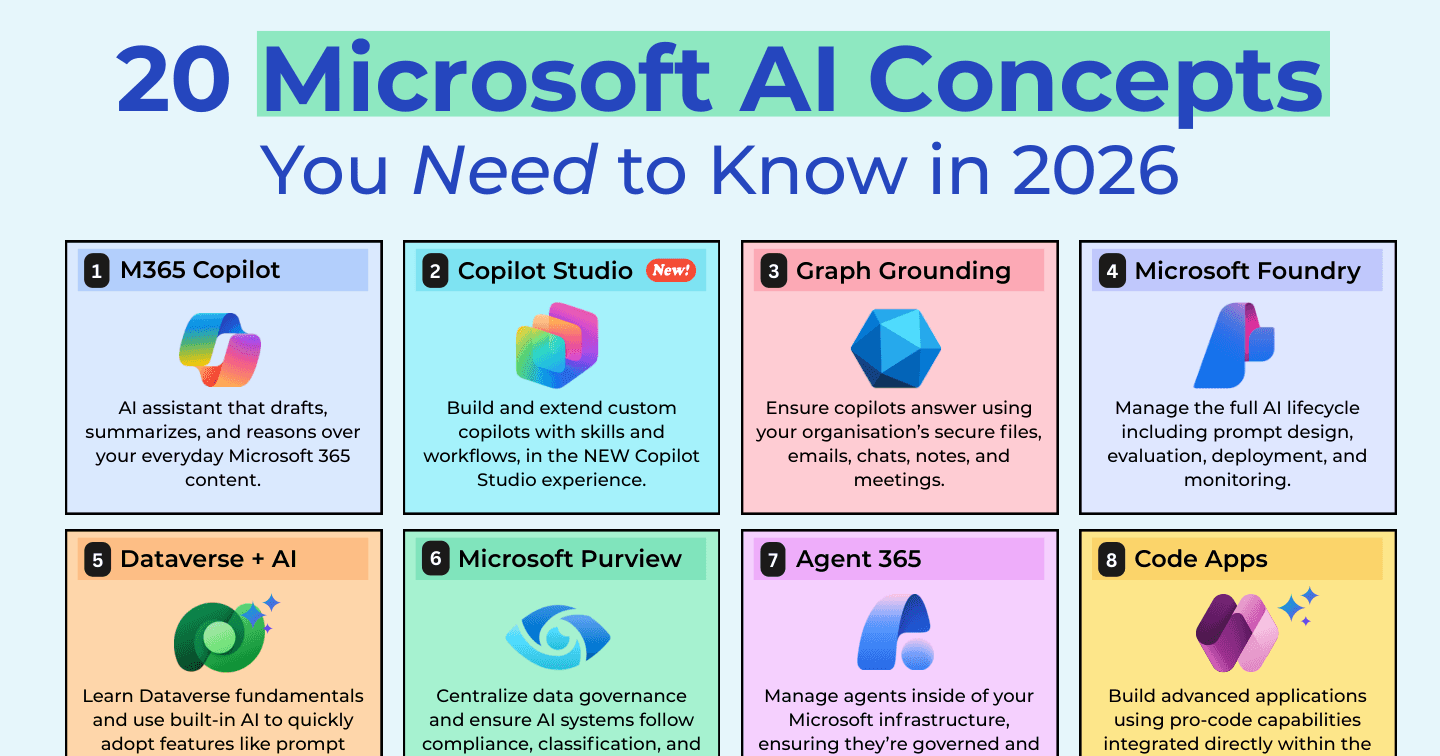
Microsoft AIHowdang Rashid·22 Aug 2026
20 Microsoft AI Concepts You Need to Know in 2026 (With Cheat Sheet)
From M365 Copilot and Copilot Studio to Agent 365, MCP servers, and Work IQ - the 20 Microsoft AI concepts that matter in 2026, explained in plain English, with a one-page cheat sheet.
Howdang Rashid·22 Aug 2026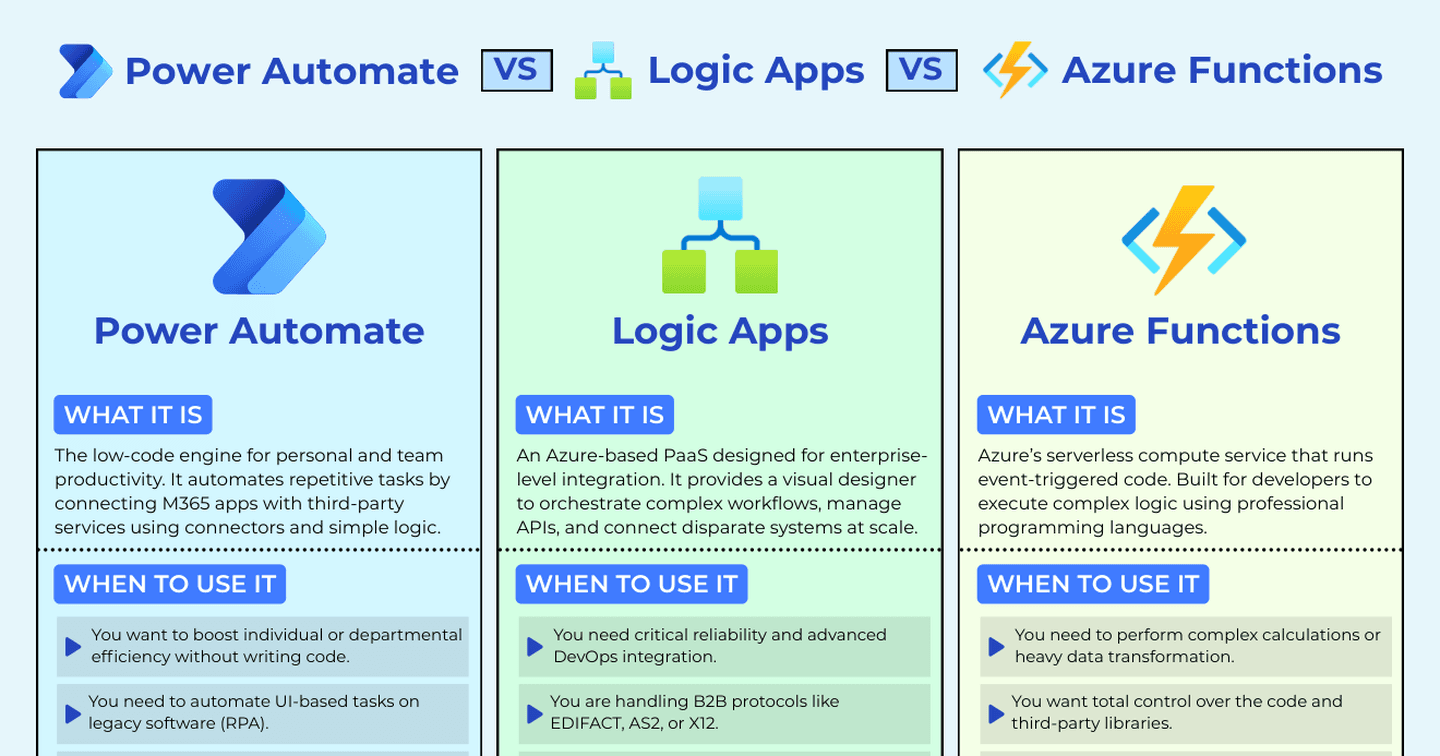
Power AutomateHowdang Rashid·18 Aug 2026
Power Automate vs Logic Apps vs Azure Functions: Choosing the Right Microsoft Automation Tool
Most people treat Power Automate as the only option for Microsoft automation. Architects know the wrong tool leads to technical debt and licensing headaches. Here's how to make the call.
Howdang Rashid·18 Aug 2026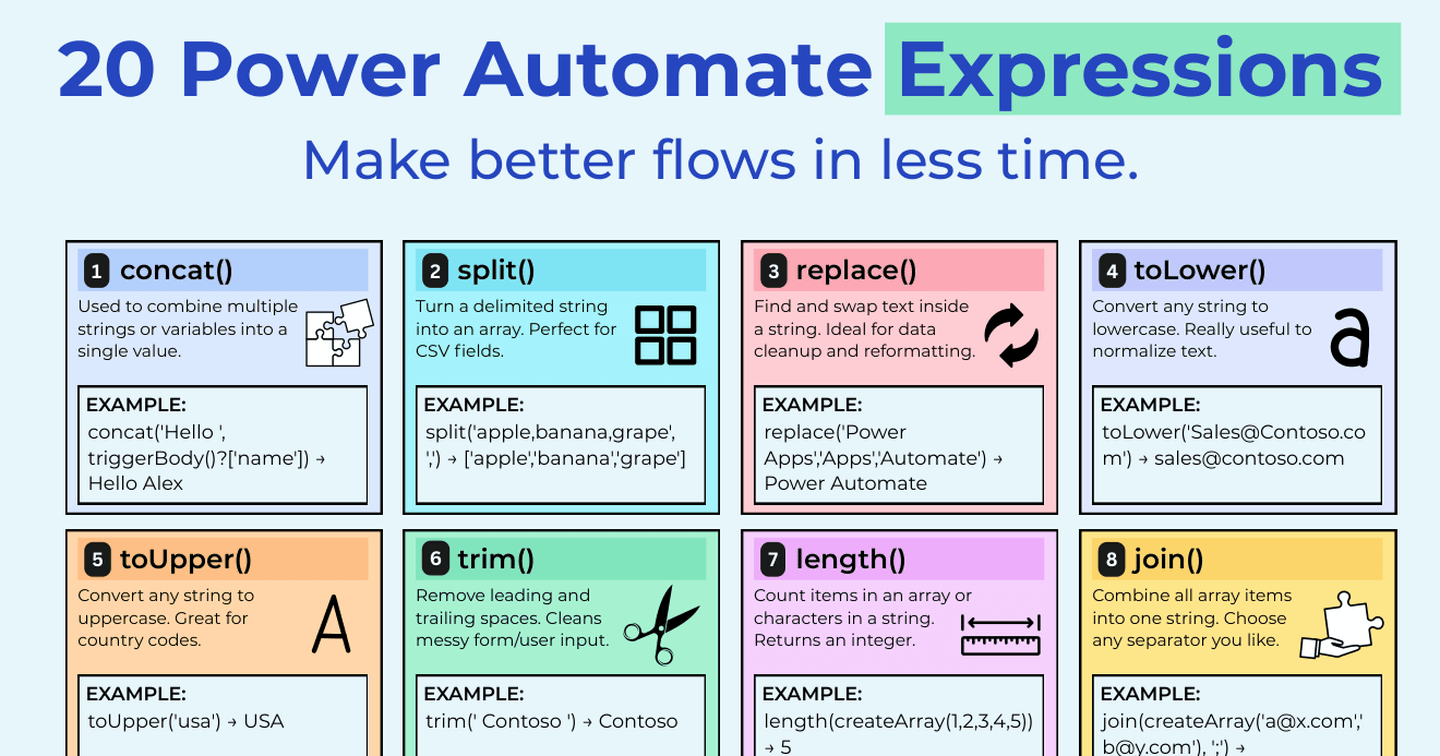
Power AutomateHowdang Rashid·17 Aug 2026
The Power Automate Expressions That Do 80% of the Work
Stop guessing Power Automate syntax. These are the expressions that cover the vast majority of real flows - what each one does, the syntax, and a worked example for every one.
Howdang Rashid·17 Aug 2026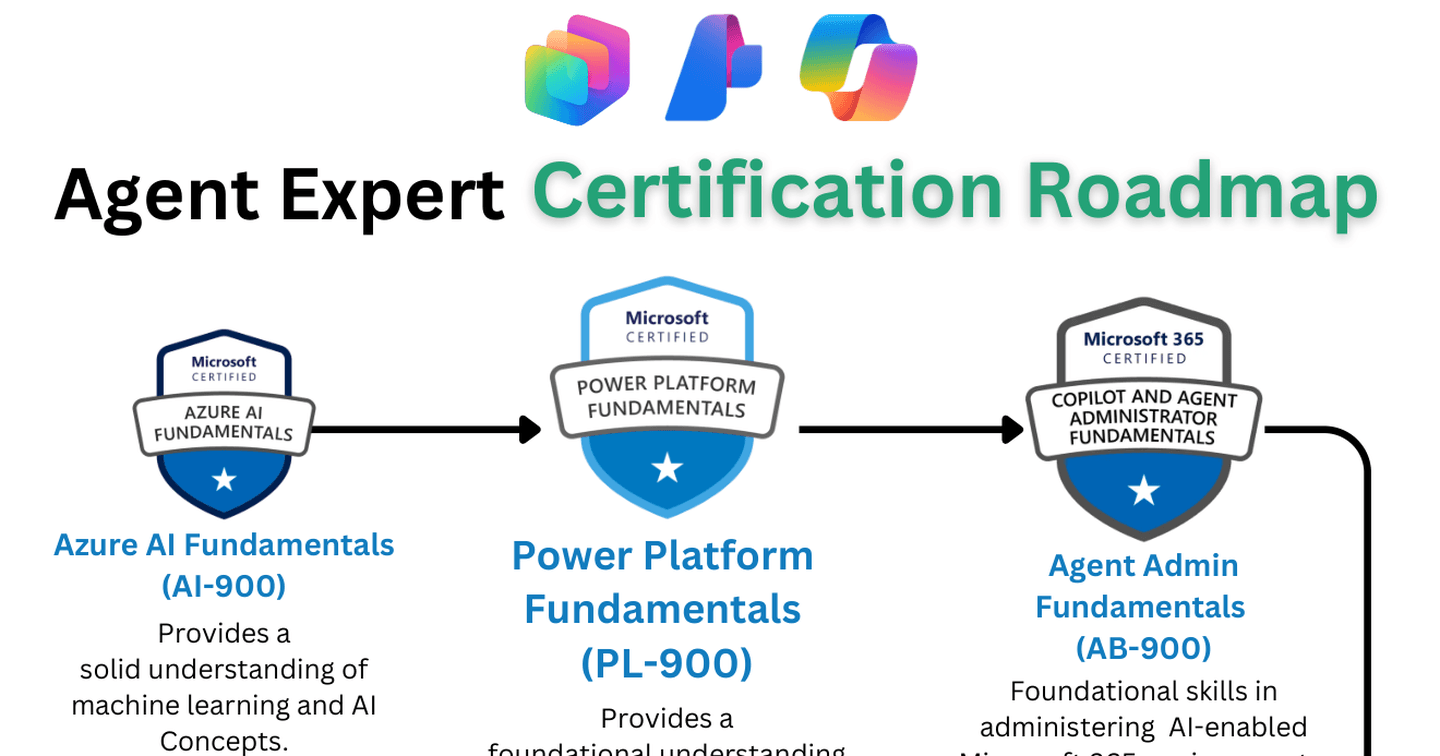
Microsoft AIHowdang Rashid·17 Aug 2026
How to Become a Microsoft AI Agent Expert in 2026: The Roadmap
Everyone's talking about agents - but how do you actually learn to build them on the Microsoft stack, step by step? Here's the certification and learning roadmap I built for my own journey, refreshed for 2026.
Howdang Rashid·17 Aug 2026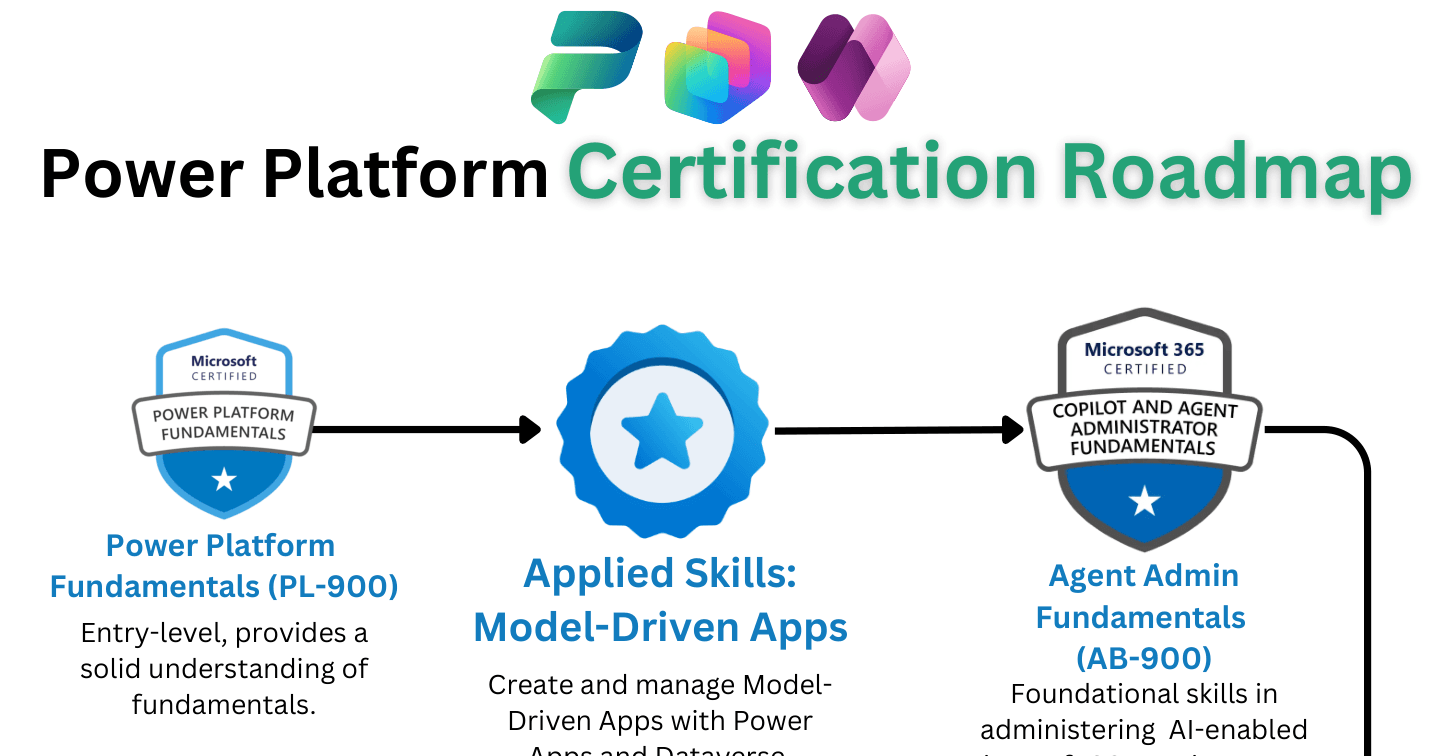
Copilot StudioHowdang Rashid·17 Aug 2026
Power Platform Certifications in 2026: What Microsoft Retired and What to Take Instead
PL-200, PL-600 and PL-500 are gone, and a new AI-focused "AB" exam family has taken their place. Here's what changed, what the new path looks like, and how to plan your certifications in 2026.
Howdang Rashid·17 Aug 2026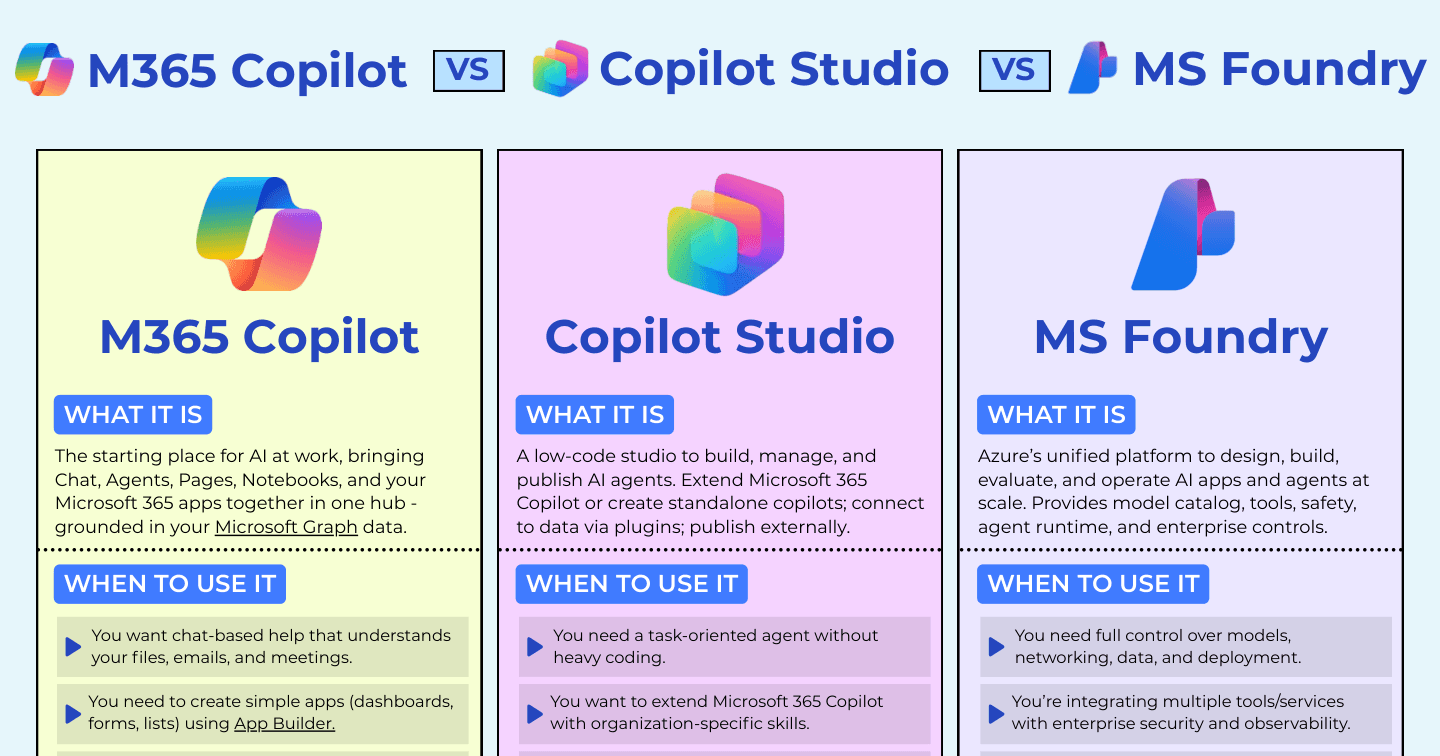
Microsoft AIHowdang Rashid·17 Aug 2026
M365 Copilot vs Copilot Studio vs Microsoft Foundry: Which Layer of Microsoft AI Do You Need?
M365 Copilot is where you use AI, Copilot Studio is where you build agents, Microsoft Foundry is where you engineer AI at scale. How the three layers fit together and when to use each, with a cheat sheet.
Howdang Rashid·17 Aug 2026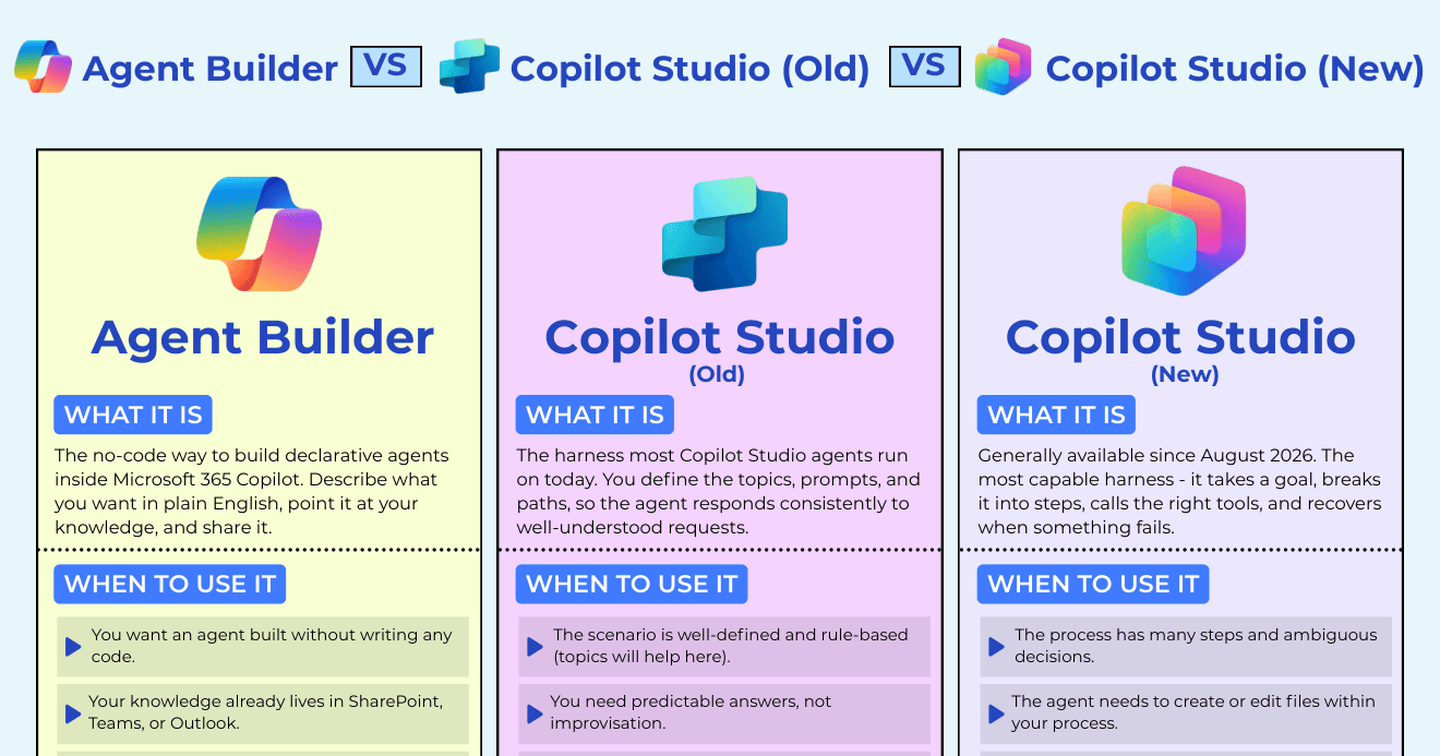
Microsoft AIHowdang Rashid·16 Aug 2026
Copilot Studio Classic vs the New GitHub Copilot Harness: Which Should You Build On?
The new Copilot Studio experience is generally available, which means there are now three ways to build low-code agents in the Microsoft ecosystem. Here's how they differ, what the licensing really costs, and how to decide where to build.
Howdang Rashid·16 Aug 2026
Power PlatformHowdang Rashid·2 Jun 2026
The 5 Principles for Implementing Successful Dynamics 365 and Power Platform Projects
Around 70% of CRM projects fail to deliver real business value. Here are five timeless principles — from a DynamicsMinds 2026 talk by Andrew Bibby plus my own experience in the field — for getting Dynamics 365 and Power Platform implementations over the finish line.
Howdang Rashid·2 Jun 2026
CareersHowdang Rashid·16 Feb 2025
My Experience with Power Platform Certifications - Are They Worth It?
There's a lot of discussion around Microsoft Certifications in the Power Platform space. Some argue they're a waste of money, while others swear by them. Here's my honest take on who should get them and who might not need them.
Howdang Rashid·16 Feb 2025
CareersHowdang Rashid·11 Feb 2025
How I Became A Microsoft MVP In Under 12 Months - And What You Can Learn From My Journey
A year ago, I was trapped in a retail job. Just months earlier, I'd been digitizing departments with the Power Platform. Here's how I went from selling sweets to becoming a Microsoft MVP in under 12 months.
Howdang Rashid·11 Feb 2025