How to Build Power Automate Flows with AI: The FlowAgent MCP

Howdang Rashid
Saturday, 22 August 2026 · 2 min read
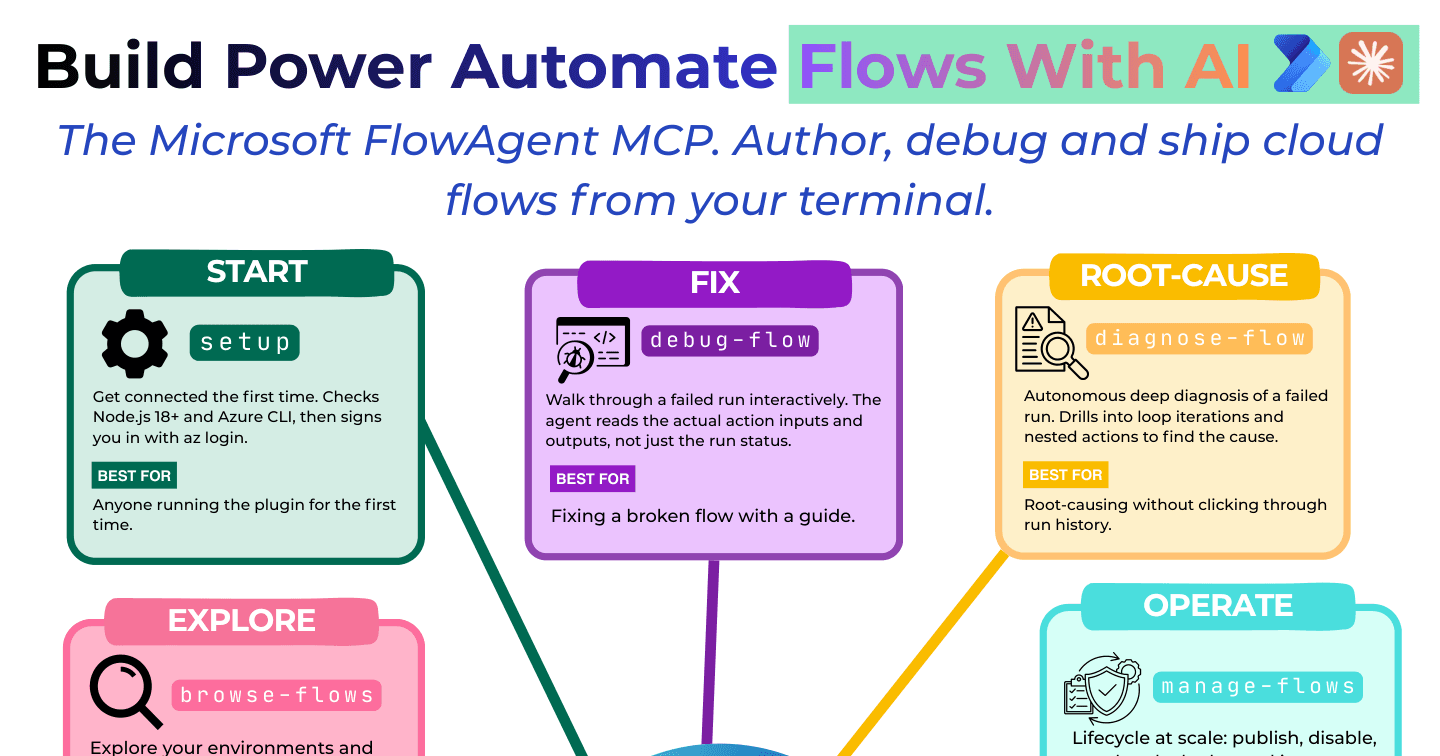
Flow building just moved to the terminal: Microsoft's FlowAgent MCP lets an AI assistant author, debug, and ship Power Automate cloud flows without touching the designer. Describe the flow, and the agent builds it; describe the failure, and it finds the cause. Here are the modes that matter.
Want the hi-res version? It's free in the Powercademy Success Kit.
How do you get started and build?
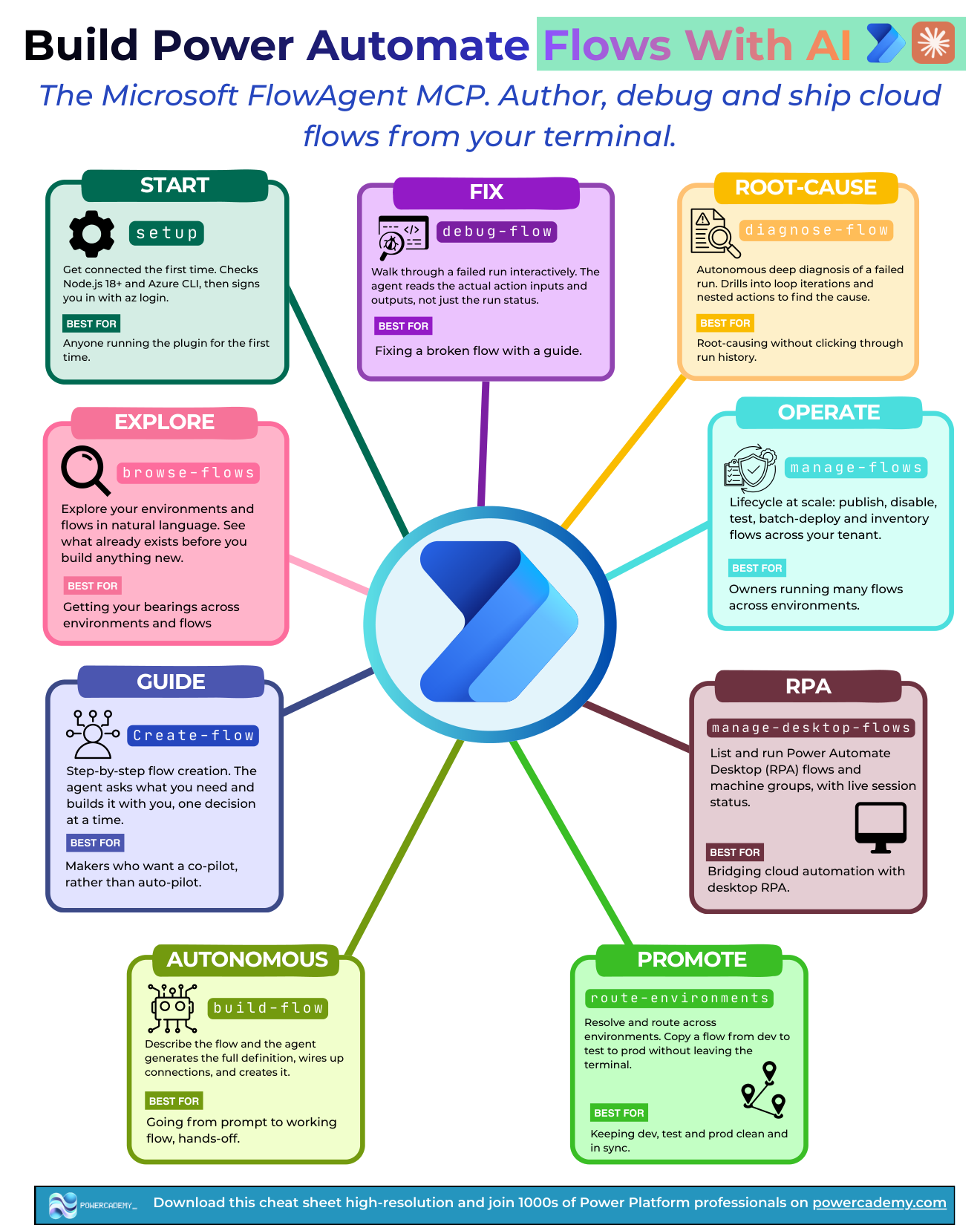
Start gets you connected the first time: it checks Node.js 18+ and the Azure CLI, then signs you in with az login. Autonomous is the headline: describe the flow and the agent builds it end to end - triggers, actions, expressions, and connections. Explore keeps you oriented across your tenant's flows before you change anything.
How does it debug broken flows?
Guide walks through a failed run interactively - the agent reads the actual action inputs and outputs, not just the run status, which is exactly what clicking through run history makes painful. Root-cause goes autonomous: deep diagnosis of a failed run, drilling into loop iterations and nested actions to find the cause. Fix then applies the repair.
What about operations at scale?
Operate handles lifecycle at scale: publish, disable, test, batch-deploy, and inventory flows across your tenant. RPA lists and runs Power Automate Desktop flows and machine groups with live session status - bridging cloud automation with desktop RPA from the same terminal. Promote resolves and routes across environments: copy a flow from dev to test to prod without leaving the terminal.
FAQ
What do I need to run FlowAgent?
An MCP-capable AI assistant (Claude Code or GitHub Copilot CLI), Node.js 18+, the Azure CLI, and Power Automate access. The start mode checks and wires all of it on first run.
Does terminal-built mean ungoverned?
No - it's the same flows in the same environments under the same DLP and solution governance. The terminal changes the authoring surface, not the platform's rules.
Should I still learn the designer?
Yes - you review what the agent builds, and the designer is where understanding lives. The winning workflow is agent-drafted, human-reviewed: AI speed with maker judgement.
How does this relate to Copilot in the Power Automate designer?
Designer Copilot assists inside the portal one step at a time; FlowAgent brings whole-lifecycle capability (build, diagnose, batch-operate, promote) to your terminal, where it composes with the rest of your AI tooling.
The hi-res version is in the Powercademy Success Kit - free, along with hundreds of other cheat sheets, roadmaps, and guides for Microsoft professionals.