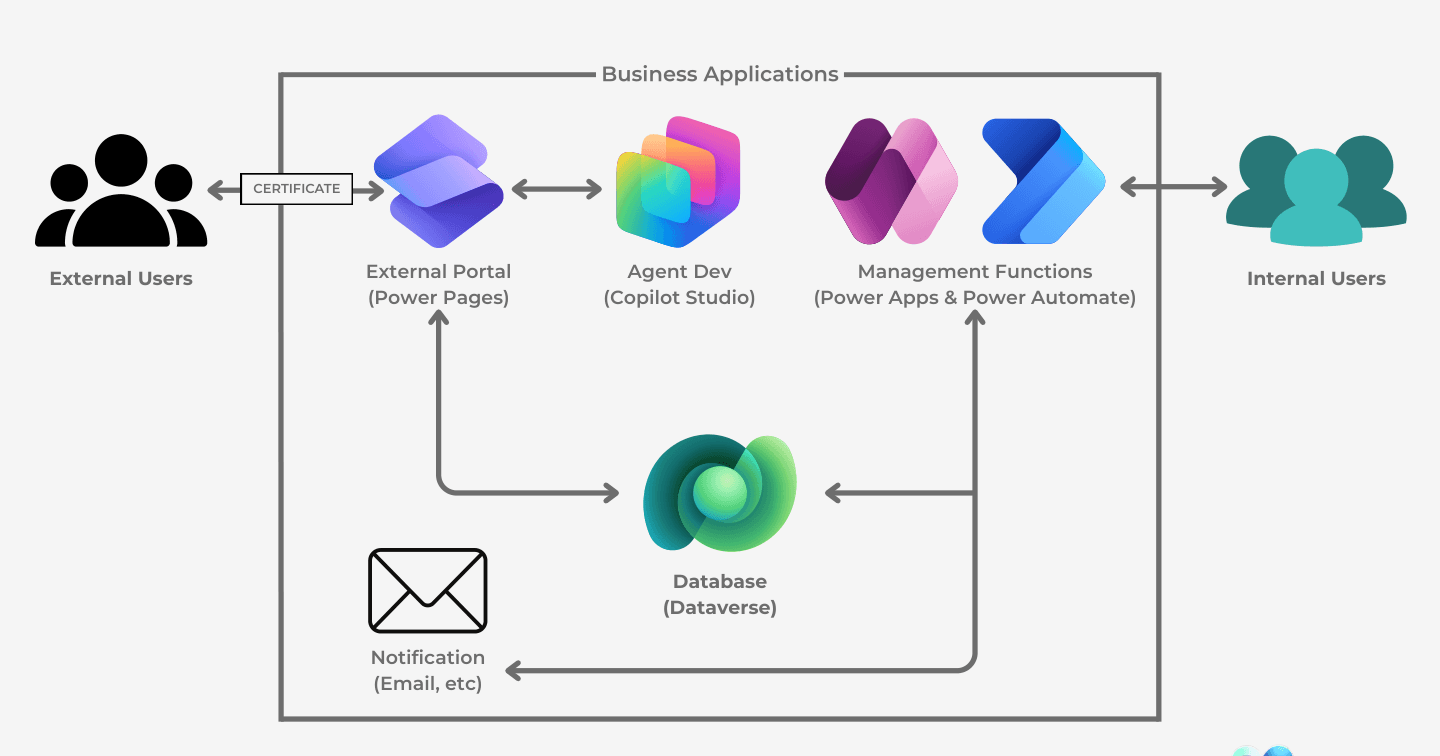
Microsoft Power Pages, Visualized: Where the Portal Fits

Howdang Rashid
Saturday, 22 August 2026 · 2 min read
The fastest way to understand Power Pages is one architecture diagram: external users come in through the portal, internal users work through Power Apps, Dataverse sits in the middle as the single source of truth, and Power Automate and Copilot Studio orbit around it. Once you see the picture, every Power Pages decision gets easier.
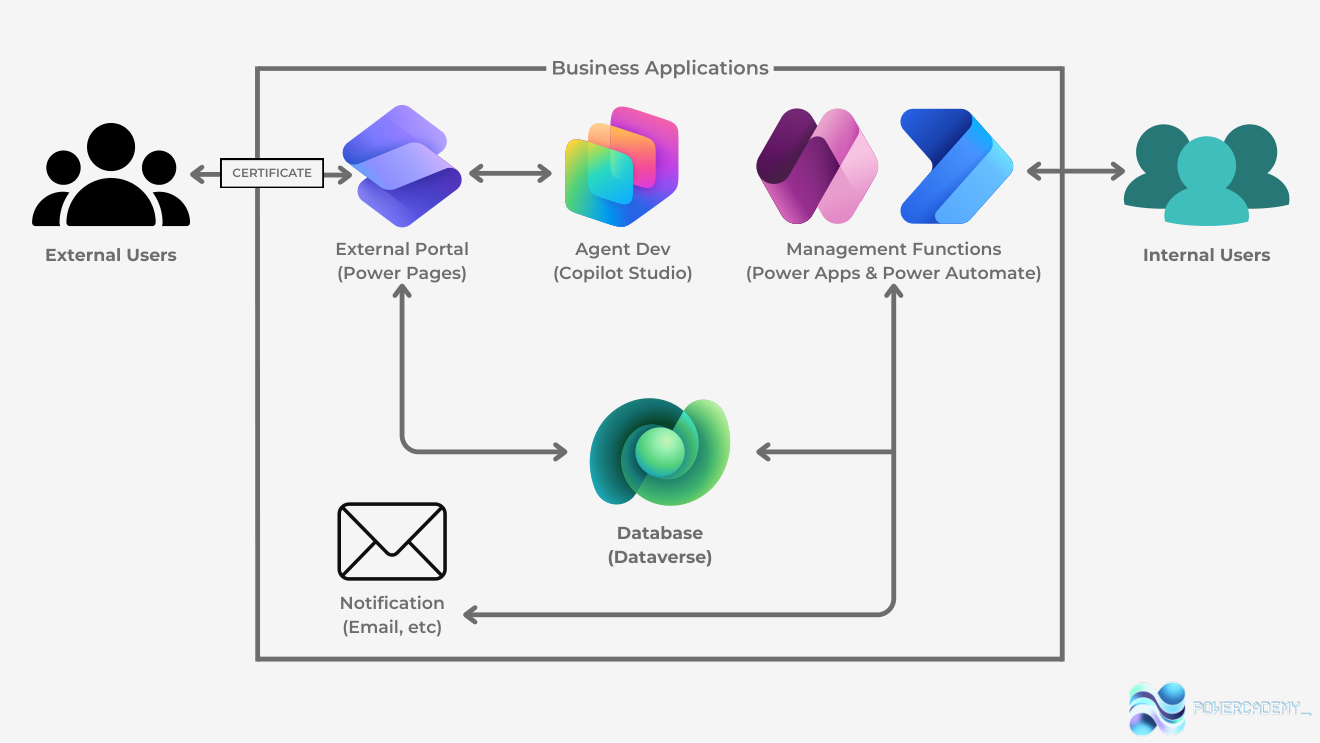
Want the hi-res version? It's free in the Powercademy Success Kit.
What does the architecture show?
Five pieces, one flow. External users - customers, partners, suppliers - authenticate into the Power Pages portal, where they submit and view exactly the data your permissions allow. Internal users manage the same records through Power Apps, with Power Automate running the notifications and process automation between them. Everything reads and writes one Dataverse database - and Copilot Studio adds agents to the same stack.
Why does this architecture matter?
Because the alternative is the integration tax: a custom external website, a separate internal admin tool, and sync jobs keeping their two databases consistent. In the Power Pages architecture there is no sync - the portal and the internal apps are two faces of the same Dataverse, sharing security, auditing, and automation. A partner uploads a document and your team sees it instantly in their model-driven app, with a flow already notifying the owner.
When is this the right pattern?
Whenever external parties must interact with data your business manages internally: customer self-service and case tracking, partner onboarding with document uploads and approvals, supplier collaboration on orders and deliveries. If you're already invested in Dataverse, the portal is an extension of your estate rather than a new system - which is exactly the pitch to leadership.
FAQ
How do external users authenticate?
Built-in identity: Microsoft Entra External ID and other providers, with web roles and table permissions deciding what each authenticated (or anonymous) visitor can see and do.
Is the portal secure enough for sensitive data?
The model is enterprise-grade - identity providers, web roles, table permissions down to row scope - but configuration is on you: permissions must be deliberate, because exposing Dataverse to the internet is exactly what the platform does.
Where does Copilot Studio fit in this picture?
Two ways: agents embedded in the portal for visitor self-service, and agents working the same Dataverse on the internal side. Same data, same security - agents become another face of the stack.
What does Power Pages cost?
Capacity-based: authenticated and anonymous user capacity for the site, on top of your Dataverse licensing. Price the expected user volumes early - it shapes the architecture conversation.
The hi-res version is in the Powercademy Success Kit - free, along with hundreds of other cheat sheets, roadmaps, and guides for Microsoft professionals.