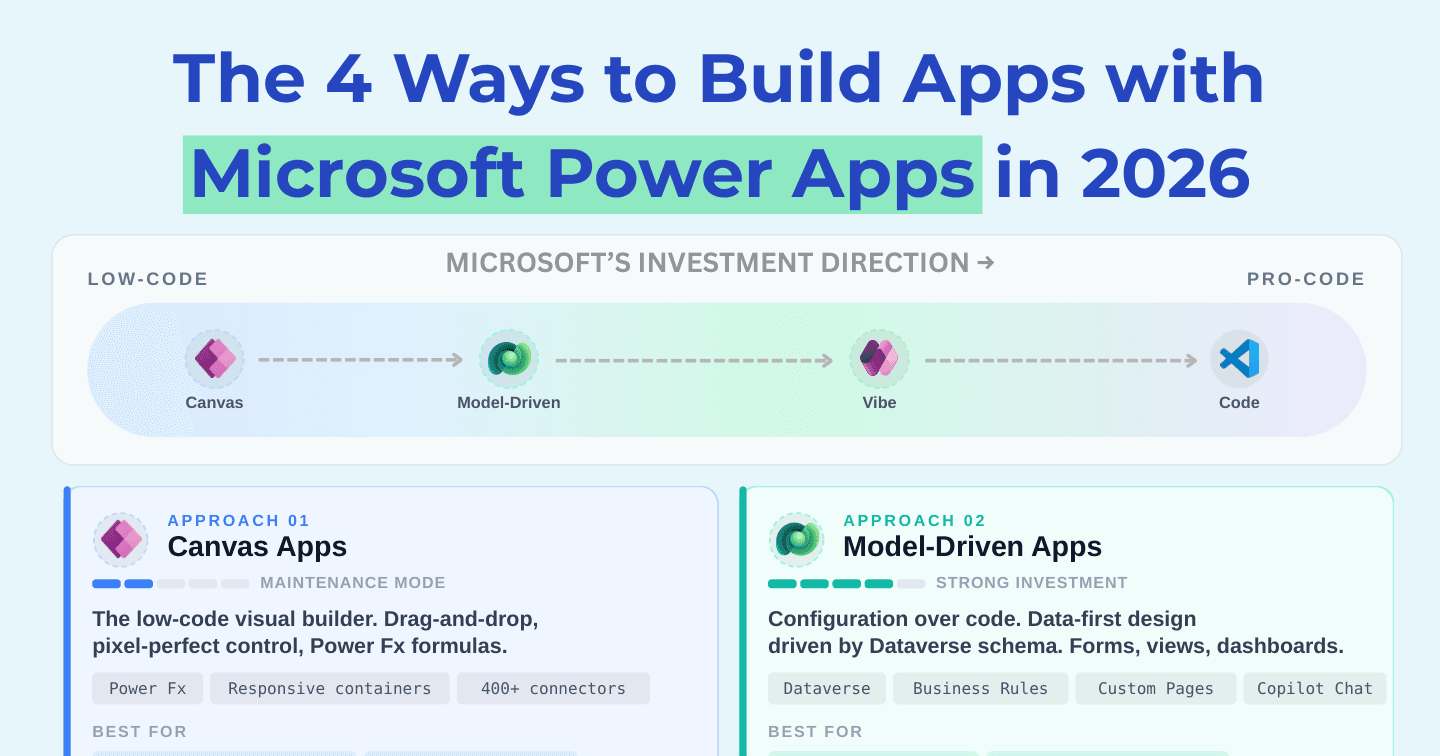
The 4 Ways to Build Apps with Power Apps in 2026

Howdang Rashid
Saturday, 22 August 2026 · 3 min read
There are now four ways to build a Power App, and they're not equally alive. Canvas has a huge install base but slowing investment; model-driven keeps getting stronger; code apps are where Microsoft is betting biggest; and Vibe Apps preview where the whole thing is heading. Here's the honest reality check on each - including the part vendors won't tell you.
Want the hi-res version? It's free in the Powercademy Success Kit.
Approach 1: Canvas apps (maintenance mode)
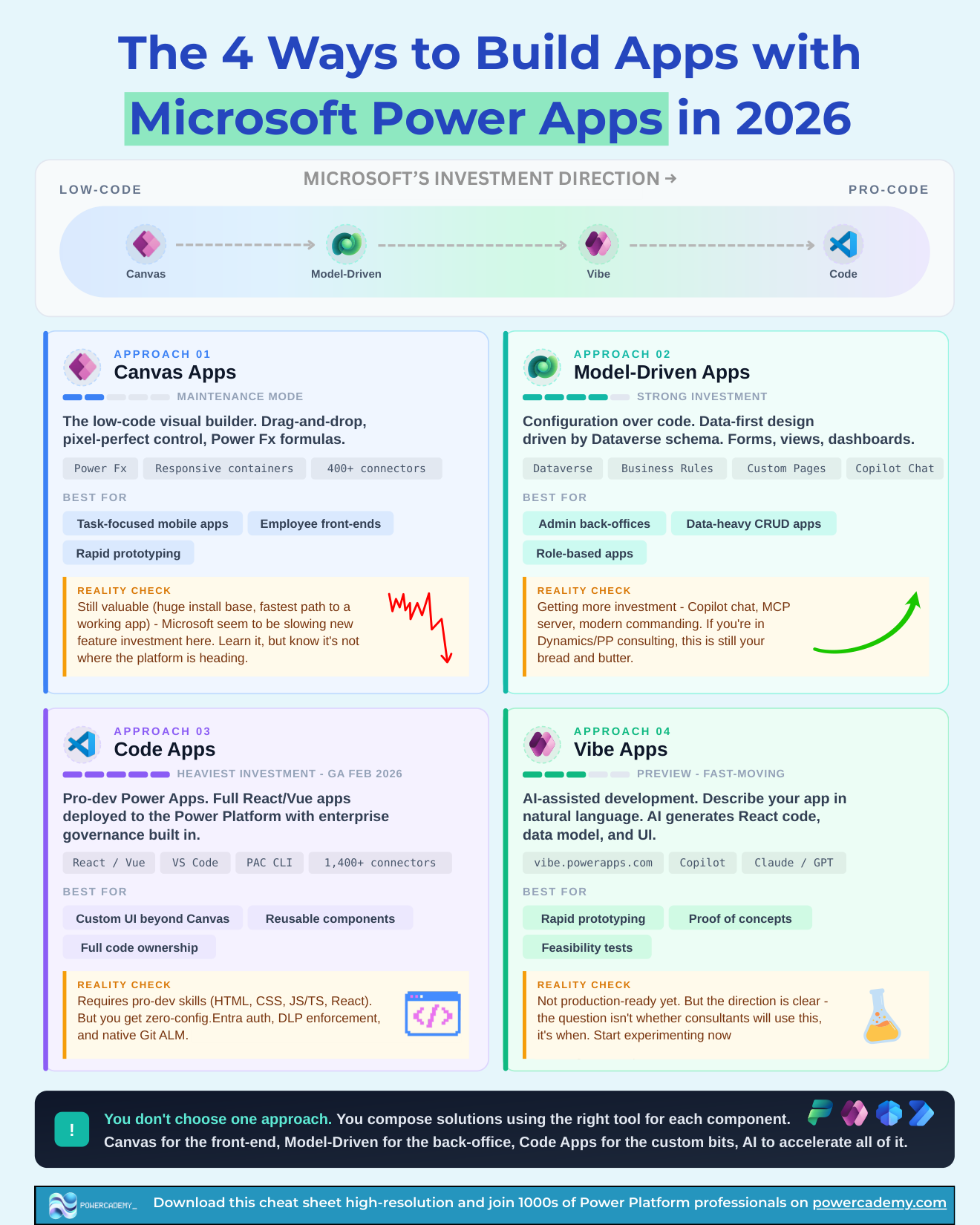
The low-code visual builder - drag-and-drop, pixel-perfect control, Power Fx, responsive containers, 400+ connectors in reach. Best for task-focused mobile apps, employee front-ends, and rapid prototyping. Reality check: still valuable, with a huge install base and the fastest path to a working app - but Microsoft seems to be slowing new feature investment. Learn it; just know it's not where the platform is heading.
Approach 2: Model-driven apps (strong investment)
Configuration over code: data-first design driven by Dataverse schema, with forms, views, dashboards, business rules, custom pages, and now Copilot chat. Best for admin back-offices, data-heavy CRUD, and role-based apps. Reality check: getting MORE investment - Copilot chat, the MCP server, modern commanding. If you're in Dynamics or Power Platform consulting, this remains your bread and butter.
Approach 3: Code apps (heaviest investment - GA since February 2026)
Pro-dev Power Apps: full React or Vue applications deployed to the Power Platform with enterprise governance built in - VS Code, PAC CLI, 1,400+ connectors. Best for custom UI beyond canvas, reusable components, and full code ownership. Reality check: requires real pro-dev skills (HTML, CSS, TypeScript, React), but you get zero-config Entra auth, DLP enforcement, and native Git ALM. This is where Microsoft is betting biggest.
Approach 4: Vibe Apps (preview, fast-moving)
AI-assisted development at vibe.powerapps.com: describe your app in natural language and AI generates the React code, data model, and UI. Best for rapid prototyping, proofs of concept, and feasibility tests. Reality check: not production-ready yet - but the direction is clear. The question isn't whether consultants will use this; it's when. Start experimenting now so you're not learning it under pressure later.
How do you actually choose?
You don't choose one - you compose solutions using the right tool for each component: canvas for a front-end, model-driven for the back office, code apps for the custom bits, and AI to accelerate all of it. The investment arrow runs low-code to pro-code (canvas → model-driven → Vibe → code), and your skills roadmap should follow it.
FAQ
Is canvas dying?
No - maintenance mode isn't death. The install base is enormous and it remains the fastest path to a working app. What's changed is where NEW capability lands: mostly elsewhere. Build in canvas confidently; invest your learning elsewhere.
Do code apps make low-code makers obsolete?
The opposite - they complete the platform. Makers keep owning the business-shaped 80%; code apps stop the hardest 20% leaking to custom Azure builds outside governance. Makers who understand where code apps fit become the architects.
What happened to "the 3 ways"?
Vibe Apps happened - AI-assisted building graduated from a feature into a genuine fourth approach. Expect the list to keep evolving; the composition principle is what stays stable.
Which approach should a new maker learn first in 2026?
Still canvas plus Dataverse - the concepts (data, controls, formulas) transfer everywhere. Then model-driven for the enterprise patterns, then experiment with Vibe Apps to learn AI-first building early.
The hi-res version is in the Powercademy Success Kit - free, along with hundreds of other cheat sheets, roadmaps, and guides for Microsoft professionals.