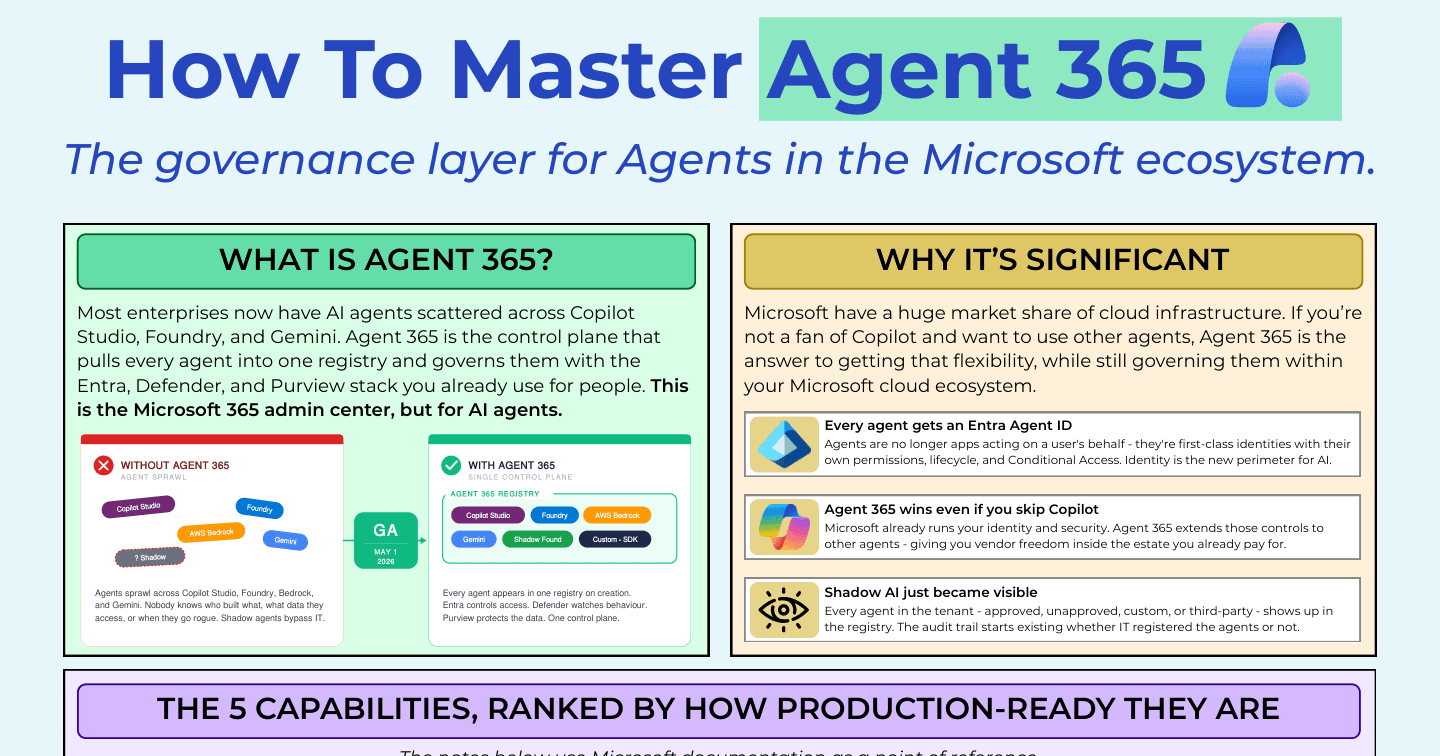
How to Master Agent 365: The Governance Layer for AI Agents

Howdang Rashid
Saturday, 22 August 2026 · 3 min read
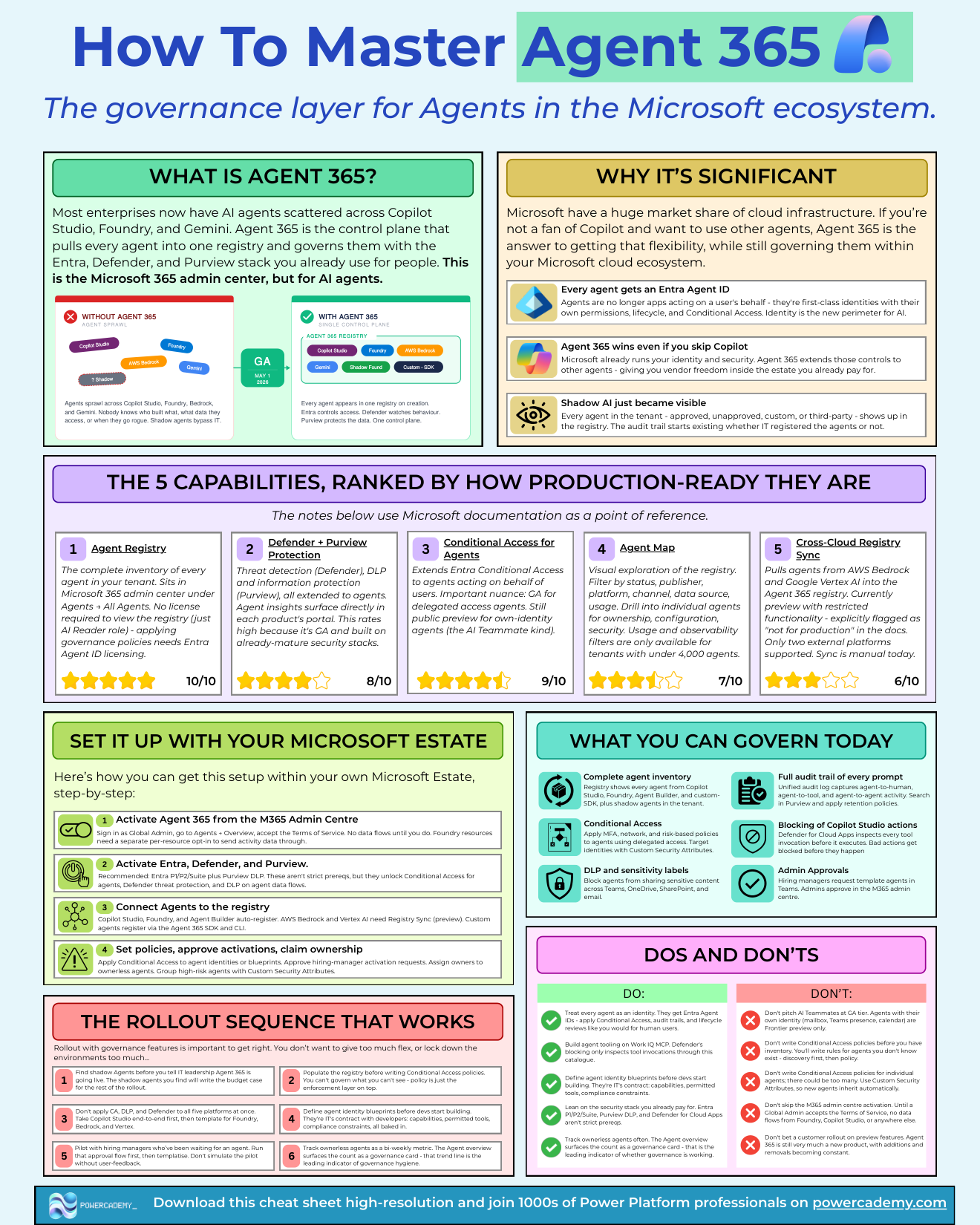
Most enterprises now have AI agents scattered across Copilot Studio, Foundry, AWS Bedrock, and Gemini - and nobody knows who built what, what data they touch, or when one goes rogue. Shadow agents bypass IT entirely. Agent 365, generally available since May 2026, is the control plane that pulls every agent into one registry and governs them with the Entra, Defender, and Purview stack you already run for people. Think of it as the Microsoft 365 admin centre, but for AI agents.
Want the hi-res version? It's free in the Powercademy Success Kit.
Why is Agent 365 significant?
Three shifts, each bigger than it sounds.
Every agent gets an Entra Agent ID - agents stop being apps acting on a user's behalf and become first-class identities with their own permissions, lifecycle, and Conditional Access. Identity is the new perimeter for AI.
Agent 365 wins even if you skip Copilot - Microsoft already runs your identity and security, and Agent 365 extends those controls to agents from any vendor, giving you flexibility inside the estate you already pay for. And shadow AI just became visible - approved or not, custom or third-party, every agent in the tenant shows up in the registry. The audit trail starts existing whether IT registered the agents or not.
How production-ready is each capability?
Agent Registry - the most mature piece: the complete inventory of every agent in your tenant, in the Microsoft 365 admin centre under Agents → All Agents. Viewing needs no licence (just the AI Reader role); applying governance policies needs Entra Agent ID licensing.
Defender + Purview protection - GA and built on mature security stacks: threat detection, DLP, and information protection extended to agents, with agent insights surfacing directly in each product's portal.
Conditional Access for agents - GA for delegated-access agents; still public preview for own-identity agents (the AI-teammate kind). An important nuance when you plan enforcement.
Agent Map - visual exploration of the registry with filters for status, publisher, platform, and data source. Usage and observability filters currently only work for tenants under 4,000 agents.
Cross-cloud registry sync - pulls agents from AWS Bedrock and Google Vertex AI into the registry. Preview, manual sync, explicitly flagged not-for-production - promising, not yet load-bearing.
How do you set it up?
Activate Agent 365 from the M365 admin centre: sign in as Global Admin, go to Agents → Overview, accept the Terms of Service. No data flows until you do; Foundry resources need a separate per-resource opt-in.
Licence for the controls you want: Entra P1/P2 or Suite plus Purview DLP aren't strict prerequisites, but they unlock Conditional Access for agents, Defender threat protection, and DLP on agent data flows.
Get agents registered: Copilot Studio, Foundry, and Agent Builder auto-register; Bedrock and Vertex AI use Registry Sync (preview); custom agents register via the Agent 365 SDK and CLI.
Apply governance: Conditional Access on agent identities or blueprints, approve activation requests, assign owners to ownerless agents, and group high-risk agents for tighter controls.
FAQ
Is Agent 365 generally available?
Yes - GA since May 2026 for the core: registry, Defender and Purview integration, and Conditional Access for delegated agents. Own-identity Conditional Access and cross-cloud sync are still in preview, so plan those as pilots.
What does it cost to get started?
Viewing the registry is free (AI Reader role). Real governance needs Entra Agent ID licensing, and the strongest posture adds Entra P1/P2 and Purview DLP. Start free with visibility and buy enforcement once you know your estate.
We're multi-cloud - is this worth it for our Bedrock and Vertex agents?
Directionally yes, practically not yet: cross-cloud sync is preview, manual, and flagged not-for-production. Govern your Microsoft-side agents now and treat multi-cloud consolidation as a roadmap item to revisit each quarter.
Who should own Agent 365 - IT or the maker teams?
IT owns the control plane (identity, security, policies); maker teams own their agents within it (registration, ownership, telemetry). It mirrors how M365 admin and app owners already split responsibilities - which is exactly the point.
The hi-res version of this guide is in the Powercademy Success Kit - free, along with hundreds of other cheat sheets, roadmaps, and guides for Microsoft professionals.