The 7 Levels of Copilot Studio: From Topics to Orchestration

Howdang Rashid
Saturday, 22 August 2026 · 3 min read
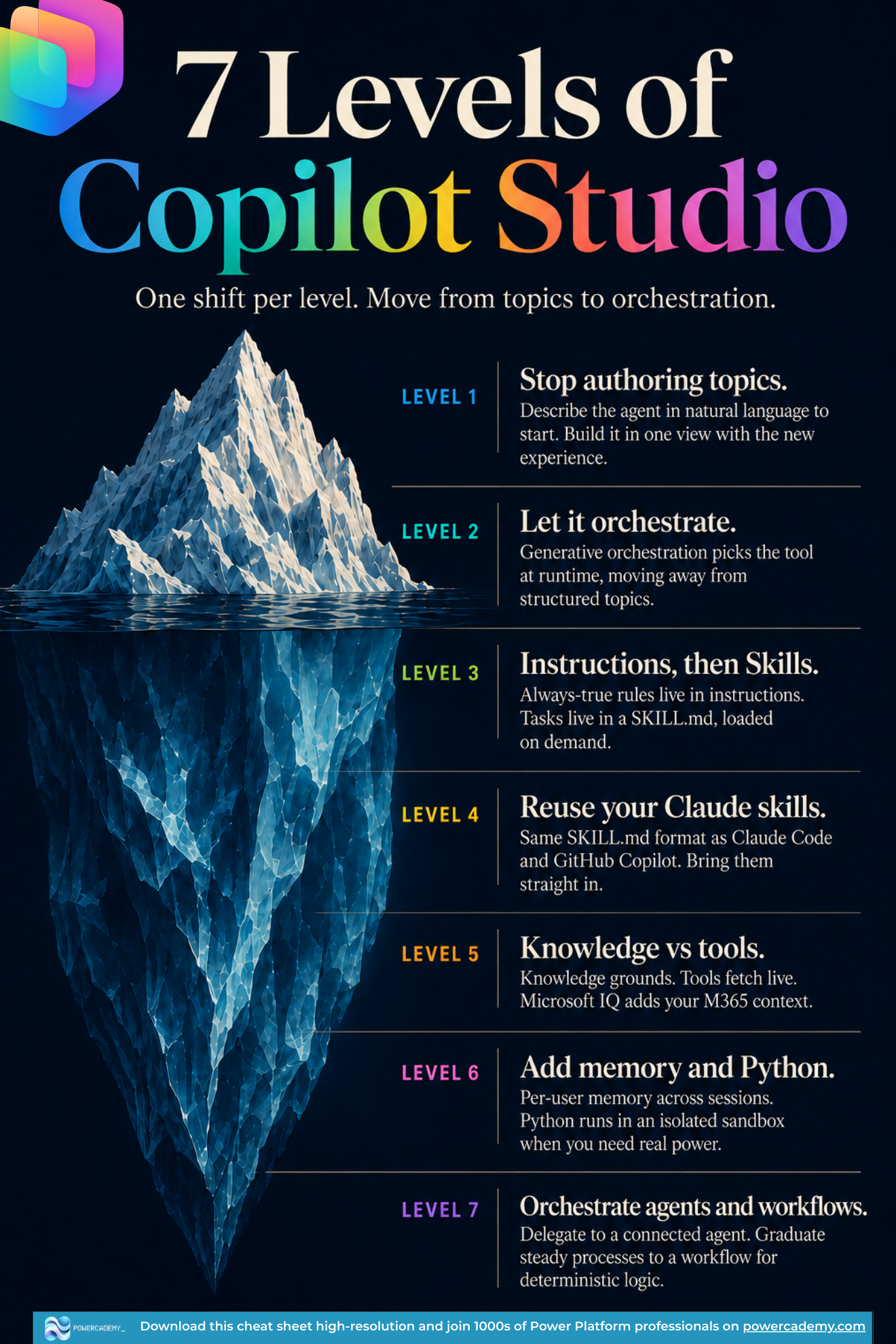
Most Copilot Studio makers are still building the 2023 way - scripting topics for every path - while the platform has moved to orchestration. This iceberg maps the journey as seven levels, one shift per level. Find where you are, then make just the next shift.
Want the hi-res version? It's free in the Powercademy Success Kit.
What are the 7 levels?
Stop authoring topics. Describe the agent in natural language to start, and build it in one view with the new experience.
Let it orchestrate. Generative orchestration picks the tool at runtime, moving you away from structured topics.
Instructions, then Skills. Always-true rules live in instructions; tasks live in a SKILL.md, loaded on demand.
Reuse your Claude skills. Same SKILL.md format as Claude Code and GitHub Copilot - bring them straight in.
Knowledge vs tools. Knowledge grounds; tools fetch live. Microsoft IQ adds your M365 context.
Add memory and Python. Per-user memory across sessions, and Python in an isolated sandbox when you need real power.
Orchestrate agents and workflows. Delegate to connected agents, and graduate steady processes to workflows for deterministic logic.
Why does the topics-to-orchestration shift matter?
Topic-scripted agents break the moment users step off the mapped path, and every improvement means more branches to maintain. Orchestrated agents invert the model: you define what the agent knows (knowledge), what it can do (tools), and how it behaves (instructions and Skills), and the LLM picks the route at runtime. Less authoring, better conversations - and your effort moves from mapping every path to curating capabilities. The levels above are that inversion done gradually, without rewriting everything at once. I've covered the platform shift behind this in Copilot Studio classic vs the new harness.
How do you climb the levels in practice?
One level per project, not all seven at once. Take an existing agent and rebuild it in the new experience (levels 1-2). Move its repeated behaviours into Skills (level 3), importing any you've already written for Claude Code or GitHub Copilot (level 4). Sort every capability into knowledge versus tools (level 5). Then add memory, Python, and multi-agent orchestration only when a real requirement calls for them (levels 6-7) - they're power, not homework.
FAQ
Do topics still have a place at the higher levels?
For genuinely deterministic dialogues - compliance scripts, fixed intake forms - yes. But the recommended pattern for deterministic logic is now workflows plus Skills, with topics de-emphasised in the new experience.
Can I really import Claude Code skills unchanged?
The SKILL.md format is the same - a name, a description, and markdown instructions - so skills written for Claude Code or GitHub Copilot come straight in. You may trim tool-specific references, but the know-how transfers.
What level should a new maker start at?
Level 1 by default - new makers get to skip the topic-authoring era entirely. Describe the agent, ground it in knowledge, and learn orchestration-first from day one.
When is Python in an agent actually justified?
When a step needs computation the model shouldn't improvise - parsing files, crunching numbers, transforming data. It runs in an isolated sandbox, and it's a level-6 power precisely because most agents never need it.
The hi-res version of this cheat sheet is in the Powercademy Success Kit - free, along with hundreds of other cheat sheets, roadmaps, and guides for Microsoft professionals.