My Power Platform AI Stack: 20 Tools I Actually Use

Howdang Rashid
Saturday, 22 August 2026 · 3 min read
People keep asking what tools I actually use day to day - not the aspirational stack, the real one. So here it is: the twenty AI and developer tools behind my Power Platform work, from the AI assistants doing the thinking to the CLIs doing the shipping. No affiliate links, no filler - if it's on this list, it earns its place weekly.
Want the hi-res version? It's free in the Powercademy Success Kit.
Which AI assistants do the thinking?
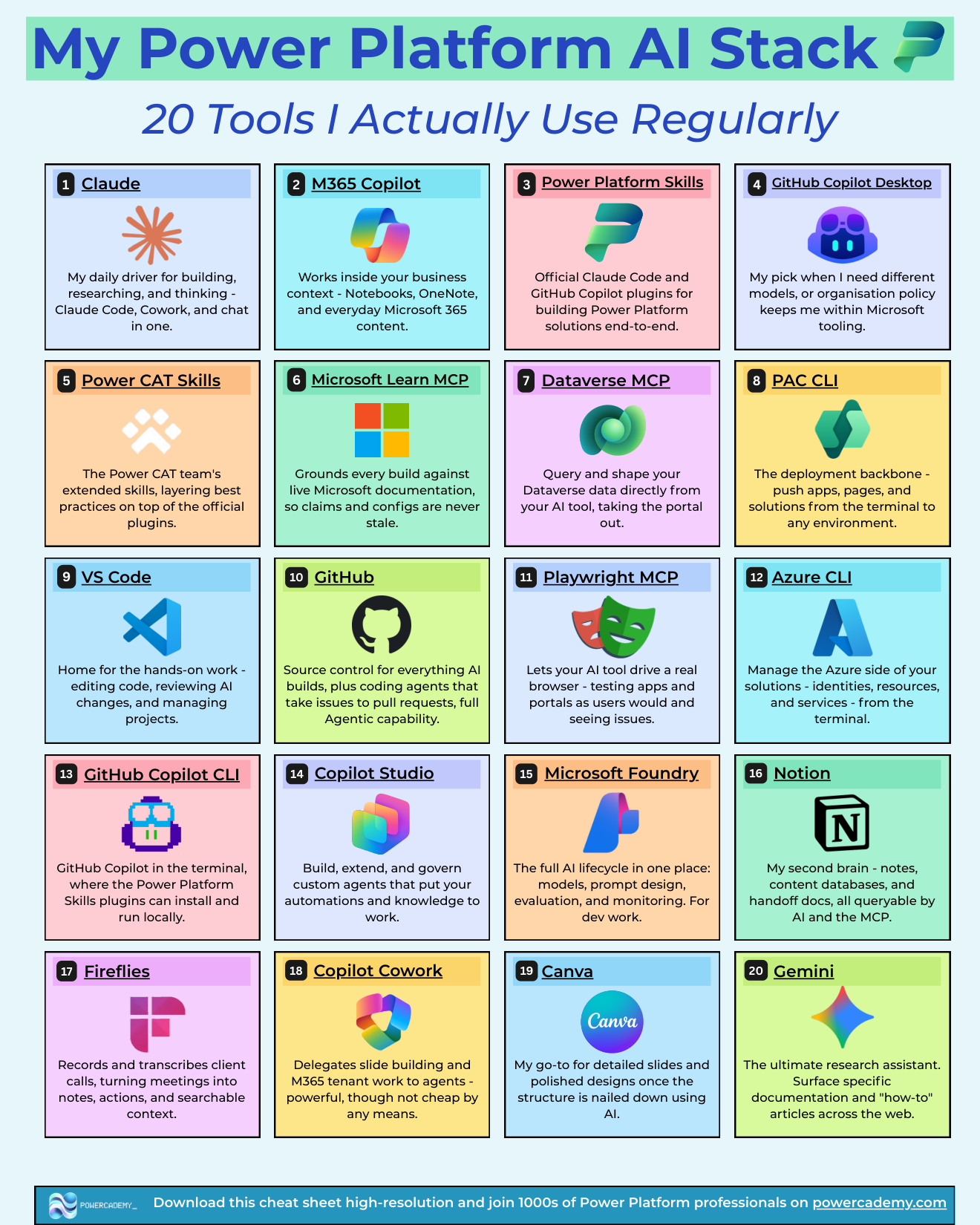
Claude is my daily driver for building, researching, and thinking - Claude Code, Cowork, and chat in one. M365 Copilot works inside my business context - Notebooks, OneNote, and everyday Microsoft 365 content. Copilot Cowork delegates slide building and M365 tenant work to agents - powerful, though not cheap. GitHub Copilot Desktop is my pick when I need different models, or organisation policy keeps me within Microsoft tooling. And Gemini is the research assistant - surfacing specific documentation and how-to articles across the web.
What makes AI Power Platform-aware?
Power Platform Skills - the official Claude Code and GitHub Copilot plugins for building Power Platform solutions end to end - plus Power CAT Skills, the Power CAT team's extended set layering best practices on top. Microsoft Learn MCP grounds every build against live documentation so configs are never stale, and Dataverse MCP lets AI query and shape Dataverse data directly, taking the portal out of the loop.
What ships the actual work?
PAC CLI is the deployment backbone - apps, pages, and solutions pushed from the terminal to any environment. VS Code is home for hands-on work: editing code, reviewing AI changes, managing projects. GitHub is source control for everything AI builds, plus coding agents that take issues to pull requests. GitHub Copilot CLI brings Copilot to the terminal where the Power Platform Skills plugins run locally, Azure CLI manages the Azure side - identities, resources, services - and Playwright MCP lets AI drive a real browser, testing apps and portals the way users actually experience them.
What do I build agents and AI solutions in?
Copilot Studio for building, extending, and governing custom agents that put automations and knowledge to work. Microsoft Foundry for the full AI lifecycle in one place - models, prompt design, evaluation, and monitoring - when the work turns into engineering.
What keeps the whole operation organised?
Notion is my second brain - notes, content databases, and handoff docs, all queryable by AI through MCP. Fireflies records and transcribes client calls, turning meetings into notes, actions, and searchable context. Canva is the go-to for detailed slides and polished designs once AI has nailed the structure.
FAQ
If I could only add three of these tomorrow, which three?
An AI assistant with the Power Platform Skills plugin, Microsoft Learn MCP, and PAC CLI. That trio gives you grounded building plus real deployment - the biggest step-change for the least setup.
Why both Claude and GitHub Copilot?
Different jobs and different constraints: Claude is my daily driver, but some client organisations mandate Microsoft tooling - and GitHub Copilot's multi-model choice covers that world. Both run the same Power Platform Skills, which is what really matters.
What are the MCP servers doing in practice?
They give the AI live context: Learn MCP means answers cite current documentation instead of stale training data; Dataverse MCP means "show me accounts created this week" queries real data; Playwright MCP means the AI can open your app and click through it. Context is what separates an assistant from a guesser.
Is this stack expensive?
Less than it looks: the CLIs, VS Code, GitHub basics, and the MCP servers are free; the paid pieces are the AI assistants, Cowork, and Fireflies. Start free, pay for the assistant you use daily, and add the rest when a real gap appears.
The hi-res version of this stack sheet is in the Powercademy Success Kit - free, along with hundreds of other cheat sheets, roadmaps, and guides for Microsoft professionals.