Power Platform Pro-Code: Every Extension Point Explained

Howdang Rashid
Saturday, 22 August 2026 · 3 min read
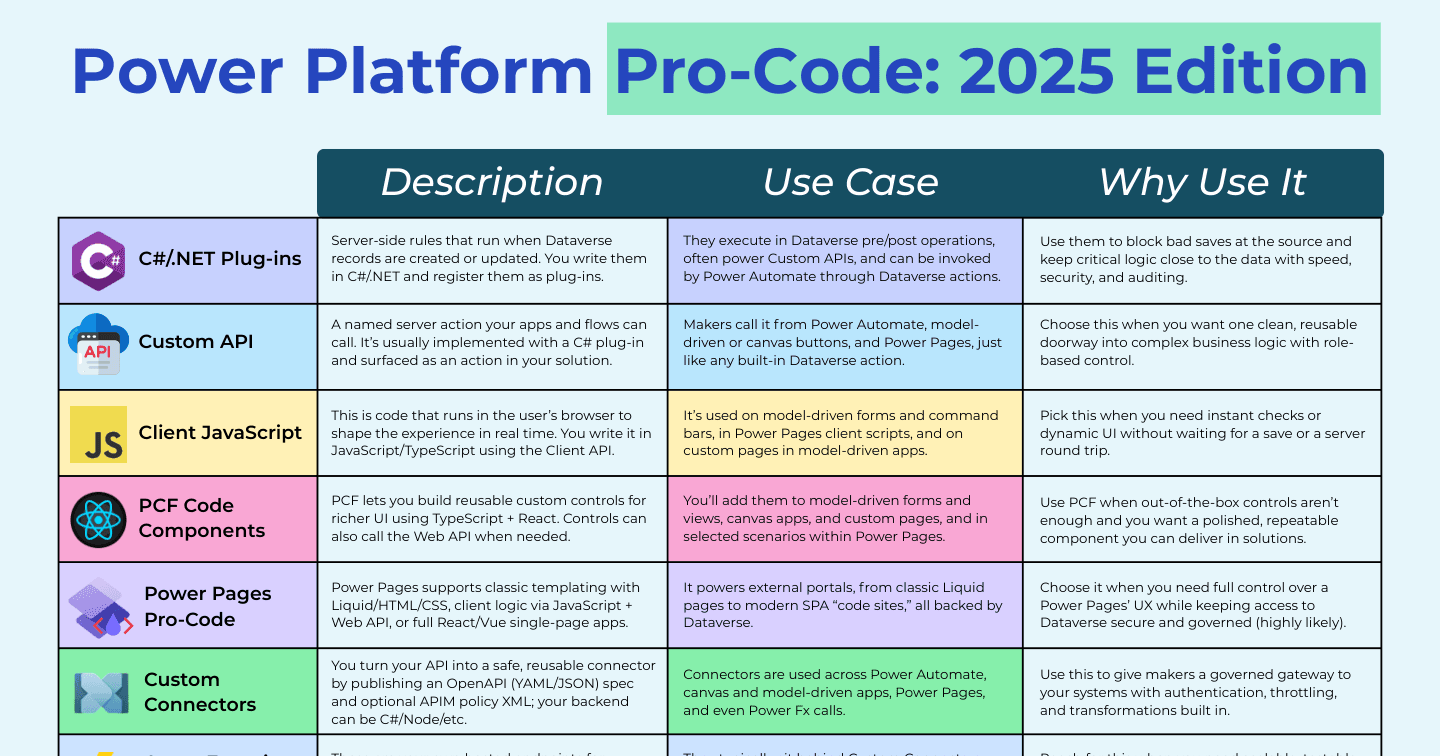
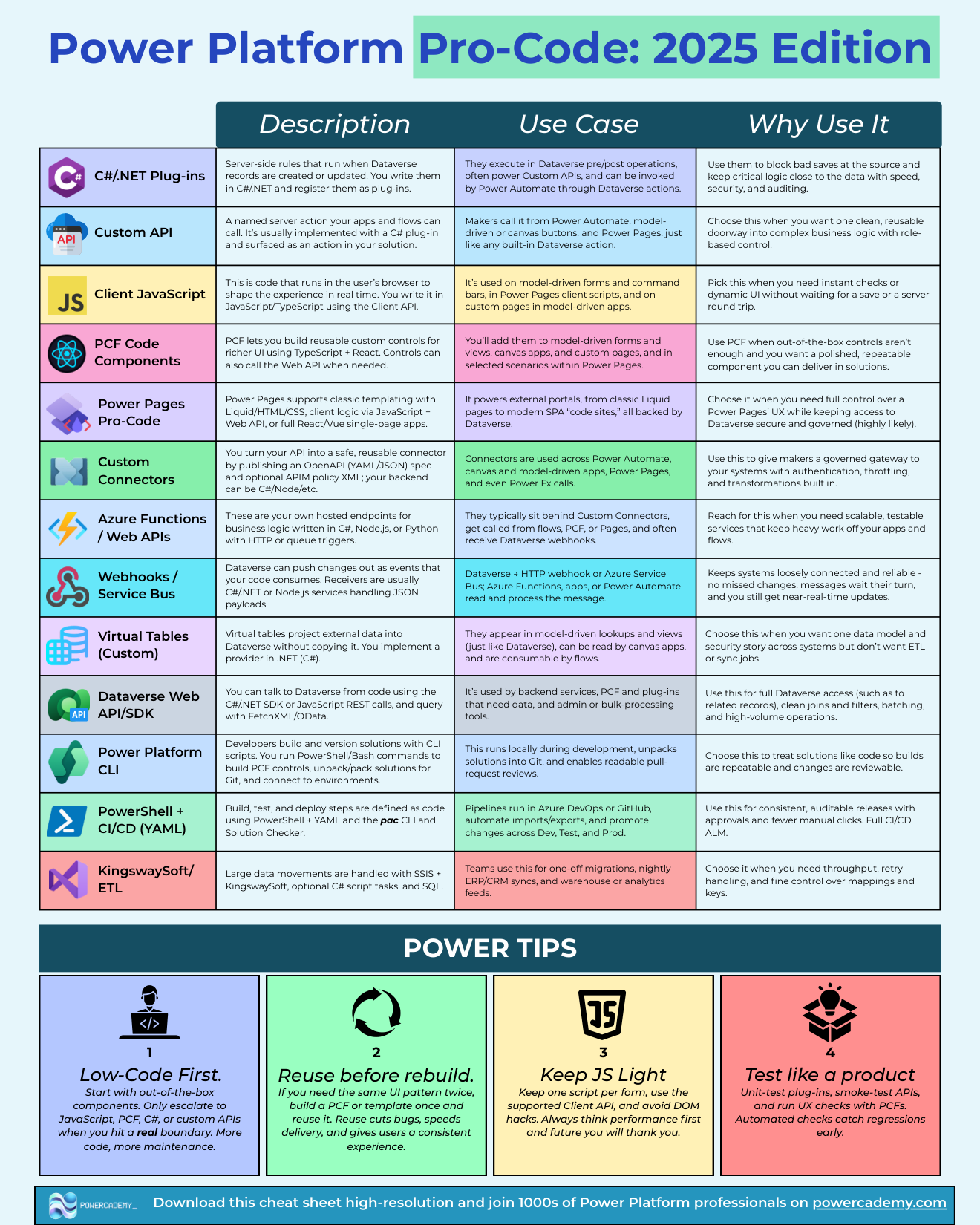
Low-code gets you 80% of the way; pro-code is how the last 20% ships. The Power Platform has a rich set of official extension points - C# plug-ins, Custom APIs, client JavaScript, PCF components, custom connectors, Azure Functions, webhooks, virtual tables, the Dataverse Web API, the PAC CLI, and CI/CD tooling. This cheat sheet explains what each one is, where it runs, and when to reach for it.
Want the hi-res version? It's free in the Powercademy Success Kit.
What are the server-side extension points?
C#/.NET plug-ins - Server-side rules that run pre/post operation when Dataverse records are created or updated. Use them to block bad saves at the source and keep critical logic close to the data, with speed, security, and auditing.
Custom APIs - A named server action your apps and flows can call, usually implemented as a C# plug-in and surfaced like any built-in Dataverse action. One clean, reusable doorway into complex business logic with role-based control.
Azure Functions / Web APIs - Your own compute for heavy or long-running logic, called from flows, connectors, or plug-ins when Dataverse's execution limits are the wrong fit.
Webhooks / Service Bus - Push Dataverse events to external systems reliably. The integration backbone for event-driven architectures.
Virtual tables - Surface external data inside Dataverse as if it were native, without copying it. Custom providers cover systems the built-in ones don't.
What are the client-side extension points?
Client JavaScript - Code that runs in the user's browser via the Client API: model-driven forms and command bars, Power Pages client scripts, and custom pages. Pick it for instant checks and dynamic UI without a server round trip.
PCF code components - Reusable custom controls in TypeScript and React for model-driven forms and views, canvas apps, and custom pages. Use PCF when out-of-the-box controls are not enough and you want a polished, repeatable component delivered in solutions.
Power Pages pro-code - From classic Liquid/HTML/CSS templating to client JavaScript with the Web API, up to full React or Vue single-page 'code sites' - full UX control over external portals while keeping Dataverse access secure and governed.
What are the integration and tooling extension points?
Custom connectors - Publish an OpenAPI spec to turn any API into a safe, reusable connector used across Power Automate, apps, Power Pages, and even Power Fx calls.
Dataverse Web API / SDK - The programmatic front door to Dataverse from any language: CRUD, queries, and actions for external apps and services.
Power Platform CLI (PAC) - The command-line workhorse: solution export/unpack/pack, PCF scaffolding, environment management, and the foundation of scripted ALM.
PowerShell + CI/CD (YAML) - Automated build and release pipelines in Azure DevOps or GitHub Actions: the difference between deployments and repeatable deployments.
KingswaySoft / ETL - Industrial-strength data migration and integration when volumes outgrow flows and dataflows.
FAQ
When should logic be a plug-in instead of a Power Automate flow?
When it must be synchronous, enforced, or fast: validation that blocks a save, calculations that must be consistent for every caller, and logic that cannot be skipped. Flows excel at orchestration and integration after the fact; plug-ins guard the data itself.
Do I need C# to be a Power Platform pro-dev?
For plug-ins and Custom APIs, yes - C#/.NET is the language. But a large share of pro-code work is TypeScript (PCF, client scripting, Power Pages SPAs) and YAML/PowerShell (ALM). Many pro-devs start from the JavaScript side.
What is the difference between a Custom API and a custom connector?
A Custom API lives inside Dataverse and exposes your server-side logic as a first-class platform action. A custom connector wraps an external API so the platform can call out to it. One brings logic in; the other reaches out.
Which extension point should I learn first?
Client JavaScript on model-driven forms. It has the gentlest setup, teaches the Client API and the platform's eventing model, and delivers visible value immediately. From there, PCF is the natural next step on the UI side, plug-ins on the data side.
The hi-res version is in the Powercademy Success Kit - free, along with hundreds of other cheat sheets, roadmaps, and guides for Microsoft professionals.