Learn Microsoft AI Agents in 14 Days: A Free Day-by-Day Roadmap

Howdang Rashid
Saturday, 22 August 2026 · 3 min read
You can go from zero to building real Microsoft AI agents in 14 days - about an hour a day, using entirely free resources. This roadmap takes you from understanding what agents are, through building in Copilot Studio, to security, licensing, and a first look at Microsoft Foundry. Every day has one focus and one linked resource, so you never wonder what to do next.
The whole plan on one page:
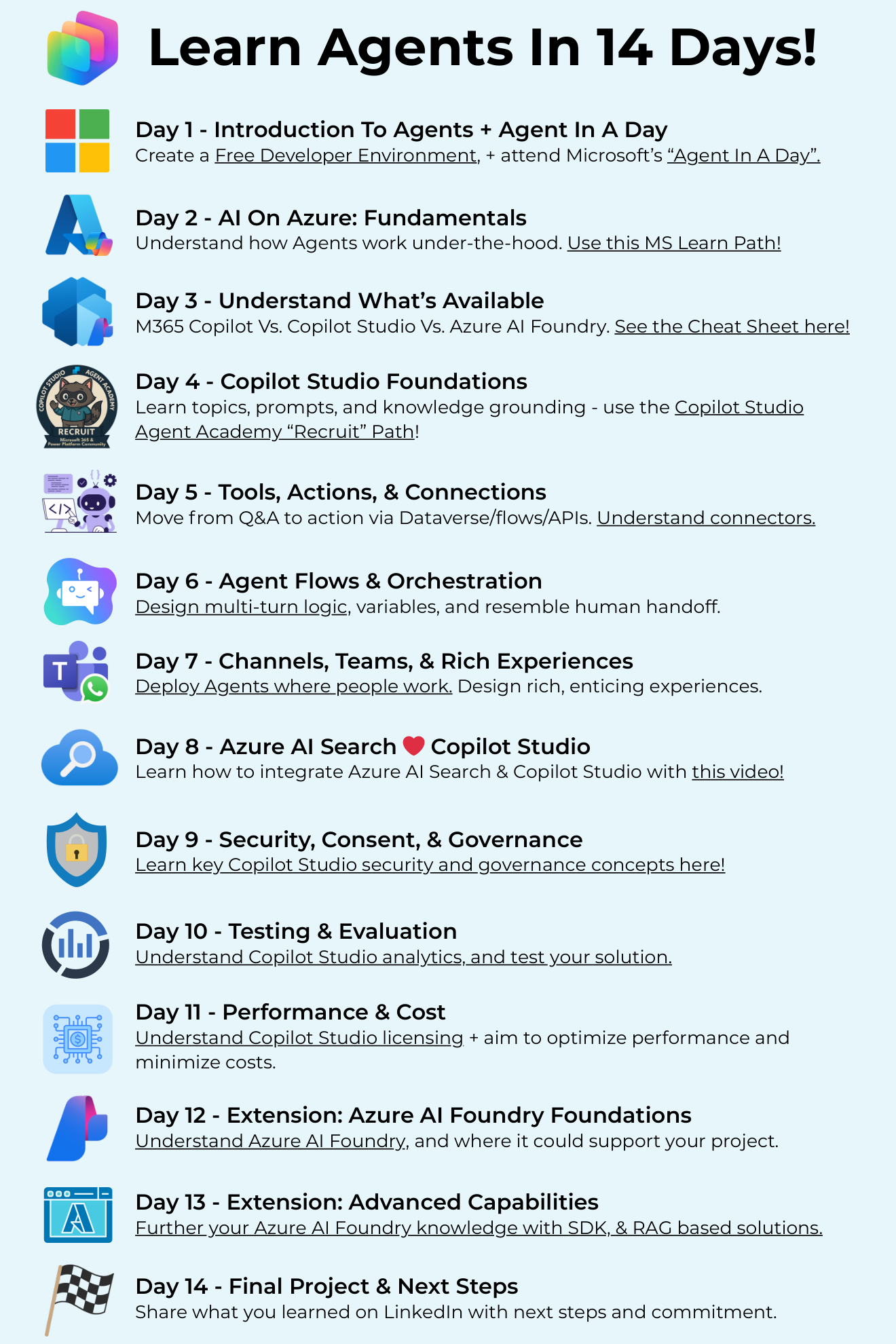
Want the hi-res version with every link clickable? It's free in the Powercademy Success Kit.
How does the 14-day roadmap work?
One focused topic per day, roughly an hour each, all free. You'll need a free Power Platform developer environment (set up on day 1), and by day 14 you'll have built, secured, and evaluated a working agent - and know exactly where Microsoft Foundry fits when you outgrow low-code. Fourteen days of consistency beats three months of "I'll get to it".
Days 1-3: Foundations
Day 1 - Introduction to agents + Agent In A Day. Create a free developer environment and attend Microsoft's free Agent In A Day workshop (or run the materials solo).
Day 2 - AI on Azure fundamentals. Understand how agents work under the hood with the Introduction to AI on Azure learning path.
Day 3 - Understand what's available. Get clear on M365 Copilot vs Copilot Studio vs Microsoft Foundry - which tool for which job. My comparison cheat sheet in the Success Kit covers this in one page.
Days 4-7: Build real agents in Copilot Studio
Day 4 - Copilot Studio foundations. Topics, prompts, and knowledge grounding via the Copilot Studio Agent Academy "Recruit" path.
Day 5 - Tools, actions, and connections. Move from Q&A to action with Dataverse, flows, and APIs - start with connectors in Copilot Studio.
Day 6 - Agent flows and orchestration. Design multi-turn logic, variables, and human handoff with flows in Copilot Studio.
Day 7 - Channels, Teams, and rich experiences. Deploy agents where people actually work: publishing to channels.
Days 8-11: Make it production-ready
Day 8 - Azure AI Search + Copilot Studio. Level up your agent's knowledge with this integration walkthrough.
Day 9 - Security, consent, and governance. The concepts that decide whether your agent ships: security and governance in Copilot Studio.
Day 10 - Testing and evaluation. Use Copilot Studio analytics to test and measure your agent properly.
Day 11 - Performance and cost. Understand Copilot Studio message capacity and licensing, then optimise for both.
Days 12-14: Extend into Microsoft Foundry and ship
Day 12 - Microsoft Foundry foundations. See where Foundry supports your project: preparing for AI development on Azure.
Day 13 - Advanced capabilities. Go deeper with the Foundry SDK module and RAG-based solutions.
Day 14 - Final project and next steps. Finish your build, then share what you learned on LinkedIn with your next steps and a commitment. Teaching it publicly is the fastest way to make it stick - and it's how people find you.
FAQ
Do I need to pay for anything to follow this roadmap?
No. The Power Platform developer plan is free, every linked resource is free, and Copilot Studio trials cover the build days. Only production deployment at scale needs licensing.
Do I need to know how to code?
Not for days 1-11 - Copilot Studio is low-code throughout. Days 12-13 introduce Microsoft Foundry, where code helps, but the modules are approachable and you can treat them as orientation rather than mastery.
What if I miss a day?
Just continue where you left off - the order matters more than the calendar. Fourteen sessions over three weeks works exactly as well as fourteen consecutive days.
What should I build after day 14?
Rebuild your day-14 project properly: add real security, connect real data sources, and publish it to Teams for actual users. One agent in production teaches you more than five more tutorials.
The hi-res, printable version of this roadmap is in the Powercademy Success Kit - free, along with hundreds of other cheat sheets, roadmaps, and guides for Microsoft professionals.