M365 Copilot vs Copilot Studio vs Microsoft Foundry: Which Layer of Microsoft AI Do You Need?

Howdang Rashid
Monday, 17 August 2026 · 4 min read
If you only learn one mental model for Microsoft AI, make it this one. M365 Copilot is where you use AI at work, Copilot Studio is where you build AI agents with low code, and Microsoft Foundry is where you engineer AI at enterprise scale. Most confusion about Microsoft's AI stack disappears once you know which layer a conversation is actually about.
The comparison on one page:
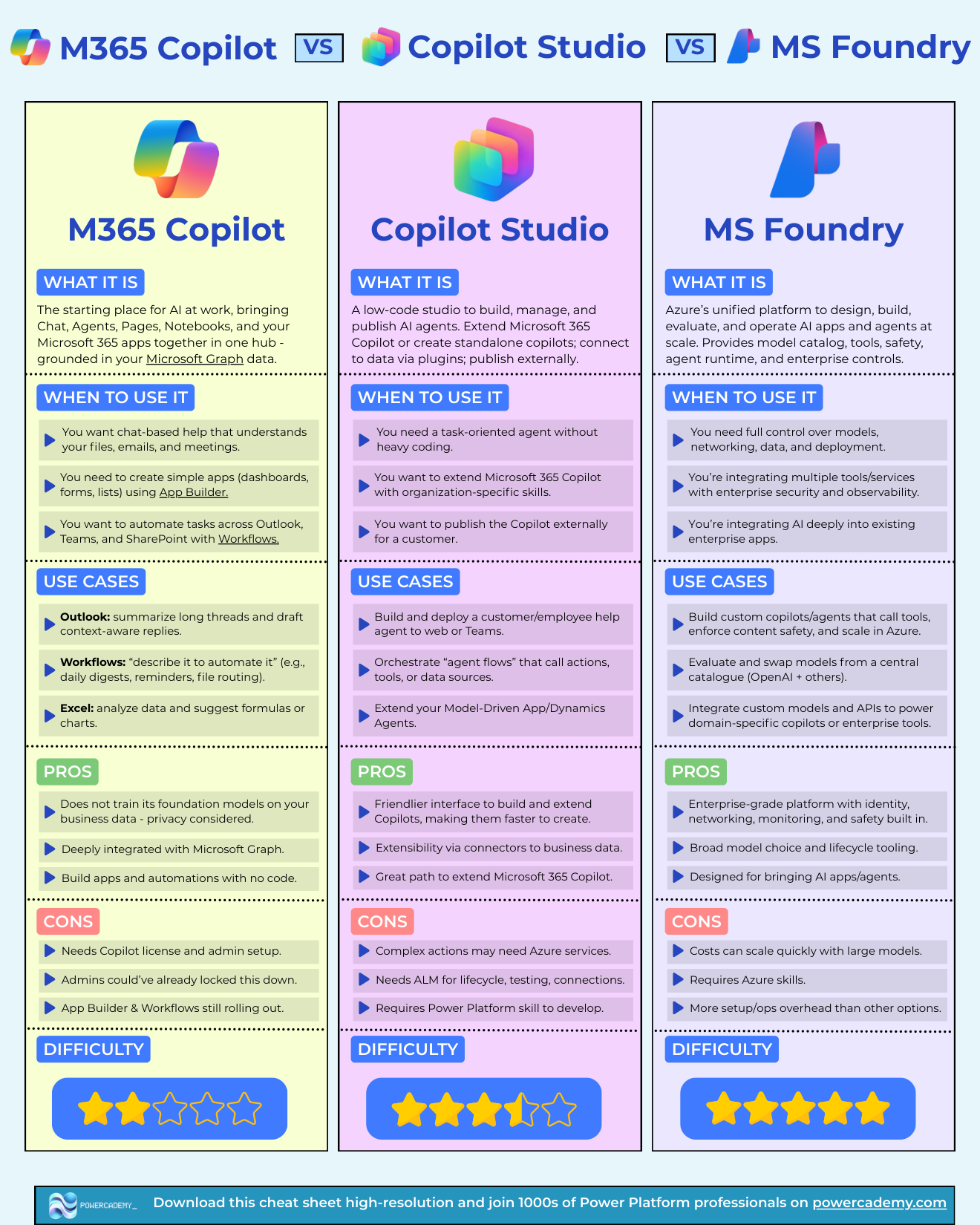
Want the hi-res version? It's free in the Powercademy Success Kit, along with hundreds of other Microsoft AI and Power Platform resources.
What's the difference at a glance?
M365 Copilot | Copilot Studio | Microsoft Foundry | |
|---|---|---|---|
What it is | The hub where you use AI at work | Low-code studio for building and publishing agents | Azure platform for AI apps and agents at scale |
Best for | Chat over your files, mail, meetings; simple apps and automations | Task-oriented agents, extending M365 Copilot, publishing externally | Full control over models, data, networking, deployment |
Watch out for | Licence + admin setup; features still rolling out | ALM overhead; complex actions may need Azure | Azure skills required; costs scale with models |
Difficulty | Low - it's a product you enable | 3 / 5 | 5 / 5 |
When should you use M365 Copilot?
M365 Copilot is the starting place for AI at work - Chat, Agents, Pages, Notebooks, and your Microsoft 365 apps in one hub, grounded in your Microsoft Graph data. Use it when you want chat-based help that understands your files, emails, and meetings; when you need simple apps (dashboards, forms, lists) via App Builder; or when you want to automate tasks across Outlook, Teams, and SharePoint with Workflows.
Everyday wins: summarising long Outlook threads and drafting context-aware replies, "describe it to automate it" workflows like daily digests and file routing, and Excel analysis with suggested formulas and charts. It's deeply integrated with Microsoft Graph, builds apps and automations with no code, and doesn't train its foundation models on your business data.
The limits: it needs a Copilot licence and admin setup, admins may have locked features down, and App Builder and Workflows are still rolling out.
When should you use Copilot Studio?
Copilot Studio is the low-code studio for building, managing, and publishing AI agents - extend Microsoft 365 Copilot with organisation-specific skills, or create standalone agents and publish them to the web, Teams, or externally for customers. Connect to business data via connectors and plugins, orchestrate agent flows that call actions and tools, and extend your model-driven apps and Dynamics agents.
It has the friendliest interface for building and extending Copilots, making them fast to create - and it's the natural path for Power Platform professionals. The trade-offs: complex actions may need Azure services, production use needs real ALM for lifecycle, testing, and connections, and you'll want Power Platform skills to be productive. For where the platform is heading, see Copilot Studio classic vs the new harness.
When should you use Microsoft Foundry?
Microsoft Foundry is Azure's unified platform to design, build, evaluate, and operate AI apps and agents at scale - model catalogue (OpenAI and others), safety tooling, agent runtime, and enterprise controls for identity, networking, and monitoring.
Reach for it when you need full control over models, networking, data, and deployment; when you're integrating multiple tools and services with enterprise security and observability; or when AI goes deep inside existing enterprise apps. Build custom copilots that call tools and enforce content safety, evaluate and swap models from a central catalogue, and power domain-specific agents with custom models and APIs.
The costs: Azure skills are required, spend can scale quickly with large models, and there's more setup and operations overhead than the other two layers.
How do the three layers fit together?
Think of it as a pyramid of control versus convenience:
Everyone in the organisation uses AI in M365 Copilot
Makers and Power Platform teams build agents in Copilot Studio - often surfacing them back into M365 Copilot
Engineering teams operate custom AI in Microsoft Foundry - often powering what Studio agents call behind the scenes
They're not competitors; they're the same stack at three altitudes. The question is never "which is best" - it's which altitude your problem lives at.
FAQ
Is Copilot Studio included with M365 Copilot?
They're licensed separately. M365 Copilot is per-user; Copilot Studio has message-based capacity licensing. Extending M365 Copilot with Studio-built agents involves both.
Can a Copilot Studio agent use models from Microsoft Foundry?
Yes - that's an increasingly common architecture: Studio handles the conversation and business connections, while Foundry hosts custom models and enterprise-grade tooling the agent calls behind the scenes.
Is Microsoft Foundry the same as Azure AI Foundry?
Yes - Microsoft consolidated the branding to Microsoft Foundry. Same platform: model catalogue, agent runtime, evaluation, safety, and enterprise controls in Azure.
Which layer should I learn first?
Use M365 Copilot daily so you understand the experience your users get. Then learn Copilot Studio if you're a maker or Power Platform professional, or go straight to Foundry if you're an engineer building AI products. Studio is the highest-leverage middle ground for most readers of this blog.
The hi-res, printable version of this comparison is in the Powercademy Success Kit - free, along with hundreds of other cheat sheets, roadmaps, and guides for Microsoft professionals.