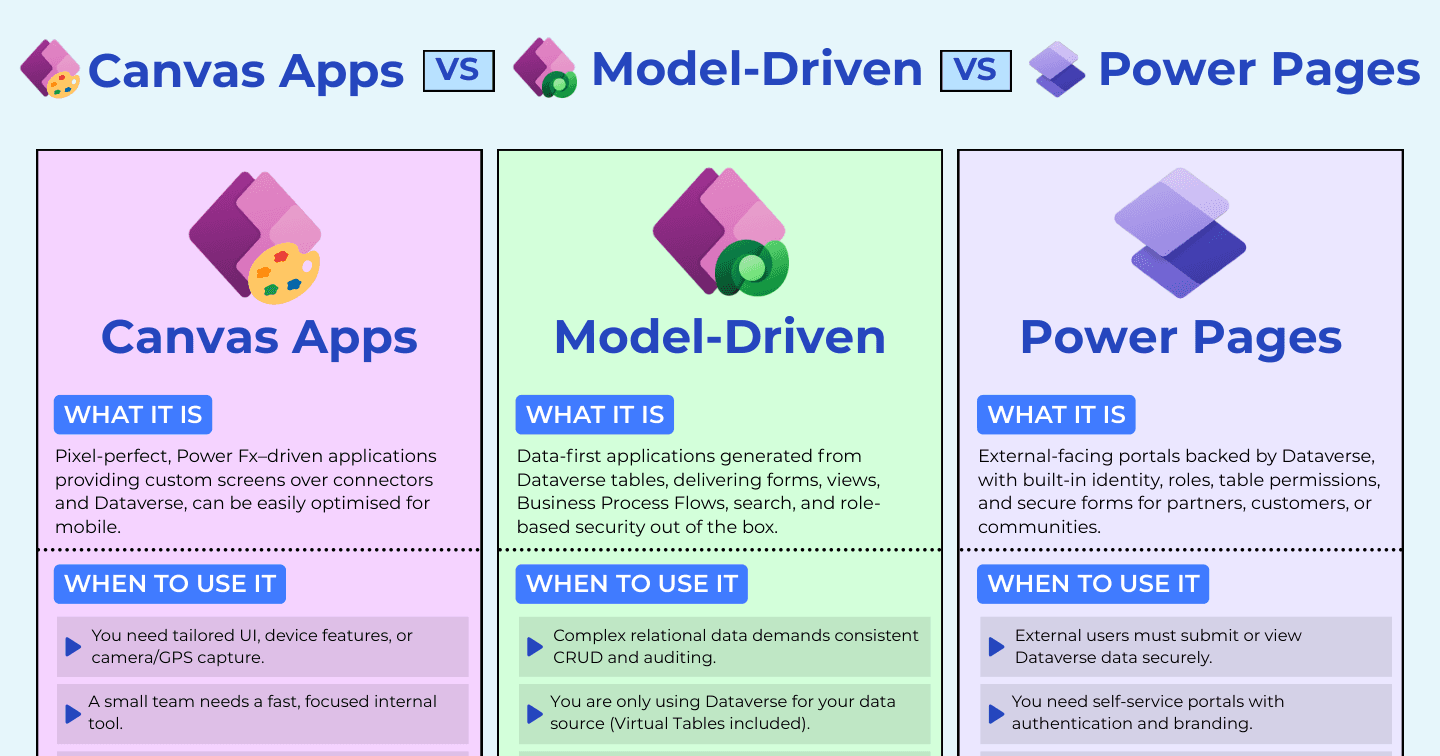
Canvas Apps vs Model-Driven Apps vs Power Pages: Who Is the App For?

Howdang Rashid
Saturday, 22 August 2026 · 2 min read
The three-way comparison that actually decides Power Platform architectures: canvas apps for tailored internal experiences, model-driven apps for data-heavy internal processes, and Power Pages when the users are OUTSIDE your organisation. Ask who the app is for, and the platform usually picks itself.
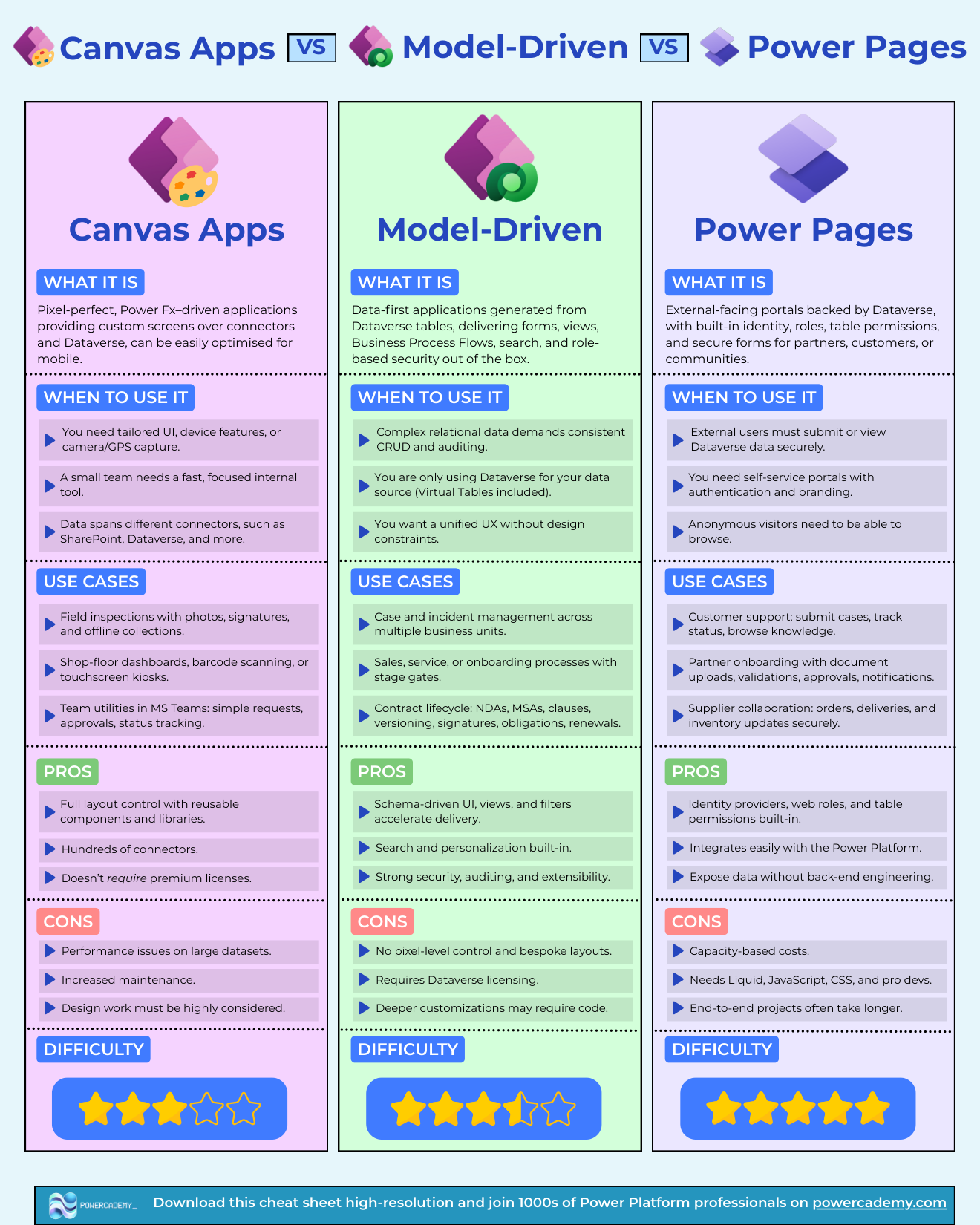
Want the hi-res version? It's free in the Powercademy Success Kit.
When is it a canvas app?
Pixel-perfect, Power Fx-driven screens over connectors and Dataverse, easily optimised for mobile. Choose it when you need tailored UI, device features like camera and GPS, a fast focused tool for a small team, or data spanning connectors. Field inspections with photos and signatures, shop-floor dashboards and kiosks, Teams utilities for requests and approvals. Strengths: full layout control, hundreds of connectors, and no premium licence when you stay on standard connectors. Costs: performance care on large datasets, more maintenance, and design effort that must be deliberate.
When is it model-driven?
Data-first apps generated from Dataverse tables - forms, views, business process flows, search, and role-based security out of the box. Choose it when complex relational data demands consistent CRUD and auditing, when Dataverse (virtual tables included) is your only source, and when a unified UX beats bespoke layouts. Case management across business units, staged sales and onboarding processes, contract lifecycles with versioning and obligations. Strengths: schema-driven speed, built-in search and personalisation, strong security and extensibility. Costs: no pixel-level control, Dataverse licensing, and code for the deepest customisations.
When is it Power Pages?
External-facing portals backed by Dataverse, with identity, web roles, table permissions, and secure forms built in. Choose it when external users must submit or view Dataverse data securely, when you need branded self-service with authentication, or when anonymous visitors need to browse. Customer support portals, partner onboarding with uploads and approvals, supplier collaboration on orders and inventory. Strengths: built-in identity and permissions, easy Power Platform integration, exposing data without back-end engineering. Costs: capacity-based pricing, Liquid/JavaScript/CSS skills (a gap the Claude Code plugin is shrinking), and longer end-to-end projects.
FAQ
Can external users just use a canvas app instead?
Not practically - canvas apps require organisational accounts and licences. Power Pages exists precisely for users you don't licence: external identity, anonymous access, and per-table permissions.
Do the three share one database?
Yes - Dataverse underneath all three is the architecture: partners submit through the portal, your team processes in the model-driven app, field staff capture through canvas. No sync jobs, one security story.
Which is the biggest project of the three?
Power Pages, typically - external identity, permissions, branding, and go-live security add real workstreams. Budget it as a product launch, not an app build.
Where do code apps fit in this trio?
As the pro-code sibling for internal apps whose UI outgrows canvas. External-facing still means Power Pages - code apps serve licensed internal users.
The hi-res version is in the Powercademy Success Kit - free, along with hundreds of other cheat sheets, roadmaps, and guides for Microsoft professionals.