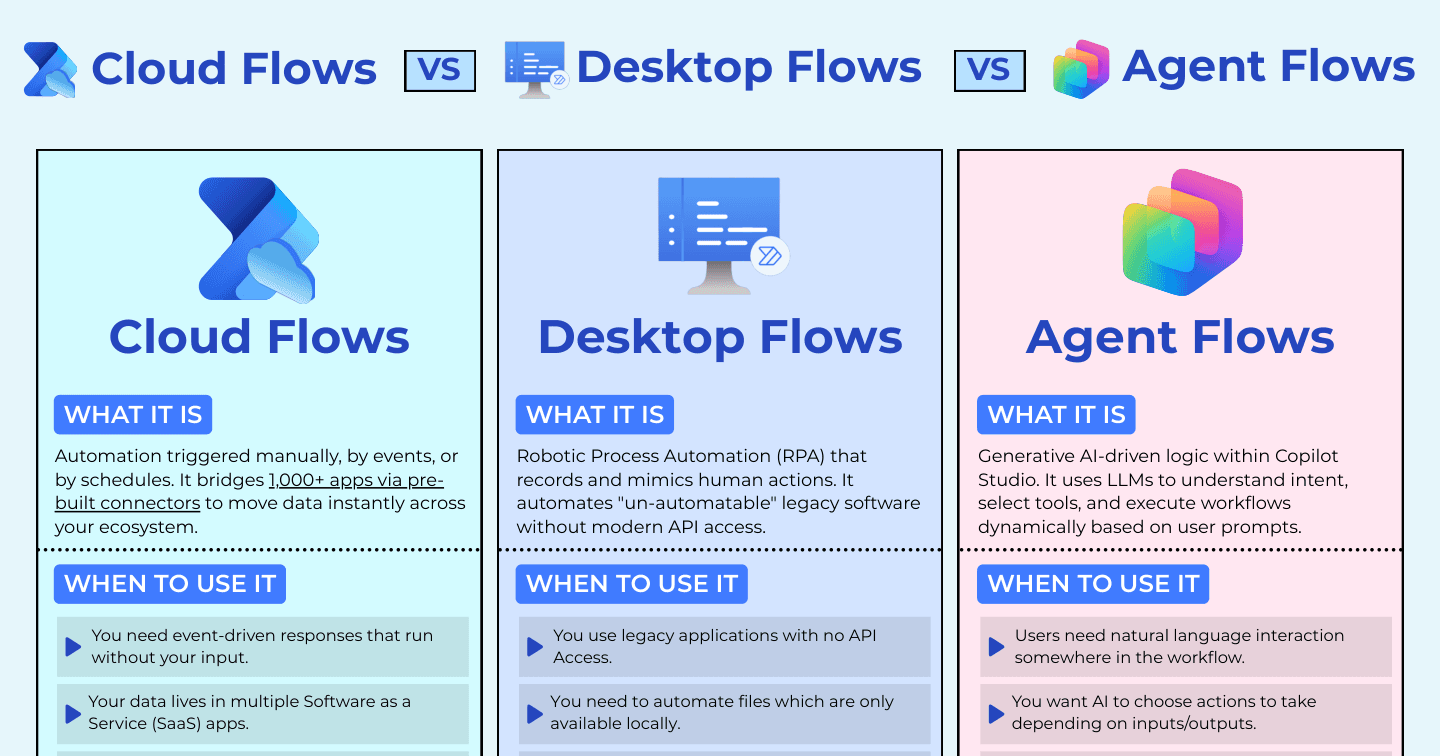
Cloud Flows vs Desktop Flows vs Agent Flows: Which Automation Do You Need?

Howdang Rashid
Saturday, 22 August 2026 · 2 min read
Power Automate now speaks three dialects: cloud flows for event-driven, API-based automation; desktop flows for RPA over apps with no API; and agent flows for workflows where AI chooses the path. Picking wrong means fragile automations or wasted licences - here's how each one earns its place.
Want the hi-res version? It's free in the Powercademy Success Kit.
When do cloud flows win?
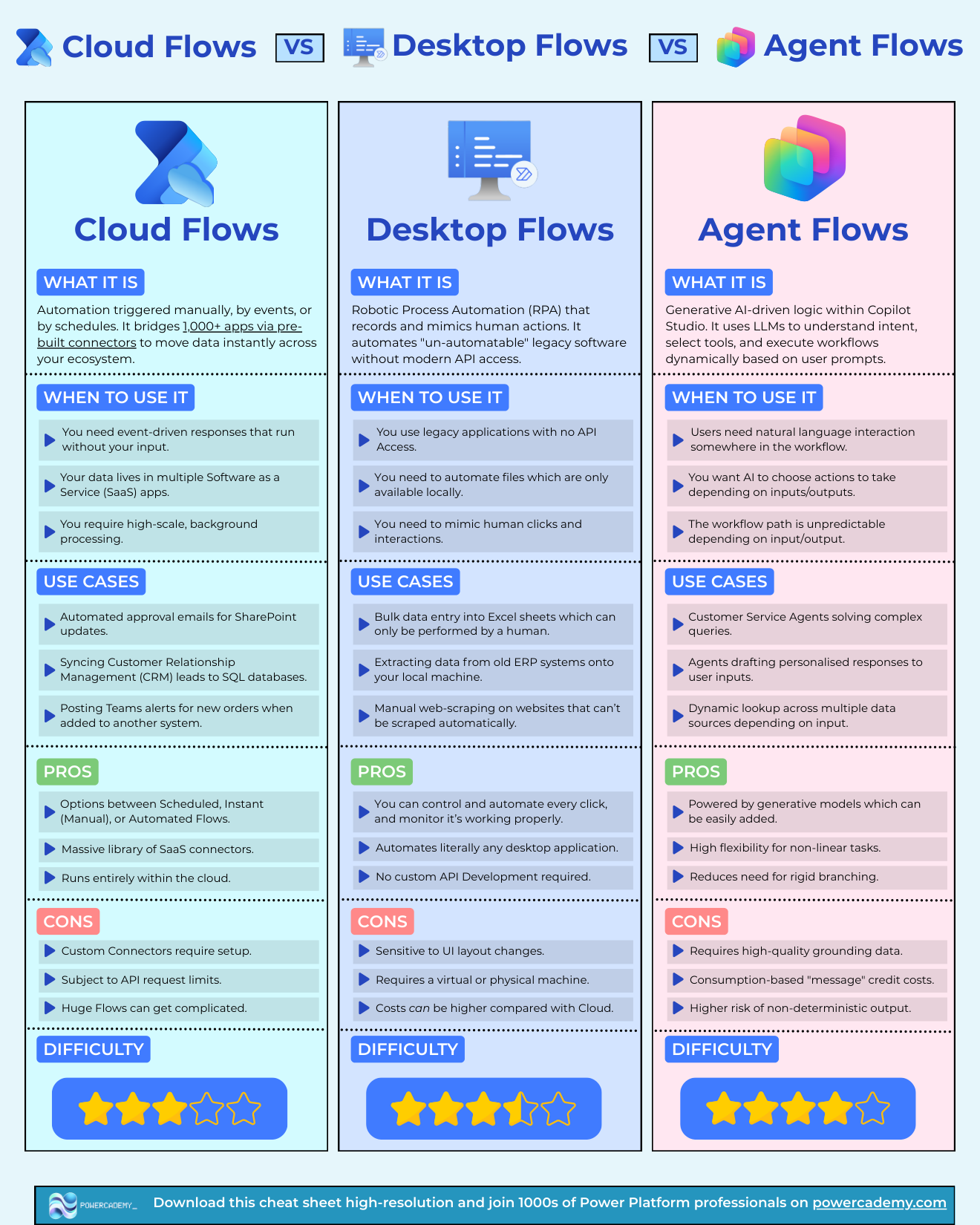
When you need event-driven responses that run without your input, when data lives across SaaS apps, or when the job is high-scale background processing. Classic wins: approval emails on SharePoint updates, syncing CRM leads to SQL, Teams alerts for new orders. You get scheduled, instant, and automated trigger types, a massive connector library, and fully cloud execution - watch for custom connector setup, API request limits, and the complexity creep of huge flows.
When is it desktop RPA?
When the target is a legacy app with no API, files that only exist locally, or work that genuinely requires mimicking human clicks. Think bulk data entry into desktop-only systems, extracting from old ERPs, and scraping sites that resist automation. You control every click and can automate literally any desktop application without API development - at the price of sensitivity to UI changes, needing a machine (physical or virtual) to run on, and typically higher costs than cloud.
When do agent flows earn their place?
When users need natural-language interaction somewhere in the workflow, when you want AI choosing the actions based on inputs and outputs, or when the path is genuinely unpredictable. Customer-service agents resolving varied queries and agents drafting personalised responses are the archetypes. The rule from the deterministic world still applies: if the path CAN be mapped up front, a cheaper flow type should run it.
FAQ
Can the three types work together?
Constantly - a cloud flow can trigger a desktop flow on a machine group, and agent flows can call cloud flows as tools. Compose by constraint per step, not per project.
What licensing differences matter?
Cloud flows ride on per-user or per-flow plans with API limits; desktop flows add attended/unattended RPA licensing plus the machine; agent flows consume Copilot Studio capacity. Volume-model the top two candidates before committing.
Are desktop flows still relevant in the API era?
Wherever legacy software lives, yes - and that's most enterprises. The modern twist: Computer Use agents are emerging for the same no-API problem, but governed, licensed desktop RPA remains the production answer today.
Where do agent flows sit versus Copilot Studio agents?
Agent flows are workflow-shaped with AI steps inside; full agents are conversation-shaped with tools. If it starts from a trigger and ends at an outcome, it's an agent flow; if a user talks to it, it's an agent.
The hi-res version is in the Powercademy Success Kit - free, along with hundreds of other cheat sheets, roadmaps, and guides for Microsoft professionals.