Power Platform Hacks I Wish I Knew Before

Howdang Rashid
Saturday, 22 August 2026 · 3 min read
Some Power Platform lessons only arrive the hard way: a rebuild you could have avoided, a licence bill nobody estimated, an agent pointed at data nobody trusted. This cheat sheet collects the hacks I wish I knew before - the architecture, AI, tooling, and people lessons that would have saved years.
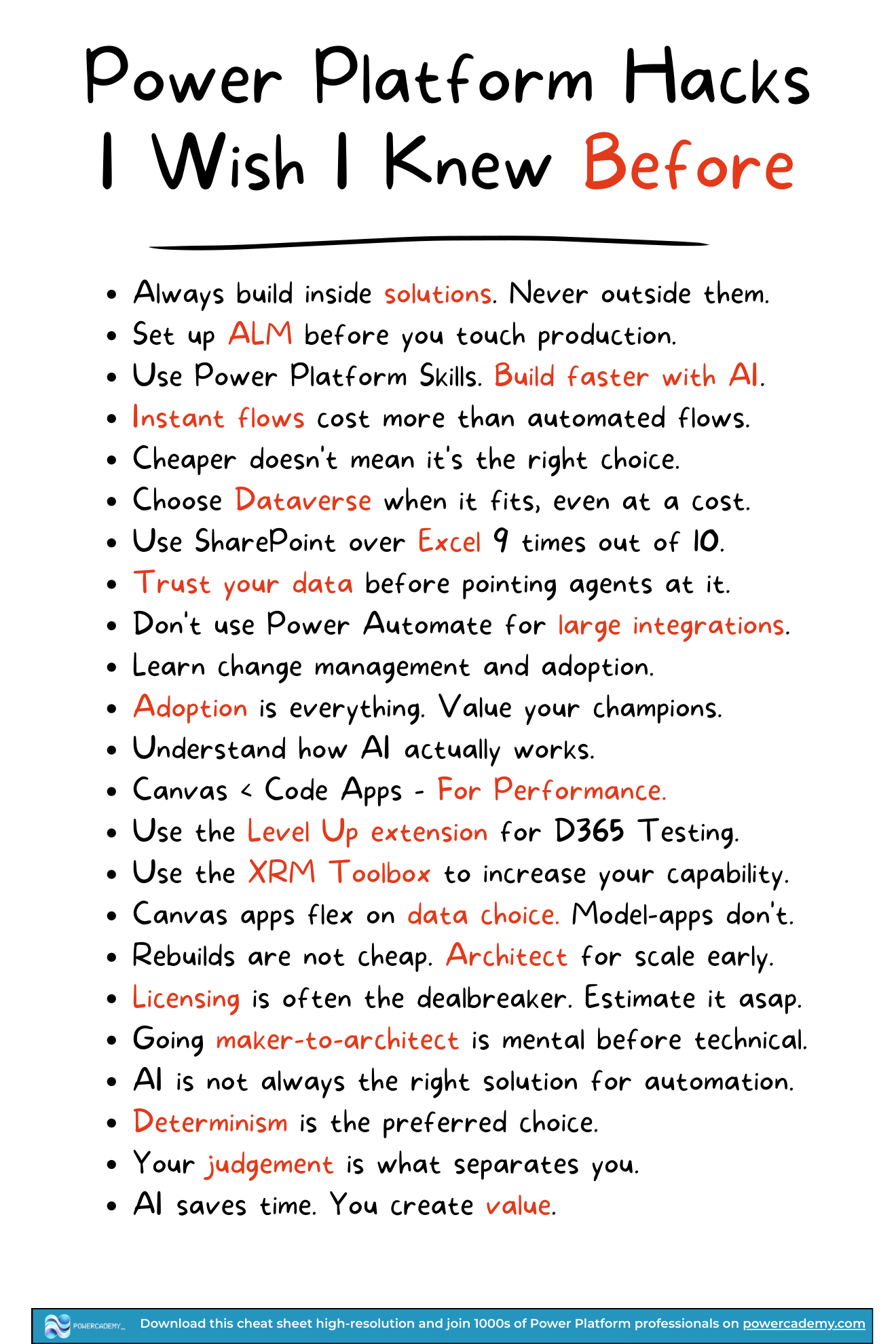
Want the hi-res version? It's free in the Powercademy Success Kit.
What are the architecture hacks?
Always build inside solutions - Never outside them. Solutions are what make your work portable, deployable, and recoverable.
Set up ALM before you touch production - Retrofitting environments and pipelines after go-live is ten times the work of doing it first.
Choose Dataverse when it fits, even at a cost - Cheaper does not mean it is the right choice. The security model and scalability pay the licence back.
Use SharePoint over Excel 9 times out of 10 - If Dataverse is not on the table, SharePoint lists beat spreadsheets as a data source almost every time.
Canvas apps flex on data choice; model-driven apps don't - Know which constraint you are signing up for before you pick the app type.
Architect for scale early - Rebuilds are not cheap. The data model you sketch in week one is the one you live with in year three.
Estimate licensing as soon as possible - Licensing is often the dealbreaker. Price the solution before you build it, not after.
Don't use Power Automate for large integrations - Flows excel at process automation; high-volume data movement belongs in dedicated integration tools.
Instant flows cost more than automated flows - Trigger type affects consumption. Design triggers deliberately.
What are the AI hacks?
Understand how AI actually works - You cannot design reliable agents around a technology you treat as magic.
Trust your data before pointing agents at it - An agent grounded on messy data produces confidently wrong answers at scale.
AI is not always the right solution for automation - When a process has fixed rules, determinism is the preferred choice. Save the AI for the genuinely fuzzy steps.
Use Power Platform skills to build faster with AI - AI saves time; you create value. Your judgement is what separates you.
What are the tooling and people hacks?
Use XrmToolBox to increase your capability - and the Level Up extension for Dynamics 365 testing. Both are free multipliers.
Canvas < code apps for performance - When rendering speed genuinely matters, code apps outperform canvas.
Learn change management and adoption - Adoption is everything. A perfect app nobody uses delivered nothing. Value your champions - they carry your solution further than any feature.
Going maker-to-architect is mental before technical - The jump is a shift in how you think about risk, scale, and people, not a bigger toolbox.
FAQ
Why does everyone insist on building inside solutions?
Because solutions are the platform's unit of deployment and recovery. Work built in the default environment outside a solution cannot be cleanly moved, versioned, or rolled back - it is technical debt from the moment it is created.
When is Power Automate the wrong tool?
High-volume data integration. Flows are brilliant orchestrators of processes, but moving millions of records belongs in dedicated tools like SSIS with KingswaySoft, Azure Data Factory, or Dataverse dataflows. Use flows to coordinate, not to bulk-move.
Is SharePoint really better than Excel as a data source?
Nine times out of ten, yes. Lists give you concurrency, versioning, permissions, and a proper API surface that a spreadsheet cannot. The tenth time - and for anything with real security or scale requirements - the answer is Dataverse.
How do I develop the judgement these hacks describe?
Ship things and do retrospectives on what hurt. Every hack on this sheet is a scar from a real project; reading the list gives you the shortcut, but noticing when a current decision matches one of these patterns is the skill that compounds.
The hi-res version is in the Powercademy Success Kit - free, along with hundreds of other cheat sheets, roadmaps, and guides for Microsoft professionals.