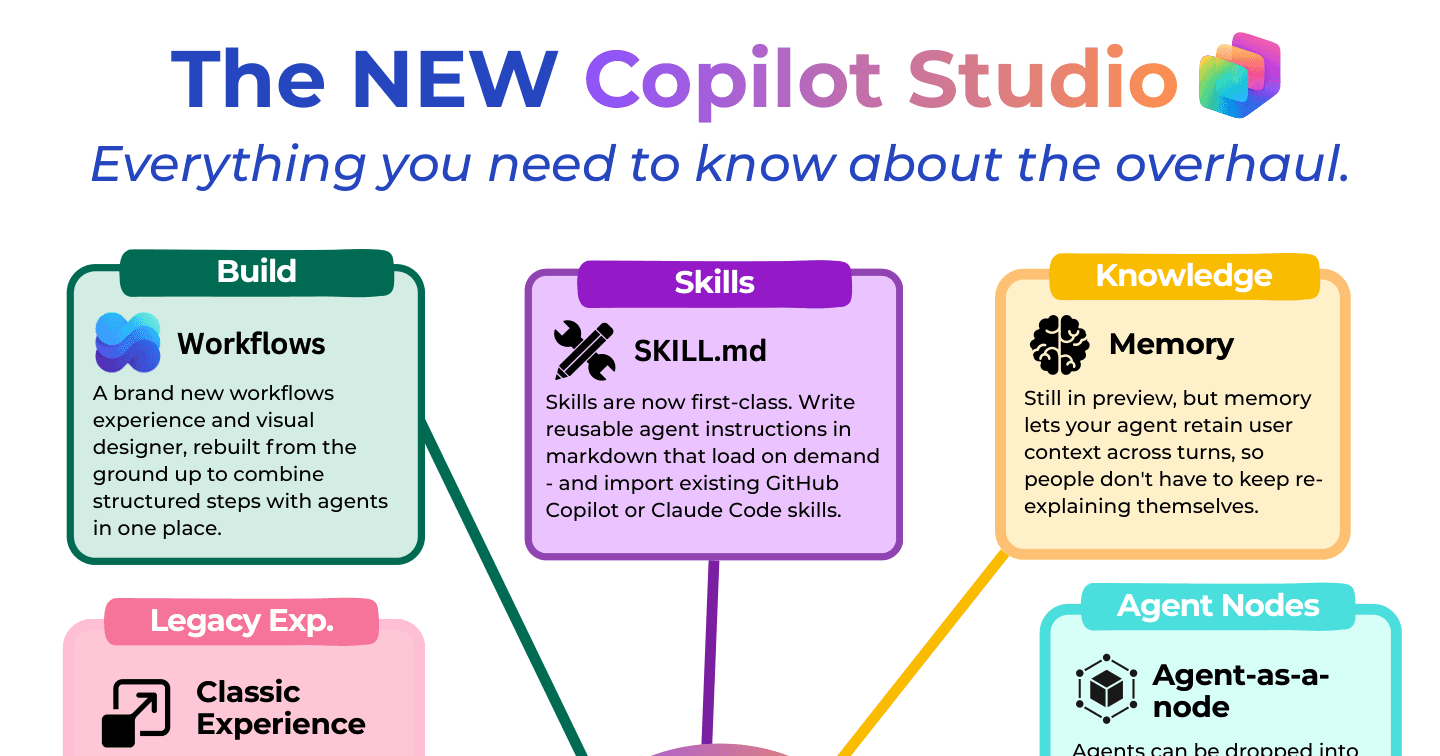
The NEW Copilot Studio: Everything That Changed in the 2026 Overhaul

Howdang Rashid
Saturday, 22 August 2026 · 3 min read
Copilot Studio just had its biggest overhaul since launch - not a facelift, a rethink of how agents get built. The building interface collapsed from nine tabs to four, Skills became first-class citizens, workflows were rebuilt from the ground up, and topics were formally de-emphasised. Here's everything that changed and what it means for your builds.
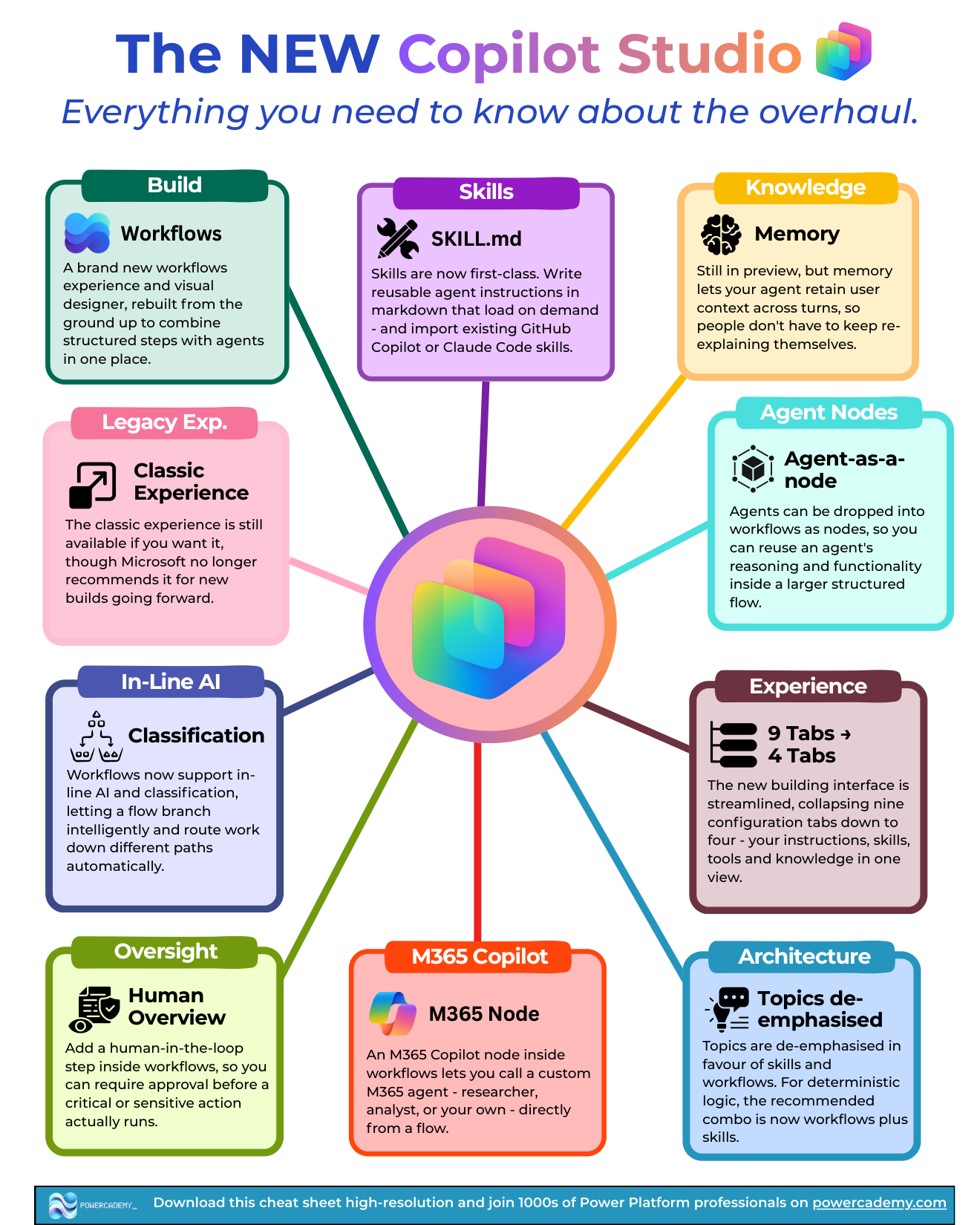
Want the hi-res version? It's free in the Powercademy Success Kit.
What changed in the building experience?
Nine tabs became four. The streamlined interface puts your instructions, skills, tools, and knowledge in one view - the configuration sprawl is gone.
Topics are de-emphasised. For deterministic logic, the recommended combination is now workflows plus skills. The classic experience is still available, but Microsoft no longer recommends it for new builds.
Memory arrived (preview). Agents can retain user context across turns, so people don't keep re-explaining themselves.
What are Skills, and why are they the headline?
Skills are now first-class: reusable agent instructions written in markdown that load on demand instead of bloating every turn. The quiet superpower - you can import existing GitHub Copilot or Claude Code skills directly, because the SKILL.md format is the same. Your team's accumulated know-how from other AI tools transfers straight into your agents.
What's new in Workflows?
A brand-new workflows experience and visual designer, rebuilt from the ground up to combine structured steps with agents in one place. The pieces that matter:
Agent-as-a-node - drop an agent into a workflow to reuse its reasoning inside a larger structured flow.
M365 Copilot node - call a custom M365 agent (Researcher, Analyst, or your own) directly from a flow.
In-line AI and classification - flows branch intelligently and route work down different paths automatically.
Human oversight - approval steps inside workflows, so critical or sensitive actions wait for sign-off before they run.
What should existing makers do?
Nothing breaks - the classic experience still works - but the direction is unambiguous: new builds belong in the new experience. Rebuild one existing agent to learn the four-tab flow, move your repeated behaviours into Skills, and recreate your most-used agent flow in the new Workflows designer. For the deeper architectural story behind this shift, see Copilot Studio classic vs the new harness.
FAQ
Is the classic experience going away?
It's still available if you want it, but Microsoft no longer recommends it for new builds. Treat it as maintenance mode: keep existing agents running, build new ones in the new experience.
What happened to agent flows?
Agent flows are no more as a separate concept - deterministic logic now lives in the new Workflows area, combined with Skills. The new designer is more capable than what it replaces, including agents and AI steps as nodes.
Do my existing topics stop working?
No - existing topics keep running. De-emphasised means the tooling and guidance now point at workflows plus skills for new deterministic logic, not that your current agents break.
Is memory production-ready?
It's in preview - design with it, demo with it, but don't make critical behaviour depend on it yet. Agents should degrade gracefully for users they remember nothing about.
The hi-res version of this cheat sheet is in the Powercademy Success Kit - free, along with hundreds of other cheat sheets, roadmaps, and guides for Microsoft professionals.