The Ultimate Power Platform Cheat Sheet (2026)

Howdang Rashid
Saturday, 22 August 2026 · 3 min read
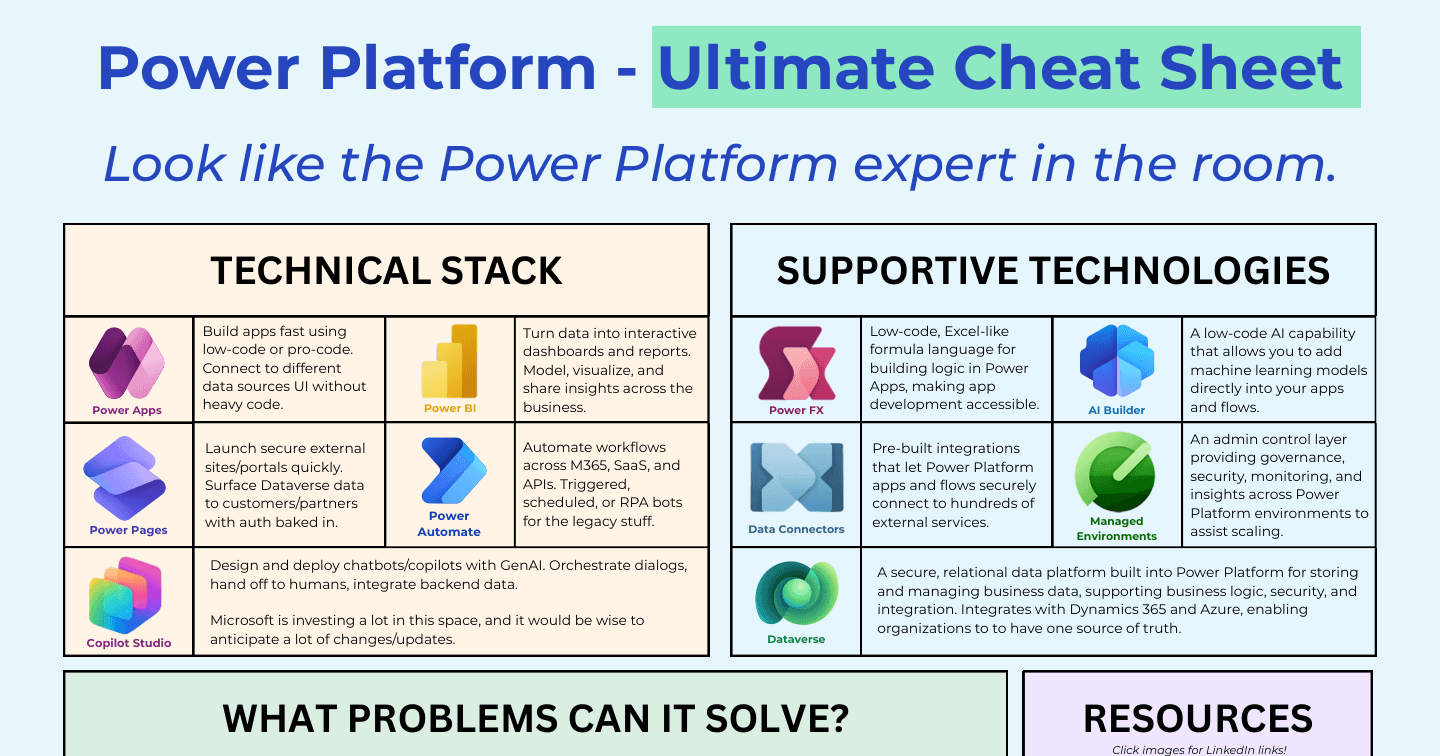
If you want to look like the Power Platform expert in the room, you need the whole map in your head: the five products, the technologies that support them, the problems the platform actually solves, and the governance habits that keep it all from becoming shadow IT. This cheat sheet puts the entire Power Platform on one page.
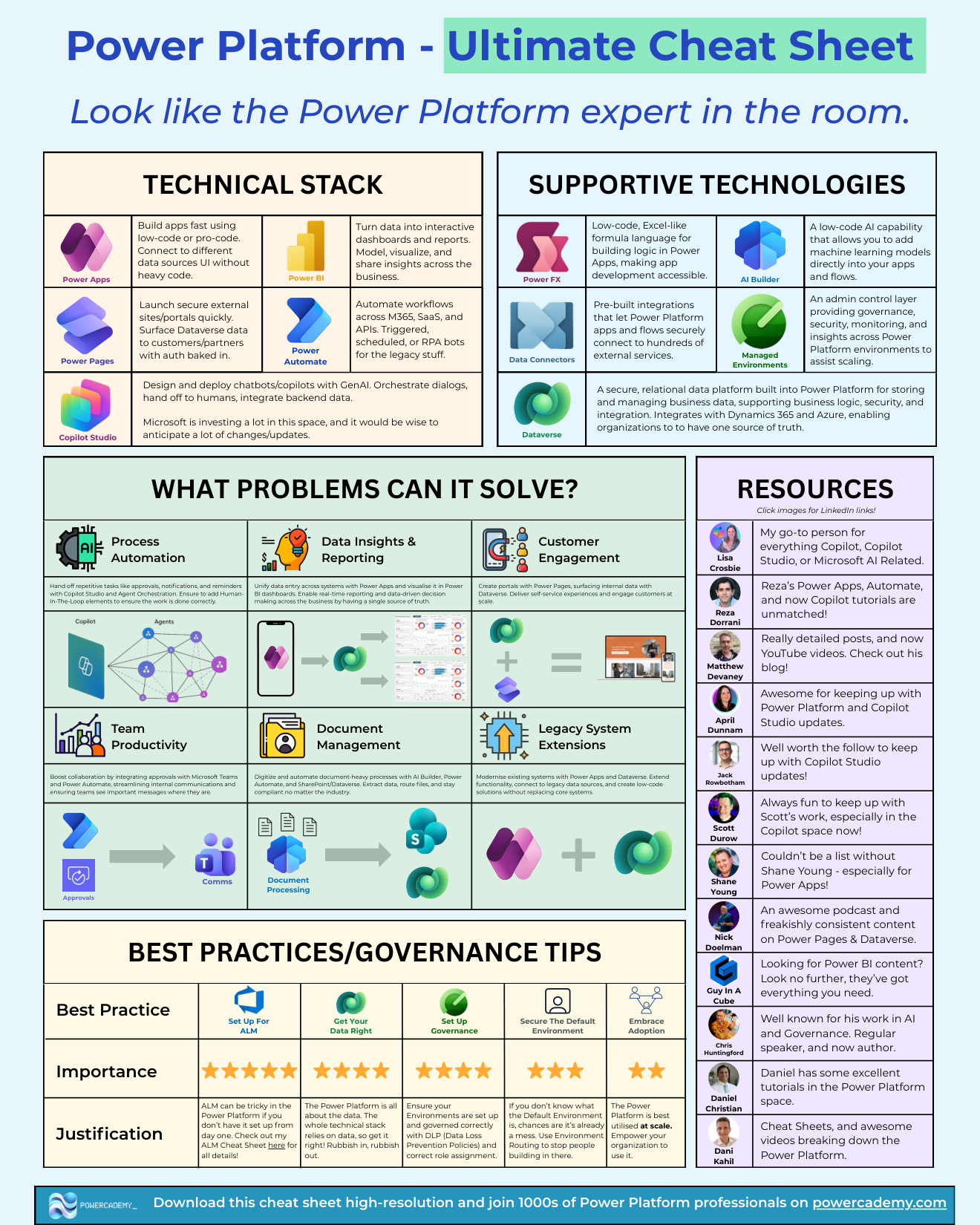
Want the hi-res version? It's free in the Powercademy Success Kit.
What is the Power Platform technical stack?
Five products, each with a distinct job:
Power Apps - Build apps fast using low-code or pro-code, connecting to different data sources without heavy code.
Power Automate - Automate workflows across M365, SaaS, and APIs. Triggered, scheduled, or RPA bots for the legacy stuff.
Power BI - Turn data into interactive dashboards and reports. Model, visualise, and share insights across the business.
Power Pages - Launch secure external sites and portals quickly, surfacing Dataverse data to customers and partners with auth baked in.
Copilot Studio - Design and deploy copilots and agents with generative AI. Orchestrate dialogs, hand off to humans, integrate backend data. Microsoft is investing heavily here, so expect rapid change.
What technologies support the stack?
Dataverse - The secure, relational data platform built into the Power Platform: business data, logic, security, and integration in one source of truth, with native Dynamics 365 and Azure connectivity.
Power Fx - The low-code, Excel-like formula language for building logic in Power Apps, making app development accessible.
Data connectors - Pre-built integrations that let apps and flows securely connect to hundreds of external services.
AI Builder - Low-code AI that adds machine learning models directly into your apps and flows.
Managed Environments - The admin control layer: governance, security, monitoring, and insights across environments to help you scale safely.
What problems can the Power Platform solve?
The classic wins fall into a handful of categories. Process automation: hand off repetitive tasks like approvals, notifications, and reminders, increasingly with Copilot Studio and agent orchestration plus human-in-the-loop checks. Data insights and reporting: unify data entry through Power Apps and visualise it in Power BI for real-time, single-source-of-truth decision making. Customer engagement: Power Pages portals surfacing Dataverse data for self-service at scale. Team productivity: approvals and comms integrated into Teams. Add document management, document processing, and legacy system extensions and you cover the vast majority of real-world Power Platform projects.
FAQ
Is Power BI part of the Power Platform?
Yes - it is one of the five core products, although it is licensed separately and often run by a different team. Its superpower in platform context is visualising the data your apps and flows create.
Do I need Dataverse to use the Power Platform?
No, but the platform is at its best with it. SharePoint and Excel work for small solutions, while Dataverse brings the security model, server-side logic, and ALM story that scalable solutions depend on.
What should I learn first?
Power Apps plus Dataverse, then Power Automate. That trio - the Core 3 - covers the majority of job descriptions and gives every other product a foundation to sit on.
How does Copilot Studio fit alongside the rest?
It is the conversational and agentic layer: agents that answer questions and trigger the flows, apps, and data the rest of the stack provides. It changes fastest of the five, so anticipate frequent updates.
The hi-res version is in the Powercademy Success Kit - free, along with hundreds of other cheat sheets, roadmaps, and guides for Microsoft professionals.