The Power Apps Formula Cheat Sheet: The Functions You Actually Use

Howdang Rashid
Saturday, 22 August 2026 · 2 min read
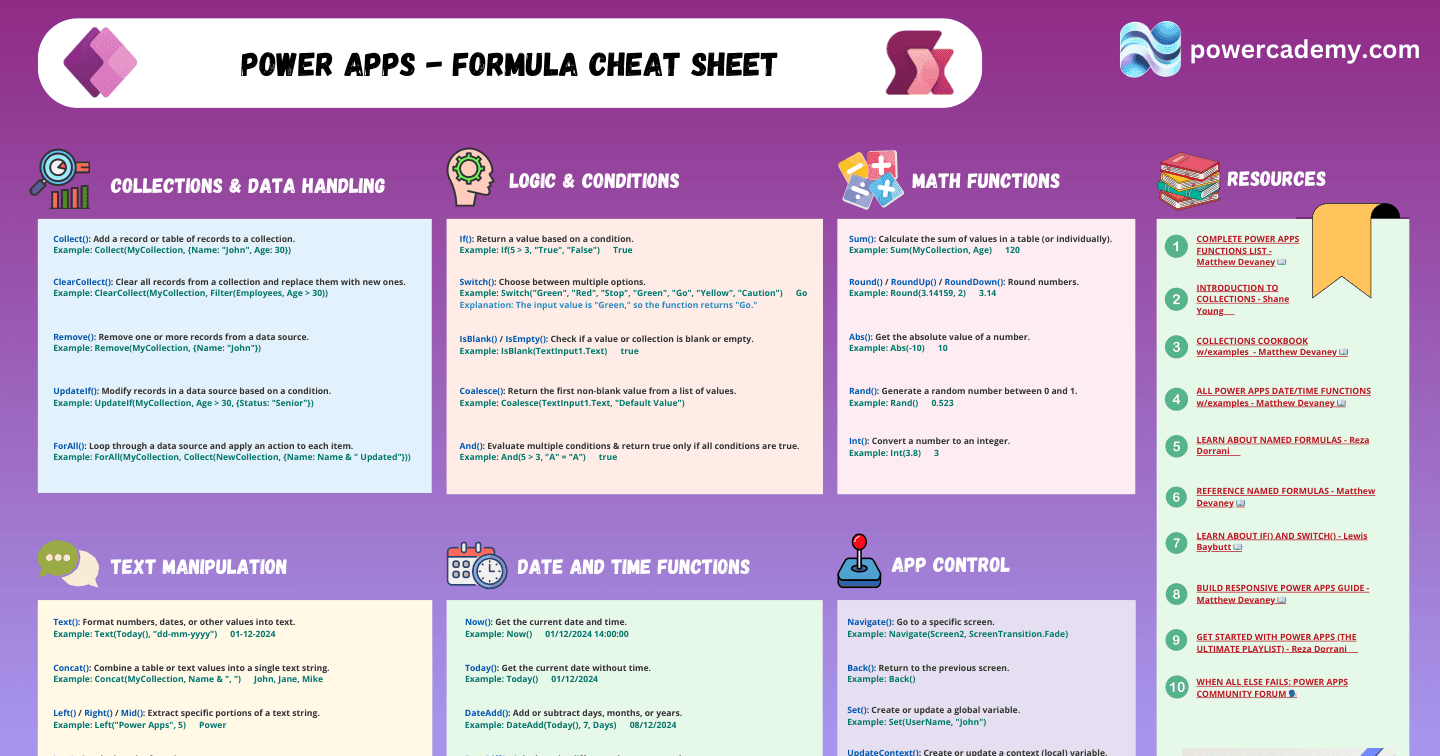
Power Fx has hundreds of functions; canvas app building runs on about thirty of them. This cheat sheet covers the working set - logic, collections, text, maths, navigation, and variables - each with an example you can paste straight into the formula bar.
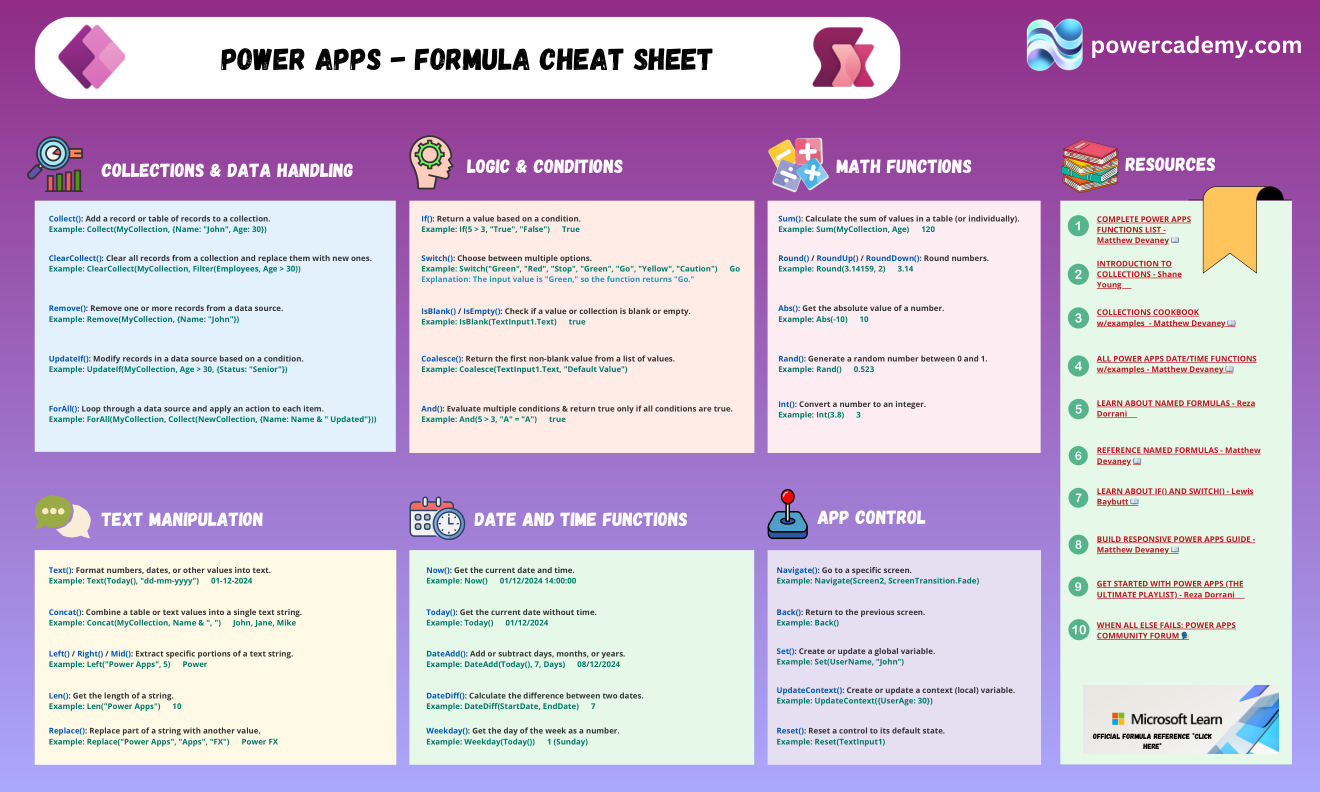
Want the hi-res version to keep by your formula bar? It's free in the Powercademy Success Kit.
Which logic functions come first?
If() returns a value based on a condition; Switch() chooses cleanly between multiple options (Switch("Green", "Red", "Stop", "Green", "Go") → Go); IsBlank() and IsEmpty() check for missing values; and Coalesce() returns the first non-blank value - the neat way to handle defaults.
How do collections and data handling work?
Collect() adds records to a collection; ClearCollect() clears and refills in one step (ClearCollect(MyCollection, Filter(Employees, Age > 30))); Remove() deletes records; UpdateIf() bulk-modifies on a condition; and ForAll() loops through a table applying an action per record. Together they're your local data toolkit.
What handles text and numbers?
Text() formats dates and numbers (Text(Today(), "dd-mm-yyyy")); Concat() joins table values into one string; Left(), Right(), and Mid() slice strings; Len() and Replace() measure and modify them. For numbers: Sum(), Round() and friends, Abs(), Rand(), and Int().
What about navigation and variables?
Navigate(Screen2, ScreenTransition.Fade) moves between screens and Back() returns. For state: Set() creates global variables and UpdateContext() creates screen-local ones. The discipline that keeps apps maintainable: use context variables by default and globals only when state genuinely spans screens.
FAQ
Set() or UpdateContext() - which should I default to?
UpdateContext() (screen-scoped) by default; Set() only for state that genuinely crosses screens, like the signed-in user's role. Fewer globals means fewer mystery bugs.
Why does my Filter() work in the studio but miss data in production?
Delegation: some functions can't be pushed to the data source, so Power Apps processes only the first 500-2000 rows locally. Watch for the blue underline warnings and keep filters delegable for your source.
Is Power Fx the same as Excel formulas?
Deliberately similar - If, Sum, Text all behave like their Excel cousins - with app concepts (screens, controls, collections, data sources) added. Excel skills give you a genuine head start.
Where do I go after these basics?
The performance-and-patterns tier: Patch for writes, With for readability, Concurrent for parallel loads, and delegation-aware filtering - the expressions that make apps fast, not just functional.
The hi-res version of this cheat sheet is in the Powercademy Success Kit - free, along with hundreds of other cheat sheets, roadmaps, and guides for Microsoft professionals.