Custom Pages vs Canvas Apps vs Code Apps: Which Power Apps UI Do You Need?

Howdang Rashid
Saturday, 22 August 2026 · 3 min read
Power Apps gives you three ways to build a custom user experience, and they solve different problems: custom pages bring canvas-style design inside model-driven apps, canvas apps are the standalone blank canvas, and code apps hand the whole UI to professional developers. Pick by where the app lives and how hard the UI requirement is.
Want the hi-res version? It's free in the Powercademy Success Kit.
When do you use custom pages?
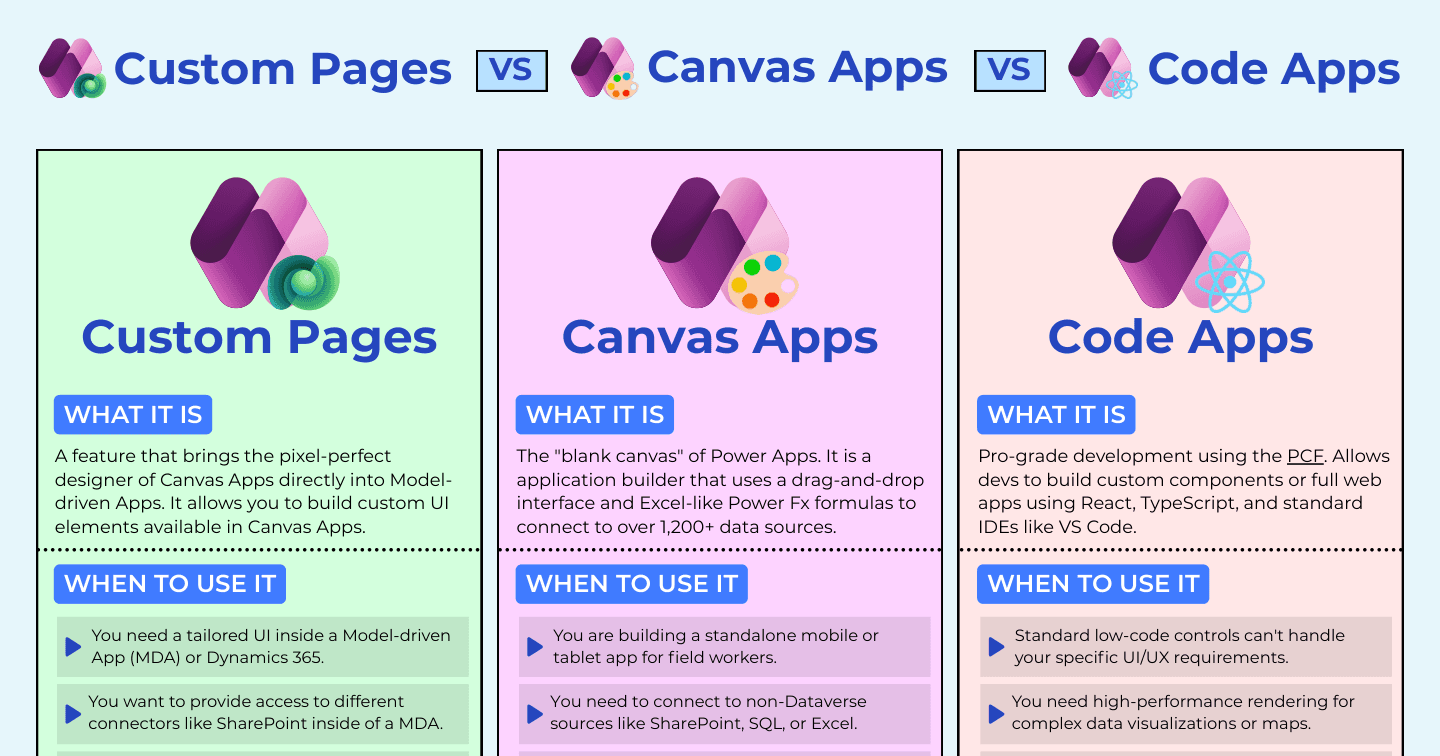
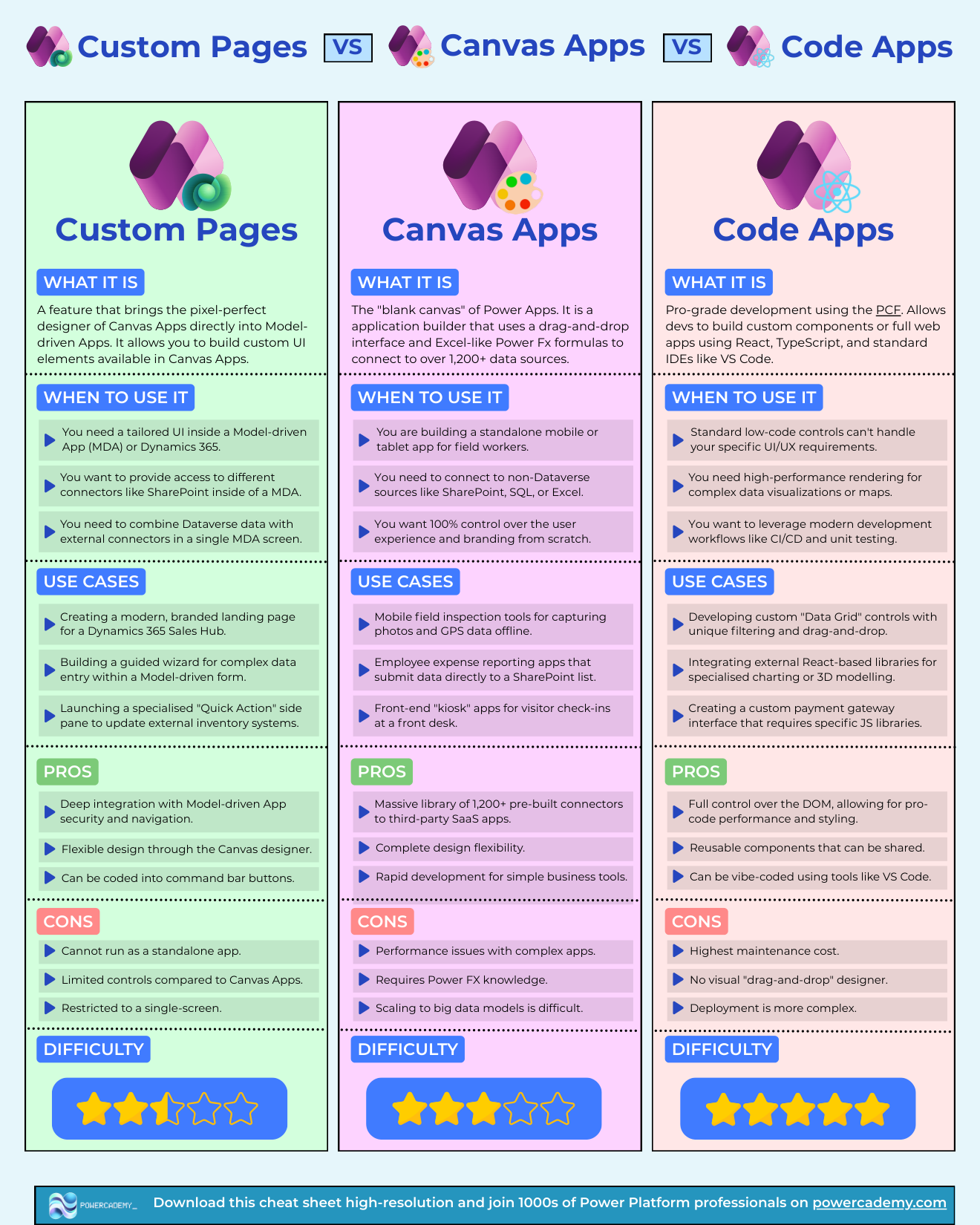
Custom pages bring the pixel-perfect canvas designer directly into model-driven apps and Dynamics 365. Use them when you need tailored UI inside an MDA, when you want connectors like SharePoint on a model-driven screen, or when Dataverse and external data must share one view. Typical wins: a branded landing page for a Sales Hub, a guided wizard for complex data entry, or a quick-action side pane updating external inventory. Their strength is deep integration with MDA security and navigation (and they can hang off command bar buttons); their limits - they can't run standalone, offer fewer controls than full canvas, and are single-screen.
When is it a canvas app?
Canvas is the standalone blank canvas: build a mobile or tablet app for field workers, connect to non-Dataverse sources like SharePoint, SQL, or Excel, and take 100% control of experience and branding. Field inspection tools with photos and GPS, expense apps writing to SharePoint, kiosk check-in apps - all classic canvas. The trade-offs: performance needs care in complex apps, Power Fx knowledge is required, and scaling to big data models gets difficult.
When do you need code apps?
When standard low-code controls can't meet the UI/UX requirement: high-performance rendering for complex visualisations or maps, modern workflows like CI/CD and unit testing, custom data grids with drag-and-drop, React charting libraries, or payment interfaces needing specific JS. You get full DOM control, reusable shareable components, and a workflow that suits AI-assisted coding in VS Code - at the price of the highest maintenance cost, no visual designer, and more complex deployment.
FAQ
Can a custom page become a canvas app later (or vice versa)?
They share the designer and Power Fx, so logic ports with modest effort - but navigation, security context, and screen structure differ. Decide by destination up front; converting is a small rebuild, not a toggle.
Do custom pages need extra licences?
They live inside a model-driven app, so you're already in premium licensing - and the page itself doesn't add licence cost. External connectors on the page follow normal connector licensing.
Are code apps overkill for normal business apps?
Usually, yes - that's the point of the ladder. Code apps exist for the 10% of requirements the low-code designers genuinely can't express. If canvas can do it comfortably, canvas is cheaper to own.
Where do generative pages fit in this comparison?
They're the AI-authored sibling of custom pages: describe the page, get generated React inside your model-driven app. Same placement question as custom pages, different authoring - see the dedicated comparison for the details.
The hi-res version is in the Powercademy Success Kit - free, along with hundreds of other cheat sheets, roadmaps, and guides for Microsoft professionals.