The Power Automate Expressions Reference: Text, Dates, Logic, and Arrays

Howdang Rashid
Saturday, 22 August 2026 · 2 min read
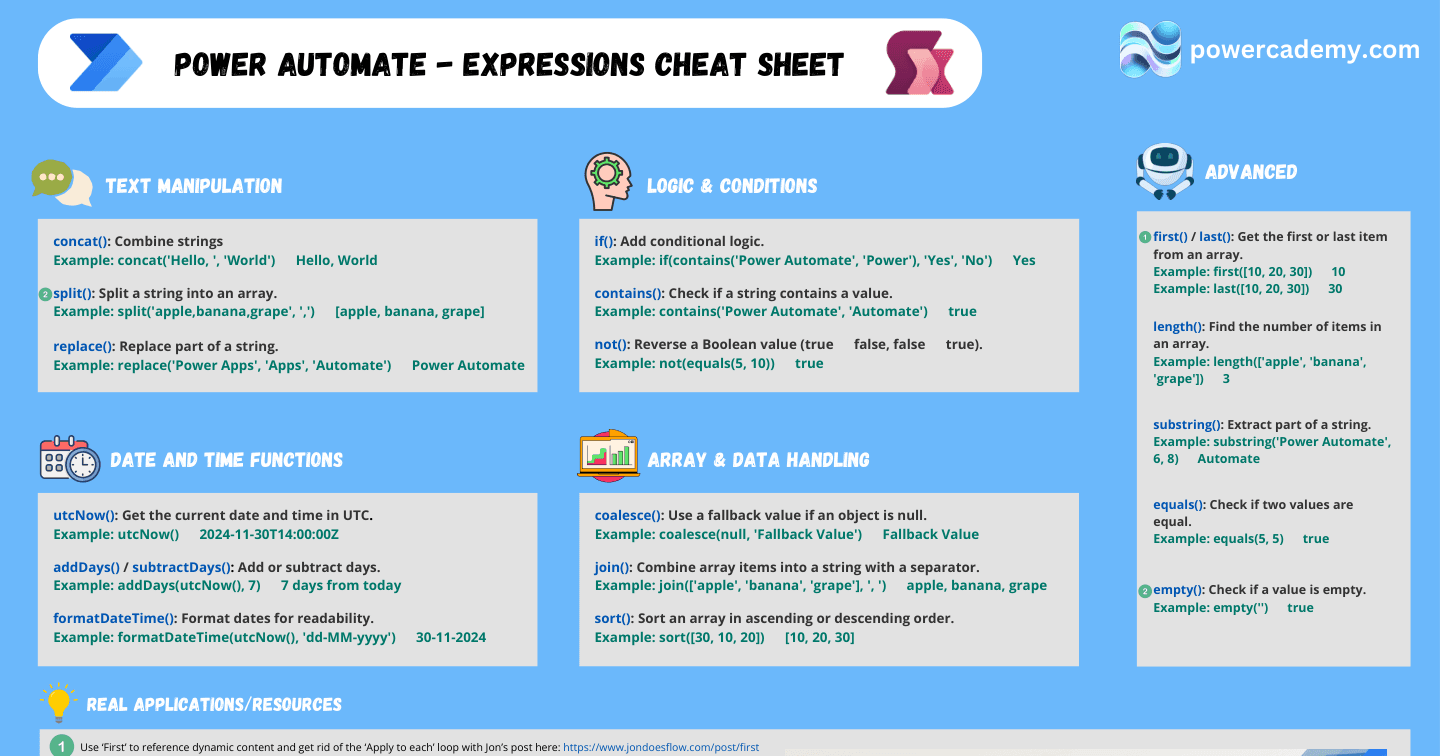
Every flow eventually needs an expression, and the expression language is where makers either level up or give up. This reference covers the functions you'll actually reach for - text, dates, logic, and arrays - each with a worked example ready to paste. (For the strategic "which 20 expressions matter most" take, see the companion post; this one is the desk reference.)
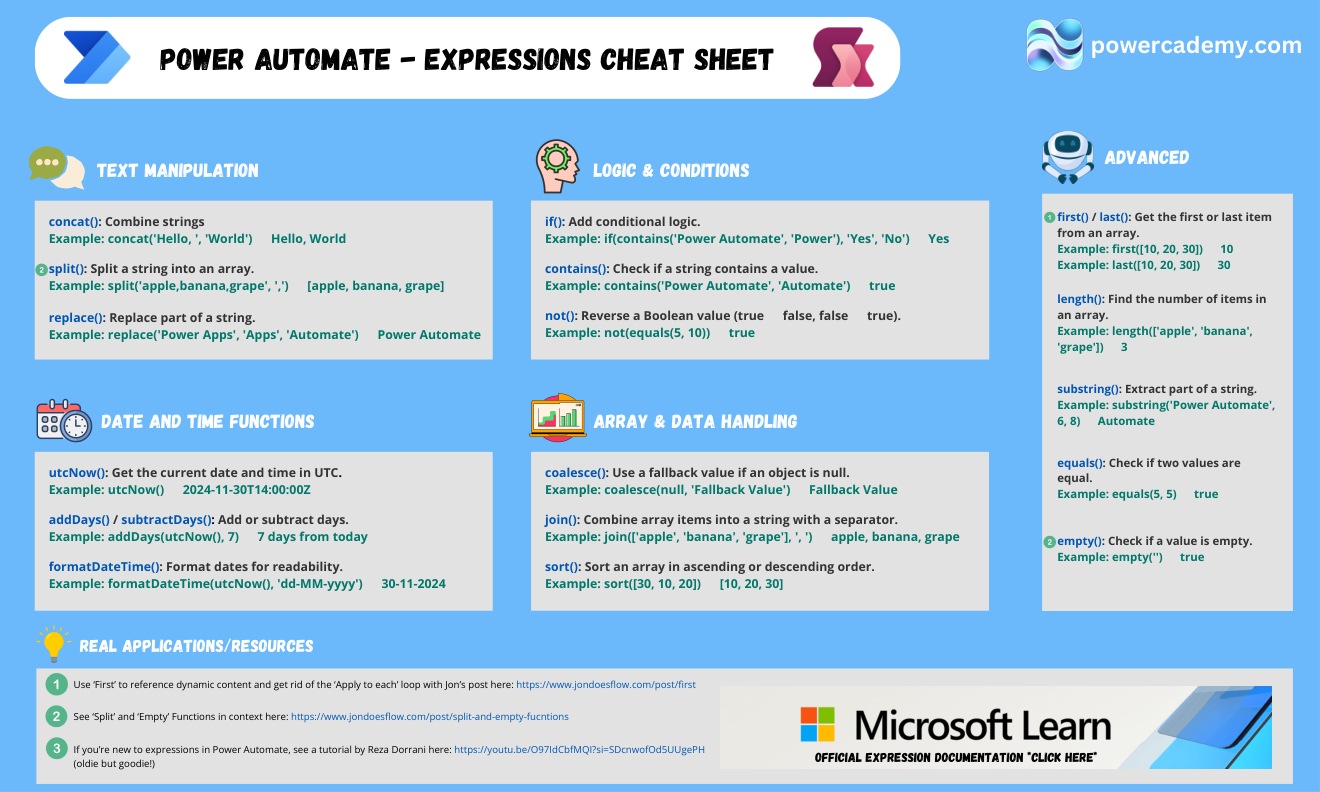
Want the hi-res version by your keyboard? It's free in the Powercademy Success Kit.
How do you manipulate text?
concat('Hello, ', 'World') joins strings; split('apple,banana,grape', ',') turns a string into an array; replace('Power Apps', 'Apps', 'Automate') swaps substrings; and substring('Power Automate', 6, 8) extracts a slice. Between them, most string wrangling is covered.
What about dates and times?
utcNow() gives the current UTC timestamp, addDays(utcNow(), 7) moves it (with subtractDays for the other direction), and formatDateTime(utcNow(), 'dd-MM-yyyy') makes it readable. The trio behind every SLA calculation, due-date reminder, and human-friendly email date in your tenant.
How do logic and null-handling work?
if(contains('Power Automate', 'Power'), 'Yes', 'No') is conditional logic in one line; contains() and equals() are your tests; and coalesce(null, 'Fallback Value') is the null-safety net that stops "cannot read property" run failures - wrap any value that might be empty.
What handles arrays?
join(['apple','banana','grape'], ', ') collapses an array into a string; first() and last() grab the ends; length() counts items. Pair them with split() and you can round-trip between strings and arrays freely - the core of most data-shaping inside flows.
FAQ
Why do my expressions error with "invalid expression"?
Usually quoting: expression-language strings use single quotes, and dynamic content must be referenced via outputs()/triggerOutputs() paths, not pasted display names. Build in Compose to isolate the syntax.
Are these the same as Power Apps (Power Fx) functions?
No - flows use Workflow Definition Language (concat, utcNow), Power Fx is Excel-style (Concatenate, Now). Concepts transfer, syntax doesn't - which is why "same idea, different syntax" trips up so many makers.
How do I handle time zones with utcNow()?
Convert at the edges: store and compute in UTC, and use convertTimeZone() only when displaying to humans. Mixing zones mid-calculation is the classic off-by-hours bug.
When should logic live in expressions versus Condition actions?
Conditions for branching the flow (visible, debuggable); expressions for computing values inside actions. If an if() is deciding which actions run, it probably wants to be a Condition.
The hi-res version is in the Powercademy Success Kit - free, along with hundreds of other cheat sheets, roadmaps, and guides for Microsoft professionals.