20 Power Apps Expressions That Make Better Apps in Less Time

Howdang Rashid
Saturday, 22 August 2026 · 2 min read
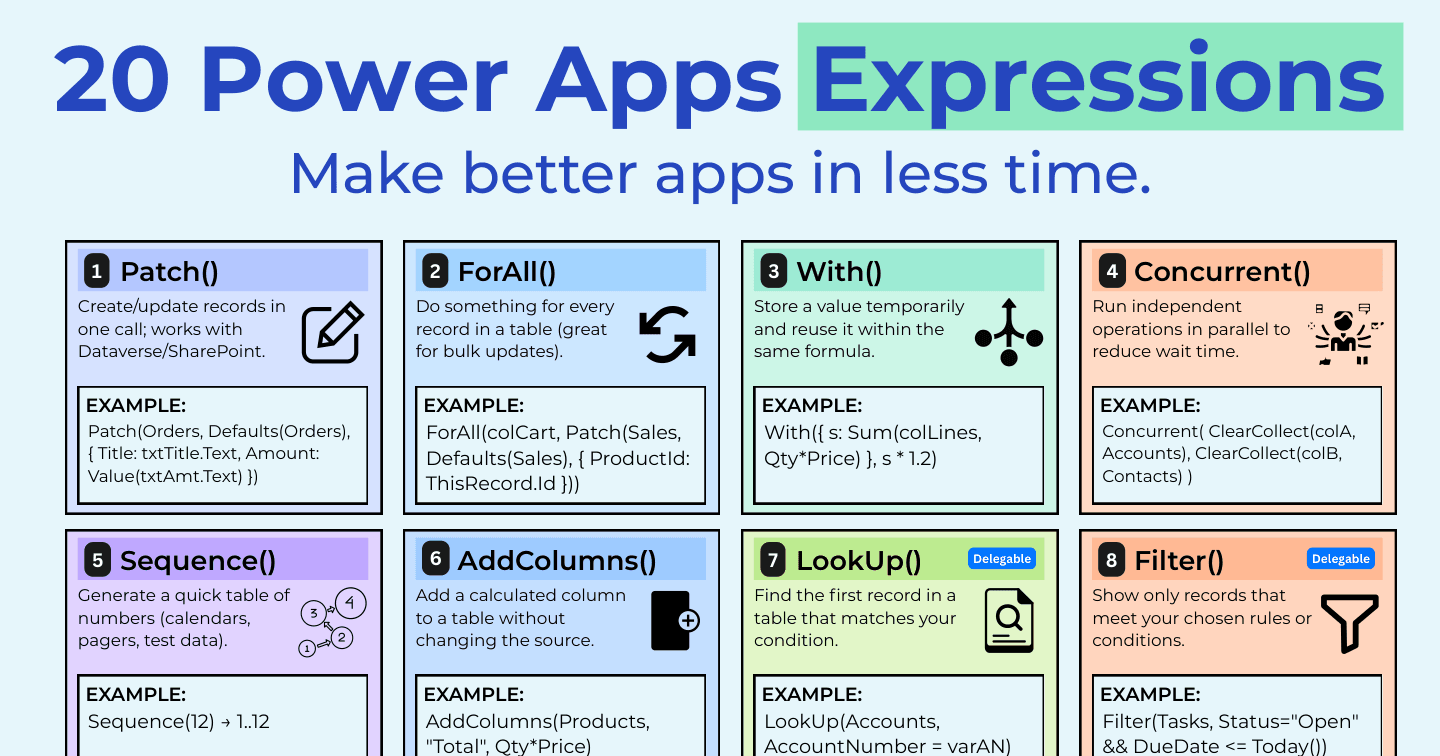
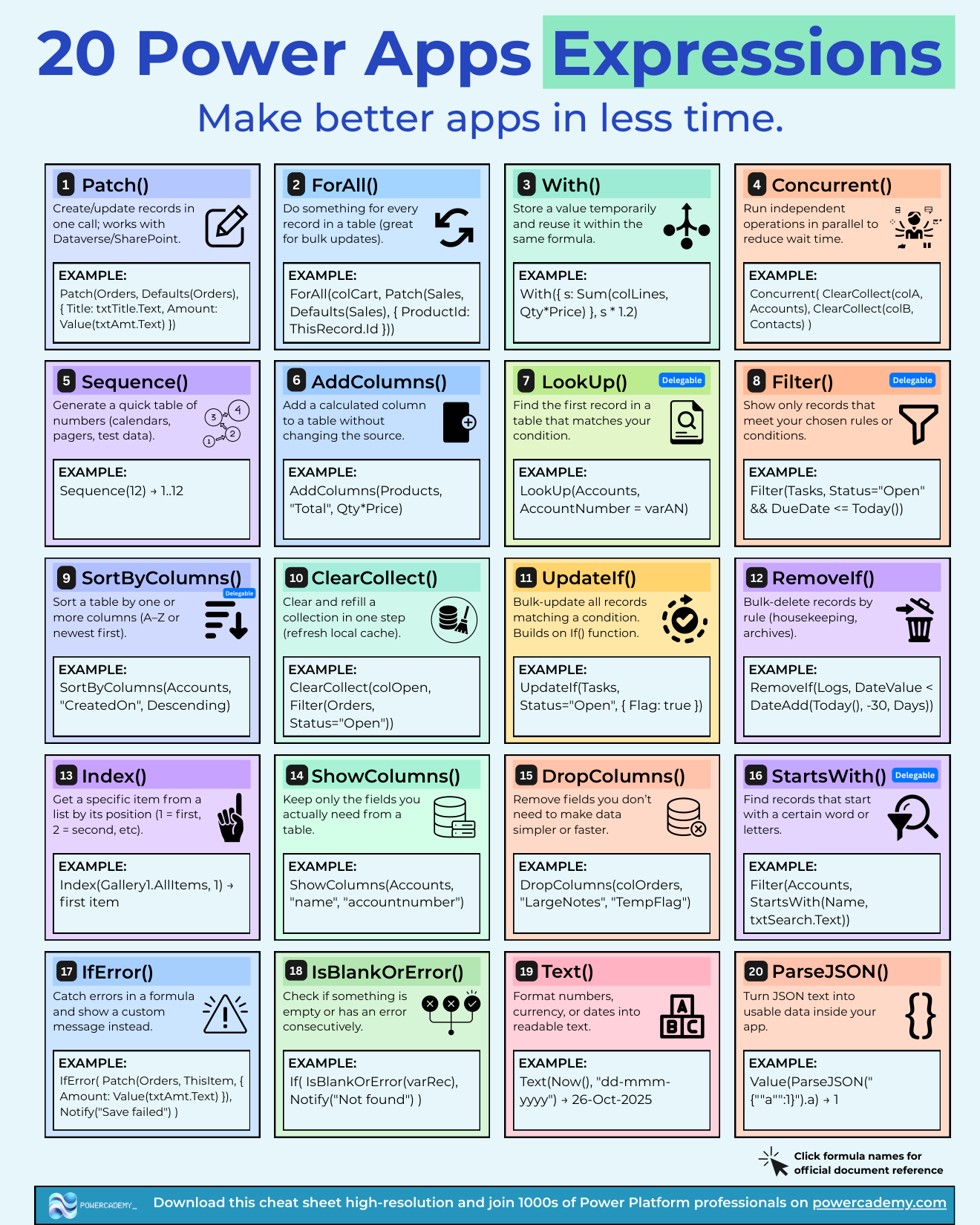
Beyond the basics, twenty Power Fx expressions do most of the heavy lifting in production canvas apps - writing data efficiently, shaping tables, running work in parallel, and failing gracefully. Each one below includes a working example from the cheat sheet.
Want the hi-res version? It's free in the Powercademy Success Kit.
Which expressions write data properly?
Patch() creates or updates records in one call against Dataverse or SharePoint - the professional alternative to relying on forms. ForAll() applies an action per record for bulk operations (ForAll(colCart, Patch(Sales, Defaults(Sales), {ProductId: ThisRecord.Id}))), while UpdateIf() and RemoveIf() bulk-update and bulk-delete by rule - perfect for housekeeping like clearing logs older than 30 days.
Which make apps faster?
Concurrent() runs independent operations in parallel - loading two collections at once instead of one after the other. With() stores a value temporarily inside a formula so you compute once and reuse (With({s: Sum(colLines, Qty*Price)}, s * 1.2)). ShowColumns() and DropColumns() trim tables to only the fields you need, and ClearCollect() refreshes a local cache in one step.
Which shape and query data?
Filter() and LookUp() are the query pair - rules over a table versus first match. SortByColumns() orders results; StartsWith() powers delegation-friendly search boxes; AddColumns() adds calculated columns without touching the source; Sequence() generates number tables for calendars and pagers; and Index() grabs an item by position.
Which keep apps reliable?
IfError() catches formula failures and shows a custom message instead of a broken screen - wrap your Patches. Combined with the write and performance families above, these twenty cover the distance between an app that demos well and an app that survives real users.
FAQ
When should I use Patch instead of a form?
Forms are fine for simple single-record editing. Patch wins for custom layouts, multi-record writes, partial updates, and anywhere you need control over exactly what's written and when.
Is ForAll with Patch slow for big batches?
It sends one call per record, so hundreds of rows get sluggish. Batch what you can, keep bulk work server-side (flows or dataverse logic) when volumes grow, and remember the real bulk jobs belong in ETL, not a canvas app.
Why StartsWith instead of the in operator for search?
Delegation: StartsWith pushes to the data source on most connectors, so it searches all records; "in" often processes locally and silently misses rows past the delegation limit.
How do these differ from the formula cheat sheet basics?
The basics make an app work; these twenty make it fast, scalable, and robust. Learn the basics first, then adopt these as your apps meet real data volumes and real users.
The hi-res version of this cheat sheet is in the Powercademy Success Kit - free, along with hundreds of other cheat sheets, roadmaps, and guides for Microsoft professionals.