Model-Driven Apps: The Ultimate Cheat Sheet

Howdang Rashid
Saturday, 22 August 2026 · 2 min read
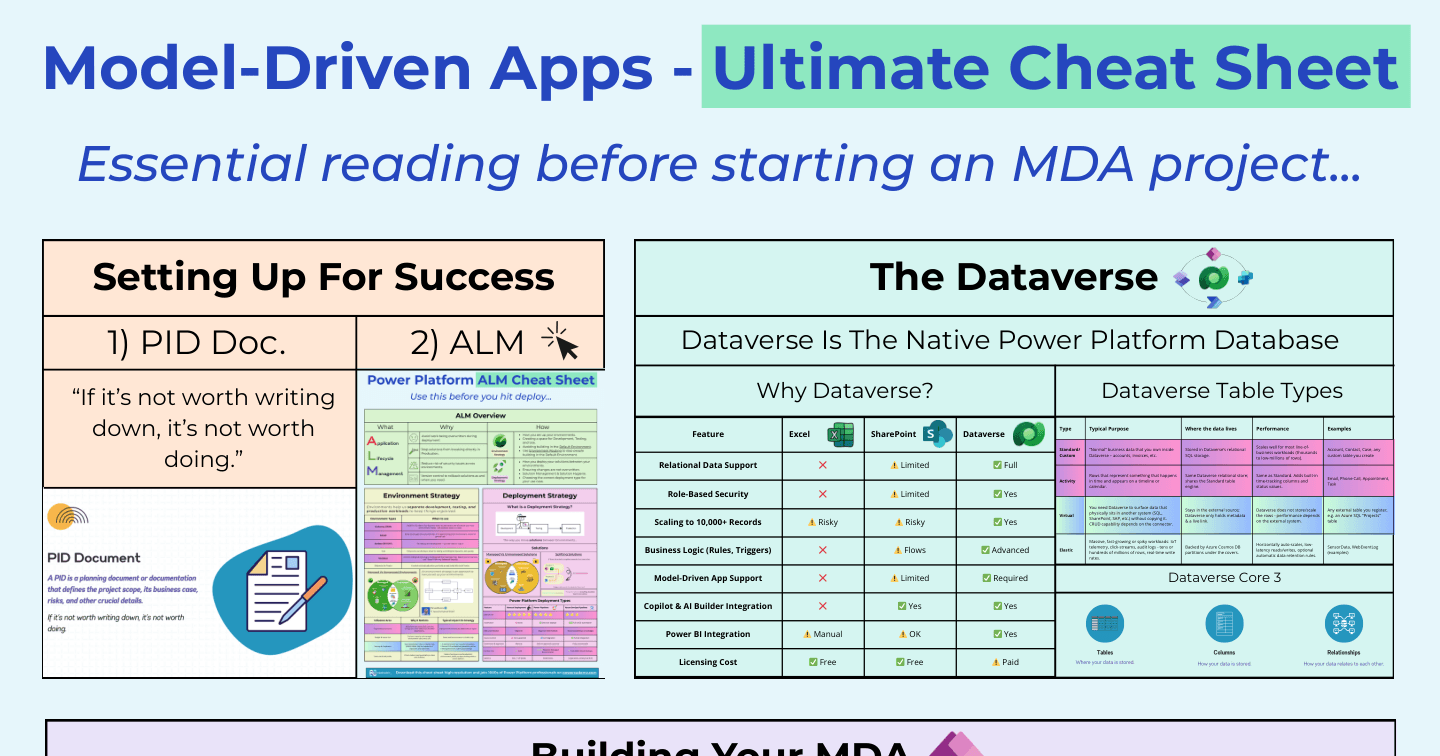
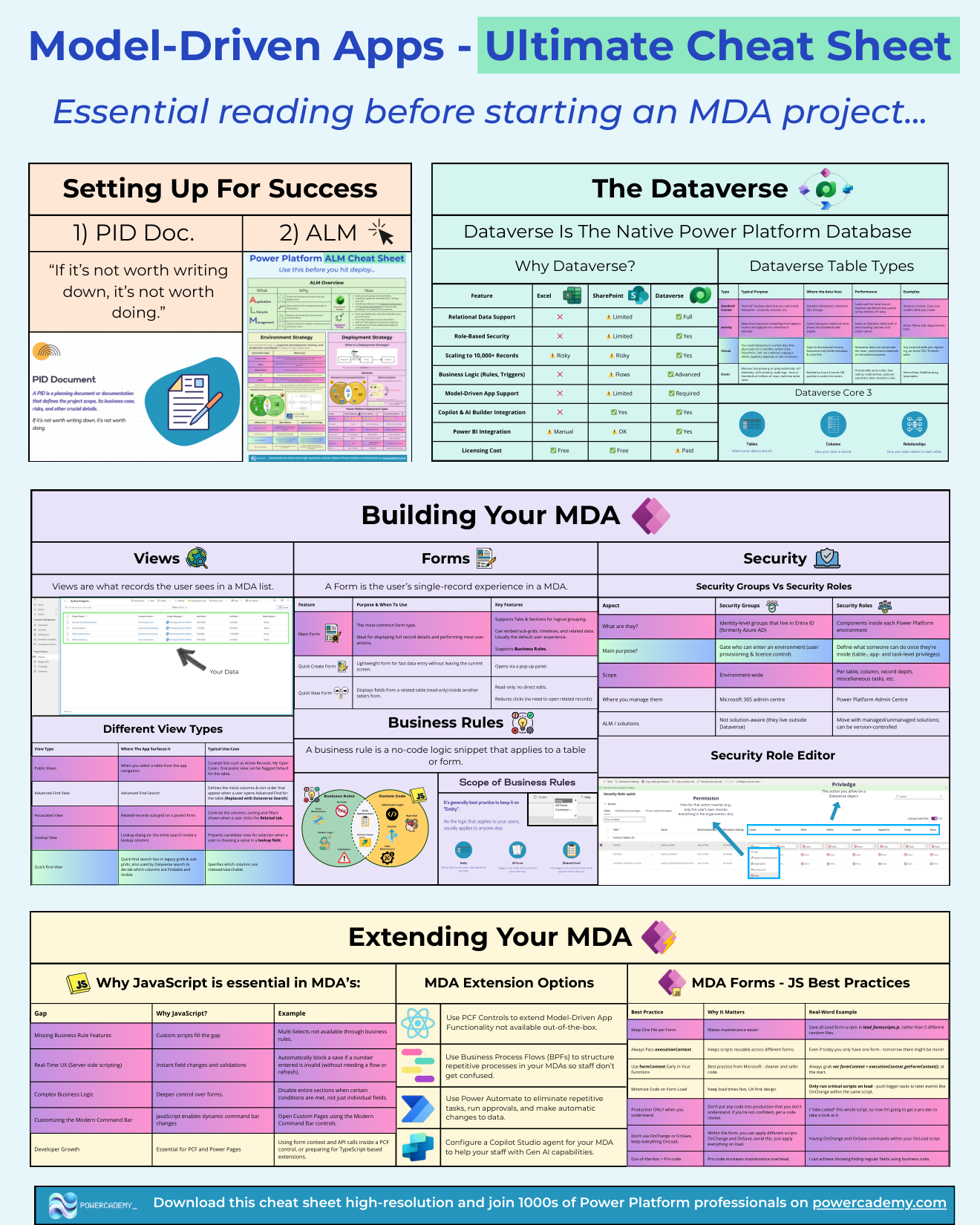
Model-driven apps are the enterprise workhorse of Power Apps - data-first, security-first, and generated from your Dataverse schema. This cheat sheet covers the whole discipline on one page: why the data foundation matters, the table types that structure it, and how you build and extend on top.
Want the hi-res version? It's free in the Powercademy Success Kit.
Why does Dataverse come first?
Because model-driven apps require it - and the comparison shows why that's a feature. Against Excel and SharePoint, Dataverse is the only option with full relational support, real role-based security, safe scaling past 10,000 records, advanced business logic, and first-class Copilot, AI Builder, and Power BI integration. The one column where Excel and SharePoint win is licensing cost - which is exactly the trade you're making.
What are the four table types?
Standard/custom tables hold your normal business data - accounts, invoices, any custom table - in Dataverse's relational SQL storage, scaling comfortably from thousands to low-millions of rows.
Activity tables represent things that happen in time - emails, phone calls, appointments, tasks - with built-in time-tracking columns and timeline/calendar behaviour.
Virtual tables surface data that physically lives elsewhere (SQL, SharePoint, SAP) without copying it - Dataverse holds only metadata and a live link, with CRUD capability and performance depending on the connector.
Elastic tables handle massive, high-velocity workloads on Cosmos-backed storage when relational guarantees matter less than scale.
How do you build and extend?
Building an MDA is configuration: forms, views, the sitemap, business rules, and dashboards generated from your schema. Extending is the ladder from the design-secrets world: custom pages for tailored screens, PCF controls for unique form needs, JavaScript web resources for form logic, and now generative pages for React-grade UI - each step adding power and ownership cost in equal measure.
FAQ
When should I use a virtual table instead of importing data?
When the source system stays authoritative and you need Dataverse to see, not own, the data - live reference data, external masters, systems mid-migration. Import when Dataverse becomes the system of record.
Do activity tables cost anything extra?
No - they're a built-in table class. The win is free timeline behaviour and consistent time semantics; the caution is email volume, which can quietly dominate your storage.
Can an MDA use SharePoint data?
Not as its core tables - MDAs run on Dataverse. But SharePoint documents integrate natively against Dataverse records, and custom pages can reach SharePoint data for specific screens.
What's the fastest path to a first MDA?
Model three related tables properly, create the app, and let the platform generate everything - you'll have a working, secured, searchable app in an afternoon. Then improve it with the design secrets.
The hi-res version is in the Powercademy Success Kit - free, along with hundreds of other cheat sheets, roadmaps, and guides for Microsoft professionals.