Power Automate vs Copilot Studio: Structured or Unstructured Logic?

Howdang Rashid
Saturday, 22 August 2026 · 2 min read
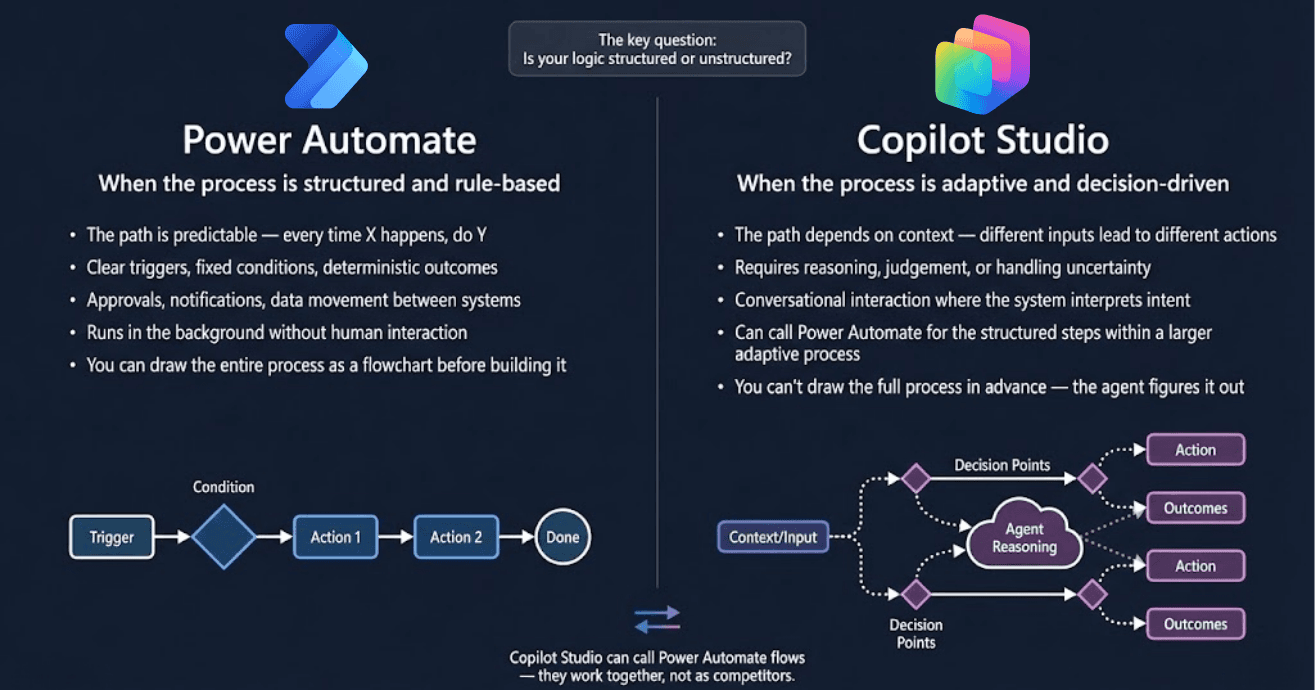
The whole Power-Automate-or-Copilot-Studio debate collapses into one question: is your logic structured or unstructured? If you can draw the entire process as a flowchart before building it, it's a flow. If the agent has to figure out the path at runtime, it's Copilot Studio. Everything else is detail.
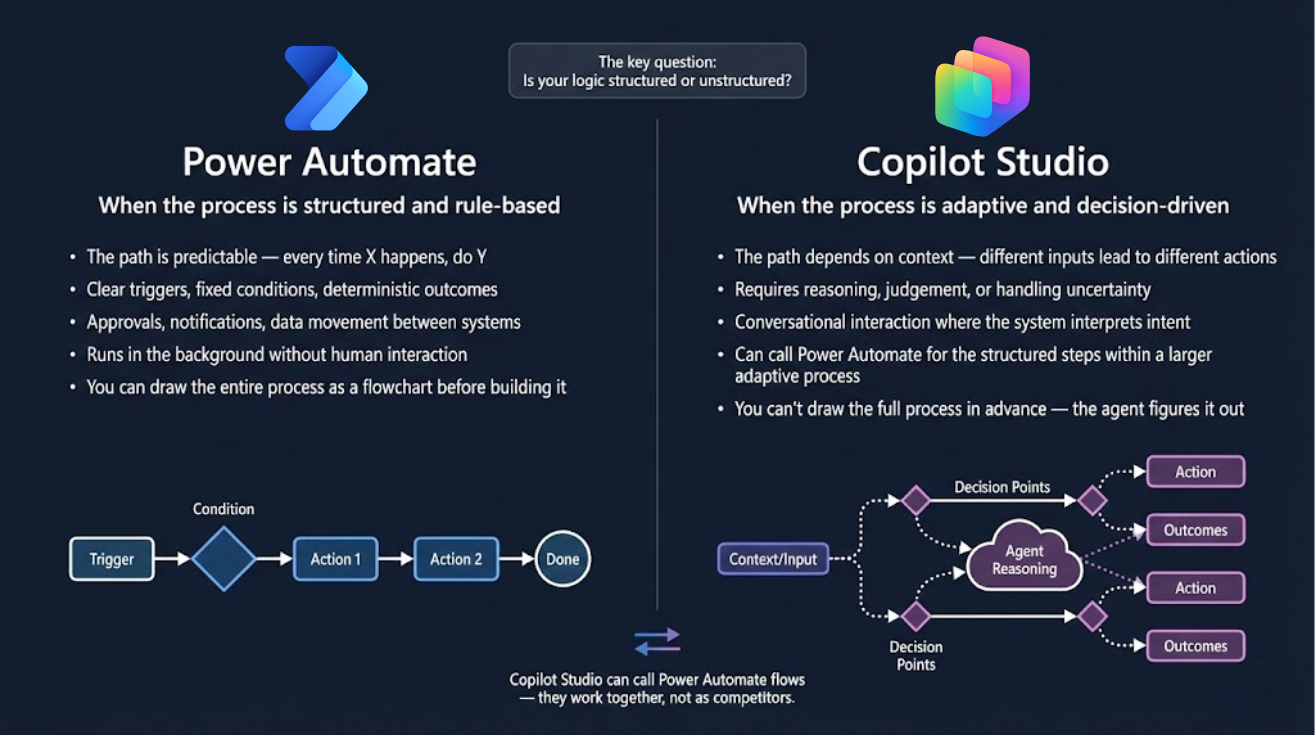
Want the hi-res version? It's free in the Powercademy Success Kit.
When is it Power Automate?
When the process is structured and rule-based: the path is predictable (every time X happens, do Y), triggers are clear, conditions are fixed, and outcomes are deterministic. Approvals, notifications, and data movement between systems - running in the background without human interaction. The test: you can draw the entire process as a flowchart before building it. Trigger → condition → actions → done.
When is it Copilot Studio?
When the process is adaptive and decision-driven: the path depends on context, different inputs lead to different actions, and the work requires reasoning, judgement, or handling uncertainty. Conversational interaction where the system interprets intent is the classic tell. The test is the inverse: you can't draw the full process in advance - the agent figures it out, weighing decision points against context as it goes.
What about processes that are both?
That's the important footnote on the diagram: Copilot Studio can call Power Automate flows - they work together, not as competitors. The mature architecture puts the agent at the adaptive edges (understanding the request, deciding the route) and flows in the structured middle (the deterministic steps that must run identically every time). Reasoning where reasoning is needed; rules where rules suffice.
FAQ
Is Copilot Studio replacing Power Automate?
No - they own different logic shapes, and Copilot Studio agents call flows for their structured steps. If anything, agents are creating more demand for well-built flows, not less.
What about a flow with one "judgement" step?
Keep it a flow and add an AI action for that step (classification, extraction, drafting). The whole process only becomes agent-shaped when the PATH itself - not just one step's output - depends on reasoning.
Which is cheaper to run?
Flows, significantly, for equivalent volume - deterministic execution versus metered reasoning. That's exactly why the structured middle of an agent solution should still be flows.
Which should I learn first?
Power Automate - structured thinking is the foundation, and every agent you later build in Copilot Studio will lean on flows you know how to make robust.
The hi-res version is in the Powercademy Success Kit - free, along with hundreds of other cheat sheets, roadmaps, and guides for Microsoft professionals.