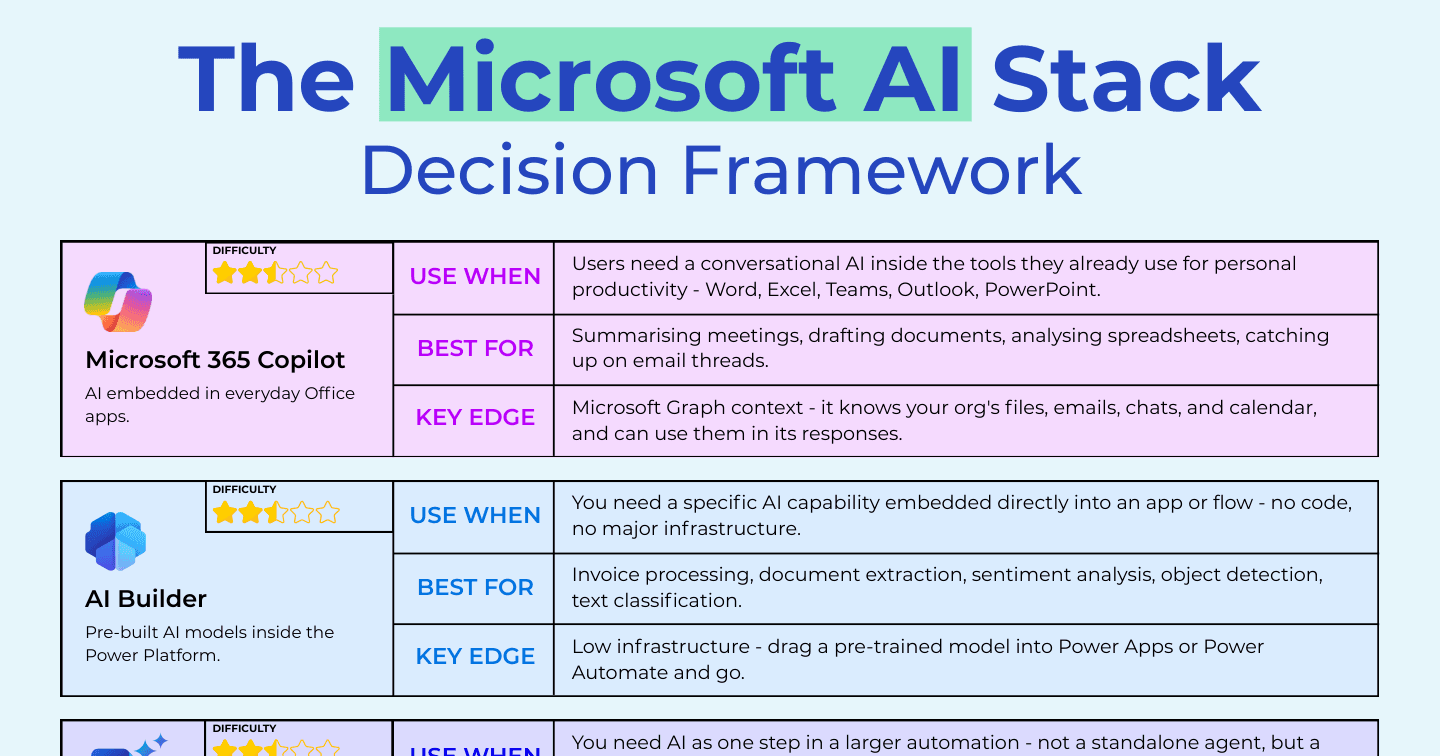
The Microsoft AI Stack Decision Framework: 5 Tools, One Question Each

Howdang Rashid
Saturday, 22 August 2026 · 3 min read
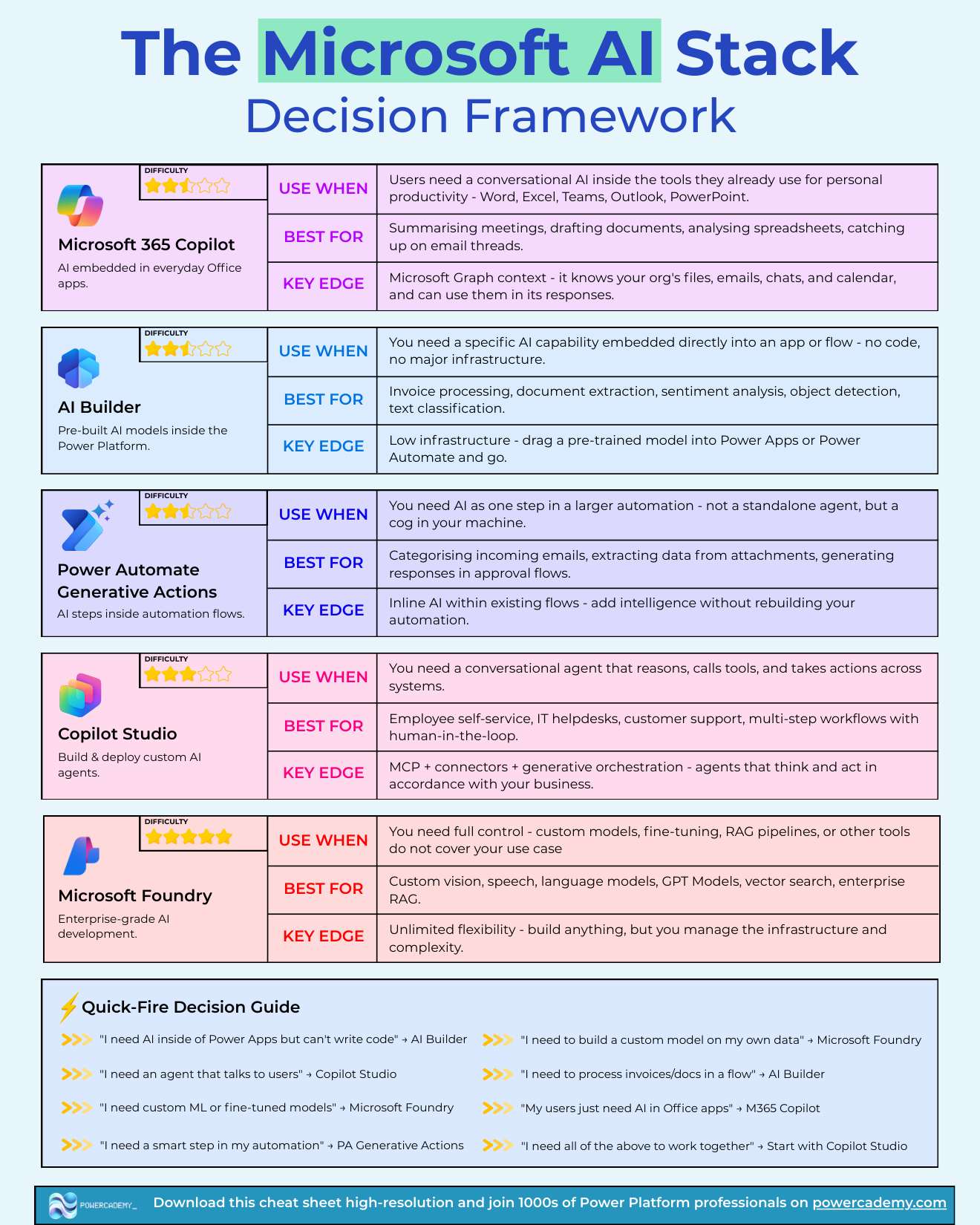
The Microsoft AI stack has five main tools, and each answers a different "use when". M365 Copilot embeds AI in everyday Office apps, AI Builder drops prebuilt models into the Power Platform, Power Automate generative actions add AI steps inside flows, Copilot Studio builds and deploys custom agents, and Microsoft Foundry is enterprise-grade AI development. Here's the framework, ending with the quick-fire guide that picks the tool in one sentence.
Want the hi-res version? It's free in the Powercademy Success Kit.
When do you use each tool?
M365 Copilot - when users need conversational AI inside the tools they already use for personal productivity. Best for summarising meetings, drafting documents, analysing spreadsheets, catching up on email. Its key edge is Microsoft Graph context: it knows your organisation's files, emails, chats, and calendar.
AI Builder - when you need a specific AI capability embedded directly into an app or flow with no code and no infrastructure. Best for invoice processing, document extraction, sentiment analysis, object detection, and classification. Key edge: drag a pre-trained model into Power Apps or Power Automate and go.
Power Automate generative actions - when you need AI as one step in a larger automation: a cog in your machine, not a standalone agent. Best for categorising incoming email, extracting data from attachments, generating responses in approval flows. Key edge: inline AI without rebuilding your automation.
Copilot Studio - when you need a conversational agent that reasons, calls tools, and takes actions across systems. Best for employee self-service, IT helpdesks, customer support, and multi-step workflows with a human in the loop. Key edge: MCP, connectors, and generative orchestration - agents that think and act in line with your business.
Microsoft Foundry - when you need full control: custom models, fine-tuning, RAG pipelines, or use cases nothing else covers. Best for custom vision, speech, and language models, GPT models, vector search, and enterprise RAG. Key edge: unlimited flexibility - build anything, but you own the infrastructure and complexity.
What's the quick-fire decision guide?
"I need an agent that talks to users" → Copilot Studio
"I need custom ML or fine-tuned models" → Microsoft Foundry
"I need a smart step in my automation" → Power Automate generative actions
"I need to process invoices or documents in a flow" → AI Builder
"My users just need AI in Office apps" → M365 Copilot
"I need AI inside Power Apps but can't write code" → AI Builder
"I need to build a custom model on my own data" → Microsoft Foundry
"I need all of the above to work together" → start with Copilot Studio
Why start with Copilot Studio when everything needs to work together?
Because it's the orchestration point of the stack: agents built there can call AI Builder models through flows, invoke generative actions, surface inside M365 Copilot, and reach custom Foundry models behind the scenes. Starting at the orchestration layer keeps every other tool pluggable instead of locking the architecture to whichever tool you happened to pick first.
FAQ
How is this different from the AI decision matrix?
The matrix compares tools by capability and difficulty; this framework works forward from your situation ("use when...") to a tool. Use the framework to shortlist, the matrix to sanity-check ownership and skills.
Where do generative actions end and Copilot Studio begin?
Shape of the interaction: if AI is a step inside a flow with no conversation, that's generative actions; the moment a user needs to talk to it, or it needs to reason across multiple tools, you've crossed into Copilot Studio territory.
Can I skip the low-code tools and build everything in Foundry?
You can, but you'll rebuild what the platform gives free - Office surfaces, governed connectors, maker maintainability - and own all the infrastructure. Foundry earns its complexity when requirements genuinely exceed the low-code tools, not before.
Does the framework change with new Microsoft AI releases?
The tools evolve fast but the layers are stable: use-in-Office, embed-in-apps, step-in-flows, conversational agents, custom engineering. Map any new product to its layer and the framework keeps working.
The hi-res version of this framework is in the Powercademy Success Kit - free, along with hundreds of other cheat sheets, roadmaps, and guides for Microsoft professionals.