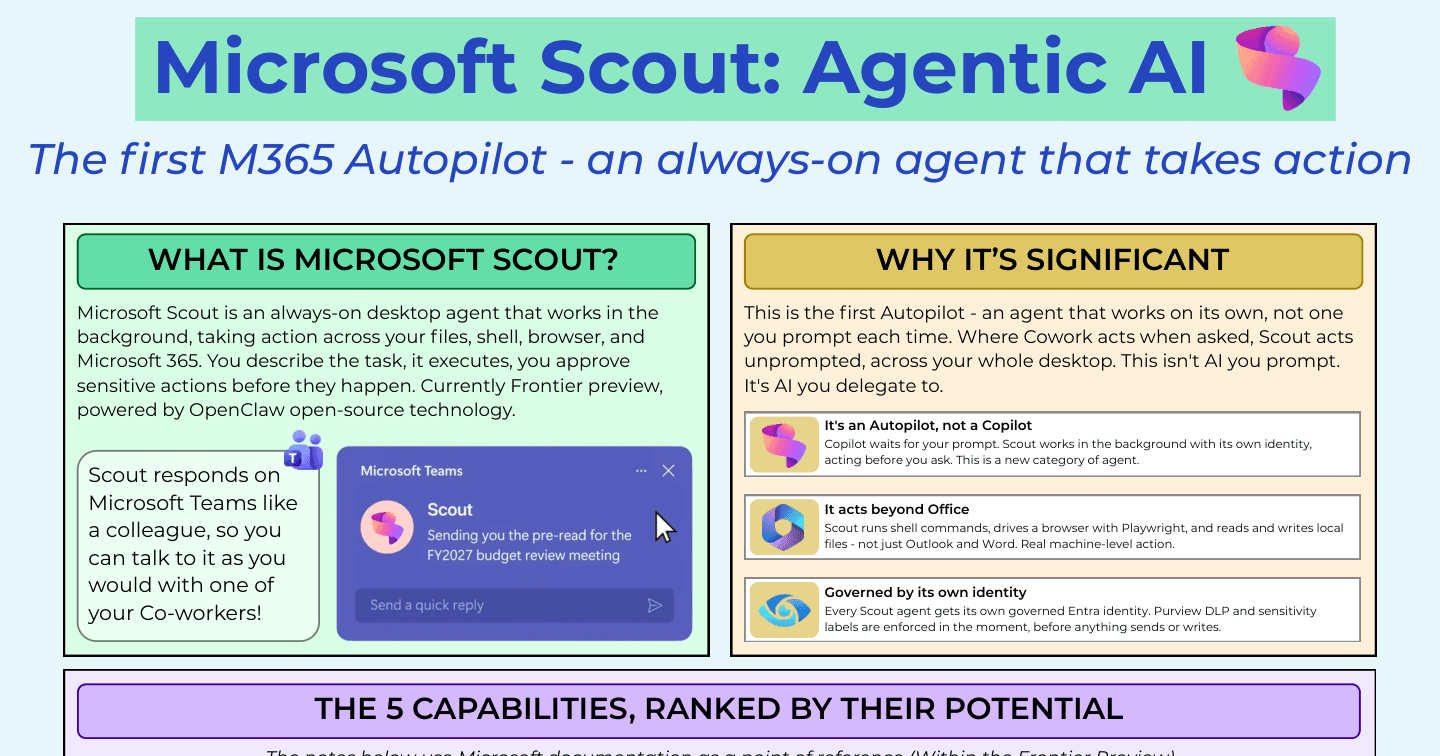
Microsoft Scout: The Ultimate Cheat Sheet for M365's First Autopilot

Howdang Rashid
Saturday, 22 August 2026 · 3 min read
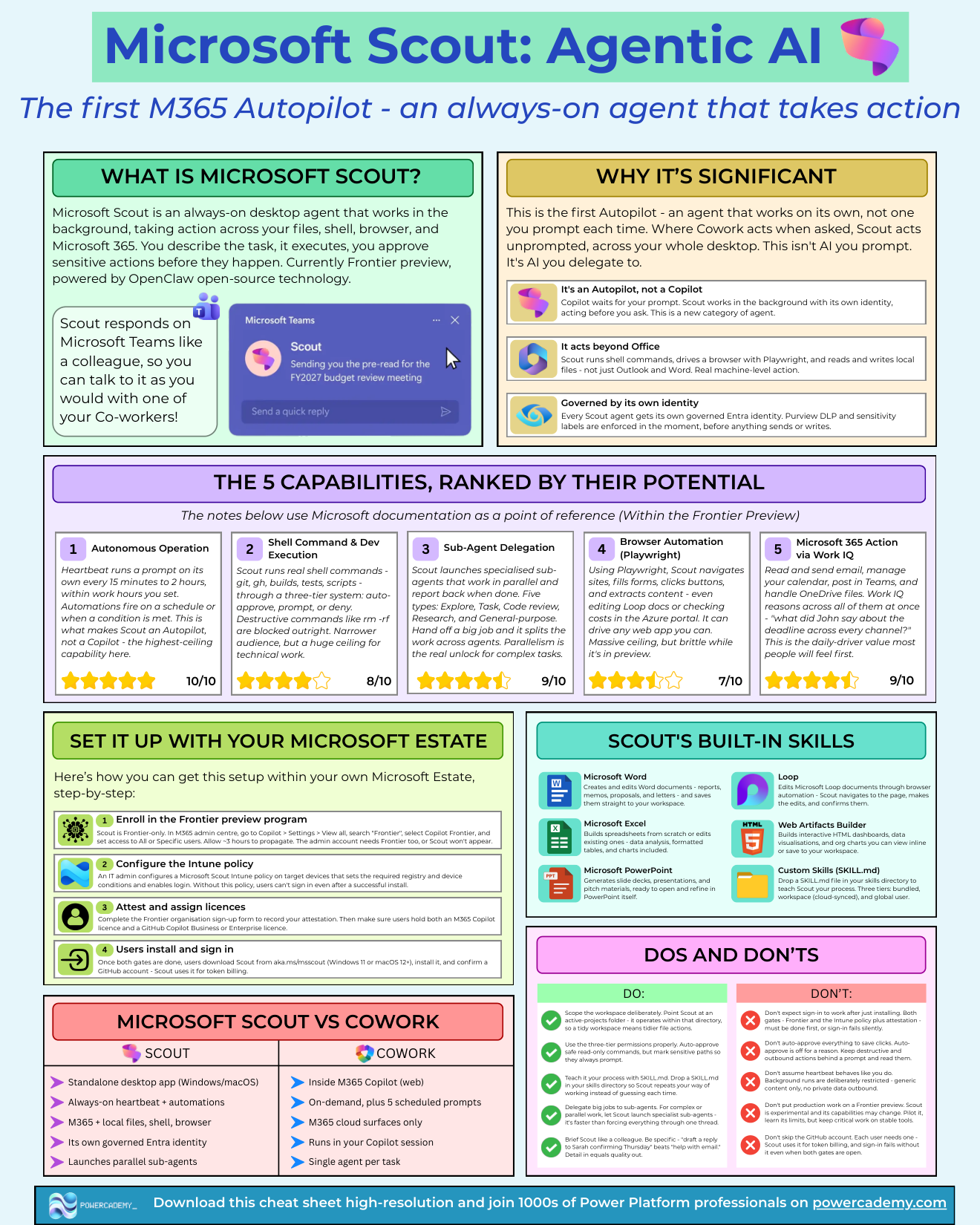
Microsoft Scout is a new category of agent: an always-on desktop agent that works in the background, taking action across your files, shell, browser, and Microsoft 365. You describe the task, it executes, and you approve sensitive actions before they happen. Where Copilot waits for your prompt and Cowork acts when asked, Scout acts unprompted - this isn't AI you prompt, it's AI you delegate to. It's currently a Frontier preview.
Want the hi-res version? It's free in the Powercademy Success Kit.
Why is Scout significant?
Three reasons.
It's an Autopilot, not a Copilot - it works in the background with its own identity, acting before you ask.
It acts beyond Office - shell commands, a Playwright-driven browser, and local file access, not just Outlook and Word. And it's governed by its own identity - every Scout agent gets a governed Entra identity, with Purview DLP and sensitivity labels enforced in the moment, before anything sends or writes.
What are the five capabilities, ranked by potential?
Autonomous operation - the highest-ceiling capability and what makes Scout an Autopilot: heartbeat runs a prompt on its own every 15 minutes to 2 hours within work hours you set, and automations fire on schedules or conditions.
Shell command and dev execution - real shell commands (git, gh, builds, tests, scripts) through a three-tier system: auto-approve, prompt, or deny, with destructive commands like rm -rf blocked outright. Narrower audience, huge ceiling for technical work.
Sub-agent delegation - Scout launches specialised sub-agents (Explore, Task, Code review, Research, General-purpose) that work in parallel and report back. Parallelism is the real unlock for complex jobs.
Browser automation with Playwright - navigating sites, filling forms, extracting content, even editing Loop docs or checking Azure portal costs. Massive ceiling, still brittle in preview.
Microsoft 365 action via Work IQ - email, calendar, Teams, and OneDrive, with Work IQ reasoning across all of them at once ("what did John say about the deadline, across every channel?"). This is the daily-driver value most people feel first.
What are the dos and don'ts?
Do: scope the workspace deliberately (point Scout at an active-projects folder); use the three-tier permissions properly (auto-approve read-only, prompt on sensitive paths); teach it your process with a SKILL.md so it repeats your way of working; delegate big jobs to sub-agents; and brief it like a colleague - "draft a reply to Sarah confirming Thursday" beats "help with email".
Don't: expect sign-in to work right after installing (both the Frontier gate and the Intune policy plus attestation must be done first, or sign-in fails silently); auto-approve everything to save clicks; assume heartbeat behaves like you do (background runs are deliberately restricted - generic content only, no private data outbound); put production work on a Frontier preview; or skip the GitHub account - each user needs one for token billing, and sign-in fails without it.
FAQ
How is Scout different from Copilot Cowork?
Cowork is the cloud action layer inside Microsoft 365 - you delegate a task and it executes across Outlook, Teams, and SharePoint. Scout lives on your desktop with local files, shell, and browser access, and can act unprompted via heartbeat. Cowork acts when asked; Scout is the Autopilot.
What do I need to run Scout?
Frontier preview enrolment, the Intune policy with device attestation, a GitHub account per user (it handles token billing), and a GitHub Copilot Business licence. Miss any gate and sign-in fails - often silently.
Is Scout safe to run on a work machine?
The governance is real - Entra identity, Purview DLP in the action path, three-tier command approval, blocked destructive commands. But it's a Frontier preview: pilot on scoped workspaces, keep sensitive paths behind prompts, and keep production-critical work on stable tools for now.
What's a SKILL.md?
A markdown file in Scout's skills directory that teaches it your process - how you like work done, step by step. Drop one in and Scout repeats your way of working instead of guessing each time. Write one per repeatable workflow you delegate.
The hi-res version of this cheat sheet is in the Powercademy Success Kit - free, along with hundreds of other cheat sheets, roadmaps, and guides for Microsoft professionals.